
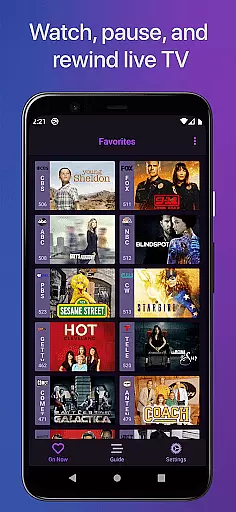
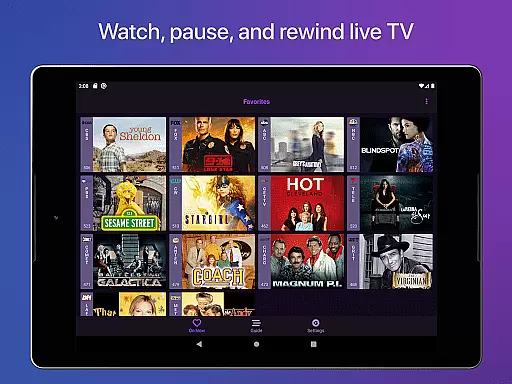
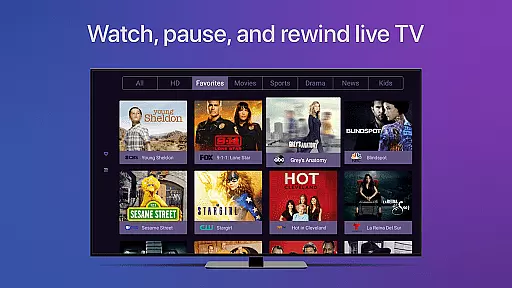
Channels for HDHomeRun is a revolutionary app that brings live TV viewing to Android devices. Designed specifically for users with HDHomeRun TV tuners, this application allows you to stream local or cable television directly on your smartphone or tablet. The app supports full HD streaming and 5.1 surround sound, delivering an exceptional audiovisual experience.
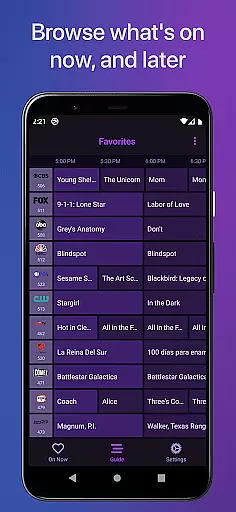
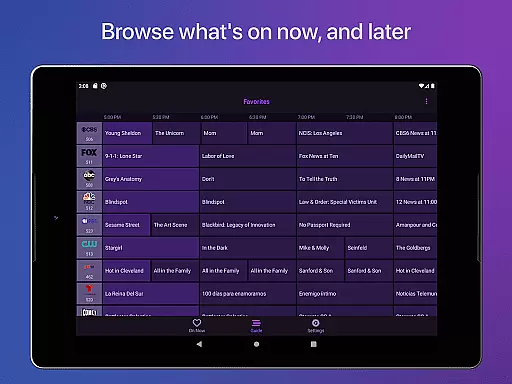
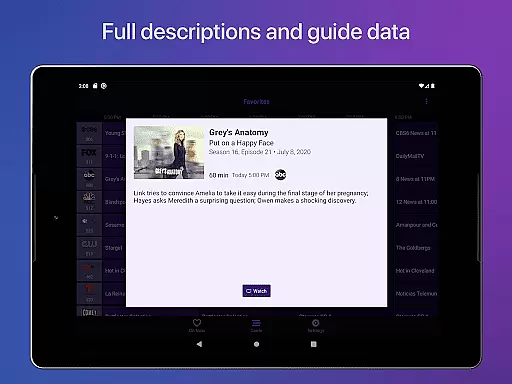
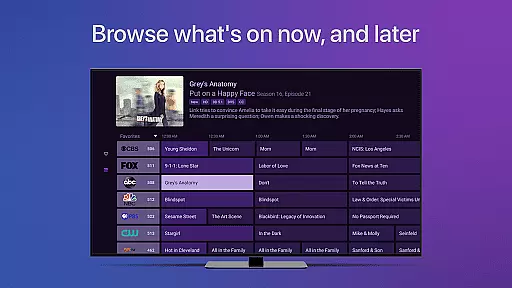
One of the standout features of Channels is its ability to integrate seamlessly with your existing digital lifestyle. Whether you're using an antenna for over-the-air broadcasts or have a cable subscription, Channels eliminates the need for multiple devices or complex setups. The app's intuitive interface provides a full grid guide, closed captioning support, and channel favoriting, making it easy to customize your viewing experience.
The real value of Channels becomes apparent when considering its versatility in modern home entertainment systems. Users can enjoy live primetime TV, local news, and sports across multiple devices within their home network. This flexibility extends to various rooms, allowing family members to watch different programs simultaneously without additional hardware. For cord-cutters and traditional TV viewers alike, Channels offers a cost-effective solution that combines the best of both worlds.
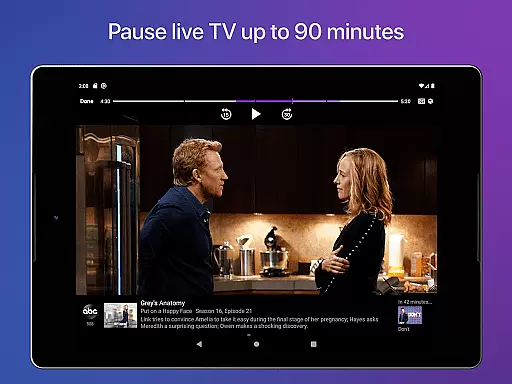
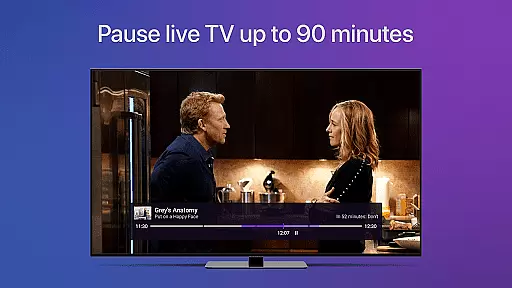
Channels for HDHomeRun distinguishes itself through its comprehensive feature set tailored for modern television consumption. At its core, the app provides essential DVR-like functionality including pause, rewind, and fast forward capabilities for live TV. These features are supported by a robust live TV buffer that typically stores up to 90 minutes of programming, depending on device storage capacity.
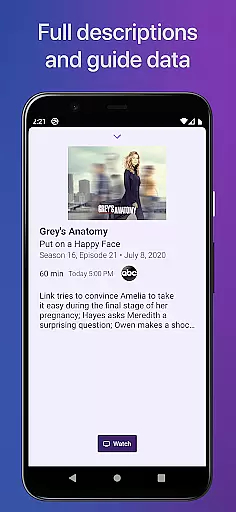
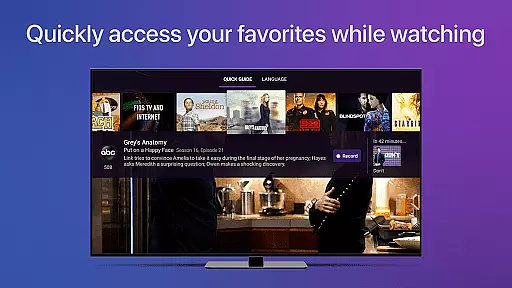
The application's technical capabilities extend beyond basic playback functions. It supports full HD streaming at optimal bandwidth conditions, ensuring crystal-clear picture quality. Advanced accessibility features include complete VoiceOver support and multi-language audio options. The full grid guide and automatic channel discovery make navigation intuitive, while the quick guide function allows users to browse other channels' content without interrupting their current viewing session.
What sets Channels apart from other video player applications is its sophisticated integration with HDHomeRun devices. The app enables remote management of connected tuners and supports all major HDHomeRun models. Its innovative touch controls allow precise 30-second forward skips and 7-second backward jumps. Additionally, the app's favorites system and previous channel recall create a personalized and efficient viewing experience that adapts to each user's preferences.
Video format compatibility is a crucial feature for any video player, ensuring that users can enjoy content in various formats without technical hindrances. Channels for HDHomeRun excels in this area by supporting a wide range of video formats, making it versatile for different user needs.
The app leverages the capabilities of HDHomeRun tuners to deliver Full HD streaming directly to Android devices. This ensures that whether you're watching local broadcasts or cable TV, the stream maintains high quality, provided your network bandwidth allows.
Channels also supports 5.1 Surround Sound and closed captioning, enhancing the audio-visual experience. These features make the app suitable not only for casual viewing but also for users who demand high-fidelity sound and accessibility options.
By integrating seamlessly with HDHomeRun devices, Channels offers an all-encompassing solution for enjoying live TV on Android. Its broad format support means fewer interruptions and more entertainment, providing users with a smooth and enjoyable viewing experience.
AI-powered editing features are transforming how users interact with video content by enabling smarter and more efficient editing processes. Although Channels for HDHomeRun focuses primarily on live TV streaming, its intelligent features offer a streamlined user experience akin to advanced video editing tools.
One standout feature is the live TV buffer, which allows users to pause, rewind, and fast forward through live broadcasts. This functionality mimics non-linear editing systems, giving viewers control over their content consumption in real-time.
Additionally, Channels incorporates smart navigation features like the Quick Guide and Favorites tab. These tools use algorithmic processing to help users manage and browse their preferred channels effortlessly, much like AI-driven tagging and categorization in video editors.
While Channels may not provide traditional video editing capabilities, its intelligent buffering and channel management features enhance user engagement and satisfaction. By leveraging these smart functionalities, Channels delivers a modern and intuitive approach to consuming live television.
User-friendly interface
High-quality streaming
Comprehensive DVR features
Multi-room viewing capability
Excellent customer support
Requires HDHomeRun tuner
No DRM stream support
Home network limitation
Premium subscription needed
Device storage dependency

IPTV-Smarters Player Pro M3U - Watch Live Stream TV Channels with Chromecast
 4.00
4.00
Fast video downloader & private browser. Save HD clips to watch offline.
4.40
VLC Remote lets you control your VLC Media Player on Mac, PC or Linux.
4.60
This app was created to edit the metadata of music files.
4.20
Fast & Private Video Downloader App. Save all videos easily from the Internet.
4.40
Browser + Remote for Roku to stream webvideos, online movies and livestreams
4.60
Browser for Fire TV to stream webvideos, online movies, livestreams in HD
4.40
Video&Drama Player All Format is a HD video player, music player
3.00
Create, Publish & Maximize
4.70
#1 Torrent App on Android ** No Ads Ever + Battery Saver **
4.80
Play ALL formats in 4K & HD. Video downloader, MP3 player, Chromecast & more.
4.80
GENRAL PRO - General Pro is the best video player that fully supports all formats.
4.70
Find, download, and play torrents with the official BitTorrent® Pro app
4.70
Seamlessly connect and control your smart devices, anytime, anywhere with ease.
4.60
Full HD Video mp3 Player, MP4 player play 1080p, File manager, Video Downloader
4.40
Create & edit videos with AI
4.30
Powerful Video Editor & Photo Editing App —— Quick Edits & Stunning Effects!
4.30
Connect 2 UVC devices for recording and broadcast video/audio stream
3.90
Livestream, news, & gaming content. Watch, chat, and upload. Join Rumble today!
3.80


User Reviews