
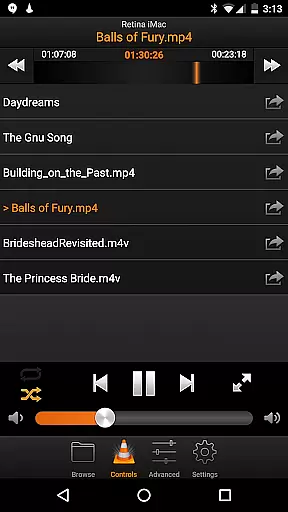
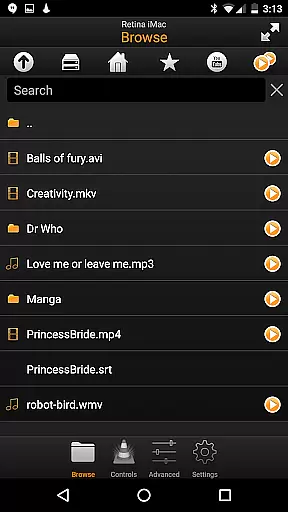
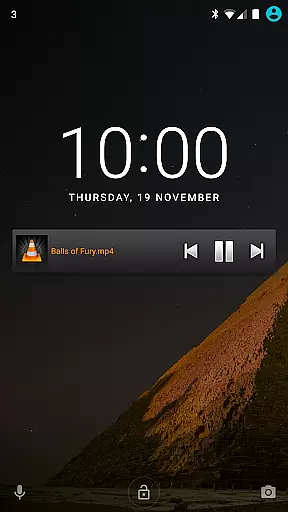
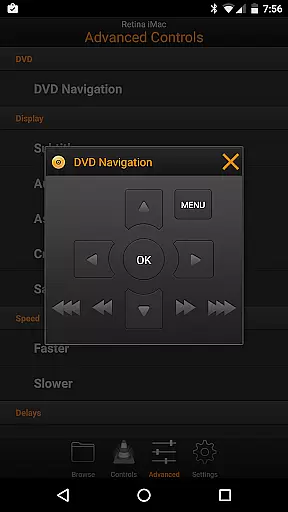
VLC Remote is a powerful and user-friendly remote control application designed specifically for VLC Media Player. It allows users to effortlessly manage their media playback directly from their Android device, offering seamless control over movies, music, and more. The app's standout feature is its free setup helper, which simplifies the connection process between your smartphone and VLC player with just a few button clicks.
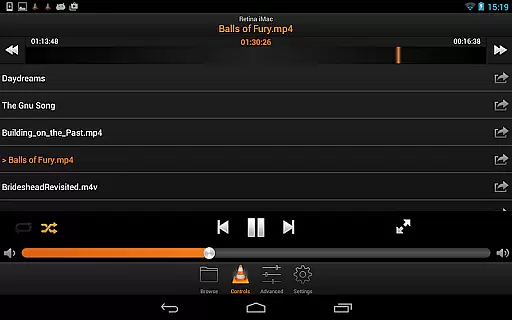
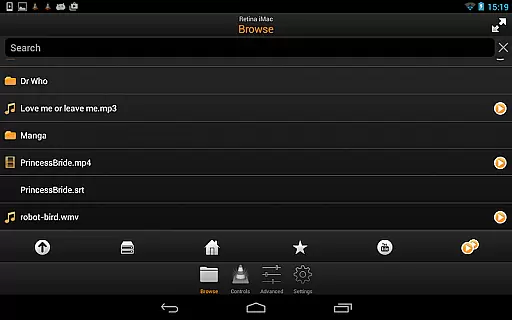
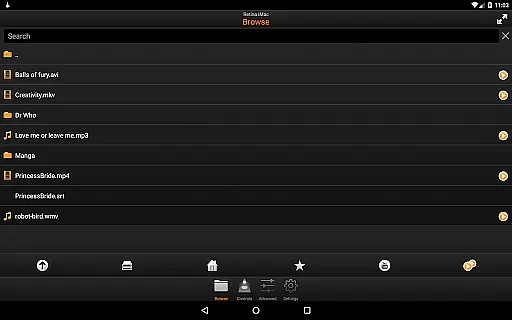
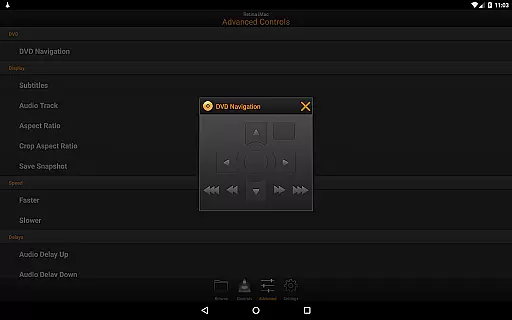
With VLC Remote, you can enjoy full browsing capabilities, including playing files from your computer, controlling DVD playback, adjusting volume and subtitles, and switching audio tracks. Whether you're relaxing on the couch or need to manage media across different devices, this app provides an intuitive solution that enhances your multimedia experience without requiring you to get up.
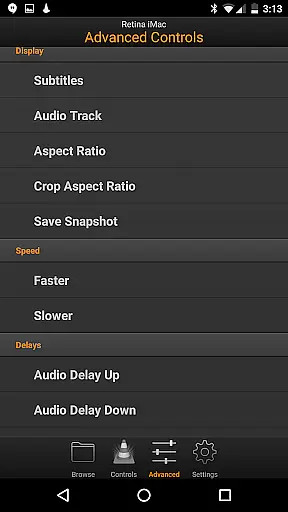
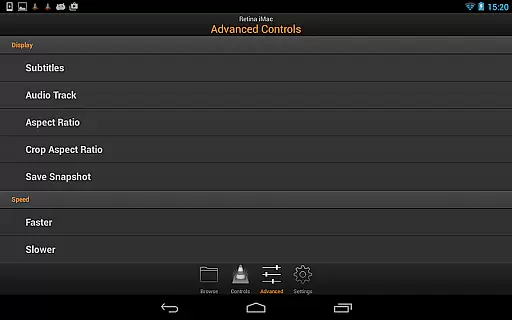
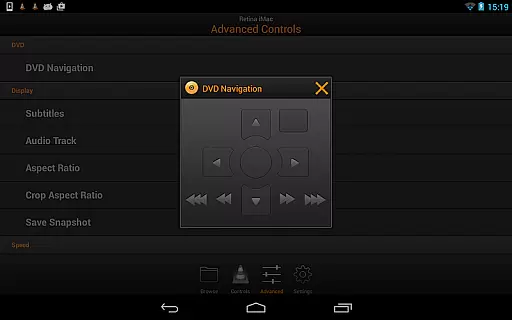
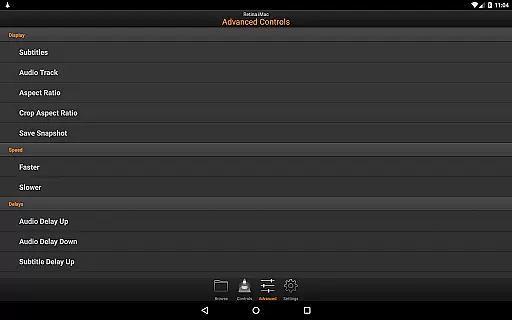
VLC Remote stands out with its comprehensive set of features tailored for complete media control. One of its key strengths is the automatic configuration helper, which streamlines the setup process by connecting your Android device to VLC with minimal effort. Once connected, users gain access to advanced controls such as DVD navigation, subtitle adjustments, aspect ratio changes, and even external drive management.
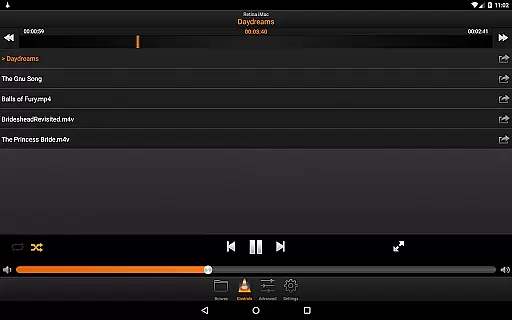
In addition to these robust functionalities, the app offers precise control over playback settings like volume, position tracking, and audio delays. These features ensure that every aspect of your media consumption can be fine-tuned according to personal preferences. By combining ease of use with powerful tools, VLC Remote delivers a versatile solution for anyone looking to enhance their interaction with VLC Media Player while maintaining comfort and convenience.
Video format compatibility is a crucial feature for any video player or editor, ensuring that users can enjoy their favorite content without worrying about file type restrictions. VLC Remote excels in this area by supporting a wide range of video formats, from common ones like MP4 and AVI to more specialized types such as MKV and FLV.
This application allows you to control VLC media player on your computer directly from your Android device, providing seamless playback of virtually any video file you have. Whether you're streaming movies from an external drive or playing files stored locally on your PC, VLC Remote ensures that the video format won't be a barrier.
The benefit to users is clear: no need to convert files or worry about codec packs. With VLC Remote, you get the freedom to play any video file with ease, enhancing your viewing experience significantly. This flexibility makes it an indispensable tool for anyone who regularly consumes multimedia content across different devices.
While VLC Remote does not focus heavily on traditional video editing capabilities, its AI-powered features offer unique advantages for managing and controlling media playback. The app's intelligent setup helper automatically configures VLC on your computer, establishing a connection with your Android device through intuitive button clicks.
This smart configuration process simplifies what could otherwise be a complex setup, making advanced media control accessible even to non-technical users. Once connected, you gain full browsing control over your media library, allowing you to play any file from your computer remotely.
Additionally, VLC Remote provides sophisticated controls for DVD playback, volume adjustment, subtitle management, and aspect ratio changes. These features collectively enhance the user's ability to customize their viewing experience without needing extensive manual adjustments. By leveraging these smart tools, users can enjoy a streamlined yet powerful media control interface right at their fingertips.
User-friendly interface
Automatic setup helper
Comprehensive media controls
Supports external drives
Highly customizable options
Limited to VLC Media Player
Requires initial setup
No iOS version available
Occasional connectivity issues
Premium version costs extra

HD Video player all format, HD Videos, Cast & Subtitle. No annoying ads.
 4.60
4.60
Your media, on your terms.
4.10
Video Trimmer, Video to MP3 Converter. Extract music from video, Easy & Fast.
4.80
Full HD Video mp3 Player, MP4 player play 1080p, File manager, Video Downloader
4.40
1)AirPlay/DLNA Mirroring/Streaming, up to 4 connections; 2)Samba/NAS/DMS Player.
4.00
Seamlessly connect and control your smart devices, anytime, anywhere with ease.
4.60
Connect EasyCap or UVC devices for recording and broadcast video/audio stream
3.60
Browser for Samsung TV to stream webvideos, online movies and livestreams in HD
4.10
Enjoy your favorite videos and channels with the official YouTube app.
3.90
All in one HD video downloader & player for multiple formats with full privacy
4.70
IPTV Loader, loads your own Playlist. DOES NOT CONTAIN ANY LIST OR CHANNELS
4.60
Watch IPTV on your Android device
4.60
Fast, private downloading, video saving, social media
4.50
Powerful video player with advanced hardware acceleration and subtitle supports
4.20
All format media Player, no need video converter any more!
4.00
Watch full episodes of your favorite Cartoon Network and Cartoonito shows!
3.50
Client application for NextPVR software
3.00
You can play SWF format file!
2.50
The essential companion to your Blue Iris PC software
2.50


User Reviews