
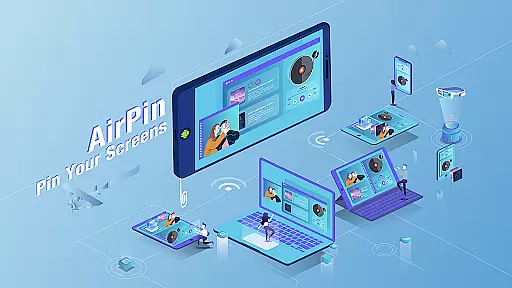




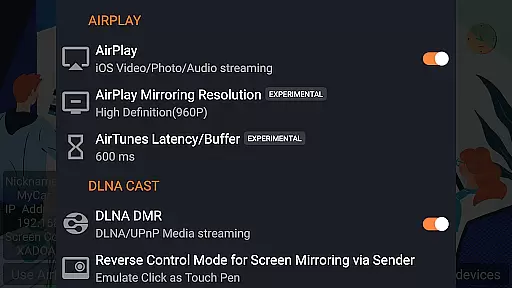

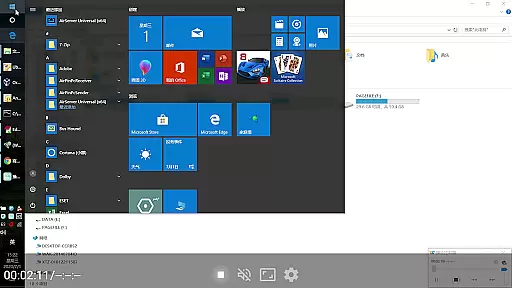

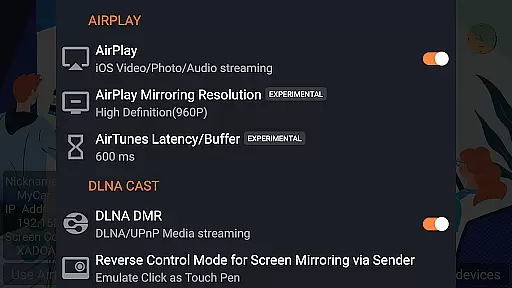


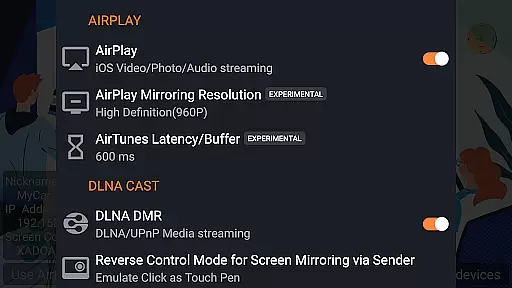
AirPin PRO is a cutting-edge screen mirroring and media streaming receiver app designed for Android phones, tablets, TVs, set-top boxes, and projectors. As the first Android application to support both AirPlay and DLNA since its initial release in July 2012, it enables users to share media and screens from Apple, Windows, and Android devices onto larger displays.
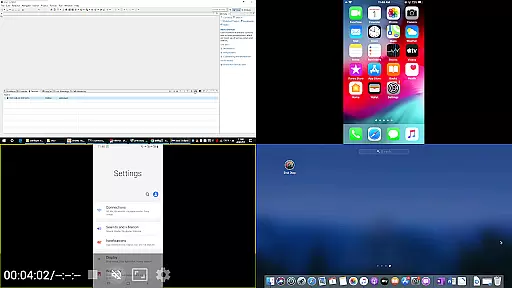
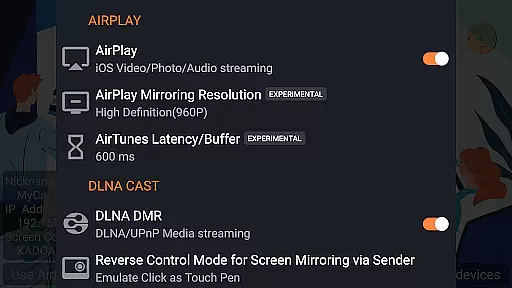
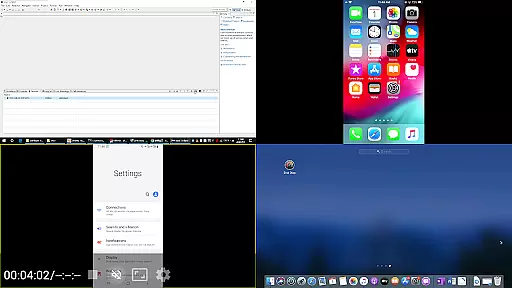
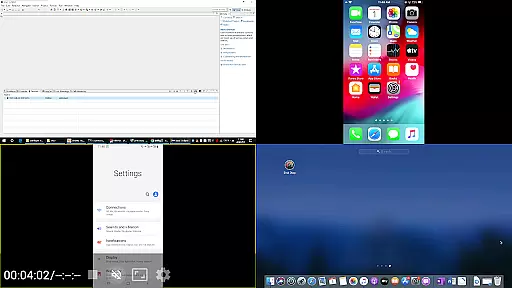
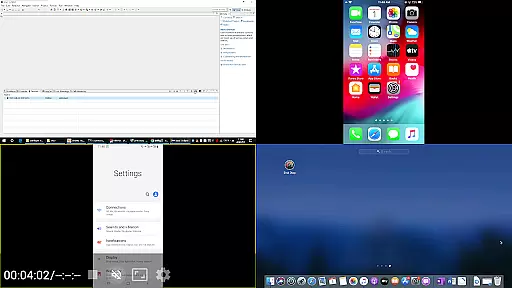
This premium version allows simultaneous display of up to four device screens, setting it apart from the standard edition which only supports one at a time. With compatibility across all iOS and MacOS versions, AirPin PRO facilitates seamless streaming of videos, music, and even entire desktops via AirPlay. Additionally, it offers unique features such as YouTube AirPlay streaming, slideshow functionality for photos, password protection, and direct pulling of media from DLNA/NAS/Samba servers.
AirPin PRO stands out with its ability to mirror multiple screens simultaneously—up to four devices—and an extensive list of advanced functionalities. It not only supports traditional AirPlay video and music streaming but also introduces innovative capabilities like the first-ever support for YouTube AirPlay streaming and slideshow presentations during photo streams.
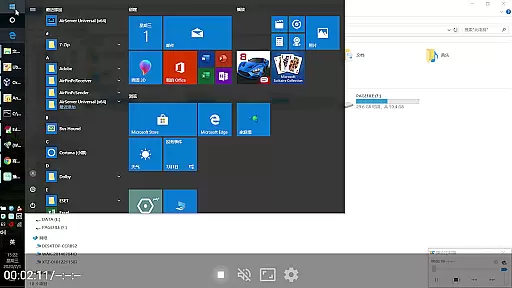
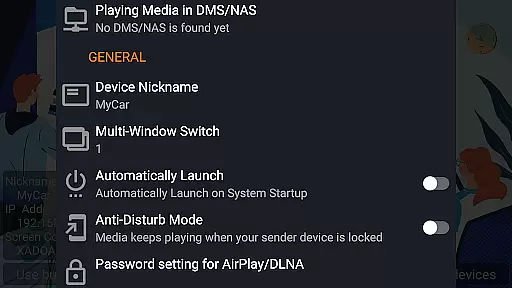
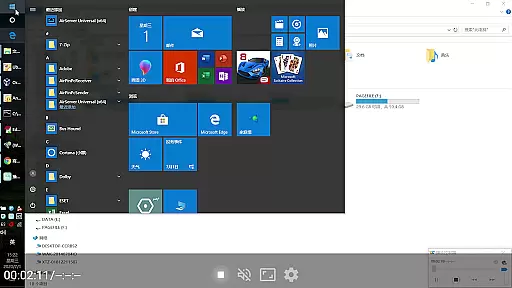
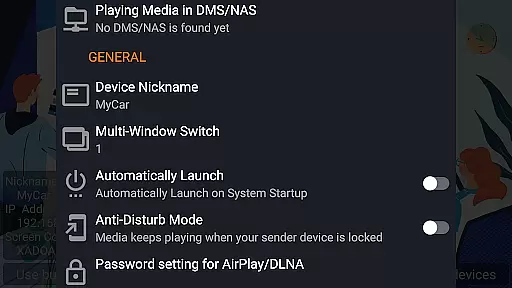
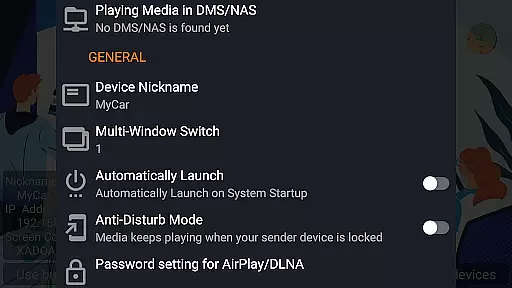
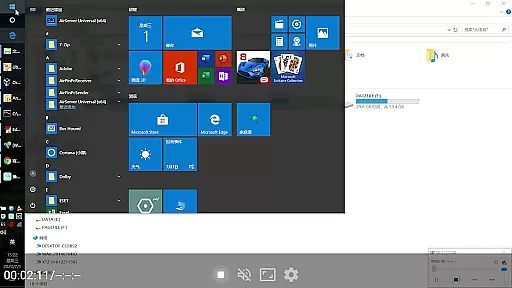
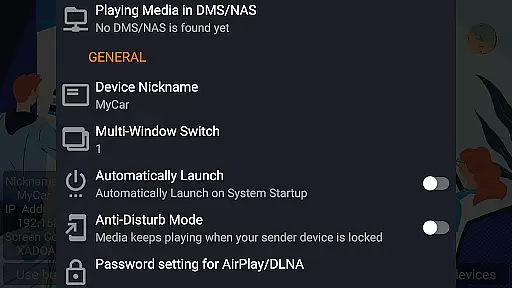
For Android-based TVs, this app uniquely functions as both a Renderer and Player. Users can stream content directly from their PCs using AirPinPcSender.exe or cast from other Android devices through AirPinCast. The app ensures uninterrupted audio playback in the background and includes an anti-disturb mode that keeps videos playing even when the controlling device disconnects. Moreover, automatic startup options, configurable service shutdowns, and external player support enhance user convenience while regular updates address bugs promptly.
Video format compatibility is a crucial feature for any video player application, ensuring that users can enjoy content in various formats without technical hindrances. AirPin PRO stands out by supporting an extensive range of video formats, making it versatile for different user needs.
This app facilitates seamless screen mirroring and media streaming from multiple devices including Apple, Windows, and Android onto larger screens. With the capability to display up to four device screens simultaneously, it caters to diverse multimedia experiences, enhancing both personal and professional presentations.
AirPin PRO's support extends beyond just basic video playback; it embraces advanced functionalities such as AirPlay and DLNA protocols. This means you can stream not only local files but also content directly from network servers or cloud storage services, providing unparalleled convenience for accessing your media library.
By integrating with tools like AirPinPcSender.exe for Windows and AirPinCast for Android, this application ensures comprehensive cross-platform support. Such versatility guarantees that no matter what device or operating system you are using, AirPin PRO delivers a smooth and uninterrupted viewing experience across all supported formats.
AI-powered editing features represent the cutting edge of video player technology, offering users advanced tools to enhance their media consumption experience. Although AirPin PRO primarily focuses on screen mirroring and streaming, its intelligent functionalities provide unique advantages in managing and optimizing media playback.
The app supports automatic startup and service shutdown configurations, which streamline the user experience by minimizing manual intervention. These smart settings ensure that the application runs efficiently, conserving system resources while maintaining optimal performance levels during use.
One standout feature is the anti-disturb mode, where videos continue playing even if the controlling device disconnects. This functionality leverages AI to maintain session continuity, allowing uninterrupted viewing sessionsu2014a significant benefit for both casual watchers and professionals relying on stable connections.
Additionally, AirPin PRO includes options for password protection and external player support, adding layers of security and customization. While not traditional editing tools, these AI-driven capabilities empower users to tailor their interaction with digital media precisely how they prefer, ensuring a modern, intuitive, and highly personalized entertainment environment.
Multi-screen display
First app with YouTube AirPlay
Supports DLNA and UPnP
Background audio streaming
Regular bug fixes
Paid version required
Complex setup process
Limited free features
Device compatibility issues
No native Chromecast support

The smartest M3U IPTV Player your playlists have ever seen.
 4.0
4.0
Fast, private downloading, video saving, social media
4.50
You can play SWF format file!
2.50
Full HD Video mp3 Player, MP4 player play 1080p, File manager, Video Downloader
4.40
Explore the largest library of free GIFs, Stickers & Memes - or create your own!
3.90
Download videos and play them offline
4.70
Web Browser for LG TV to stream webvideos, online movies and livestreams in HD
4.20
Powerful video player with advanced hardware acceleration and subtitle supports
4.20
convenient, safe and fast at Video Downloader & Player
4.60
All in one HD video downloader & player for multiple formats with full privacy
4.70
IPTV Loader, loads your own Playlist. DOES NOT CONTAIN ANY LIST OR CHANNELS
4.60
Cast to Chromecast, Xbox, Fire Stick, Roku, DLNA, Smart TV & No Feature Limited!
4.50
Powerful Video Editor & Photo Editing App —— Quick Edits & Stunning Effects!
4.30
Your media, on your terms.
4.10
Browser for Samsung TV to stream webvideos, online movies and livestreams in HD
4.10
LumaFusion: The Ultimate Storytelling Experience for Video Editing
4.10
Connect EasyCap or UVC devices for recording and broadcast video/audio stream
3.60
A full editing room to accompany your Insta360 cameras and handheld gimbals.
3.30
Browser for Sony TV to stream web videos, online movies and live tv
3.20


User Reviews