
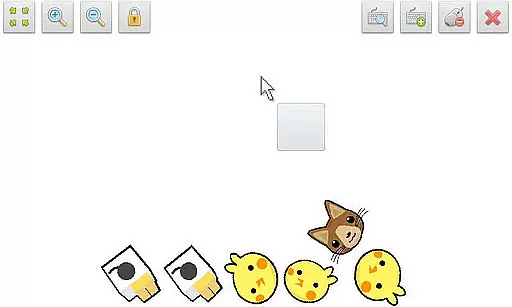
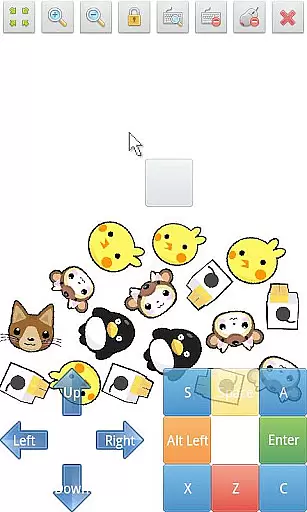
SWF Player Pro is a specialized video player designed for users who need to play SWF format files on their Android devices. The app supports two powerful SWF engines - Android AIR and Ruffle, ensuring optimal compatibility and performance. With its comprehensive feature set, this professional-grade player offers advanced playback controls, multi-touch support, and customizable settings.
The application provides essential tools for SWF file management including zoom functionality, play/stop controls, fullscreen mode, and a built-in file browser. Users can fine-tune their experience through advanced settings that control wmode, background color, wake-lock, rotation, quality, and scale. These features make SWF Player Pro an ideal solution for professionals and enthusiasts who work with Flash content regularly.
SWF Player Pro stands out with its dual-engine support system, utilizing both Android AIR and Ruffle SWF engines for maximum compatibility. The player offers precise control over SWF files with features like zoom in/out functionality, play/stop controller, and fullscreen mode activation. Its multi-touch virtual keypad and virtual mouse capabilities provide intuitive navigation options.
Advanced users will appreciate the granular control over playback settings including wmode configuration, background color adjustment, wake-lock management, rotation preferences, quality settings, and scaling options. The integrated file browser streamlines SWF file management while supporting trademarks compliance with Adobe® Systems' Flash® and AIR® technologies. These comprehensive features ensure a professional-grade SWF playback experience.
SWF Player Pro offers extensive video format compatibility, primarily supporting SWF files which are commonly associated with Flash animations. This compatibility ensures that users can enjoy a wide range of multimedia content that is typically not supported by standard video players.
The app leverages two powerful SWF engines - Android AIR and Ruffle - to provide seamless playback of SWF files. These engines ensure that regardless of the SWF file's complexity or features, it will play smoothly on your device, preserving the intended animation and interactivity.
For users who engage with legacy content or specific educational and entertainment materials, this player opens up access without the need for conversion or additional software. The support for SWF makes it possible to view interactive content, animations, and even older web games directly on modern Android devices.
Moreover, SWF Player Pro enhances user experience by offering advanced settings such as wmode, background color adjustments, wake-lock options, rotation settings, quality controls, and scaling features. These options allow users to customize their viewing experience according to their preferences and needs.
While SWF Player Pro focuses primarily on playback rather than editing, it does offer several features that enhance the viewing experience through what could be considered intelligent design. Options like virtual mouse support and multi-touch virtual keypad emulate user interactions within SWF content, mimicking desktop-like functionality on mobile devices.
Advanced settings in SWF Player Pro contribute to an adaptive viewing environment where users can modify parameters such as wake-lock, rotation, and quality settings. This flexibility allows for optimized performance based on individual device capabilities and user preferences, akin to AI-driven customization found in more advanced editors.
Although it doesn't provide traditional video editing tools like trimming or transitions, its ability to control playback with precisionu2014including zoom in/out functionsu2014offers a level of interaction that enriches the overall user engagement with SWF content.
Additionally, the inclusion of fullscreen support and play/stop controllers ensures that users have complete command over their viewing experience, making it both convenient and efficient to interact with SWF files regardless of their original design specifications.
User-friendly interface
Advanced customization options
Dual-engine support
Comprehensive SWF compatibility
Professional-grade features
Paid version only
No iOS support
Complex for beginners
Requires technical knowledge
Limited format support

Client application for NextPVR software
 3.00
3.00
Tik & Story Saver-Download ALL social media videos, photos & reels no watermark.
4.80
Create photo video with music & template. AI video maker for stunning slideshow.
4.60
Add date and time watermark to photos and videos
4.50
The essential companion to your Blue Iris PC software
2.50
Browser for Fire TV to stream webvideos, online movies, livestreams in HD
4.40
Web Browser for LG TV to stream webvideos, online movies and livestreams in HD
4.20
Video player with 4K & 1080P support, popup play, background play and subtitle.
4.20
Photo editor & video maker with music and slideshows.
4.10
AI Video Editor with Music, Filter, Slideshow, Effect, Merge & Trim Video.
4.80
Find, download, and play torrents with the official BitTorrent® Pro app
4.70
Fast & easy HD video downloader for all formats, support 4K playback & download.
4.60
Watch IPTV on your Android device
4.60
Cast movies, tv shows and live streams to Chromecast, Roku, DLNA, Fire TV & more
4.60
Auto video maker with music & exclusive filters. Video editing made simple.
4.50
Cast to Chromecast, Xbox, Fire Stick, Roku, DLNA, Smart TV & No Feature Limited!
4.50
This app was created to edit the metadata of music files.
4.20
Fast private browser with secure, seamless access & supported video downloads!
4.00
Stream high quality video from your camera over NDI protocol
4.2


User Reviews