
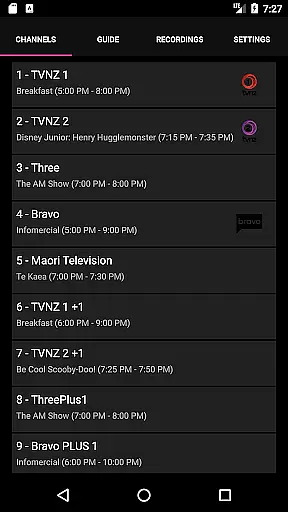
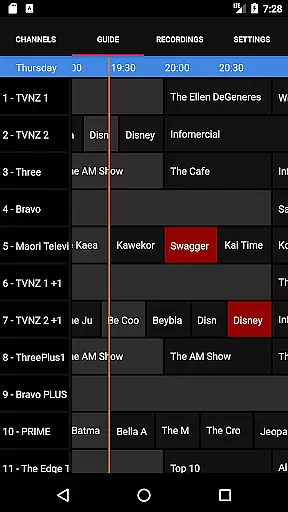
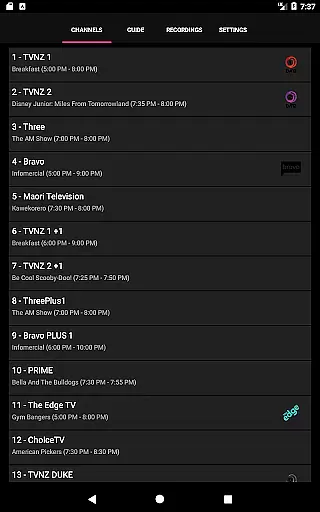
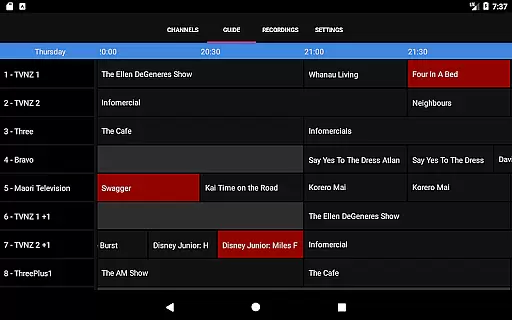
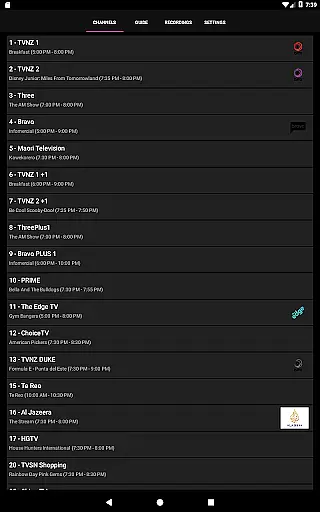
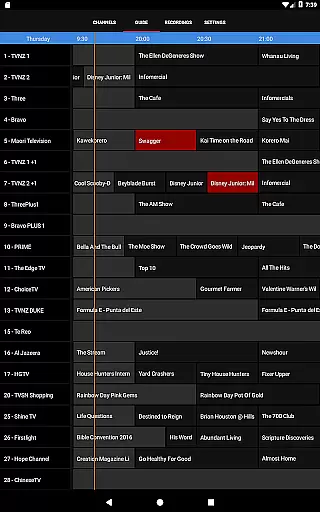
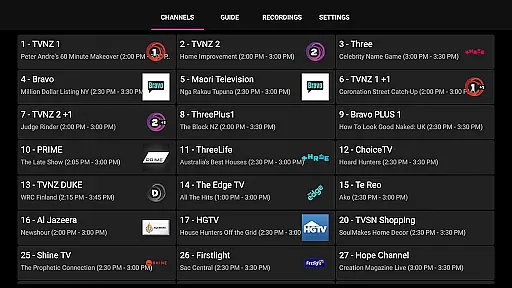
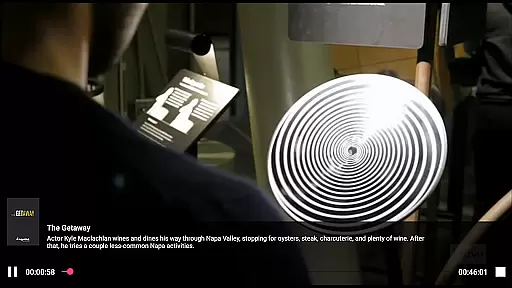
NextPVR is a versatile client application that connects users to the NextPVR media center software. Designed for seamless integration with NextPVR 4.1.0 or higher, this app allows you to manage and enjoy live TV, scheduled recordings, and an intuitive TV guide directly from your mobile device. With support for various video capture sources including ATSC, DVB, and Analog TV tuners, it transforms your Windows PC into a powerful media hub.
The app's core functionality lies in its ability to provide remote access to your NextPVR setup. Whether you're at home or on the go, you can easily watch live broadcasts, browse through the TV guide, and control your recording schedule. This makes it an essential tool for anyone who wants to stay connected to their media library without being tied to a desktop computer.
For users who frequently consume multimedia content, NextPVR offers significant value by centralizing all your entertainment needs. From watching live sports to managing DVR recordings, the app ensures you never miss a moment of your favorite shows, all while maintaining a user-friendly interface that simplifies navigation and control.
NextPVR boasts a range of features designed to enhance your TV viewing experience. One standout capability is its robust live TV streaming, which delivers high-quality broadcasts directly to your mobile device. The app also includes an interactive TV guide, giving you a clear overview of programming schedules and allowing you to plan your viewing sessions efficiently.
In addition to live TV, NextPVR excels in recording management. Users can create, edit, and manage recording schedules with ease, ensuring they never miss important events or shows. The app supports multiple video capture sources, making it adaptable to various hardware setups. Furthermore, its integration with ATSC, DVB, and Analog TV tuners showcases its versatility and broad compatibility.
Another key feature is the app's remote control functionality, which empowers users to manage their NextPVR installations from anywhere. This flexibility not only enhances convenience but also expands the ways in which users interact with their media libraries. By combining these features, NextPVR provides a comprehensive solution for modern TV consumption needs.
Video format compatibility is a crucial feature for any video player, ensuring that users can enjoy content in various formats without technical barriers. NextPVR excels in this area by supporting a wide range of video formats commonly used in TV tuners and other video capture sources.
The app's integration with NextPVR software allows it to handle ATSC, DVB, and Analog TV tuners seamlessly. This means you can watch live TV, view recordings, and manage your recording schedule without worrying about format issues.
By supporting multiple formats, NextPVR ensures that users have a smooth experience when switching between different types of content. Whether you're watching a TV show or viewing a recording, the transition is effortless, enhancing your overall viewing experience.
AI-powered editing features are transforming how we interact with video content by providing smart tools that simplify complex tasks. Although NextPVR focuses primarily on live TV and recordings, its intelligent management features offer a glimpse into what AI can achieve in video applications.
With NextPVR, users can efficiently manage their recording schedules using an intuitive interface. The app intelligently organizes TV guides and recordings, making it easy to find and watch your favorite shows. This streamlined approach saves time and enhances user satisfaction.
While not a traditional video editor, NextPVR's smart features help users optimize their viewing experience. By integrating seamlessly with the main NextPVR software, it provides a comprehensive solution for managing and enjoying video content, demonstrating the potential of AI in enhancing media applications.
User-friendly interface
Live TV streaming
Recording management
TV guide integration
Remote access capability
Requires NextPVR setup
Windows PC dependent
Limited mobile features
No standalone function
Network reliant

Watch full episodes of your favorite Cartoon Network and Cartoonito shows!
 3.50
3.50
?100% FREE! Download & save videos? safely in this app. All formats supported.
4.60
Cast to Chromecast, Xbox, Fire Stick, Roku, DLNA, Smart TV & No Feature Limited!
4.50
1)AirPlay/DLNA Mirroring/Streaming, up to 4 connections; 2)Samba/NAS/DMS Player.
4.00
Download videos and play them offline
4.70
Browser for Sony TV to stream web videos, online movies and live tv
3.20
Flud is a simple and beautiful BitTorrent client for Android.
4.80
Browser for Samsung TV to stream webvideos, online movies and livestreams in HD
4.10
convenient, safe and fast at Video Downloader & Player
4.60
A Quick and Pro Video Editor
4.70
GENRAL PRO - General Pro is the best video player that fully supports all formats.
4.70
Watch IPTV on your Android device
4.60
Browser + Remote for Roku to stream webvideos, online movies and livestreams
4.60
Fast video downloader & private browser. Save HD clips to watch offline.
4.40
Viddo: Generate Action Figure, AI Anime, AI kiss, AI hug Video from image & text
4.40
Stream Web Videos to Chromecast, Samsung, LG, Sony, Roku, Fire TV, DLNA + more
4.00
Online Videos Player
3.90
Cast to Smart TV, Fire TV. Cast video, photo - Fast & Stable!
3.90
IPTV Player - Watch live TV from m3m & m3u8 playlist, stream IPTV on mobile
3.30


User Reviews