
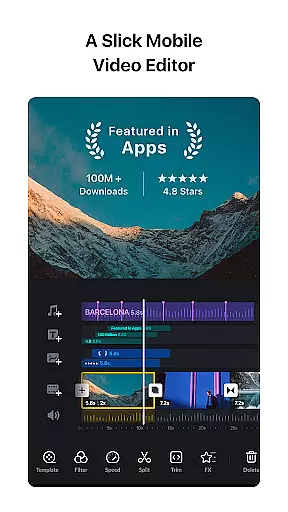
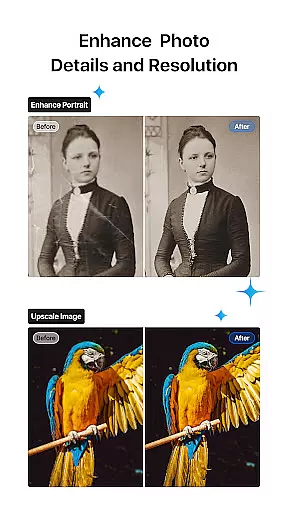
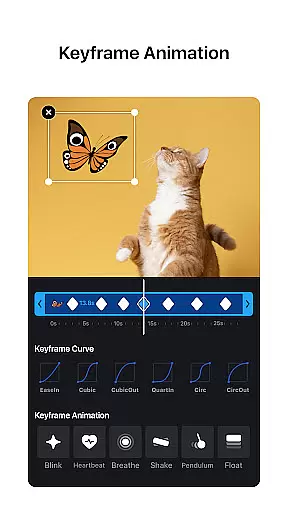
VN is a versatile video editing app that combines professional-grade features with an intuitive interface, making it accessible for both amateur and experienced editors. The app offers advanced tools such as multi-track editing, keyframe animation, and color grading filters, enabling users to create high-quality videos without watermarks.
With its user-friendly design, VN allows precise editing through quick rough cuts, easy clip reordering, and flexible material imports. Users can enhance their videos with music beats, voice-overs, and cinematic effects while enjoying seamless collaboration via Google Drive or OneDrive. Whether you're crafting creative templates or exporting 4K videos, VN provides the tools needed for professional results.
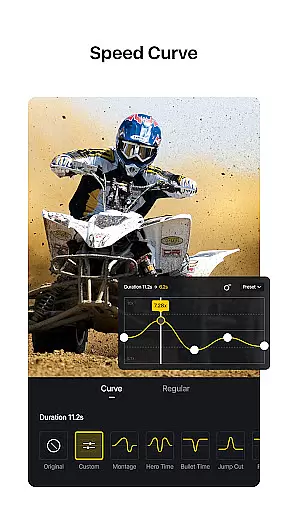
VN stands out with its comprehensive feature set tailored for efficient and creative video editing. The app includes a multi-track timeline where users can add picture-in-picture videos, texts, stickers, and animations. Its speed curve tool and time remapping capabilities allow editors to control playback speeds with precision, offering six preset curves for dynamic effects.
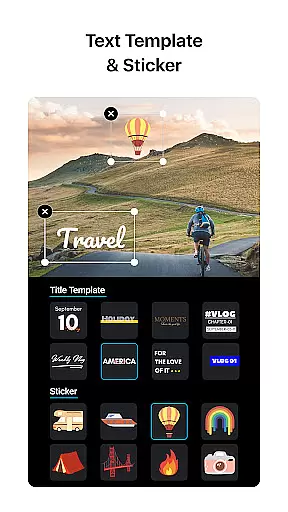
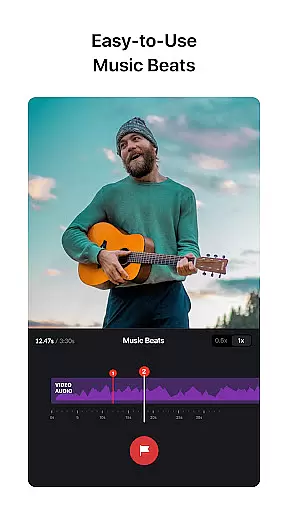
Additional highlights include advanced audio tools like music beat markers and high-quality voice-over recording, along with rich cinematic filters and LUT support for professional color grading. VN also supports non-destructive editing, customizable text templates, and secure project sharing via cloud services, ensuring flexibility and protection for your creative assets.
Video format compatibility is a crucial aspect of any video editing application, ensuring that users can work with a wide range of video file types. VN addresses this need by supporting an extensive array of formats, allowing both amateur and professional editors to import and export videos without worrying about compatibility issues.
The app's intuitive interface simplifies the process of video conversion and editing, making it accessible even to those without prior knowledge. With VN, you can seamlessly edit videos in various resolutions, including 4K, and enjoy frame rates of up to 60 FPS, which ensures your final product maintains high quality.
Moreover, VN provides advanced customization options for exporting videos. Users can adjust the video resolution, frame rate, and bit rate according to their specific needs, offering flexibility and control over the final output. This feature is particularly beneficial for creators who wish to optimize their videos for different platforms or devices.
By focusing on comprehensive video format support, VN empowers its users to create professional and high-quality videos that meet industry standards. Whether you're editing a short film or a social media clip, VN's versatile format compatibility ensures that your creative vision is realized without technical limitations.
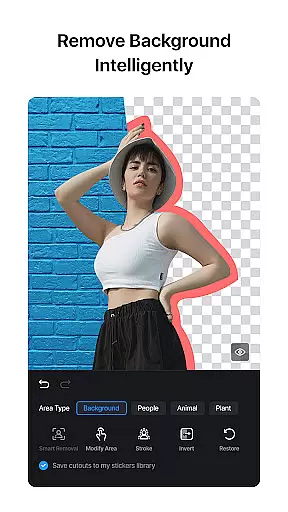
AI-powered editing features are revolutionizing the way we approach video production, and VN stands at the forefront of this innovation. By integrating artificial intelligence into its platform, VN offers tools that automate complex editing tasks, enabling creators to produce stunning visuals with minimal effort.
One standout feature is the AI-driven music beats tool, which allows users to add markers that synchronize video clips with the rhythm of the soundtrack. This not only enhances the overall flow of the video but also adds a professional touch that might otherwise require extensive manual adjustments.
VN also includes intelligent effects and transitions that leverage AI to analyze video content and suggest enhancements. These features help users apply cinematic filters, overlays, and blur effects with precision, elevating the aesthetic appeal of their projects. Additionally, the app's keyframe animation utilizes AI to streamline the customization process, providing dynamic effects that captivate audiences.
With these AI-powered capabilities, VN significantly reduces the learning curve associated with video editing while delivering powerful tools that cater to both novices and seasoned professionals. The result is an efficient and enjoyable editing experience that brings creative ideas to life effortlessly.
User-friendly interface
Professional editing tools
No watermark on exports
Supports 4K video export
Flexible material import options
Limited advanced tutorials
Occasional sync issues
Fewer third-party plugin integrations
Heavy on storage space
Ads in free version

Auto video maker with music & exclusive filters. Video editing made simple.
 4.50
4.50
A full editing room to accompany your Insta360 cameras and handheld gimbals.
3.30
Kodi media center, a free and open source cross-platform entertainment hub
3.60
Fast video downloader & private browser. Save HD clips to watch offline.
4.40
Turn your phone into a wireless camera!
4.20
Movie maker & video editing app with AI effects and green screen
4.30
Play and download HD videos from all sources — fast, simple, and all-in-one.
4.5
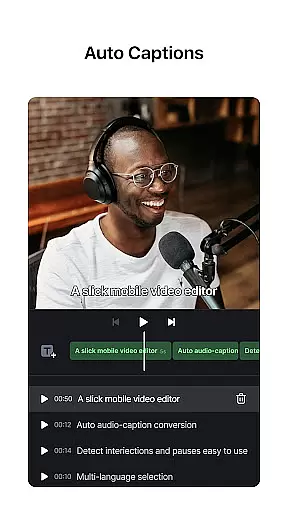
AI Video Editor:AI Music, Text to Video,Text to Speech,Auto Caption,Video Effect
4.00
Screen recorder with audio to take live videos & Screenshot in high quality!
4.70
An easy-to-use and all-round screen recorder with audio
4.80
High-Quality USB Camera Viewer & HDMI Display
4.70
Snaptubè Video Downloader app allows to download videos and music in Snaptube. .
4.60
VLC Remote lets you control your VLC Media Player on Mac, PC or Linux.
4.60
Cast movies, tv shows and live streams to Chromecast, Roku, DLNA, Fire TV & more
4.60
Cast to Chromecast, Xbox, Fire Stick, Roku, DLNA, Smart TV & No Feature Limited!
4.50
HD video maker with no watermark, no ads & vlog maker with music, PIP, text
4.50
Cast to Smart TV, Fire TV. Cast video, photo - Fast & Stable!
3.90
Save photos and videos from social apps in one tap.
3.60
Powerful HD video player with support for all formats & subtitles.
4.3


User Reviews