
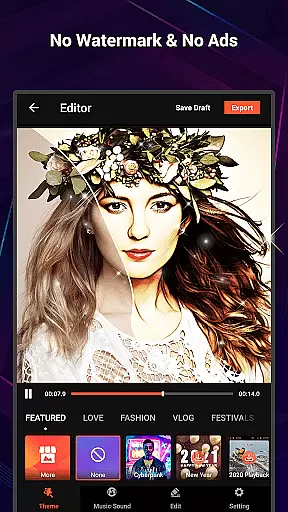
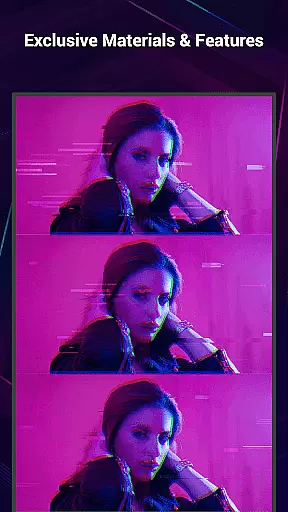
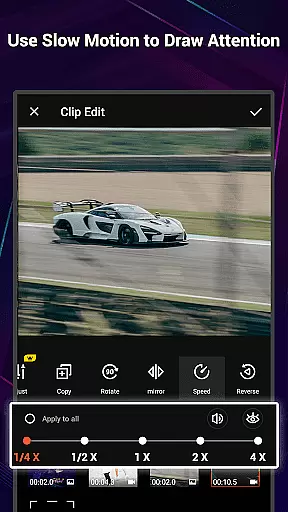
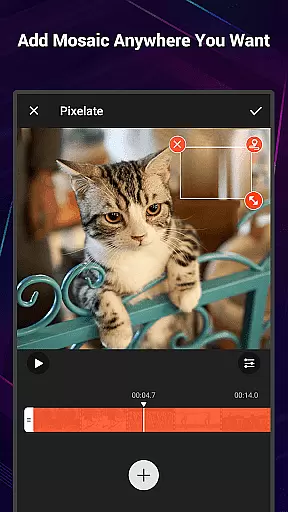
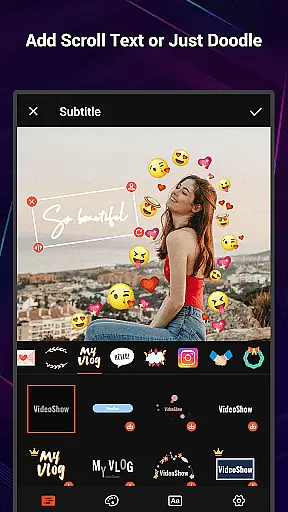
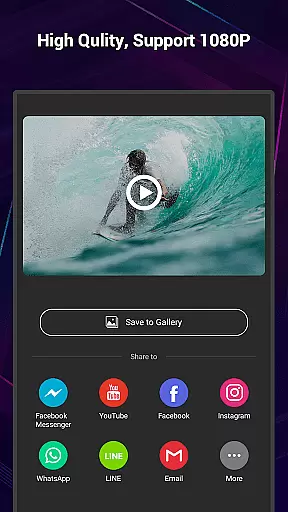
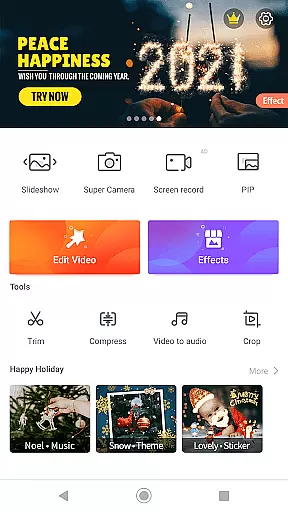
VideoShow Pro is a premium video editing application designed for both amateur and professional content creators. The app offers advanced features such as no watermark, ad-free interface, and support for exporting videos in 1080p and 4K resolutions. With an extensive library of exclusive materials, users can enhance their videos with up to 20 visual effects in one project.
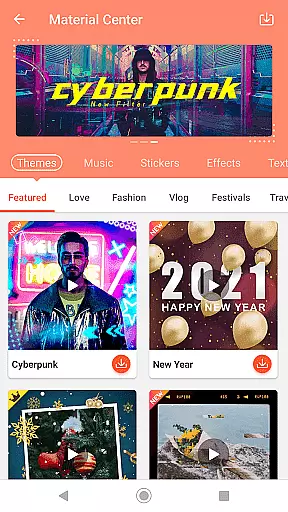
The app provides a streamlined editing experience by allowing users to create videos without pre-transcoding. It includes creative tools like zooming, rotating, and mixing photos with videos. Additionally, the Materials Store offers themes, music, text styles, stickers, sound effects, and fonts to help users craft unique videos quickly.
VideoShow Pro is ideal for those looking to produce high-quality content for social media or personal use. Its intuitive interface and powerful features make it suitable for creating engaging videos that stand out on platforms like YouTube and Instagram.
VideoShow Pro stands out with its comprehensive set of video editing tools. Users can zoom and rotate videos, create content without pre-transcoding, and mix photos with videos seamlessly. The app's Materials Store provides a wide range of creative assets including themes, music, text styles, stickers, sound effects, and fonts.
The app offers elaborate themes tailored for various occasions such as love, birthdays, and friendships. It also supports square themes and modes, making it perfect for social media content. Users can add multiple music tracks from both online and local sources, and even record their own voiceovers.
Additional toolbox features include Ultra Cut for merging video parts, Fast Trim for quick edits, Compress Video for reducing file size, and Video to MP3 for extracting audio. These features ensure that users have all the necessary tools to create polished and professional-looking videos.
VideoShow Pro stands out with its exceptional video format compatibility, ensuring users can work seamlessly across various file types. The app supports importing and exporting videos in multiple resolutions, including 1080p and 4K quality, which caters to both casual editors and professionals.
This flexibility allows creators to utilize their preferred formats without worrying about conversion issues. Whether you're editing high-resolution footage or standard video clips, VideoShow Pro maintains the original quality while providing extensive editing capabilities.
The application's broad format support extends to audio files as well, enabling users to incorporate diverse soundtracks into their projects. This feature is particularly valuable for content creators who require precise control over both video and audio elements in their productions.
By offering such comprehensive compatibility, VideoShow Pro empowers users to focus on their creative process rather than technical limitations, making professional-grade video editing accessible to everyone.
VideoShow Pro incorporates advanced AI-powered editing features that significantly enhance the video creation process. The application's intelligent algorithms assist users in applying complex effects and transitions with minimal effort, streamlining the editing workflow.
One notable AI feature is the automatic video optimization tool, which analyzes footage and suggests improvements for lighting, color balance, and stabilization. This functionality helps users achieve polished results even without extensive editing experience.
The app also utilizes artificial intelligence for its material recommendation system, suggesting appropriate themes, music, and effects based on the content being edited. These smart suggestions adapt to different video styles and genres, ensuring relevant creative options are always available.
Furthermore, VideoShow Pro's AI-driven tools extend to audio processing, where voice enhancement and background noise reduction are automatically applied, resulting in professional-sounding audio tracks that complement the visual elements.
Ad-free experience
4K video export
Exclusive materials
Multi-music support
Powerful editing tools
Paid version only
Advanced learning curve
High system requirements
Limited free materials
No desktop version

Photo and Music Video Creator into Stunning Videos—Effortlessly
 4.40
4.40
Cast to Chromecast, Xbox, Fire Stick, Roku, DLNA, Smart TV & No Feature Limited!
4.50
Play ALL formats in 4K & HD. Video downloader, MP3 player, Chromecast & more.
4.80
KMPlayer Plus (Divx Codec) officially support Divx codec.
4.30
Turn your phone into a wireless camera!
4.20
AirMirror Receiver - Screen mirroring/cast web videos to Android TV by AirPlay.
4.40
The essential companion to your Blue Iris PC software
2.50
Powerful video player with advanced hardware acceleration and subtitle supports
4.20
AI Video Editor with Music, Filter, Slideshow, Effect, Merge & Trim Video.
4.80
Find, download, and play torrents with the official BitTorrent® Pro app
4.70
Create photo video with music & template. AI video maker for stunning slideshow.
4.60
Fast video downloader & private browser. Save HD clips to watch offline.
4.40
AI Video Editor:AI Music, Text to Video,Text to Speech,Auto Caption,Video Effect
4.00
Fast private browser with secure, seamless access & supported video downloads!
4.00
Online Videos Player
3.90
Save photos and videos from social apps in one tap.
3.60
AirMirror is Receiver for Screen Mirroring and Casting from Apple Devices.
3.60
A full editing room to accompany your Insta360 cameras and handheld gimbals.
3.30
Browser for Sony TV to stream web videos, online movies and live tv
3.20


User Reviews