
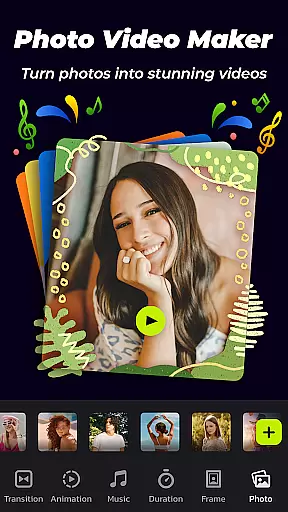
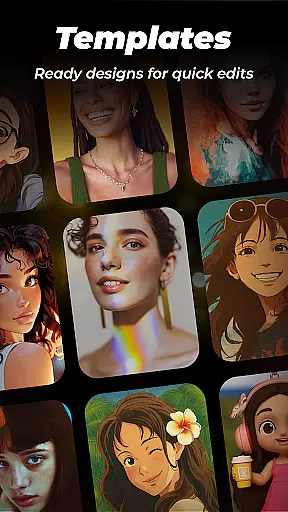
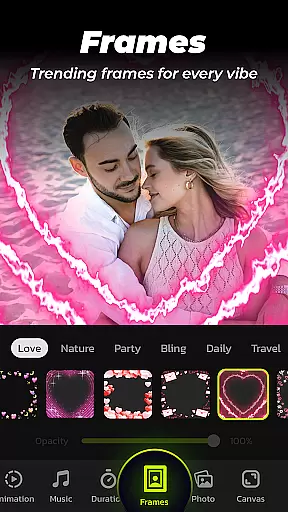
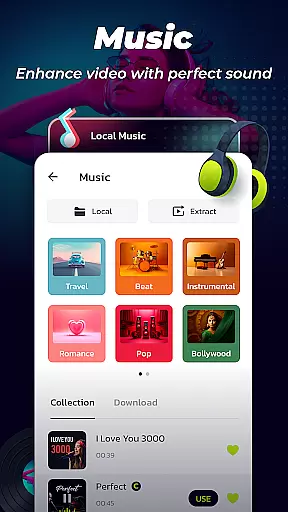
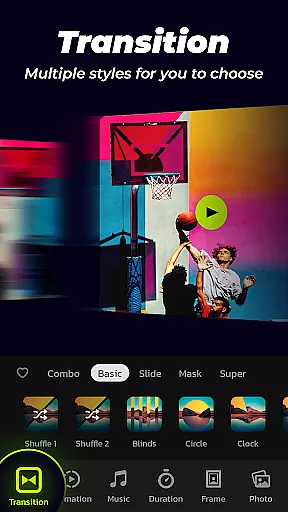

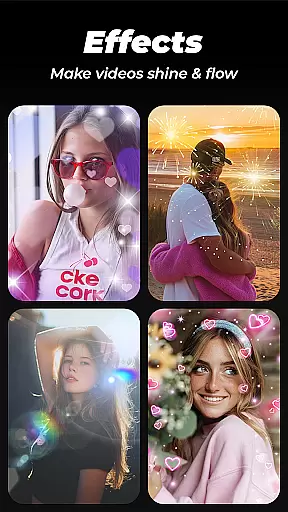
Photo Video Maker with Music - InSlide is a versatile video editing tool designed for creating engaging photo slideshows, music albums, and presentations. The app offers an intuitive interface that allows users to add music, transitions, animations, and frames to their projects.
With its robust feature set, InSlide caters to both casual users looking to share life moments on social media and professionals needing to create polished presentations. Its ability to export videos in resolutions up to 2K makes it suitable for various platforms like YouTube, TikTok, and Instagram.
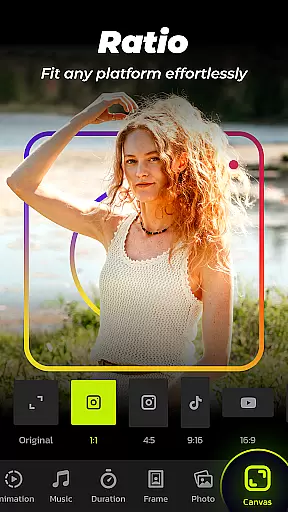
The app provides a comprehensive suite of editing tools including customizable transitions, diverse music library options, and adjustable aspect ratios. Users can choose from pre-set transition effects or manually adjust durations between 0.5 to 8 seconds.
InSlide stands out with its one-click transition feature and extensive content library that's regularly updated. The app supports multiple photo import options and offers resolution settings from 480P to 2K, giving users flexibility in quality and file size management.
Additional notable features include frame customization, watermark removal, and a video library for saved projects. These capabilities enable users to create professional-looking videos while maintaining creative control over their content.
Video format compatibility is a crucial feature for any video editing tool, ensuring that users can work with a wide range of file types. Photo Video Maker with Music - InSlide supports multiple formats, allowing creators to import and export videos without worrying about compatibility issues.
The application provides five resolution options, ranging from 480P to 2K, enabling users to tailor the quality of their slideshows according to their needs. Whether it's for quick sharing on social media or for high-quality presentations, the app accommodates various requirements.
With the ability to adjust aspect ratios, InSlide makes it easy to upload your creations to platforms like YouTube, TikTok, and Instagram. This flexibility ensures that your content looks great on any platform, maximizing its reach and impact.
By supporting diverse video formats and resolutions, Photo Video Maker empowers users to focus on their creativity rather than technical limitations. The app's comprehensive format support enhances the overall user experience, making video creation more accessible and enjoyable.
AI-powered editing features are transforming the way we create and edit videos, offering smart solutions that simplify complex tasks. Photo Video Maker with Music - InSlide incorporates AI technology to automate transitions, music selection, and frame adjustments, streamlining the video production process.
The app's one-click transition feature utilizes AI to automatically select and apply suitable transitions between images, saving users time and effort. Additionally, the AI recommends music tracks based on the slideshow's theme, enhancing the emotional impact of the final product.
InSlide's intelligent algorithms also assist in optimizing video settings such as aspect ratio and transparency, ensuring professional-looking results every time. These AI-driven enhancements allow even novice users to produce visually stunning slideshows with minimal effort.
By leveraging AI-powered editing features, Photo Video Maker not only accelerates the creation process but also democratizes video production, enabling anyone to craft engaging content regardless of their technical expertise.
User-friendly interface
Extensive transition effects
Versatile resolution options
Regular content updates
Multiple platform compatibility
Limited advanced editing tools
Occasional performance lags
Basic color correction options
Watermark in free version
Subscription fees for premium

Client application for NextPVR software
 3.00
3.00
A Quick and Pro Video Editor
4.70
Fast video downloader & private browser. Save HD clips to watch offline.
4.40
Support 1000+ Video Format, Subtitle Download, mp3 & Background Play, Cast On TV
4.60
Powerful Video Editor & Photo Editing App —— Quick Edits & Stunning Effects!
4.30
Make your own Animations, Video and Photo Edits, Visual Effects, and more!
4.00
All in one multi protocols stream receiver for AirPlay, Cast and DLNA.
3.60
LumaFusion: The Ultimate Storytelling Experience for Video Editing
4.10
Video player with 4K & 1080P support, popup play, background play and subtitle.
4.20
#1 Torrent App on Android ** No Ads Ever + Battery Saver **
4.80
A Simple app to download Video & Music from the Internet.
4.70
Seamlessly connect and control your smart devices, anytime, anywhere with ease.
4.60
VLC Remote lets you control your VLC Media Player on Mac, PC or Linux.
4.60
Browser + Remote for Roku to stream webvideos, online movies and livestreams
4.60
KMPlayer Plus (Divx Codec) officially support Divx codec.
4.30
Video Downloader is an utility that can save videos and music from web sites
4.20
Turn your phone into a wireless camera!
4.20
HD video & music player - All format support with floating & PIP mode!
3.80
Save photos and videos from social apps in one tap.
3.60


User Reviews