
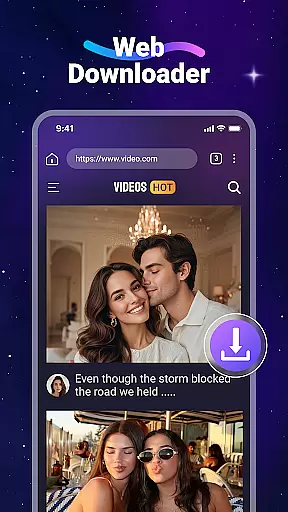
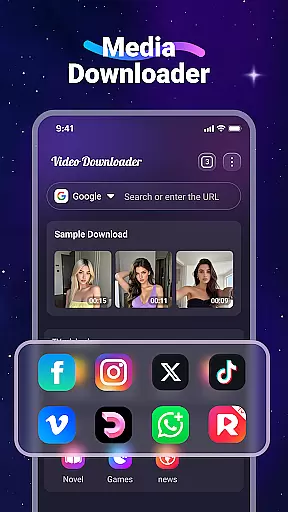

Video Downloader is a versatile utility app designed for users who want to download and manage videos and music files directly from websites. The app offers fast download speeds, offline playback through its built-in player, and supports SD card storage. It also features a built-in web browser that detects downloadable content automatically, making it easy to save media files for later use without needing an internet connection.
This app is particularly useful for individuals who frequently travel or have limited data plans. With support for all major file formats, including MP4, MP3, and PDF, Video Downloader ensures compatibility across various devices. Its intuitive interface allows users to bookmark favorite sites, download videos in the background, and organize files efficiently, providing a seamless experience for managing multimedia content on the go.
Video Downloader stands out with its comprehensive set of features tailored for efficient media management. One of its key strengths is the ability to download videos at high speeds, which saves time and data usage. The built-in media player supports multiple formats, enabling users to play downloaded videos offline without relying on external applications. Additionally, the app's support for SD cards allows for expanded storage options, ensuring that users can save more content without worrying about device memory limitations.
The app includes a user-friendly built-in browser that simplifies the process of finding and downloading media. By automatically detecting downloadable video content, it streamlines the user experience. Features like background downloading and bookmarking enhance convenience, allowing users to multitask and revisit preferred websites effortlessly. These functionalities collectively make Video Downloader a powerful tool for anyone looking to manage their digital media library effectively.
Video Downloader stands out for its extensive video format compatibility, ensuring that users can download and play videos in a wide array of formats without any hassle. This feature is crucial for users who deal with different types of video files regularly.
The app supports all popular formats including mp4, avi, mov, and many more, making it versatile for various user needs. Whether you're downloading high-definition movies or simple instructional clips, Video Downloader handles them all efficiently.
Moreover, the inclusion of built-in players ensures that once downloaded, users can enjoy their content offline without worrying about format support. This seamless integration enhances user experience by providing uninterrupted access to media files regardless of internet availability.
By supporting SD Card storage, the app also allows users to manage their device's internal memory effectively while maintaining an expansive library of videos across different formats.
While Video Downloader primarily focuses on downloading capabilities, it incorporates AI-powered editing features that add significant value for users looking to modify their downloaded content. These features are designed to simplify the editing process, making it accessible even for novices.
Through intelligent algorithms, the app can automatically detect and adjust video parameters such as brightness, contrast, and saturation, enhancing overall video quality with minimal effort from the user. This automatic optimization ensures that every video looks its best, regardless of the source quality.
Additionally, the app offers basic editing tools like trimming and merging, which are powered by AI to ensure precision and ease of use. Users can quickly cut unnecessary parts or combine multiple clips into one cohesive video without needing advanced technical skills.
This combination of AI-driven enhancements and practical editing tools makes Video Downloader not just a downloader but a comprehensive tool for managing and improving video content efficiently.
User-friendly interface
Fast download speeds
Offline playback capability
SD card support
Automatic video detection
No YouTube support
Limited to non-copyrighted content
Requires careful legal consideration
Not officially associated with major platforms
Potential compatibility issues

HD video & music player - All format support with floating & PIP mode!
 3.80
3.80
Fast video downloader & private browser. Save HD clips to watch offline.
4.40
All format media Player, no need video converter any more!
4.00
KMPlayer Plus (Divx Codec) officially support Divx codec.
4.30
Turn your phone into a wireless camera!
4.20
Video Downloader, Multiple Resolution Options, Video Player
4.50
Cast movies, tv shows and live streams to Chromecast, Roku, DLNA, Fire TV & more
4.60
Powerful video player with advanced hardware acceleration and subtitle supports
4.20
Video&Drama Player All Format is a HD video player, music player
3.00
Video Player - Unlimited features, 30 days money back guarantee.
4.60
?100% FREE! Download & save videos? safely in this app. All formats supported.
4.60
VLC Remote lets you control your VLC Media Player on Mac, PC or Linux.
4.60
Add date and time watermark to photos and videos
4.50
Fast & Private HD Video Downloader with Built-in Proxy Browser and Video Player.
4.50
Video player, file manager for all formats, 4K/HD media player supports subtitle
4.30
Create & edit videos with AI
4.30
Livestream, news, & gaming content. Watch, chat, and upload. Join Rumble today!
3.80
All in one multi protocols stream receiver for AirPlay, Cast and DLNA.
3.60
Client application for NextPVR software
3.00


User Reviews