
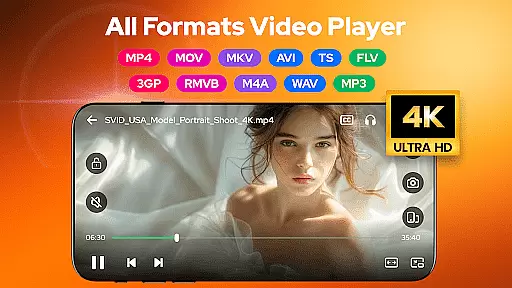
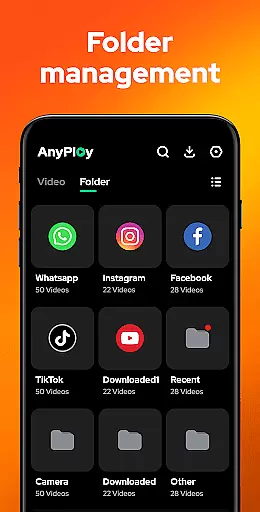

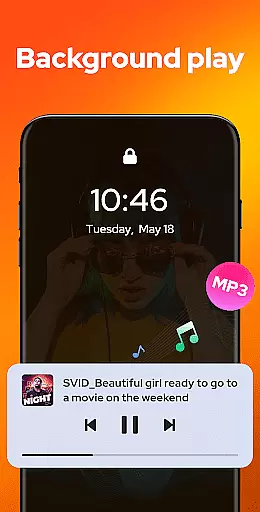
Video Player - AnyPlay is a versatile all-in-one media solution for Android users. This powerful application combines video playback, file management, and video downloading capabilities in a single package. Supporting all video formats, it offers HD playback with customizable subtitles, gesture controls, and pop-up playback. The app also features an advanced file manager that auto-detects and organizes media files on both internal storage and SD cards.
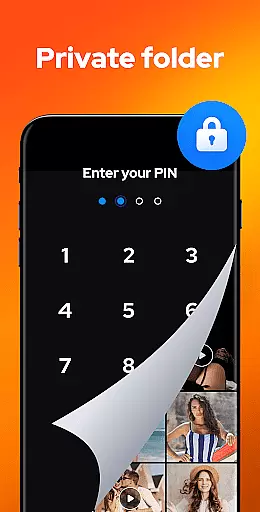
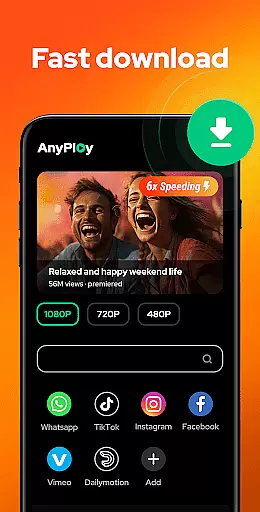
Designed for convenience and privacy, AnyPlay allows users to hide videos in private folders and download HD videos directly from websites or social media platforms. Its music player supports various HQ audio formats, providing an immersive listening experience. Whether you need to manage your media library, enjoy high-quality video playback, or download content for offline viewing, Video Player - AnyPlay delivers a comprehensive solution for all your multimedia needs.
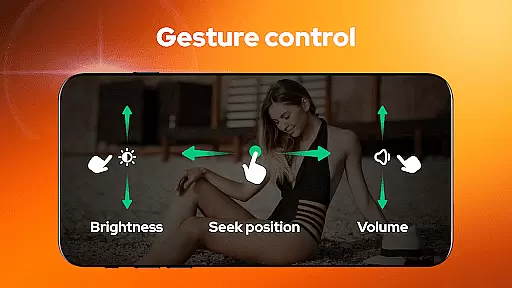
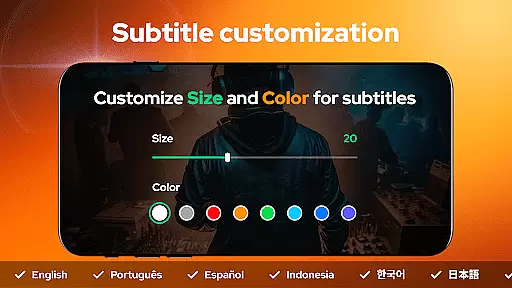
Video Player - AnyPlay stands out with its extensive feature set tailored for media enthusiasts. As an HD video player, it supports all popular formats including MKV, MP4, AVI, and more. Users can import local subtitles or download them online, customizing appearance through color and size adjustments. The built-in equalizer and reverb effects enhance audio quality, while smart gesture controls enable intuitive navigation during playback.
The application's file management capabilities are equally impressive. It automatically scans and organizes media files across device storage, presenting them in clear folder structures or playlists. Privacy-conscious users can utilize the one-click private folder feature to secure sensitive content. Additionally, the integrated HD video downloader with a built-in browser enables direct downloads from websites and social media platforms, offering resolution options from 360P to 1080P. These comprehensive features make AnyPlay a complete media management solution.
Video Player - AnyPlay stands out with its exceptional video format compatibility, ensuring users can enjoy all types of video files without any hassle. The app supports a wide range of formats including MKV, MP4, M4V, AVI, MOV, 3GP, FLV, WMV, RMVB, and TS.
This extensive support is powered by both hardware and software decoders, providing smooth playback regardless of the file type. Whether you're watching locally stored videos or streaming online content, AnyPlay ensures high-quality playback every time.
Users benefit from the app's ability to automatically detect and manage all media files on their device, presenting them in an organized manner. This feature saves time and effort, allowing users to focus on enjoying their content rather than struggling with format issues.
Beyond its primary function as a video player, AnyPlay incorporates AI-powered editing features that enhance the viewing experience. These intelligent tools include customizable subtitles, gesture controls, and smart equalizer settings that adapt to user preferences.
The app allows users to import local subtitles or download them online for free, customizing aspects like color and size. Gesture controls enable intuitive navigation, letting users adjust brightness, volume, and playback speed with simple swipes.
These advanced features demonstrate AnyPlay's commitment to innovation in media consumption. By integrating artificial intelligence into its core functionalities, the app provides a personalized and seamless experience that caters to diverse user needs.
User-friendly interface
Wide format support
Advanced subtitle options
Powerful file management
HD video downloading
May consume more storage
Advanced features complex
Some features may duplicate
Requires permissions
Ads in free version

Create & edit videos with AI
 4.30
4.30
Create photo video with music & template. AI video maker for stunning slideshow.
4.60
An easy-to-use and all-round screen recorder with audio
4.80
This app is an emulator of some specific IPTV boxes
3.50
LumaFusion: The Ultimate Storytelling Experience for Video Editing
4.10
Cast movies, tv shows and live streams to Chromecast, Roku, DLNA, Fire TV & more
4.60
Screen recorder with audio to take live videos & Screenshot in high quality!
4.70
Photo editor & video maker with music and slideshows.
4.10
Manage your YouTube channel on the go
4.40
HD Video player all format, HD Videos, Cast & Subtitle. No annoying ads.
4.60
Snaptubè Video Downloader app allows to download videos and music in Snaptube. .
4.60
Movie maker & video editing app with AI effects and green screen
4.30
Your media, on your terms.
4.10
Powerful, professional, versatile teleprompter. Developed by an active film crew
4.00
Make your own Animations, Video and Photo Edits, Visual Effects, and more!
4.00
Connect 2 UVC devices for recording and broadcast video/audio stream
3.90
Capture images & record videos for USB Camera, Webcam, Microscopes, Endoscopes
3.80
Connect EasyCap or UVC devices for recording and broadcast video/audio stream
3.60
Video player with powerful streaming playback and various convenient features.
2.10


User Reviews