
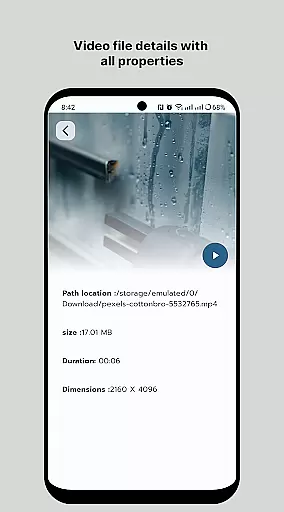
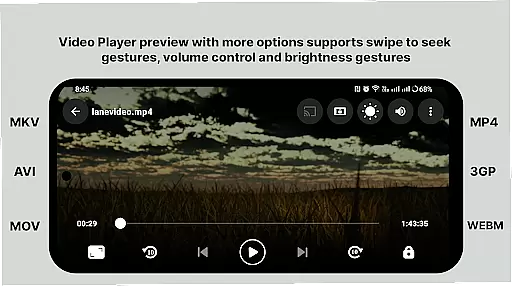
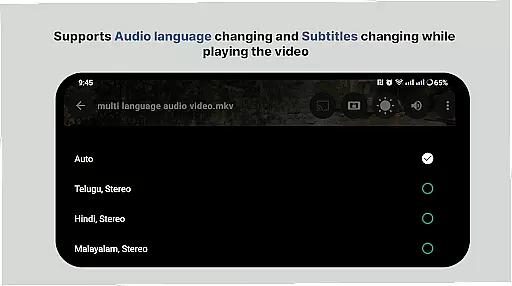
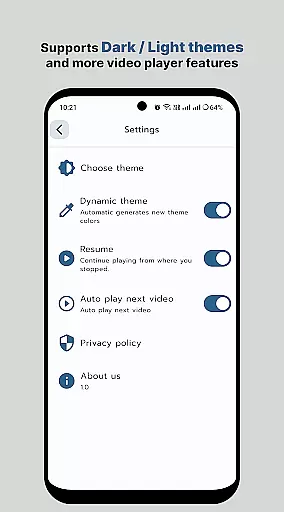
HD Video Player All Format is a versatile video player for Android devices, offering support for all popular video formats including 4K and ultra HD resolutions. Designed to provide an uninterrupted viewing experience, this app stands out with its ad-free interface and smooth playback capabilities.
The application's core strength lies in its ability to handle high-definition videos with excellent speed and accuracy. It includes advanced features such as subtitle support, multi-track audio options, and smart media library organization. Whether you're watching movies or personal recordings, the Full HD Video Player ensures your files play in their original resolution.
Ideal for users seeking a professional-grade media player on their Android phone or tablet, this app provides a seamless experience for enjoying high-quality content without any interruptions or distractions.
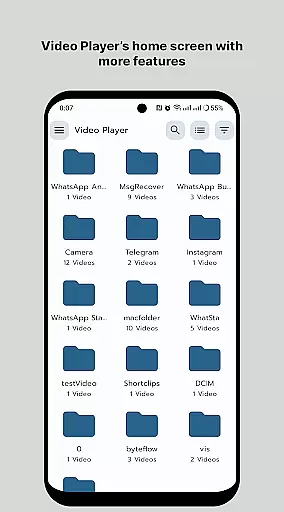
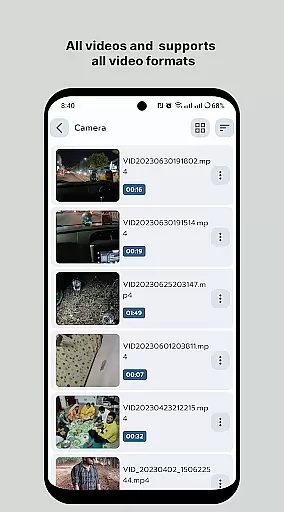
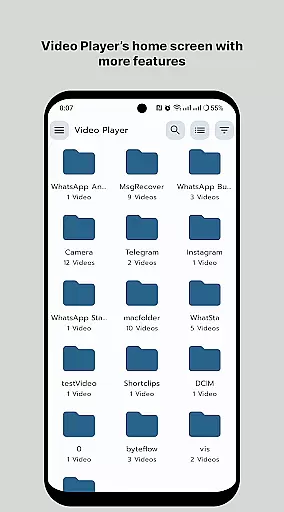
One of the standout features of HD Video Player All Format is its comprehensive format support. The app can play virtually any video file type, from common MP4s to more specialized formats, all in up to 4K resolution. Its intelligent media library automatically organizes your video collection, making it easy to browse and access your files through a user-friendly folder system.
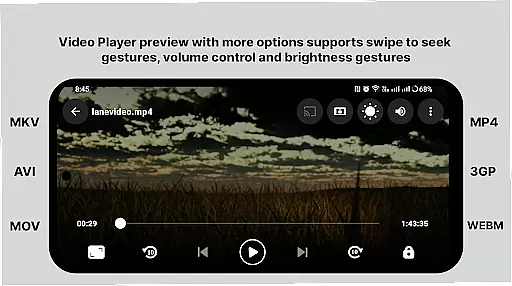
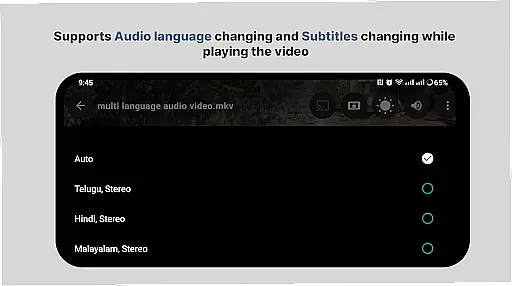
The player offers sophisticated playback controls including gesture-based volume and brightness adjustments, variable playback speed settings, and aspect-ratio customization. These features are complemented by practical functions like screen locking during playback and quick mute options. The app also supports external subtitle files and multiple audio tracks, enhancing the viewing experience for multilingual content.
Additional notable features include automatic device rotation adaptation, background play capabilities, and easy sharing options for your video files. These combined elements create a powerful yet user-friendly video playback solution that caters to both casual viewers and media enthusiasts alike.
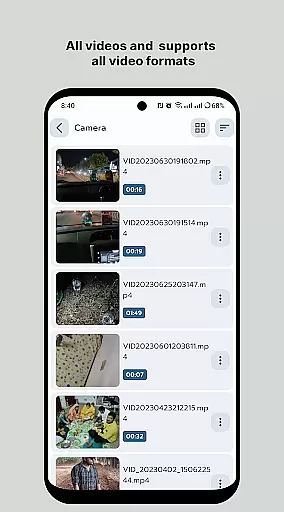
Video format compatibility is a crucial feature for any video player application, ensuring that users can enjoy their media files regardless of the file type. HD Video Player - All Format Video Player Pro 2024 supports an extensive range of video formats, including but not limited to MP4, AVI, MKV, and FLV. This versatility allows users to play videos without the need for conversion or additional codecs.
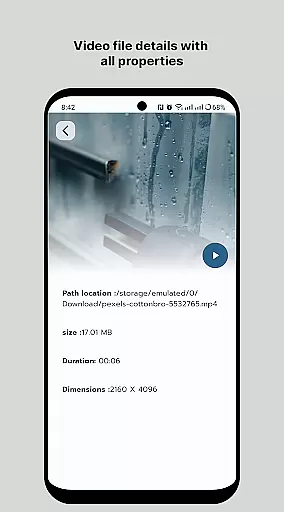
The app's ability to handle 4K and ultra HD video files with high-definition playback ensures that viewers experience the best possible quality. Whether it's on an Android tablet or phone, this all-format video player maintains the original resolution of the video files, providing crisp and clear visuals every time.
With its smart media library, users can easily browse and find all their video files, making media management seamless. The inclusion of multi-track audio and subtitle support further enhances the viewing experience, catering to diverse user needs. By supporting auto-rotation and aspect-ratio adjustments, HD Video Player ensures that content is displayed correctly across different devices and orientations.
While HD Video Player focuses primarily on playback, its AI-powered editing features offer users basic yet effective tools to enhance their video content. Although not as comprehensive as dedicated video editing software, these features provide convenience for quick edits directly within the player. Users can trim clips, adjust brightness, and control volume with simple gestures.
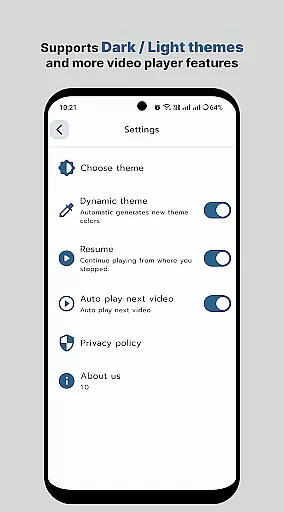
The intuitive interface allows even novice users to make edits effortlessly. By sliding the screen, users can control volume, screen brightness, and playback progress. These smart controls ensure a personalized viewing experience while maintaining ease of use. The touch-to-mute and slide-to-fast-forward/rewind options add another layer of convenience during playback.
HD Video Player's commitment to smooth playback extends to its editing capabilities. The app ensures that edited videos maintain their quality and play smoothly after modifications. While not a full-fledged editing suite, these AI-powered features cater to users who need quick adjustments without switching applications, streamlining the video management process.
Supports all video formats
Smooth 4K playback
Ad-free experience
Intuitive interface
Advanced playback controls
Limited iOS compatibility
Occasional format issues
No cloud integration
Basic editing tools
Heavy on storage

IPTV-Smarters Player Pro M3U - Watch Live Stream TV Channels with Chromecast
 4.00
4.00
Video Downloader is an utility that can save videos and music from web sites
4.20
Capture images & record videos for USB Camera, Webcam, Microscopes, Endoscopes
3.80
Live TV, anywhere in your home
3.80
IPTV Player - Watch live TV from m3m & m3u8 playlist, stream IPTV on mobile
3.30
Cast to Smart TV, Fire TV. Cast video, photo - Fast & Stable!
3.90
Video Downloader, Multiple Resolution Options, Video Player
4.50
Browser for Samsung TV to stream webvideos, online movies and livestreams in HD
4.10
This app is an emulator of some specific IPTV boxes
3.50
Tik & Story Saver-Download ALL social media videos, photos & reels no watermark.
4.80
Fast & Private HD Video Downloader with Built-in Proxy Browser and Video Player.
4.50
KineMaster, Your Ultimate Video Editor!
4.40
KMPlayer Plus (Divx Codec) officially support Divx codec.
4.30
Your media, on your terms.
4.10
Make your own Animations, Video and Photo Edits, Visual Effects, and more!
4.00
Fast private browser with secure, seamless access & supported video downloads!
4.00
Manage your IPTV live channels and VOD playlists (no playlist included)
3.80
Connect EasyCap or UVC devices for recording and broadcast video/audio stream
3.60
The smartest M3U IPTV Player your playlists have ever seen.
4.3


User Reviews