

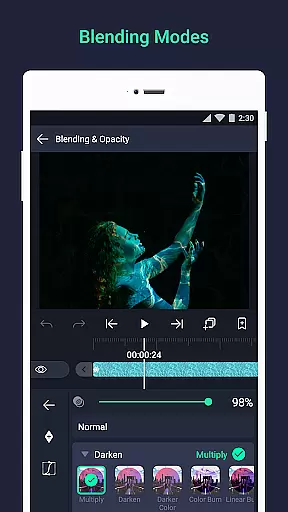
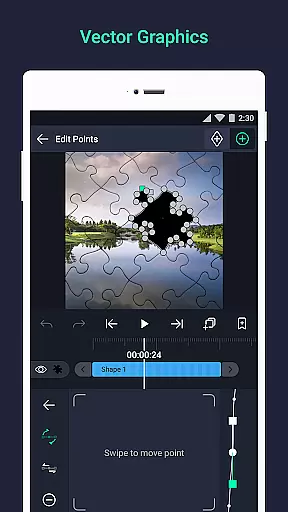
Alight Motion stands as a pioneering motion design app, offering professional-grade animation, motion graphics, and visual effects directly on mobile devices. It supports multiple layers of graphics, video, and audio, with both vector and bitmap editing capabilities.
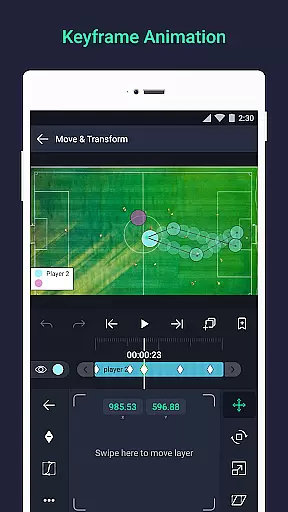
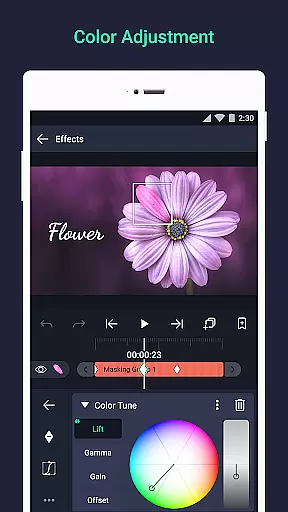
The app provides 160+ effect building blocks for complex visual effects, keyframe animation for all settings, and advanced features like parent-child layer linking and camera tools. Users can adjust colors, create masks, and apply animation easing for fluid motion, making it ideal for creators seeking sophisticated design options on-the-go.
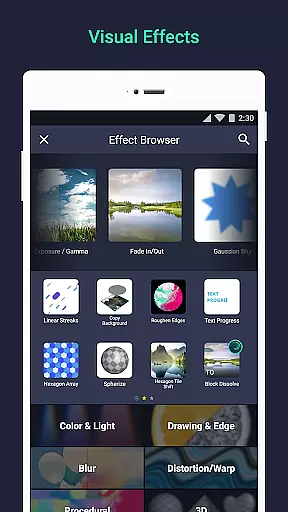
Alight Motion boasts an array of powerful features tailored for creative professionals. The app allows users to add multiple layers of graphics, video, and audio, while supporting vector and bitmap editing. Its library of 160+ basic effect building blocks enables the creation of intricate visual effects.
Advanced tools include keyframe animation, parent-child layer linking, and character rigging. The app also offers cameras with pan, zoom, focus blur, and fog effects, alongside color adjustment, animation easing, and velocity-based motion blur for smooth video output. These features collectively empower users to produce high-quality animations and motion graphics efficiently.
Video format compatibility is a crucial feature for any video editing application, ensuring users can work with various file types seamlessly. Alight Motion excels in this area by supporting multiple layers of graphics, video, and audio, which means you can import and export files in different formats without hassle.
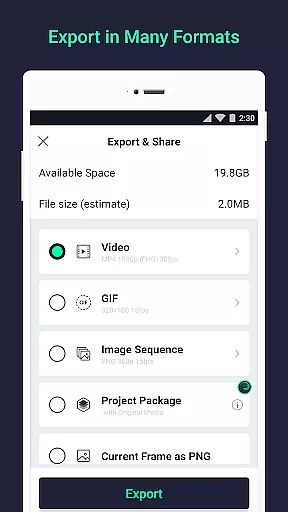
The app allows exporting in MP4 video, GIF animation, PNG sequences, and stills, providing flexibility for both professional and casual users. This versatility ensures that whether you're creating a short social media clip or a detailed motion graphic project, your work can be saved in the most suitable format for its intended use.
Additionally, Alight Motion's support for vector and bitmap editing enhances its compatibility, allowing creators to manipulate images directly on their devices. The inclusion of 160+ basic effect building blocks further expands the creative possibilities, making it a comprehensive tool for visual effects and video compositing.
By offering such extensive format compatibility, Alight Motion empowers users to focus on their creative process without being limited by technical constraints, thus enhancing productivity and creative freedom.
AI-powered editing features represent the cutting edge of video editing technology, automating complex tasks and enabling more intuitive user interactions. Alight Motion incorporates several AI-driven tools that significantly enhance the editing experience, such as keyframe animation available for all settings, which simplifies the creation of dynamic visual effects.
The app also includes advanced functionalities like linking parent and child layers and rigging character joints, which are powered by intelligent algorithms to streamline the animation process. These features allow for more natural and fluid motion in animations, reducing the manual effort required to achieve professional-quality results.
Moreover, Alight Motion offers animation easing for more fluid motion, with options to pick from presets or build custom timing curves. This level of control, combined with AI assistance, ensures that even intricate animations can be executed with precision and ease, catering to both novice and experienced editors.
By integrating these sophisticated AI-powered editing features, Alight Motion not only simplifies the editing process but also opens up new creative avenues, allowing users to push the boundaries of their video projects with confidence and efficiency.
User-friendly interface
Extensive effect library
Professional-grade tools
Vector and bitmap support
Multi-layer editing
Requires 1.5GB RAM
Basic version watermarked
Paid premium features
Subscription-based model
Device compatibility issues

HD video & music player - All format support with floating & PIP mode!
 3.80
3.80
Cast Videos from Web Browser, IPTV to Roku, Chromecast, DLNA, Smart TV +more
4.60
Photo and Music Video Creator into Stunning Videos—Effortlessly
4.40
Powerful Video Editor & Photo Editing App —— Quick Edits & Stunning Effects!
4.30
IPTV Loader, loads your own Playlist. DOES NOT CONTAIN ANY LIST OR CHANNELS
4.60
Browser + Remote for Roku to stream webvideos, online movies and livestreams
4.60
Cast movies, tv shows and live streams to Chromecast, Roku, DLNA, Fire TV & more
4.60
Photo editor & video maker with music and slideshows.
4.10
Manage your YouTube channel on the go
4.40
A Simple app to download Video & Music from the Internet.
4.70
HD Video player all format, HD Videos, Cast & Subtitle. No annoying ads.
4.60
Snaptubè Video Downloader app allows to download videos and music in Snaptube. .
4.60
VLC Remote lets you control your VLC Media Player on Mac, PC or Linux.
4.60
Full HD Video mp3 Player, MP4 player play 1080p, File manager, Video Downloader
4.40
Your media, on your terms.
4.10
AI Video Editor:AI Music, Text to Video,Text to Speech,Auto Caption,Video Effect
4.00
Save photos and videos from social apps in one tap.
3.60
You can play SWF format file!
2.50
Stream high quality video from your camera over NDI protocol
4.1


User Reviews