
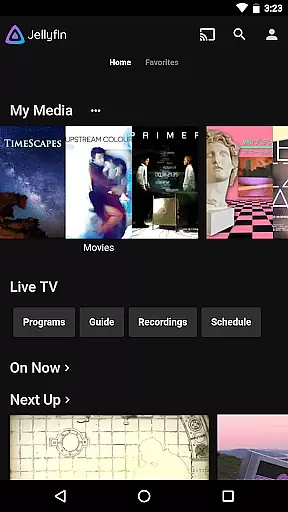
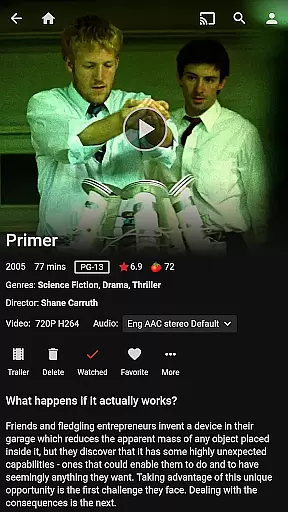
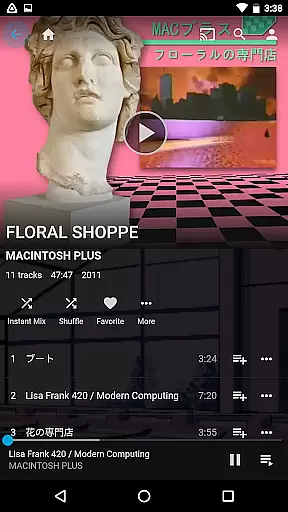
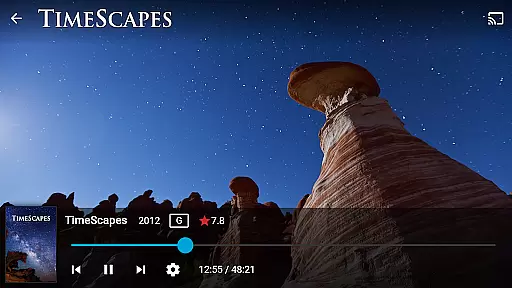
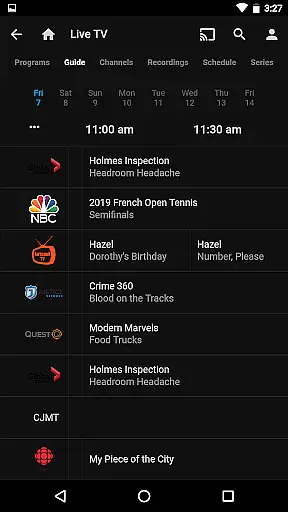
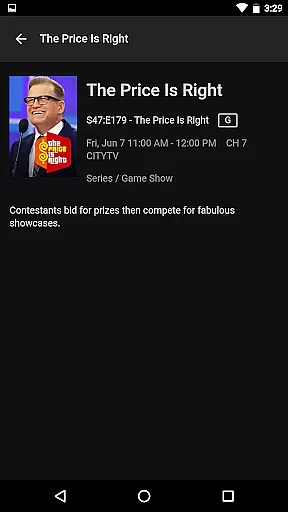
Jellyfin is an open-source media server and player that allows you to manage and stream your personal media collection. This Android app serves as the official companion, enabling users to access their media library from anywhere. With support for live TV, recorded shows, and Chromecast streaming, Jellyfin offers a complete entertainment solution.
The app provides an intuitive interface for easy navigation through your media collection. Whether you want to stream videos, listen to music using Android Auto, or view photos, Jellyfin ensures your content is always accessible. The platform operates without any fees or hidden agendas, making it a transparent choice for managing your digital media assets.
Jellyfin stands out with its robust feature set tailored for media enthusiasts. The app supports streaming to Chromecast devices, allowing you to enjoy content on larger screens. It also enables live TV and DVR functionality, provided you have the necessary hardware and services configured on your server.
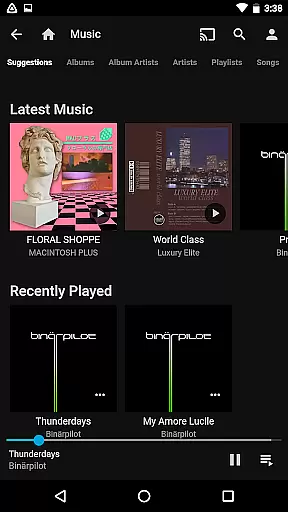
One of the key highlights is the seamless integration with Android Auto, which lets you listen to your music library while driving (online only). The app's user-friendly interface makes it simple to browse and play your media files. Additionally, Jellyfin's open-source nature means it is continuously improved by a dedicated community, ensuring reliable performance and regular updates.
Video format compatibility is a crucial feature for any video player, ensuring that users can enjoy their media without worrying about file type restrictions. Jellyfin excels in this area by supporting a wide range of video formats, from common ones like MP4 and AVI to more specialized codecs such as MKV and OGG.
The app's robust decoding capabilities allow seamless playback of videos encoded with popular codecs like H.264, H.265 (HEVC), VP9, and many others. This ensures that whether you're streaming content from your Jellyfin server or playing local files on your Android device, the experience remains smooth and uninterrupted.
For users, this means freedom and flexibility in managing their media libraries. You can collect videos from various sources, knowing that Jellyfin will handle them effortlessly. Whether it's high-definition movies, home videos, or online downloads, the app provides consistent performance across different formats.
Moreover, Jellyfin's commitment to open standards and continuous development ensures that support for emerging formats and codecs is regularly added. This future-proofs your media library and guarantees that your video playback needs will be met for years to come.
While Jellyfin primarily focuses on media playback and management, its AI-powered features enhance the overall user experience through intelligent organization and presentation of content. The app uses advanced algorithms to automatically categorize and tag your media library, making it easier to navigate and discover your favorite videos.
One notable feature is the automatic chapter generation for long-form videos. Using machine learning techniques, Jellyfin analyzes video content to create meaningful chapter markers, allowing users to quickly jump to specific scenes or sections within a video. This is particularly useful for binge-watching TV series or reviewing lengthy recordings.
The app also employs AI-driven image processing to generate high-quality thumbnails and posters for your media collection. These visual representations are automatically selected from key moments in your videos, providing an aesthetically pleasing and informative browsing experience. The system intelligently chooses frames that best represent each video file.
Furthermore, Jellyfin's recommendation engine utilizes viewing history and user preferences to suggest relevant content from your library. While not traditional video editing, these AI-powered features effectively curate and enhance your media collection, creating a personalized and engaging entertainment platform that adapts to your viewing habits.
User-friendly interface
Free and open-source
Chromecast support
Live TV capabilities
Regular updates
Requires separate server setup
Limited Android Auto features
No offline playback
Dependent on network quality
Hardware-intensive

Save photos and videos from social apps in one tap.
 3.60
3.60
Snaptubè Video Downloader app allows to download videos and music in Snaptube. .
4.60
All in one HD video downloader & player for multiple formats with full privacy
4.70
IPTV Loader, loads your own Playlist. DOES NOT CONTAIN ANY LIST OR CHANNELS
4.60
Find, download, and play torrents with the official BitTorrent® Pro app
4.70
The essential companion to your Blue Iris PC software
2.50
#1 Torrent App on Android ** No Ads Ever + Battery Saver **
4.80
Viddo: Generate Action Figure, AI Anime, AI kiss, AI hug Video from image & text
4.40
Manage your YouTube channel on the go
4.40
GENRAL PRO - General Pro is the best video player that fully supports all formats.
4.70
Search & download videos from net with all video downloader, auto-detect & safe.
4.60
Browser + Remote for Roku to stream webvideos, online movies and livestreams
4.60
Cast to Chromecast, Xbox, Fire Stick, Roku, DLNA, Smart TV & No Feature Limited!
4.50
Video Downloader, Multiple Resolution Options, Video Player
4.50
Add date and time watermark to photos and videos
4.50
AirMirror Receiver - Screen mirroring/cast web videos to Android TV by AirPlay.
4.40
1)AirPlay/DLNA Mirroring/Streaming, up to 4 connections; 2)Samba/NAS/DMS Player.
4.00
Browser for Sony TV to stream web videos, online movies and live tv
3.20
You can play SWF format file!
2.50


User Reviews