

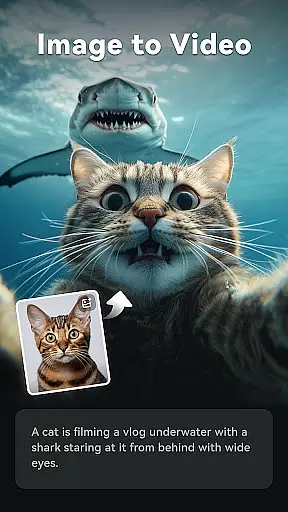
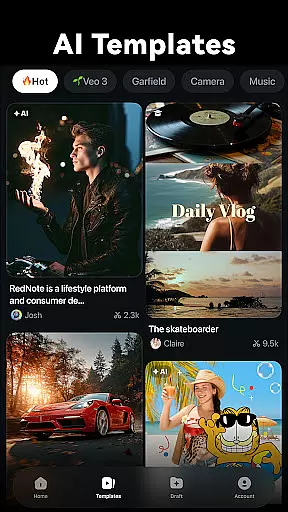
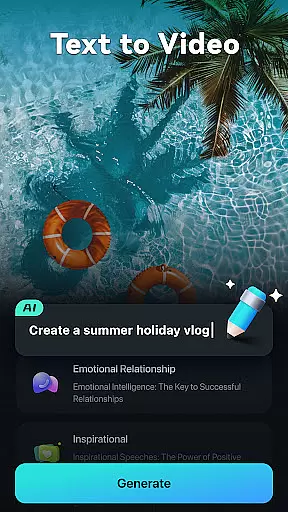
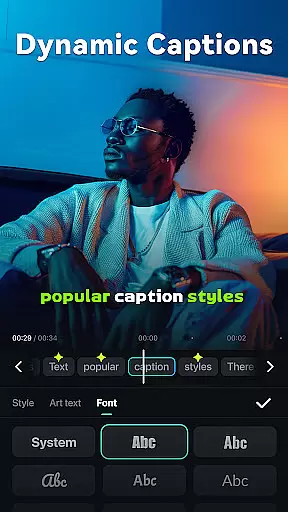
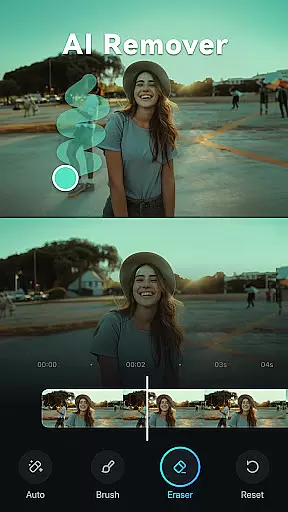
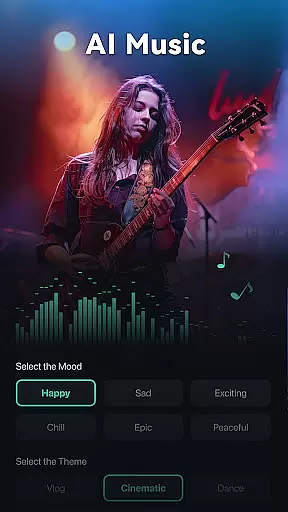
Filmora is an AI-powered video editor tailored for social creators, offering a balance between advanced functionality and user-friendliness. The app enables users to transform clips, photos, or scripts into engaging videos suitable for platforms like TikTok, Reels, and YouTube without prior editing experience.
With its innovative AI features, Filmora supports various creative processes from image-to-video conversion to dynamic captioning, text-to-video creation, and more. These tools are designed to enhance productivity while maintaining high-quality output, making it ideal for both beginners and professionals in video editing.
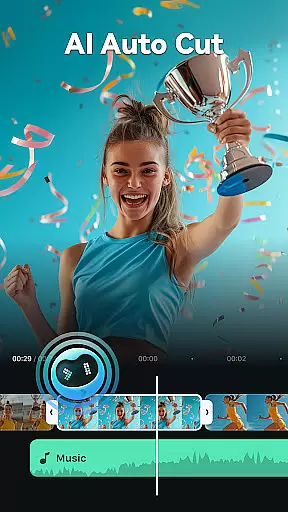
Filmora stands out with its powerful AI-driven capabilities that simplify complex editing tasks. Users can leverage features such as AI Remover for eliminating unwanted elements, AI Auto Cut for seamless highlight stitching, and AI Beats for syncing video highlights with music rhythms.
In addition to AI functionalities, Filmora provides comprehensive editing tools including stunning templates, trimming, splitting, merging, adding text or emojis, royalty-free music library access, speed adjustments, and more. For professionals, advanced options like keyframing, speed curves, PIP, masking, and smart tracking offer extensive creative control.
Video format compatibility is a crucial feature for any video editor, ensuring that users can work with a wide range of video files without the need for conversion. Filmora supports an extensive array of video formats, allowing creators to import and export videos in their desired resolutions and codecs.
The application's support spans popular formats such as MP4, AVI, MOV, and many more, catering to both amateur and professional needs. This versatility ensures that whether you're editing a casual vlog or a high-definition cinematic piece, Filmora maintains the original quality while offering flexibility in sharing across different platforms.
For content creators focused on social media, this means seamless integration with platforms like TikTok, Reels, and YouTube, where various format requirements exist. The ability to handle diverse formats simplifies the editing process, enabling creators to focus on storytelling rather than technical limitations.
Ultimately, Filmora's broad video format compatibility empowers users to produce content efficiently, providing peace of mind when working on projects that demand specific technical specifications or when repurposing content for multiple distribution channels.
Filmora distinguishes itself through its advanced AI-powered editing features, which revolutionize the video creation process by automating complex tasks and enhancing creativity. These tools are designed to be intuitive, making professional-quality edits accessible even to beginners.
Among these features is the AI Auto Cut, which intelligently identifies and stitches together highlight moments from raw footage to craft engaging narratives. Additionally, Dynamic Captions automatically transcribe audio into text, presenting it in captivating, animated styles that improve viewer engagement.
Another standout feature is VideoGen, enabling users to modify video elements effortlessly, such as swapping backgrounds or adding visual effects. This not only saves time but also opens up new creative possibilities without requiring deep technical expertise.
By integrating these sophisticated AI capabilities, Filmora streamlines the editing workflow, allowing creators to focus on their vision and storytelling. This technological edge makes the platform an invaluable tool for anyone looking to produce high-quality video content efficiently and effectively.
User-friendly interface
Advanced AI features
Comprehensive editing tools
Cross-platform compatibility
Professional subscription options
Subscription required for full access
Limited free trial usage
Some features may be overwhelming for beginners
Occasional bugs reported by users
Higher cost for All Platform Pro

Online Videos Player
 3.90
3.90
Auto video maker with music & exclusive filters. Video editing made simple.
4.50
Fast, private downloading, video saving, social media
4.50
Cast Videos from Web Browser, IPTV to Roku, Chromecast, DLNA, Smart TV +more
4.60
Snaptubè Video Downloader app allows to download videos and music in Snaptube. .
4.60
Capture images & record videos for USB Camera, Webcam, Microscopes, Endoscopes
3.80
This app was created to edit the metadata of music files.
4.20
KMPlayer Plus (Divx Codec) officially support Divx codec.
4.30
LumaFusion: The Ultimate Storytelling Experience for Video Editing
4.10
Tik & Story Saver-Download ALL social media videos, photos & reels no watermark.
4.80
?100% FREE! Download & save videos? safely in this app. All formats supported.
4.60
Browser + Remote for Roku to stream webvideos, online movies and livestreams
4.60
Cast to Chromecast, Xbox, Fire Stick, Roku, DLNA, Smart TV & No Feature Limited!
4.50
Fast & Private Video Downloader App. Save all videos easily from the Internet.
4.40
Create & edit videos with AI
4.30
Video player with 4K & 1080P support, popup play, background play and subtitle.
4.20
Make your own Animations, Video and Photo Edits, Visual Effects, and more!
4.00
Kodi media center, a free and open source cross-platform entertainment hub
3.60
This app is an emulator of some specific IPTV boxes
3.50


User Reviews