
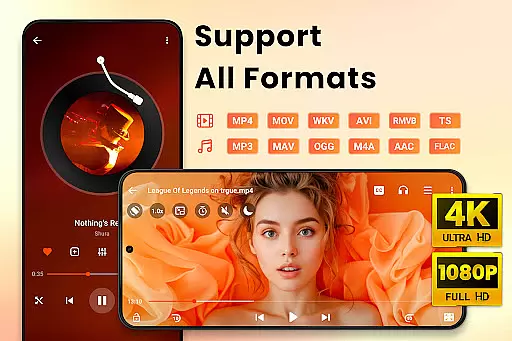
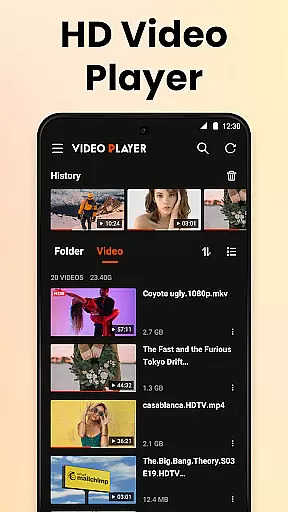
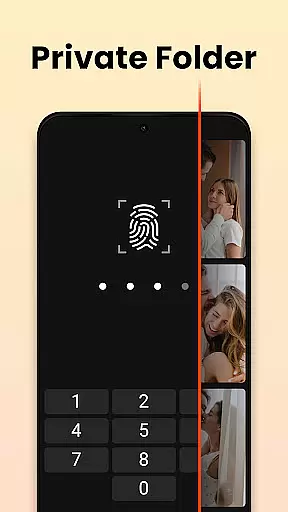

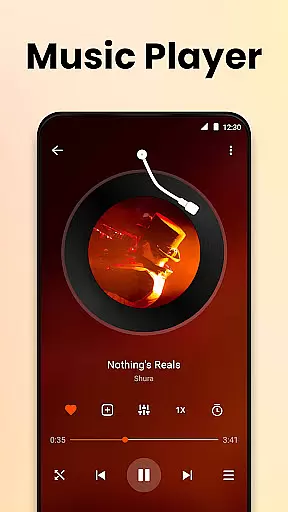
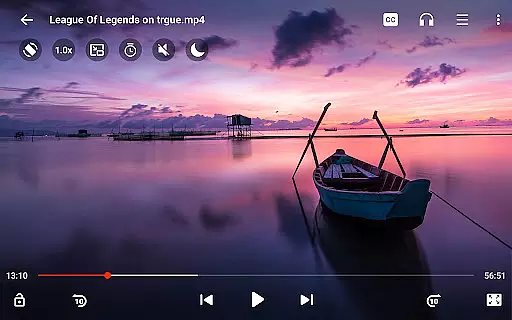
Video Player All Format HD is a versatile and feature-rich video player designed for Android devices. This application supports an extensive range of video formats including MKV, MP4, AVI, and more, ensuring that users can play almost any video file with ease. The app stands out with its ability to handle 4K and 1080p video playback in high definition, offering an exceptional viewing experience.
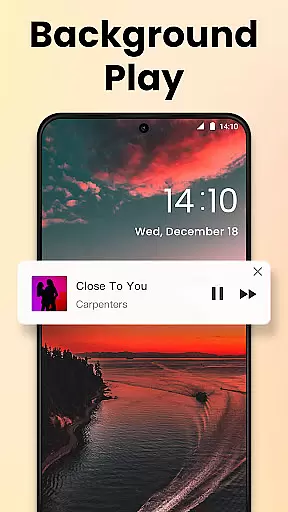
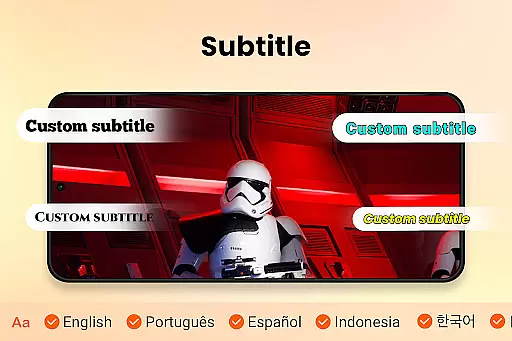
Beyond basic playback, the Video Player All Format HD includes advanced features such as popup play for multitasking, speed control for customized playback rates, and background play functionality allowing audio continuation when the screen is off. With additional tools like gesture controls, equalizer settings, and subtitle support, this app caters to both casual viewers and multimedia enthusiasts alike.
Whether you're watching movies on the go or reviewing educational content at home, this app provides a comprehensive solution for all your video playback needs. Its lightweight design ensures quick installation and smooth performance even on less powerful devices.
Video Player All Format HD distinguishes itself through a robust set of features tailored to enhance user experience. One of its key capabilities is the universal format support, accommodating files from MKV to FLV without the need for conversion. This flexibility makes it an indispensable tool for users with diverse media libraries.
The inclusion of popup play and background playback transforms how users interact with video content. Popup play allows for uninterrupted viewing in a floating window, ideal for multitasking scenarios such as chatting while watching videos. Meanwhile, background playback enables users to listen to video content like audiobooks, preserving battery life by turning off the screen during playback.
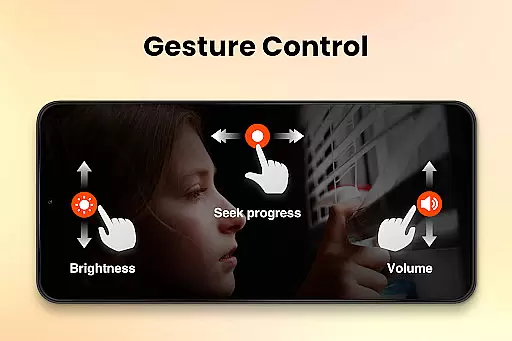
Further enriching the user experience are practical functionalities like adjustable playback speed, gesture controls for navigation, and a five-band equalizer with bass boost. These features collectively ensure that whether you're enjoying entertainment or engaging with educational material, Video Player All Format HD delivers both convenience and quality.
Video Player All Format HD stands out for its exceptional video format compatibility, making it a versatile tool for Android users. The app supports an extensive range of formats including MKV, MP4, M4V, AVI, MOV, 3GP, FLV, WMV, RMVB, and TS. This wide support ensures that users can play virtually any video file without the need for conversion or additional software.
The importance of this feature cannot be overstated. In today's digital age, video content comes in various formats, and the inability to play certain types can be frustrating. Video Player All Format HD eliminates this issue by providing seamless playback of both common and less common video formats. Whether you're watching high-definition 4K videos or standard 1080p clips, the experience remains smooth and uninterrupted.
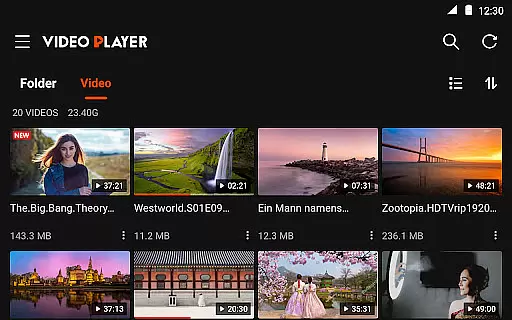
For users, this means unparalleled flexibility. You can easily switch between different video files regardless of their origin or encoding. The app automatically detects video files on your device and SD card, organizing them into folders for easy access. This functionality not only saves time but also enhances the overall user experience by removing technical barriers.
While primarily a video player, Video Player All Format HD incorporates AI-powered editing features that add significant value for users seeking more than just playback capabilities. One notable feature is the automatic detection and organization of video files, which simplifies media management. The app intelligently categorizes videos, making it easier to locate specific files through its Quick Search function.
The integration of advanced AI technology extends to playback enhancements as well. For instance, the five-band equalizer with bass boost utilizes intelligent algorithms to optimize audio quality based on the content being played. This ensures that whether you're watching action-packed movies or listening to music videos, the sound remains clear and immersive.
Additionally, the app offers smart gesture controls that learn from user behavior. These intuitive controls allow for effortless navigation, such as 10-second forward and backward skips, volume adjustments, and brightness control. The AI-driven popup play feature enables multitasking by allowing videos to continue playing in a floating window while using other apps. Such innovations demonstrate how artificial intelligence can elevate basic video playback to a more sophisticated and user-friendly experience.
User-friendly interface
Wide format compatibility
Efficient performance
Customizable playback
Advanced audio settings
Limited platform support
No cloud integration
Basic UI design
Few social features
Occasional bugs

Auto video maker with music & exclusive filters. Video editing made simple.
 4.50
4.50
Your media, on your terms.
4.10
?100% FREE! Download & save videos? safely in this app. All formats supported.
4.60
Watch a large amount of high-definition short drama content
4.60
HD video maker with no watermark, no ads & vlog maker with music, PIP, text
4.50
High-Quality USB Camera Viewer & HDMI Display
4.70
Fast & easy HD video downloader for all formats, support 4K playback & download.
4.60
This app is an emulator of some specific IPTV boxes
3.50
Photo editor & video maker with music and slideshows.
4.10
An easy-to-use and all-round screen recorder with audio
4.80
Pro video editor app for Instagram, edit video with song, AI, effect & slowmo.
4.80
Snaptubè Video Downloader app allows to download videos and music in Snaptube. .
4.60
Cast to Chromecast, Xbox, Fire Stick, Roku, DLNA, Smart TV & No Feature Limited!
4.50
Create & edit videos with AI
4.30
Turn your phone into a wireless camera!
4.20
VLC for Android is the best open source video and music player, fast and easy!
4.10
All format media Player, no need video converter any more!
4.00
The smartest M3U IPTV Player your playlists have ever seen.
4.1
Stream high quality video from your camera over NDI protocol
4.4


User Reviews