
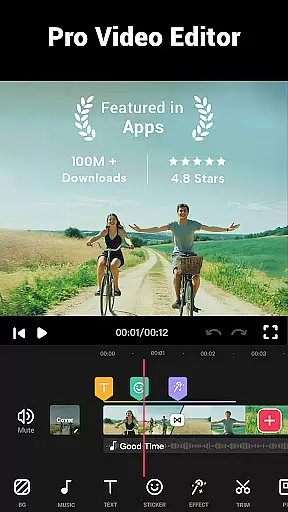
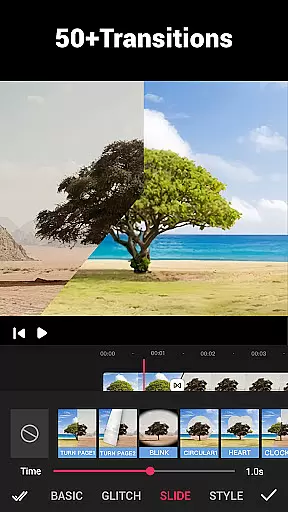
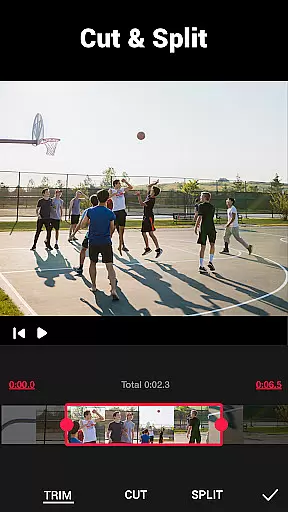
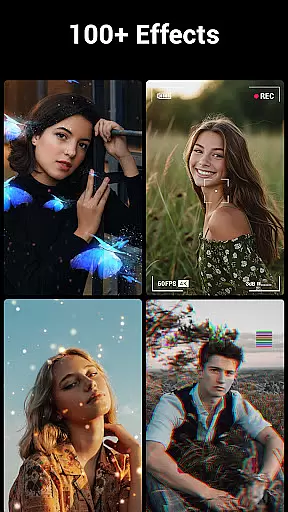
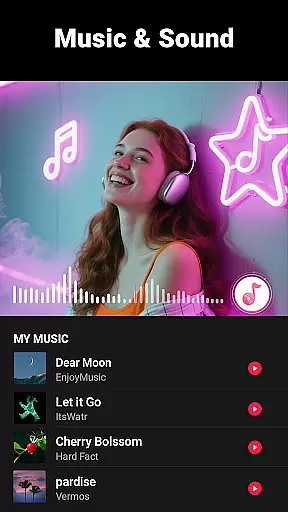
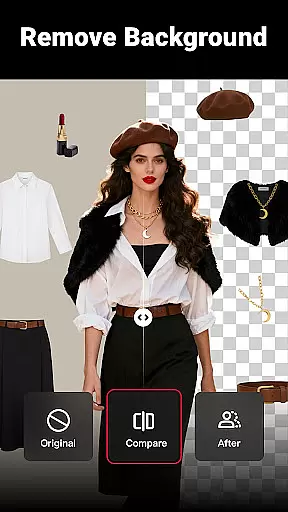
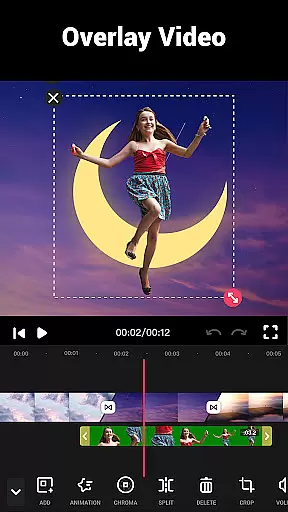
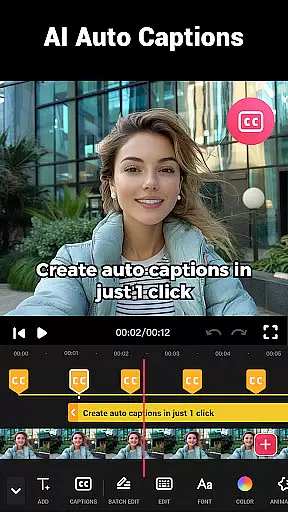
Video Maker is a versatile video editing application that allows users to create professional-quality videos directly from their Android devices. The app offers an extensive range of features including trimming, cutting, and adjusting video speed, as well as adding music, transitions, filters, and effects. With support for 4K video export without watermarks, it ensures high-quality output for sharing across various social media platforms like YouTube, Instagram, and TikTok.
Beyond basic editing, Video Maker provides advanced tools such as multi-layer editing, audio extraction, and video speed adjustments. Its user-friendly interface makes it suitable for both beginners and experienced editors who want to produce engaging vlogs or promotional videos. Whether you're looking to create fast-paced montages or slow-motion cinematic scenes, this app delivers the necessary tools to bring your creative vision to life.
The app's comprehensive feature set positions it as an all-in-one solution for mobile video production. By combining powerful editing capabilities with easy sharing options, Video Maker empowers content creators to efficiently produce and distribute visually stunning videos that captivate audiences across multiple digital platforms.
Video Maker distinguishes itself through its robust collection of editing tools designed to enhance the video creation process. Users can leverage features such as precise video trimming and cutting, customizable transition effects, and speed adjustments ranging from 0.2x to 100x. These functionalities enable creators to fine-tune every aspect of their videos, ensuring seamless storytelling and dynamic visual presentations.
In addition to core editing features, the app offers creative enhancements like glitch effects, stickers, fun fonts, and movie-style filters. The inclusion of a multi-layer editor allows for complex compositions involving music, voice-overs, and sound effects. Furthermore, the ability to extract audio from videos and adjust music volume with fade-in/out options adds another layer of customization to the editing workflow.
Video Maker also excels in its export capabilities, supporting high-quality 4K video without watermarks. This feature, combined with direct sharing options to popular social media platforms, streamlines the distribution process while maintaining professional-grade quality. The app's commitment to providing these advanced features without banner ads or watermarks establishes it as a valuable tool for both amateur enthusiasts and professional content creators seeking to elevate their video projects.
Video format compatibility is a crucial feature for any video editing application, ensuring that users can work with a wide range of video files without conversion hassles. Video Maker excels in this aspect by supporting various popular formats, allowing creators to import and export videos seamlessly.
The app's powerful engine supports high-quality video processing, including 4K exports without watermarks. This ensures that your creations retain their original clarity and professional appearance when shared on platforms like YouTube, Instagram, and TikTok.
With its all-in-one approach, Video Maker provides extensive format support not just for videos but also for audio tracks and images. Users can easily combine different media types into one project, making it an ideal tool for creating dynamic content across multiple platforms.
AI-powered editing features are revolutionizing the way we create and edit videos, offering smart solutions that simplify complex tasks. Video Maker incorporates advanced AI technologies to enhance user experience through automated processes such as rhythm detection and audio extraction from videos.
This innovative app allows users to add multi-layered elements like music, voice-overs, sound effects, and stylish fonts with ease. The AI-driven tools assist in syncing these elements perfectly with the video track according to music rhythm, resulting in professionally edited clips every time.
Moreover, Video Maker offers dozens of HD free music tracks and customizable filters powered by AI algorithms. These features enable both beginners and pros to produce visually stunning videos effortlessly while maintaining creative control over their projects.
User-friendly interface
Extensive editing tools
4K video export
No watermark on exports
Direct social media sharing
Occasional performance issues
Advanced features may overwhelm beginners
Limited customer support options
Some features require learning curve
Interface could be more intuitive

?100% FREE! Download & save videos? safely in this app. All formats supported.
 4.60
4.60
Cast to Chromecast, Xbox, Fire Stick, Roku, DLNA, Smart TV & No Feature Limited!
4.50
Fast video downloader & private browser. Save HD clips to watch offline.
4.40
1)AirPlay/DLNA Mirroring/Streaming, up to 4 connections; 2)Samba/NAS/DMS Player.
4.00
IPTV Loader, loads your own Playlist. DOES NOT CONTAIN ANY LIST OR CHANNELS
4.60
All in one multi protocols stream receiver for AirPlay, Cast and DLNA.
3.60
This app is an emulator of some specific IPTV boxes
3.50
Browser for Fire TV to stream webvideos, online movies, livestreams in HD
4.40
Make videos you’re proud to share with Edits, a video editor for creators.
4.70
#1 Torrent App on Android ** No Ads Ever + Battery Saver **
4.80
HD Video player all format, HD Videos, Cast & Subtitle. No annoying ads.
4.60
Watch IPTV on your Android device
4.60
KMPlayer Plus (Divx Codec) officially support Divx codec.
4.30
Web Browser for LG TV to stream webvideos, online movies and livestreams in HD
4.20
Explore the largest library of free GIFs, Stickers & Memes - or create your own!
3.90
Connect EasyCap or UVC devices for recording and broadcast video/audio stream
3.60
A full editing room to accompany your Insta360 cameras and handheld gimbals.
3.30
You can play SWF format file!
2.50
Video player with powerful streaming playback and various convenient features.
2.10


User Reviews