
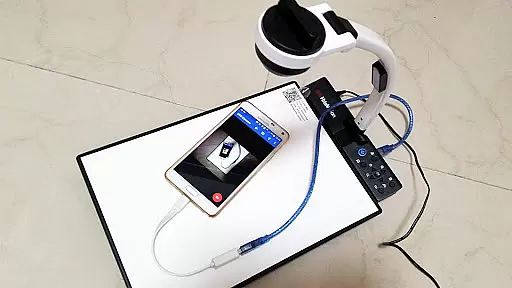
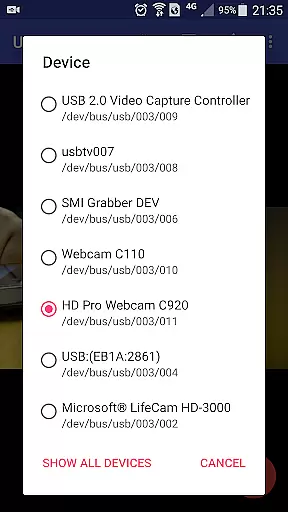
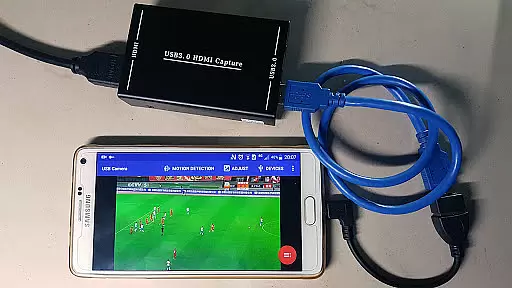
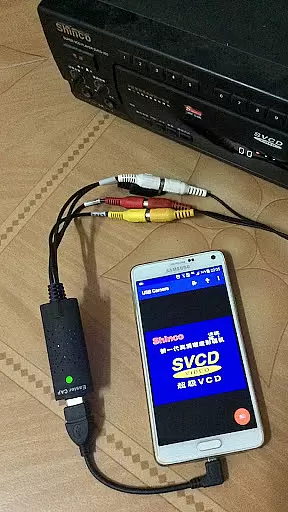
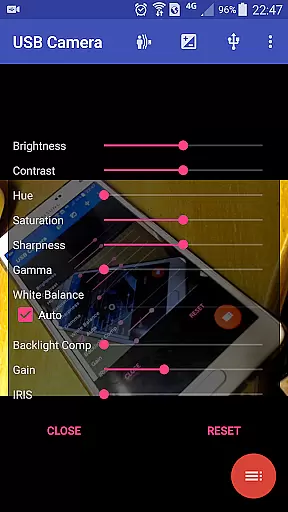
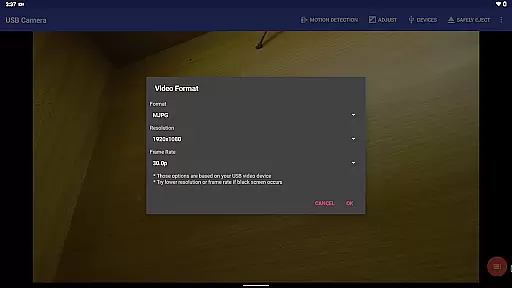
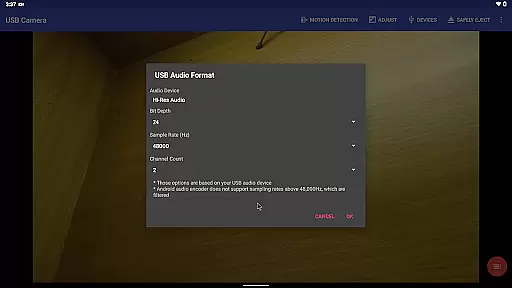
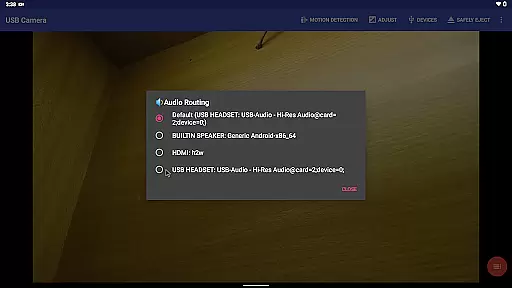
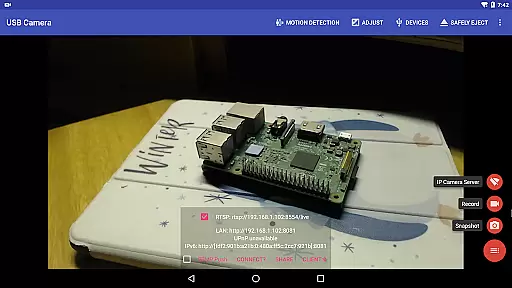
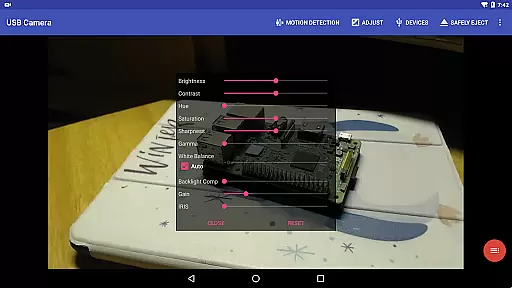
USB Camera Pro is a versatile application that transforms your Android device into a powerful tool for video capture and live streaming. It supports a wide range of USB cameras and video capture devices, including UVC WebCams, video grabbers, and non-UVC devices like USB endoscopes. With support for advanced codecs such as H.264, H.265, HEVC, and AV1, the app can handle high-quality video recording and streaming up to 4K resolution.
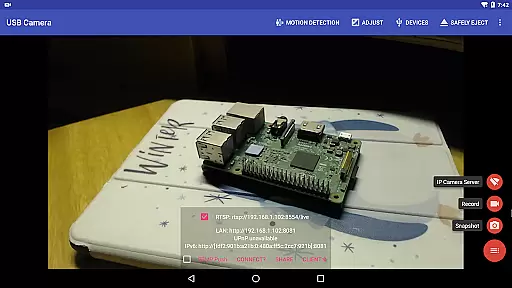
The app features an integrated RTSP and HTTP server, allowing users to turn their phone into a wireless IP camera for security monitoring with bi-directional audio support. Additionally, it offers unique functionalities such as Picture-in-Picture, VR/FPV view, and the ability to display video on the lock screen. These features make it suitable for various use cases, from professional broadcasting to personal security systems.
USB Camera Pro stands out by providing seamless switching between foreground and background operations without interrupting recordings, auto video recording based on motion detection, and automatic FTP uploads with email notifications. Its comprehensive feature set caters to both casual users looking to enhance their mobile photography and professionals needing robust tools for live broadcasts or surveillance.
USB Camera Pro boasts an impressive array of features designed to maximize the potential of your Android device's video capabilities. The app supports multiple video formats and codecs, ensuring compatibility with a broad spectrum of devices while maintaining high-quality output. Notably, it includes support for progressive and interlaced video, making it adaptable to different types of content creation needs.
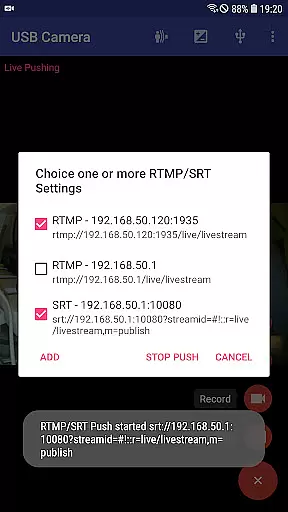
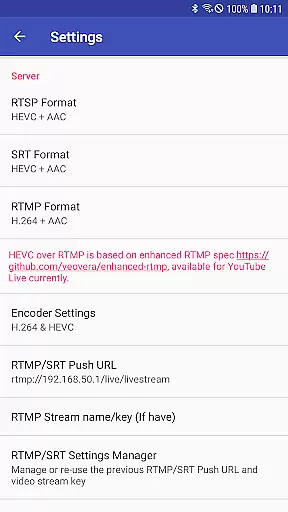
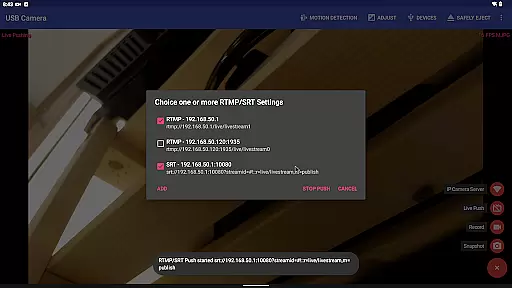
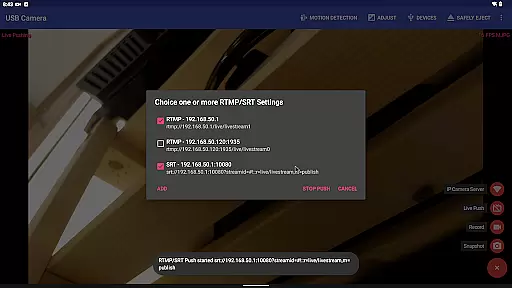
One standout feature is its ability to push video and audio streams to RTMP/SRT live media servers, enabling network live broadcasts with support for secure protocols like rtmps and SRT. This functionality is complemented by the app's capacity to simultaneously stream to multiple media servers and utilize advanced codecs such as HEVC/AV1 over RTMP for platforms like YouTube Live. Furthermore, the Side by Side (SBS) view mode enhances its utility for FPV goggle users.
Additional notable features include loop-recording with auto-segment settings, timestamp overlays with GPS and speed information, and seamless background operation switching. These aspects not only improve usability but also cater to specific requirements such as dashcam functionality and professional-grade video production. The inclusion of bi-directional audio support through integration with the IP Camera App further expands its application in security and monitoring scenarios.
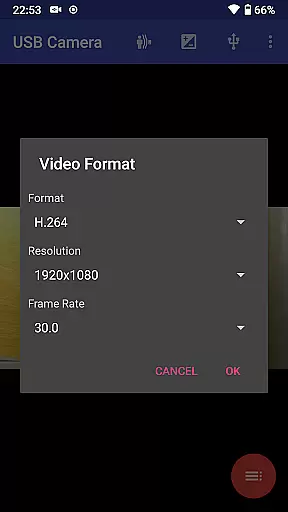
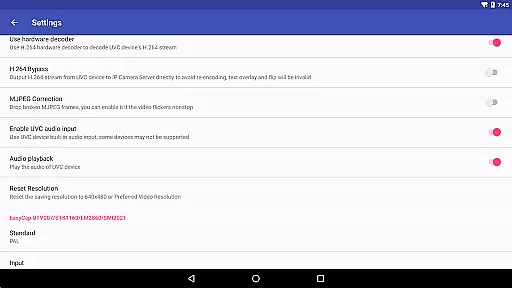
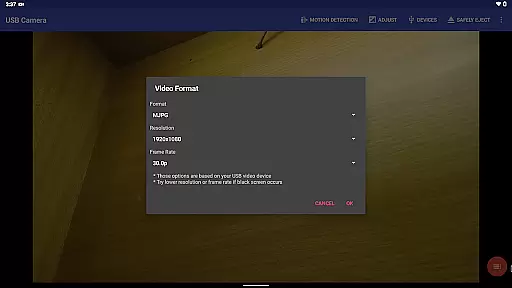
USB Camera Pro demonstrates exceptional versatility in video format compatibility, making it a powerful tool for both casual users and professionals. The application supports an extensive range of video formats including H.264, H.265, HEVC, MJPG, YUY2, P010, and NV12 among others. This broad spectrum allows users to connect various devices such as UVC WebCams, video grabbers, and even non-UVC devices like USB Endoscopes without worrying about format support.
The app's ability to handle progressive and interlaced video up to 4K resolution via HDMI is particularly noteworthy. Whether you're capturing high-definition content for professional projects or simply recording family moments, the assurance that your device will be compatible with USB Camera Pro provides peace of mind. Additionally, support for advanced codecs like HEVC and AV1 ensures that users can take advantage of modern compression technologies that offer better quality at lower bitrates.
For those looking to push their content to live media servers, USB Camera Pro facilitates streaming using RTMP/SRT protocols while supporting cutting-edge features like HEVC/AV1 over RTMP. This makes it not only suitable for local recordings but also ideal for network broadcasts on platforms such as YouTube Live. With these capabilities, users are empowered to produce, stream, and share high-quality multimedia content seamlessly across different devices and platforms.
While USB Camera Pro primarily focuses on video capture and streaming, it also incorporates AI-powered editing features that enhance the overall user experience. One standout feature is its motion detection-based auto video recording capability. This intelligent system monitors the video feed and automatically starts recording when movement is detected, ensuring no important moment goes uncaptured. Moreover, these recordings can be configured to upload directly to an FTP server, providing a seamless workflow for security monitoring applications.
In addition to automated recording processes, USB Camera Pro leverages AI to overlay additional information onto video frames during recording. Users can add timestamps, GPS data, speed metrics, and more, enriching their footage with valuable contextual details. These overlays are customizable, allowing users to tailor them according to specific needs whether they're creating dashcam footage or documenting travel adventures.
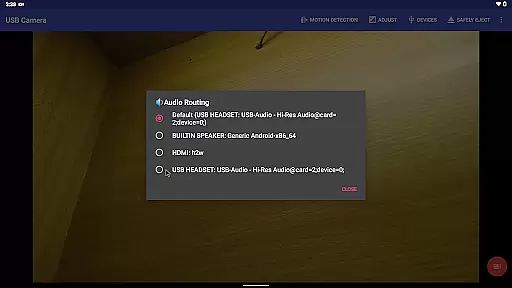
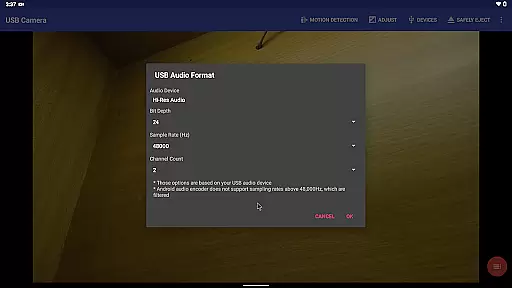
Another innovative aspect is the appu2019s bi-directional audio support through integration with IP Camera App. By utilizing advanced audio processing algorithms, USB Camera Pro enables clear communication channels between connected devices. This functionality proves invaluable in scenarios requiring real-time interaction, such as remote surveillance operations or live event coverage. Overall, these AI-driven enhancements transform USB Camera Pro from a simple video player into a comprehensive toolset designed to elevate multimedia production and management tasks.
User-friendly interface
Wide device compatibility
Advanced codec support
Robust live streaming options
Comprehensive security features
Requires good quality OTG cable
Some features need additional apps
Higher power consumption
Complex setup for beginners
Limited third-party app integration

Powerful, professional, versatile teleprompter. Developed by an active film crew
 4.00
4.00
Video Player - Unlimited features, 30 days money back guarantee.
4.60
Your media, on your terms.
4.10
All in one HD video downloader & player for multiple formats with full privacy
4.70
Play and download HD videos from all sources — fast, simple, and all-in-one.
4.3
Fast & Private Video Downloader App. Save all videos easily from the Internet.
4.40
AI Video Editor:AI Music, Text to Video,Text to Speech,Auto Caption,Video Effect
4.00
Browser for Samsung TV to stream webvideos, online movies and livestreams in HD
4.10
Make videos you’re proud to share with Edits, a video editor for creators.
4.70
Tik & Story Saver-Download ALL social media videos, photos & reels no watermark.
4.80
A Quick and Pro Video Editor
4.70
Support 1000+ Video Format, Subtitle Download, mp3 & Background Play, Cast On TV
4.60
Viddo: Generate Action Figure, AI Anime, AI kiss, AI hug Video from image & text
4.40
Video player, file manager for all formats, 4K/HD media player supports subtitle
4.30
Kodi media center, a free and open source cross-platform entertainment hub
3.60
This app is an emulator of some specific IPTV boxes
3.50
Mix with Virtual DJ directly from your phone or tablet !
3.10
Video player with powerful streaming playback and various convenient features.
2.10
The smartest M3U IPTV Player your playlists have ever seen.
4.4


User Reviews