
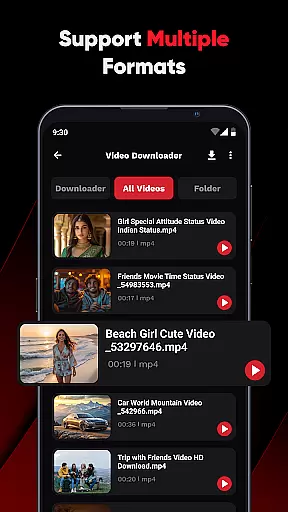
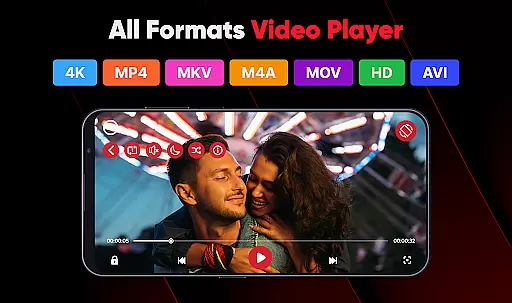
ViPlayer is a versatile video player and downloader designed for users who want to enjoy HD videos seamlessly. It supports all major video formats including MP4, MKV, AVI, and MOV, allowing users to stream or play saved videos directly from their devices with ease.
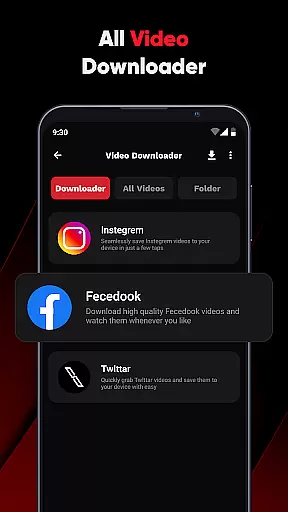
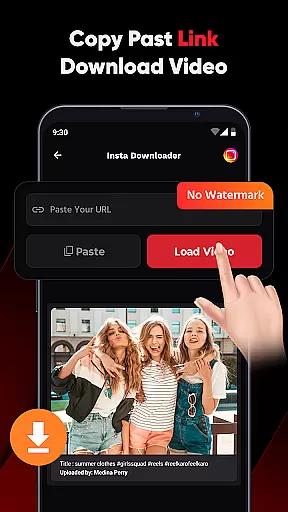
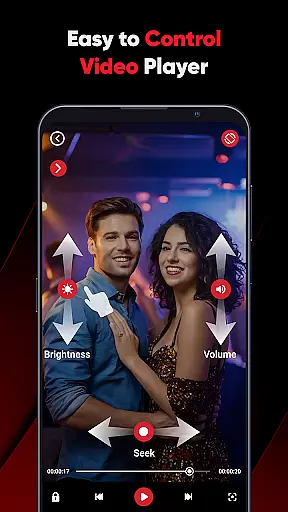
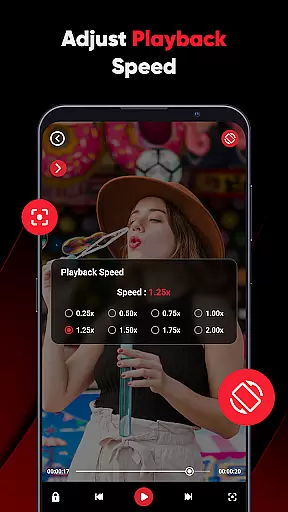
The app features advanced gesture controls and a powerful built-in player, making it easy to adjust volume, brightness, and playback. Additionally, ViPlayer enables users to download videos from social media platforms like Facebook and Instagram by simply pasting the URL, previewing the content, and hitting download. This functionality allows offline viewing without requiring any login.
Designed for speed, simplicity, and style, ViPlayer is perfect for those looking to watch personal content or save videos efficiently. Its clean and lightweight UI ensures fast, intuitive, and easy-to-use navigation.
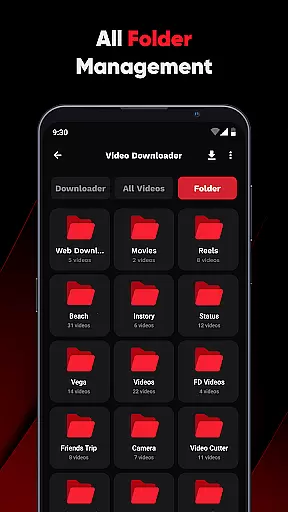
ViPlayer stands out with its comprehensive feature set tailored for an optimal video experience. The app auto-detects videos from internal and external storage, organizing them by folder for easy access. Its swipe controls allow users to effortlessly adjust volume, brightness, and playback with simple gestures.
One of the key highlights is the one-click downloader, which lets users paste a URL, preview the content, and save videos in seconds. This feature supports downloading HD videos from platforms like Facebook and Instagram, ensuring high-quality offline viewing. Moreover, ViPlayer does not require any login, prioritizing user privacy and security.
The app boasts a clean, lightweight UI that is both fast and intuitive, providing a seamless user experience. With its focus on speed, simplicity, and style, ViPlayer caters to users seeking a robust yet straightforward video player and downloader.
ViPlayer stands out as a versatile video player due to its extensive video format compatibility. The app supports a wide array of formats including MP4, MKV, AVI, and MOV, ensuring that users can play virtually any video file regardless of its origin or encoding.
This broad compatibility eliminates the need for format conversion, saving users time and preserving video quality. Whether you're watching personal content or streaming from external sources, ViPlayer ensures smooth playback without interruptions.
The app's ability to auto-detect videos across internal and external storage further enhances user convenience. By organizing files by folder, it simplifies navigation and access to your video library.
For users who value flexibility in their media consumption, ViPlayer's comprehensive format support makes it an essential tool for both casual viewers and tech-savvy enthusiasts alike.
While primarily a video player and downloader, ViPlayer incorporates intelligent features that enhance the overall user experience through smart functionalities. Although not a traditional video editor, the app offers advanced gesture controls that function similarly to AI-powered editing tools.
The innovative swipe controls allow users to adjust volume, brightness, and playback with simple finger movements. This intuitive interface creates a seamless interaction between the user and their media content, mimicking the smart features found in dedicated video editing applications.
These intelligent controls contribute to a more engaging viewing experience, especially when combined with the app's built-in player capabilities. The result is a more dynamic and responsive interface that adapts to user preferences in real-time.
By integrating these smart features, ViPlayer demonstrates how artificial intelligence principles can be applied beyond traditional editing tools to create a more sophisticated media consumption platform.
User-friendly interface
Supports multiple formats
Advanced gesture controls
Fast video downloading
No login required
Limited platform support
Occasional bugs
Ads present
Requires internet
Storage intensive

You can play SWF format file!
 2.50
2.50
Video Player - Unlimited features, 30 days money back guarantee.
4.60
Cast Videos from Web Browser, IPTV to Roku, Chromecast, DLNA, Smart TV +more
4.60
Full HD Video mp3 Player, MP4 player play 1080p, File manager, Video Downloader
4.40
This app was created to edit the metadata of music files.
4.20
Explore the largest library of free GIFs, Stickers & Memes - or create your own!
3.90
Movie maker & video editing app with AI effects and green screen
4.30
Fast & Private Video Downloader App. Save all videos easily from the Internet.
4.40
Create, Publish & Maximize
4.70
Tik & Story Saver-Download ALL social media videos, photos & reels no watermark.
4.80
An easy-to-use and all-round screen recorder with audio
4.80
Download Hub, easy and private way to download and enjoy your videos offline
4.80
Download videos and play them offline
4.70
Fast & Private HD Video Downloader with Built-in Proxy Browser and Video Player.
4.50
Turn your phone into a wireless camera!
4.20
1)AirPlay/DLNA Mirroring/Streaming, up to 4 connections; 2)Samba/NAS/DMS Player.
4.00
Fast private browser with secure, seamless access & supported video downloads!
4.00
Kodi media center, a free and open source cross-platform entertainment hub
3.60
The essential companion to your Blue Iris PC software
2.50


User Reviews