
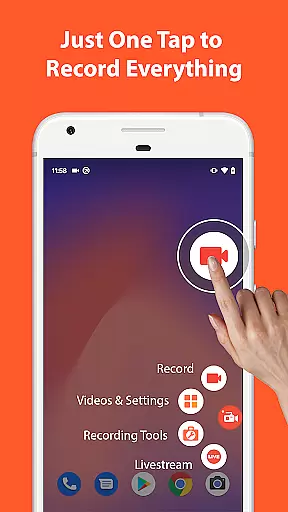

AZ Screen Recorder is a versatile screen recording app that allows users to capture high-quality videos of their device screens with audio. It offers multiple features such as screen recording, video editing, live streaming, and image editing, making it suitable for various purposes including gameplay recording, video calls, and tutorials.
One of the standout features of this app is its ability to record internal audio from games or apps, which is particularly useful for creating content without external noise interference. Additionally, the app provides tools for trimming, merging, and adding effects to videos, enhancing the overall user experience. Whether you're a gamer wanting to share your best moments or a professional needing to record presentations, AZ Screen Recorder caters to all these needs seamlessly.
AZ Screen Recorder stands out due to its comprehensive set of features tailored for both casual and professional users. The screen recording functionality includes options to pause/resume recordings, record audio via the microphone or internal system sounds, and even show your face in a floating window using the facecam feature. These capabilities ensure that users can create dynamic and engaging content effortlessly.
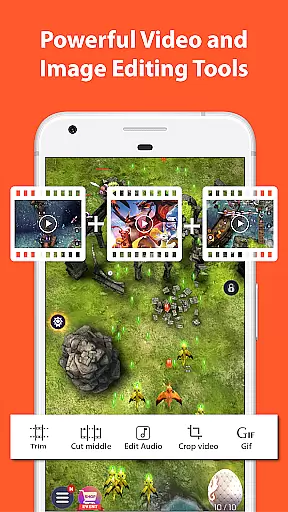
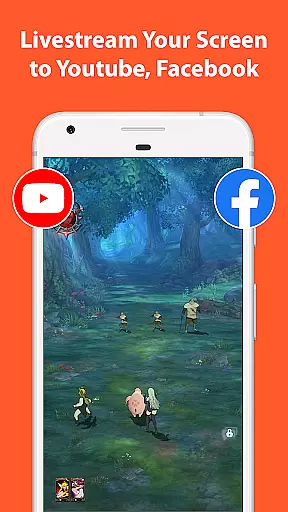
Beyond basic recording, the app also serves as a robust video editor. Users can trim unwanted sections, merge clips, add background music, insert subtitles, and compress files to save space. For those interested in live streaming, AZ Screen Recorder supports broadcasting directly to platforms like YouTube and Facebook, complete with customizable stream resolutions and optional facecam integration. This versatility makes it an indispensable tool for anyone looking to produce and share high-quality video content.
Video format compatibility is a crucial feature for any video recording and editing application. AZ Screen Recorder excels in this area by supporting a wide range of video formats, ensuring that users can record, edit, and share videos without worrying about format restrictions.
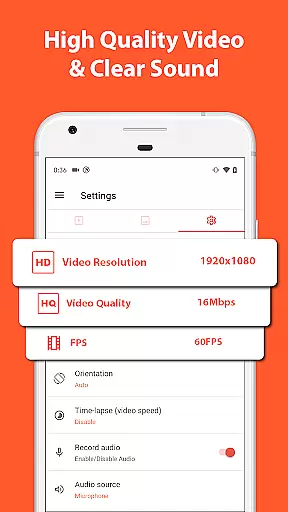
The app supports various resolutions from HD, FullHD, 2K to 4K, although 4K screen recording is only available for some users and devices. This flexibility allows content creators to choose the best resolution for their projects, whether they are creating high-definition gameplay videos or simple video calls.
Apart from resolution options, AZ Screen Recorder also offers different frame rates such as 24fps, 30fps, and 60fps. This ensures smooth video playback and gives users the ability to adjust settings based on their specific needs or device capabilities.
By providing extensive video format compatibility, AZ Screen Recorder empowers users to focus on their content creation without being limited by technical constraints. Whether you're recording gameplay, live streaming, or capturing video calls, this app provides the necessary tools to produce high-quality videos in your preferred format.
AI-powered editing features are revolutionizing the way we edit videos, making the process faster, smarter, and more intuitive. AZ Screen Recorder incorporates several AI-driven tools that enhance the video editing experience, allowing users to create professional-looking videos with minimal effort.
One of the standout AI features is the ability to trim and remove middle parts of videos seamlessly. This saves time and effort, especially when editing long recordings or live streams. Additionally, the app uses AI to optimize video compression, ensuring that files remain manageable in size without compromising quality.
Another innovative feature is the automatic detection and stitching of images. Users can capture multiple screenshots and let the AI combine them into a single cohesive image. This is particularly useful for tutorials or presentations where visual continuity is important.
By integrating these advanced AI-powered editing features, AZ Screen Recorder not only simplifies the editing process but also opens up new creative possibilities for users. Whether you're a casual creator or a professional editor, these tools help you achieve polished results efficiently and effectively.
User-friendly interface
High-quality video output
No watermarks on recordings
Unlimited recording time
Comprehensive editing tools
Some features require Android 10+
4K recording limited to certain devices
Internal audio not available on all devices
Premium version needed for advanced features
Occasional bugs reported by users

HD Video player all format, HD Videos, Cast & Subtitle. No annoying ads.
 4.60
4.60
You can play SWF format file!
2.50
Your media, on your terms.
4.10
Watch full episodes of your favorite Cartoon Network and Cartoonito shows!
3.50
Video Trimmer, Video to MP3 Converter. Extract music from video, Easy & Fast.
4.80
Play and download HD videos from all sources — fast, simple, and all-in-one.
4.4
IPTV Player - Watch live TV from m3m & m3u8 playlist, stream IPTV on mobile
3.30
Web Browser for LG TV to stream webvideos, online movies and livestreams in HD
4.20
Capture the moment and Cut
3.40
#1 Torrent App on Android ** No Ads Ever + Battery Saver **
4.80
Download Hub, easy and private way to download and enjoy your videos offline
4.80
A Simple app to download Video & Music from the Internet.
4.70
Watch a large amount of high-definition short drama content
4.60
Search & download videos from net with all video downloader, auto-detect & safe.
4.60
Add date and time watermark to photos and videos
4.50
Video Downloader is an utility that can save videos and music from web sites
4.20
IPTV-Smarters Player Pro M3U - Watch Live Stream TV Channels with Chromecast
4.00
This app is an emulator of some specific IPTV boxes
3.50
The essential companion to your Blue Iris PC software
2.50


User Reviews