
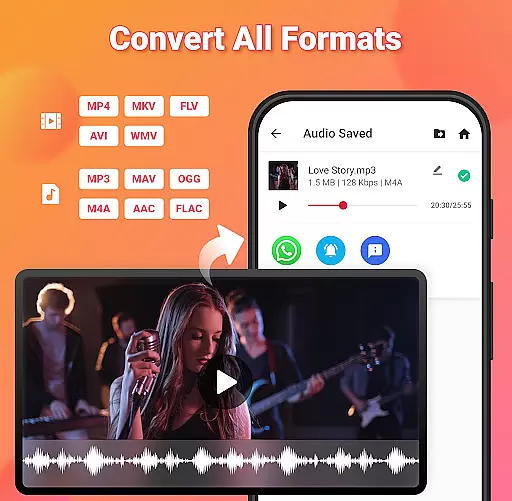
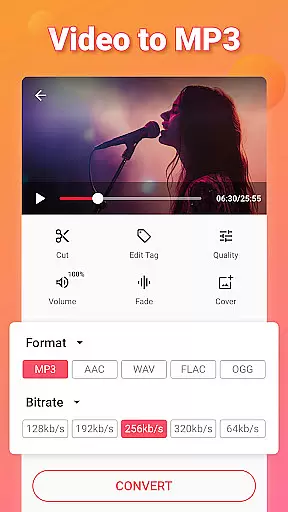
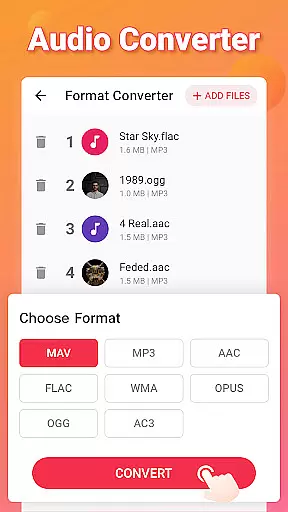
Video to MP3 is a versatile media converter tool that allows users to convert video files to high-quality audio formats. The app supports batch conversion, enabling users to process up to 15 videos at once while offering various output options including MP3, AAC, and M4A. With its advanced format compatibility, it can handle video formats like MP4, MKV, AVI, and audio formats such as WAV, FLAC, and OGG.
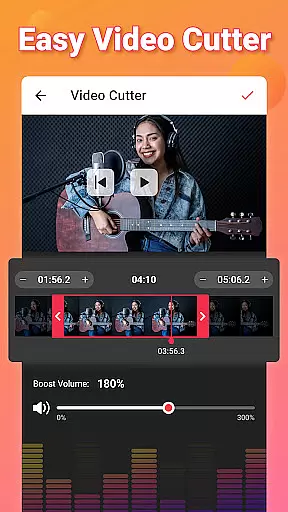
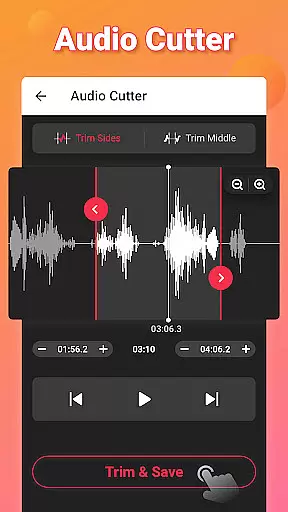
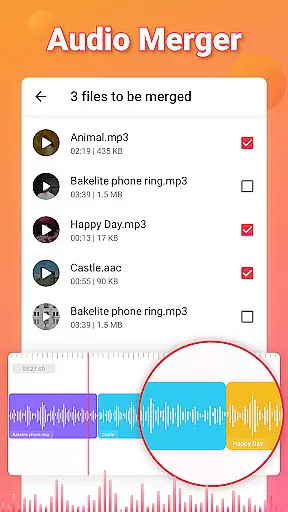
In addition to its core conversion capabilities, Video to MP3 provides editing features like trimming, cutting, and merging audio tracks. Users can also apply fade-in and fade-out effects, adjust volume with the sound boost feature, and edit metadata tags for their audio files. Whether you're looking to extract music from videos or create custom ringtones, this app delivers an all-in-one solution for both casual and advanced media editing needs.
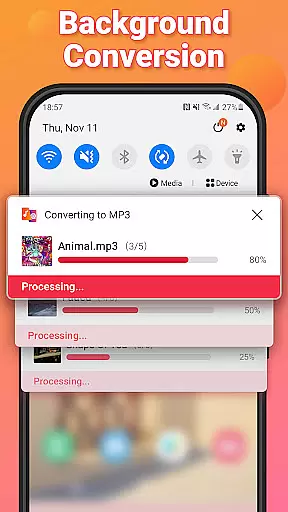
One of the standout features of Video to MP3 is its ability to perform background and batch conversions, allowing users to multitask without interruptions. The app's intuitive interface makes it easy to trim videos, cut specific segments, and merge multiple audio files into one seamless track. Additionally, the built-in audio editor lets users customize their output by adding cover art, adjusting bitrates (ranging from 32kb/s to 320kb/s), and applying fade effects.
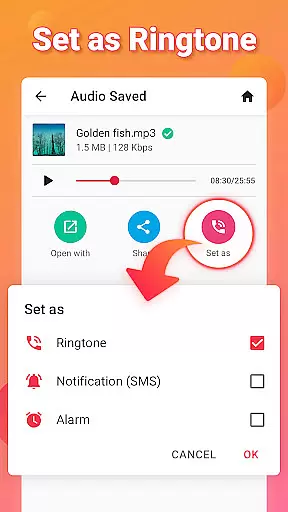
Another key aspect is its support for a wide range of file formats, making it compatible with nearly any device or platform. From converting MOV to MP4 or MKV to MP4 for video files, to switching between M4A, MP3, and FLAC for audio, the app ensures maximum flexibility. Its ringtone maker functionality further enhances user experience by letting them set edited audio clips as ringtones, alarms, or notifications directly from the app.
Video to MP3 stands out with its extensive video format compatibility, ensuring users can convert nearly any video file to audio. The app supports a wide array of video formats including MP4, MKV, FLV, AVI, and WMV.
This broad compatibility is crucial for users who work with different video sources, allowing them to extract audio without worrying about format restrictions. Whether it's a MOV file that needs converting to MP4 or an AVI to MP3, this app handles the task efficiently.
The importance of such versatility cannot be overstated. Users often encounter various video formats across different platforms, and having an app that seamlessly converts these files into a usable audio format is invaluable.
By supporting high-quality conversions from video to audio, Video to MP3 ensures that users do not lose audio quality during the conversion process. This feature is particularly beneficial for those looking to extract music or soundtracks from videos for personal or professional use.
Beyond basic conversion, Video to MP3 incorporates AI-powered editing features that enhance user experience significantly. These include options like fade-in and fade-out effects, which add a professional touch to audio tracks extracted from videos.
Another notable feature is the ability to edit tags such as Title, Album, Artist, and Genre, providing users with the tools to organize their audio library effectively. This level of detail in metadata management is essential for maintaining a well-organized digital collection.
The app also offers advanced functionalities like sound boost to increase volume levels and precise cutting tools for both video and audio. These features are powered by intelligent algorithms that ensure accuracy and ease of use.
With background and batch conversion capabilities, users can multitask and convert multiple files simultaneously without active monitoring. This efficiency is further enhanced by support for bitrate settings ranging from 32kb/s to 320kb/s, catering to both casual listeners and audiophiles seeking high-fidelity sound.
User-friendly interface
Batch processing available
Wide format support
Free to use
Advanced editing tools
Limited advanced features
No cloud integration
Occasional ads
Basic UI design
Large file size

IPTV-Smarters Player Pro M3U - Watch Live Stream TV Channels with Chromecast
 4.00
4.00
Powerful HD video player with support for all formats & subtitles.
4.3
Capture images & record videos for USB Camera, Webcam, Microscopes, Endoscopes
3.80
Support 1000+ Video Format, Subtitle Download, mp3 & Background Play, Cast On TV
4.60
1)AirPlay/DLNA Mirroring/Streaming, up to 4 connections; 2)Samba/NAS/DMS Player.
4.00
Pro video editor app for Instagram, edit video with song, AI, effect & slowmo.
4.80
All in one multi protocols stream receiver for AirPlay, Cast and DLNA.
3.60
Web Browser for LG TV to stream webvideos, online movies and livestreams in HD
4.20
Download Hub, easy and private way to download and enjoy your videos offline
4.80
A Simple app to download Video & Music from the Internet.
4.70
?100% FREE! Download & save videos? safely in this app. All formats supported.
4.60
Fast & Private HD Video Downloader with Built-in Proxy Browser and Video Player.
4.50
Photo and Music Video Creator into Stunning Videos—Effortlessly
4.40
Video player, file manager for all formats, 4K/HD media player supports subtitle
4.30
Movie maker & video editing app with AI effects and green screen
4.30
Stream Web Videos to Chromecast, Samsung, LG, Sony, Roku, Fire TV, DLNA + more
4.00
Livestream, news, & gaming content. Watch, chat, and upload. Join Rumble today!
3.80
AirMirror is Receiver for Screen Mirroring and Casting from Apple Devices.
3.60
Stream high quality video from your camera over NDI protocol
4.2


User Reviews