
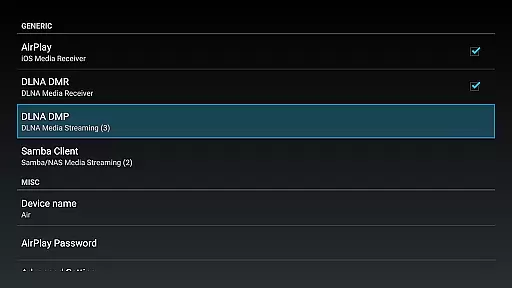
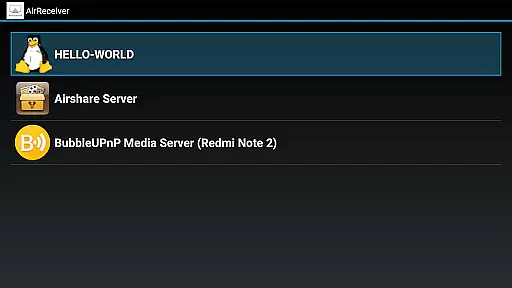

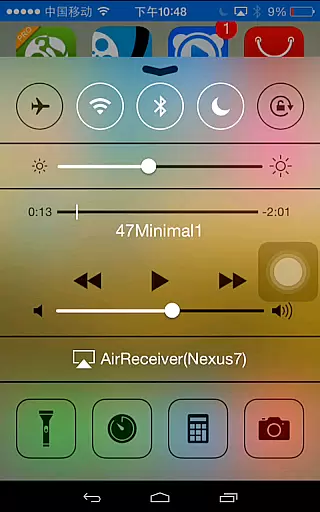
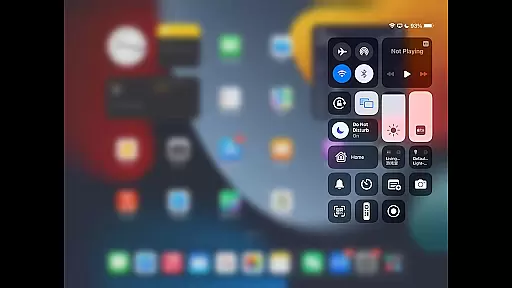
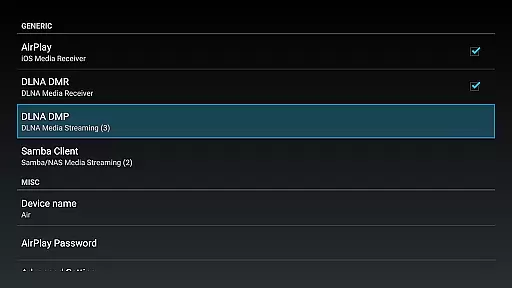
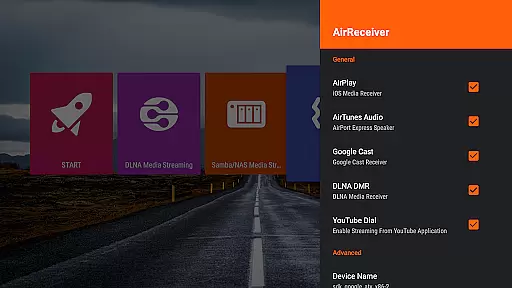
AirReceiver is a versatile streaming solution that supports multiple protocols including AirPlay, Cast, Wireless Display, and DLNA. This application allows users to stream screens, photos, music, and videos from their phones or laptops directly to their TV screens.
Designed to operate seamlessly in the background, AirReceiver is optimized for Android TV/Box, making it an ideal choice for users seeking a reliable streaming experience. Its compatibility with various devices and support for features like Youtube video streaming and audio sync enhance its utility.
Whether you're looking to mirror your PC screen using AirParrot or enjoy a slideshow on a larger display, AirReceiver provides a comprehensive solution for all your streaming needs.
AirReceiver boasts an array of features tailored to enhance user experience. It fully supports IOS16 and offers superior performance with AirMirror, making it one of the best third-party AirPlay applications available. Users can stream audio, video, and photos from a variety of clients, including iTunes, iOS, WMP12, and AirShare.
In addition to its robust streaming capabilities, AirReceiver runs efficiently in the background as a service. This ensures uninterrupted streaming while allowing users to perform other tasks. The app also offers configurable network names and can be set to start on boot, providing convenience and ease of use.
For those interested in Windows Screen Mirror, downloading and installing the free tool AirSender on your PC enables seamless connectivity with devices running AirReceiver. This feature, along with its compatibility with AirExpress devices for audio sync, positions AirReceiver as a top choice for multimedia streaming.
Video format compatibility is a crucial feature for any video player and editor, ensuring that users can enjoy a wide range of media without worrying about format restrictions. AirReceiver AirPlay Cast DLNA supports multiple protocols including AirPlay, Cast, Wireless Display, and DLNA, making it versatile for streaming various types of content.
This application allows you to stream screen, photos, music, and videos from your phones and laptops directly to your TV. It works seamlessly in the background, directing media streams to your Android device, which makes it especially suitable for Android TV/Box setups.
AirReceiver stands out with its support for popular formats and services such as YouTube video streaming, audio sync with other AirExpress devices, and full support for IOS16. Whether you're using AirMirror or AirParrot, this app ensures high performance and compatibility across different platforms.
While AirReceiver AirPlay Cast DLNA focuses primarily on streaming capabilities, AI-powered editing features are becoming increasingly important in modern video players and editors. Although not explicitly stated in the description, AirReceiver's advanced functionalities hint at intelligent processing behind the scenes.
The app supports slideshow features and screen mirroring from PCs using AirSender tools, suggesting some level of automated optimization during these processes. These features could potentially leverage AI to enhance user experience through smarter syncing and more efficient data handling.
For users looking to maximize their multimedia enjoyment, having an intuitive interface combined with smart technology means less time troubleshooting and more time enjoying content. With continuous updates and improvements, future versions might further integrate AI to offer even more sophisticated editing options.
User-friendly interface
Multi-protocol support
Background operation
Configurable settings
Seamless device integration
High CPU usage
Limited refund period
Port conflicts possible
Requires powerful device
Complex setup for beginners

Video player, file manager for all formats, 4K/HD media player supports subtitle
 4.30
4.30
Powerful, professional, versatile teleprompter. Developed by an active film crew
4.00
Watch a large amount of high-definition short drama content
4.60
Stream high quality video from your camera over NDI protocol
4.4
AirMirror Receiver - Screen mirroring/cast web videos to Android TV by AirPlay.
4.40
Fast & easy HD video downloader for all formats, support 4K playback & download.
4.60
Connect EasyCap or UVC devices for recording and broadcast video/audio stream
3.60
Cast movies, tv shows and live streams to Chromecast, Roku, DLNA, Fire TV & more
4.60
Livestream, news, & gaming content. Watch, chat, and upload. Join Rumble today!
3.80
Find, download, and play torrents with the official BitTorrent® Pro app
4.70
Search & download videos from net with all video downloader, auto-detect & safe.
4.60
Add date and time watermark to photos and videos
4.50
Fast & Private Video Downloader App. Save all videos easily from the Internet.
4.40
KMPlayer Plus (Divx Codec) officially support Divx codec.
4.30
Browser for Samsung TV to stream webvideos, online movies and livestreams in HD
4.10
All format media Player, no need video converter any more!
4.00
Make your own Animations, Video and Photo Edits, Visual Effects, and more!
4.00
Browser for Sony TV to stream web videos, online movies and live tv
3.20
The smartest M3U IPTV Player your playlists have ever seen.
4.3


User Reviews