
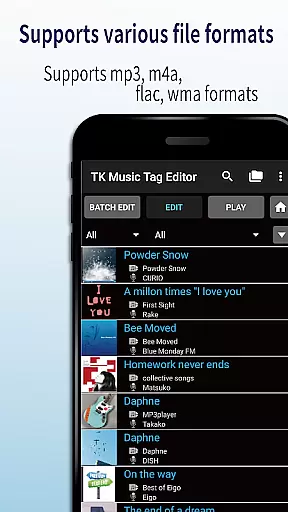
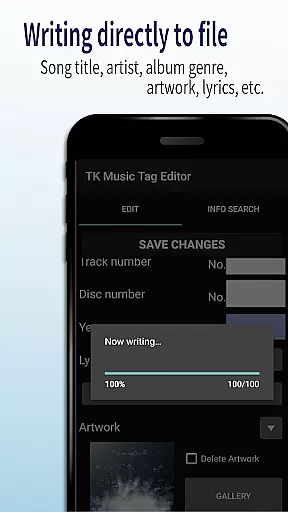
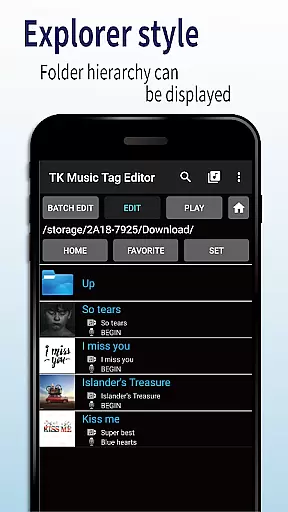
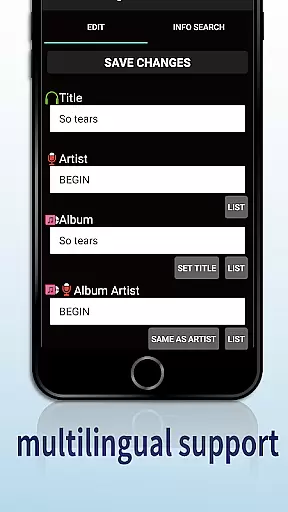
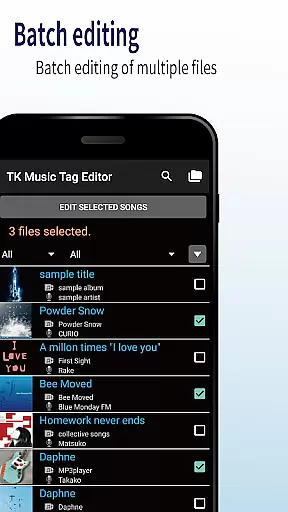
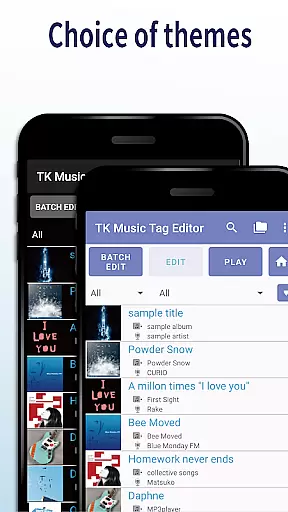
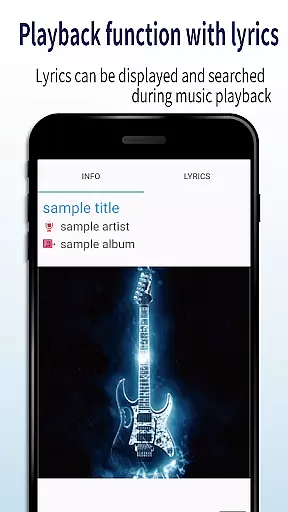
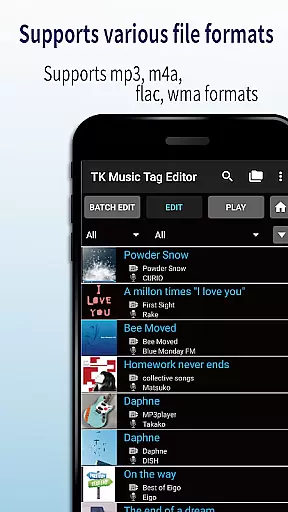
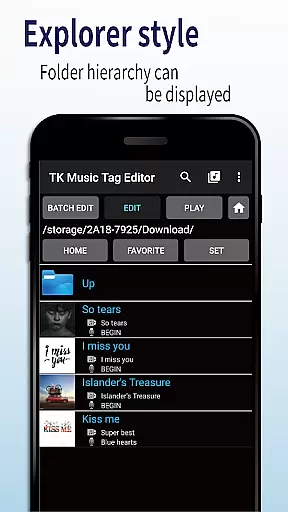
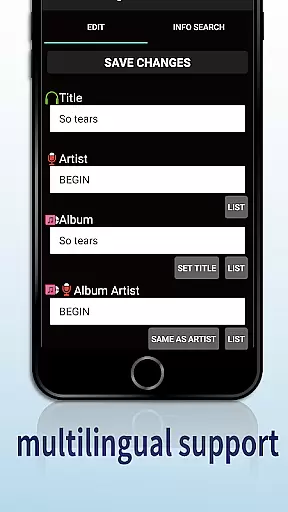
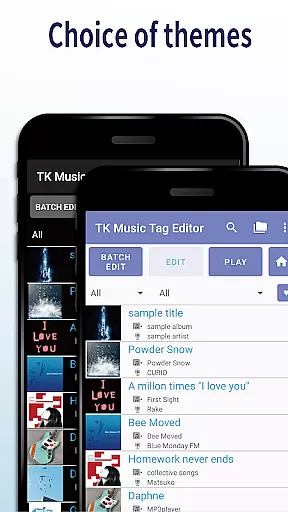
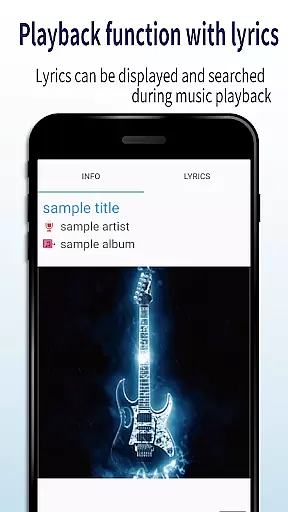
TK Music Tag Editor -Complete- is a comprehensive metadata editing tool designed specifically for music enthusiasts who need to manage their audio files with precision. This application allows users to edit essential metadata fields such as artist, album, cover art, and lyrics directly within mp3, m4a, flac, and wma files. The changes are written directly into the music files, ensuring that the metadata remains intact regardless of the device or platform used to access the files.
In addition to basic tag editing, the app offers advanced features like simultaneous filename editing, which allows users to customize file names based on song titles or artists. It also includes playlist creation capabilities, enabling users to organize their music libraries effectively. With support for multiple file formats and the ability to detect incorrect file extensions, TK Music Tag Editor ensures compatibility across various devices and platforms.
This app is particularly useful for audiophiles and music collectors who require detailed control over their digital music libraries. Whether you're managing a personal collection or curating playlists for public sharing, TK Music Tag Editor provides the tools necessary to maintain accurate and consistent metadata across all your audio files.
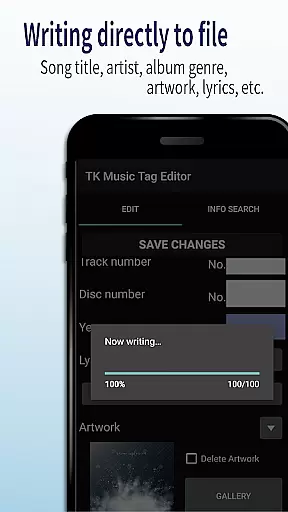
One of the standout features of TK Music Tag Editor -Complete- is its ability to write tags directly into music files. This ensures that metadata such as title, artist, album, cover art, and lyrics remain consistent across different devices and platforms. Users can edit these tags with ease, knowing that their changes will persist even if the files are transferred to a PC or another device.
The app also supports simultaneous editing of music filenames, allowing users to standardize their file naming conventions. For example, users can rename files to follow a "Song Title (Artist)" format, making it easier to organize and locate specific tracks. Additionally, TK Music Tag Editor includes robust playlist creation tools, empowering users to build and manage custom playlists tailored to their preferences.
Another key feature is the support for multiple file formats, including mp3, m4a, flac, and wma. The app can detect mp3 files incorrectly labeled with m4a extensions and correct them accordingly. This versatility ensures that users can work with a wide range of audio files without worrying about compatibility issues. Future updates promise even more editable metadata fields, further enhancing the app's functionality and user experience.
Video Players & Editors like TK Music Tag Editor -Complete- excel in providing extensive video format compatibility. This ensures that users can work with a wide array of file types without the need for additional conversion software.
This application supports popular audio formats such as mp3, m4a, flac, and wma, allowing direct tag editing within these files. The ability to handle different formats makes it versatile for various user needs, whether they are managing a personal music library or professional audio cataloging.
By offering broad format support, users benefit from a seamless experience when editing metadata across different devices and platforms. This compatibility ensures that tags written on one format are accessible regardless of the playback device, enhancing cross-device operability.
TK Music Tag Editor -Complete- incorporates AI-powered editing features that streamline the metadata management process. These intelligent tools assist users by automating repetitive tasks and suggesting accurate metadata based on existing libraries.
One standout feature is the simultaneous editing of music filenames alongside metadata. Users can effortlessly rename files in patterns like 'Song Title (Artist)' while editing tags, ensuring consistency across their music collection. Additionally, the app's capacity to detect mislabeled files, such as mp3 files with m4a formats, showcases its smart detection capabilities.
With future plans to enhance editable metadata and incorporate user feedback, the app is poised to offer even more advanced AI functionalities. These innovations not only save time but also improve the accuracy and organization of digital music libraries.
User-friendly interface
Direct tag writing
Multi-format support
Playlist management
Filename customization
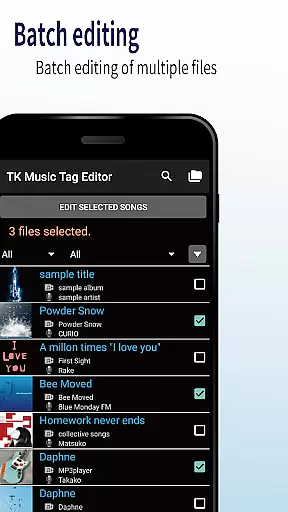
No batch editing
Limited advanced options
Occasional bugs
Basic UI design
Requires manual updates

Video player, file manager for all formats, 4K/HD media player supports subtitle
 4.30
4.30
Kodi media center, a free and open source cross-platform entertainment hub
3.60
Video Player - Unlimited features, 30 days money back guarantee.
4.60
HD video maker with no watermark, no ads & vlog maker with music, PIP, text
4.50
1)AirPlay/DLNA Mirroring/Streaming, up to 4 connections; 2)Samba/NAS/DMS Player.
4.00
GENRAL PRO - General Pro is the best video player that fully supports all formats.
4.70
Mix with Virtual DJ directly from your phone or tablet !
3.10
This app is an emulator of some specific IPTV boxes
3.50
Viddo: Generate Action Figure, AI Anime, AI kiss, AI hug Video from image & text
4.40
Flud is a simple and beautiful BitTorrent client for Android.
4.80
Pro video editor app for Instagram, edit video with song, AI, effect & slowmo.
4.80
Find, download, and play torrents with the official BitTorrent® Pro app
4.70
Screen recorder with audio to take live videos & Screenshot in high quality!
4.70
VLC Remote lets you control your VLC Media Player on Mac, PC or Linux.
4.60
Powerful Video Editor & Photo Editing App —— Quick Edits & Stunning Effects!
4.30
Video Downloader is an utility that can save videos and music from web sites
4.20
Web Browser for LG TV to stream webvideos, online movies and livestreams in HD
4.20
VLC for Android is the best open source video and music player, fast and easy!
4.10
Client application for NextPVR software
3.00


User Reviews