
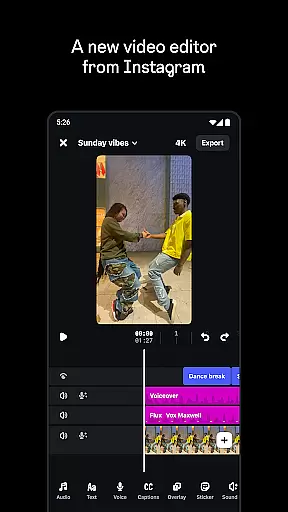
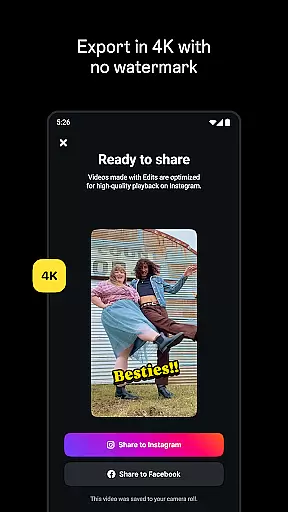
Edits is a powerful mobile video editor designed specifically for content creators who want to produce high-quality videos directly on their smartphones. This app simplifies the entire creative process by offering an all-in-one solution for video editing, from capturing footage to exporting in 4K resolution without watermarks.
The application provides advanced editing tools that allow users to edit with single-frame precision, adjust camera settings, and utilize AI animation features. Additionally, it supports green screen functionality, audio enhancement, automatic caption generation, and a wide range of creative effects. These features make it an ideal choice for social media creators looking to produce professional-looking content.
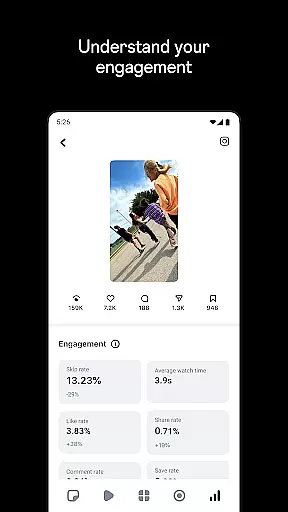
One key advantage of Edits is its seamless integration with Instagram, allowing users to easily share their creations while maintaining optimal video quality. The app also includes an insights dashboard that helps creators track the performance of their reels and understand engagement metrics, making it a valuable tool for both amateur and professional video creators.
Edits stands out among video editing applications due to its comprehensive suite of professional-grade tools tailored for mobile creators. One of its most notable features is the ability to export videos in stunning 4K resolution without any watermarks, ensuring that creators can distribute their work across multiple platforms without compromising quality.
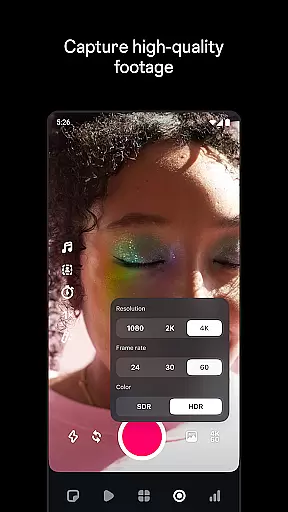
The app offers precise editing capabilities, including single-frame accuracy adjustments, customizable camera settings for resolution and frame rate, and enhanced audio processing to remove background noise. It also incorporates innovative AI-powered features such as background replacement using green screen technology, automatic caption generation, and image animation. These tools enable creators to produce sophisticated visual content that would typically require desktop-grade software.
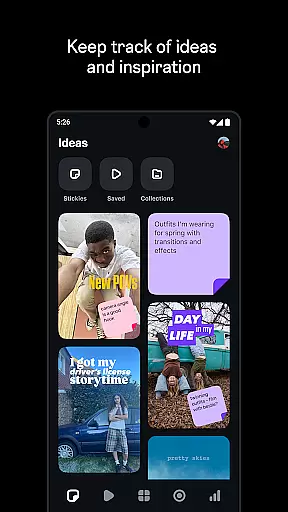
Another distinguishing feature is its integrated inspiration system, which allows users to browse trending audio and save creative ideas for future projects. The built-in analytics dashboard provides real-time performance tracking for Instagram reels, helping creators refine their content strategy based on concrete data about audience engagement and reach.
Video format compatibility is a crucial feature for any video editor, ensuring that creators can work with a wide range of file types without running into issues. Edits, an Instagram App, supports various formats, allowing users to import and export videos in 4K resolution without watermarks. This flexibility empowers creators to produce high-quality content and share it across multiple platforms effortlessly.
The app simplifies the creative process by enabling users to capture high-quality clips directly within the app, supporting lengths up to 10 minutes. This capability ensures that no matter the source or format of the original video, users can start editing right away without worrying about conversion or compatibility issues. The seamless integration of these features makes the video creation process more efficient and enjoyable.
Moreover, Edits offers advanced tools such as single-frame precision editing and AI animation, which are compatible with different video formats. These tools help bring images to life and allow for detailed adjustments, enhancing the overall quality of the video. By providing extensive format support, Edits ensures that creators have the freedom to experiment with diverse visual styles and techniques.
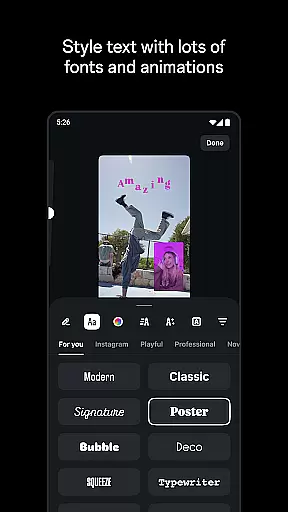
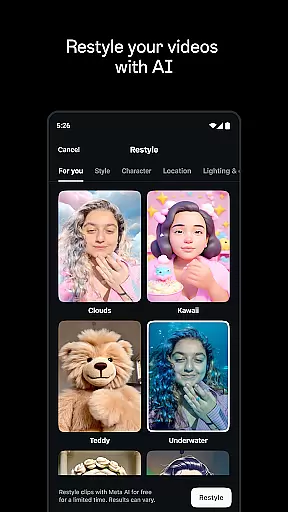
AI-powered editing features represent a significant advancement in video editing technology, offering creators innovative tools to enhance their projects. Edits incorporates AI animation to bring static images to life, creating dynamic visuals that captivate audiences. Additionally, the app provides automatic caption generation, which not only saves time but also allows for customization, ensuring that text complements the video's aesthetic.
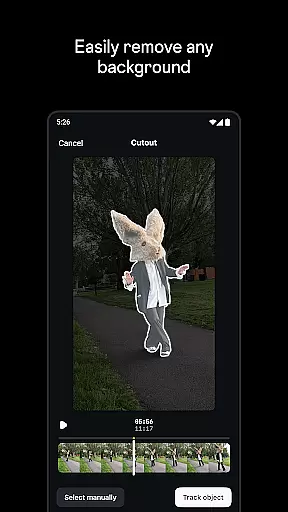
Another standout AI feature in Edits is its ability to enhance audio quality. The app can make voices clearer and remove background noise, resulting in professional-sounding soundtracks. This functionality is particularly beneficial for creators who want to maintain viewer engagement through clear and crisp audio. Furthermore, the AI-driven green screen and cutout effects enable users to change backgrounds or add video overlays, expanding creative possibilities.
Edits also includes a live insights dashboard that informs creators about how their videos perform. By analyzing trends and engagement metrics, users can make data-driven decisions to improve future content. The combination of AI-powered editing tools and performance tracking makes Edits a comprehensive solution for modern video creators looking to elevate their craft.
User-friendly interface
Professional editing tools
Seamless Instagram integration
AI-powered features
High-quality export options
Limited to mobile devices
Instagram-focused features
Potential learning curve
Resource-intensive
No desktop version

Auto video maker with music & exclusive filters. Video editing made simple.
 4.50
4.50
You can play SWF format file!
2.50
Video Player - Unlimited features, 30 days money back guarantee.
4.60
Capture images & record videos for USB Camera, Webcam, Microscopes, Endoscopes
3.80
Explore the largest library of free GIFs, Stickers & Memes - or create your own!
3.90
Play and download HD videos from all sources — fast, simple, and all-in-one.
4.1
Watch IPTV on your Android device
4.60
Enjoy your favorite videos and channels with the official YouTube app.
3.90
convenient, safe and fast at Video Downloader & Player
4.60
GENRAL PRO - General Pro is the best video player that fully supports all formats.
4.70
Snaptubè Video Downloader app allows to download videos and music in Snaptube. .
4.60
Browser + Remote for Roku to stream webvideos, online movies and livestreams
4.60
Video Downloader, Multiple Resolution Options, Video Player
4.50
Photo and Music Video Creator into Stunning Videos—Effortlessly
4.40
Video player, file manager for all formats, 4K/HD media player supports subtitle
4.30
Video player with 4K & 1080P support, popup play, background play and subtitle.
4.20
IPTV Player - Watch live TV from m3m & m3u8 playlist, stream IPTV on mobile
3.30
Mix with Virtual DJ directly from your phone or tablet !
3.10
Client application for NextPVR software
3.00


User Reviews