
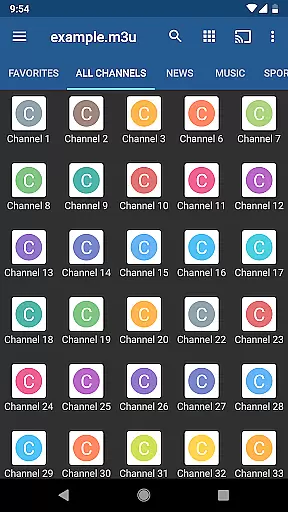
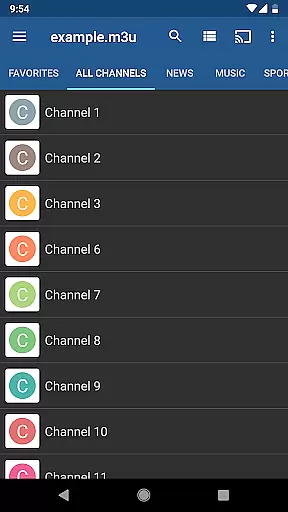
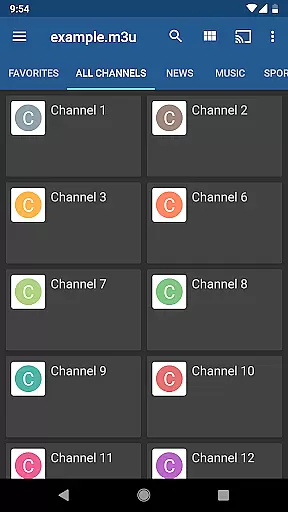
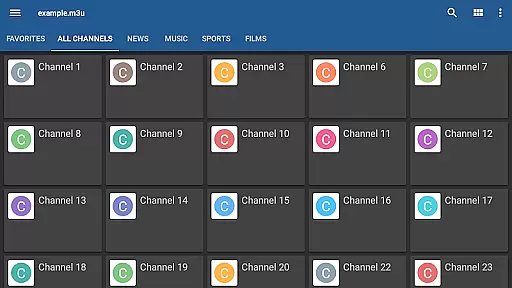
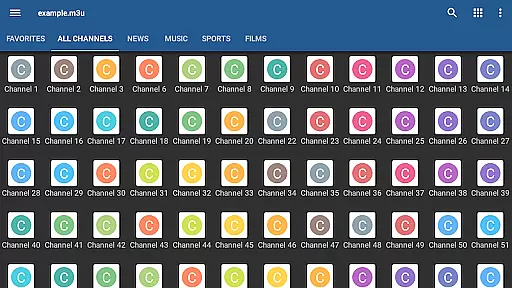
IPTV Pro is the premium version of IPTV app, offering an ad-free experience with advanced features for seamless TV streaming. It supports M3U and XSPF playlists, multicast streams via UDP proxy, EPG in XMLTV and JTV formats, and multiple viewing options like grid, list, or tile views.
Designed for both casual viewers and tech-savvy users, this app allows auto-play of the last channel and extended playlist history. With parental controls, internal and external video players, it ensures a customizable and secure viewing environment. Ideal for set-top boxes with device boot start option.
Note that IPTV Pro does not include built-in channels; users must provide their own playlists. For optimal multicast streaming, installing a UDP proxy on your network is recommended. This app is perfect for those seeking a flexible, high-quality IPTV experience without interruptions.
IPTV Pro stands out with its comprehensive feature set tailored for diverse user needs. The app provides essential tools such as M3U and XSPF playlist support, enabling users to access their personalized content libraries effortlessly.
One of the key highlights is the multicast stream support using a UDP proxy, which ensures smooth playback of high-bandwidth streams. Users can choose between grid, list, or tile views for TV channels, catering to individual preferences. The app also supports EPG in XMLTV and JTV formats, delivering an organized TV guide experience.
Additional notable features include internal and external video player options, parental controls, and the ability to start on device boot—particularly useful for set-top boxes. These functionalities collectively deliver a robust, flexible, and user-centric IPTV platform.
One of the standout features of IPTV Pro is its extensive video format compatibility, ensuring users can enjoy a seamless viewing experience regardless of the source of their playlists. The app supports both M3U and XSPF playlist formats, which are commonly used for internet television and radio.
This compatibility extends to various types of streams, including multicast streams that require a UDP proxy installed within your local network. Whether you're accessing content from a Windows or Linux system, IPTV Pro provides guidance on setting up the necessary proxies to facilitate smooth streaming.
For users with specific hardware configurations, such as WLAN routers with DD-WRT or OpenWrt firmware, IPTV Pro recommends optimal solutions like installing udpxy directly on the router. This ensures minimal latency and maximum performance when streaming content.
The ability to handle diverse video formats and streaming protocols makes IPTV Pro a versatile tool for anyone looking to access IPTV services provided by their internet service provider or other web sources.
While IPTV Pro focuses primarily on delivering a robust streaming experience, it also incorporates AI-powered features that enhance user interaction and content management. Although not a traditional video editor, the app leverages smart technologies to improve usability and personalization.
Among these features is an advanced EPG (Electronic Program Guide) support in XMLTV and JTV formats. This allows users to effortlessly navigate through TV schedules and access desired content without manual searching. The intelligent categorization and display options enable viewers to customize their interface with grid, list, or tile views of TV channels.
Parental controls represent another layer of AI-driven functionality, allowing administrators to restrict access based on predefined criteria. This feature ensures that sensitive content remains inaccessible to unauthorized users, providing peace of mind for families and organizations alike.
By integrating these AI-powered capabilities, IPTV Pro offers more than just video playback; it delivers a comprehensive platform where users can manage, personalize, and secure their viewing experiences efficiently.
Ad-free viewing
Device boot launch
Auto-play channels
Extended playlist history
Multiple channel views
No built-in channels
Requires playlists
Complex for beginners
Needs UDP proxy
Third-party content only

The smartest M3U IPTV Player your playlists have ever seen.
 4.2
4.2
Fast, private downloading, video saving, social media
4.50
Video Downloader is an utility that can save videos and music from web sites
4.20
Create & edit videos with AI
4.30
Powerful HD video player with support for all formats & subtitles.
4.1
Turn your phone into a wireless camera!
4.20
Download videos and play them offline
4.70
IPTV Loader, loads your own Playlist. DOES NOT CONTAIN ANY LIST OR CHANNELS
4.60
The essential companion to your Blue Iris PC software
2.50
Play ALL formats in 4K & HD. Video downloader, MP3 player, Chromecast & more.
4.80
#1 Torrent App on Android ** No Ads Ever + Battery Saver **
4.80
High-Quality USB Camera Viewer & HDMI Display
4.70
LumaFusion: The Ultimate Storytelling Experience for Video Editing
4.10
1)AirPlay/DLNA Mirroring/Streaming, up to 4 connections; 2)Samba/NAS/DMS Player.
4.00
Online Videos Player
3.90
Kodi media center, a free and open source cross-platform entertainment hub
3.60
Save photos and videos from social apps in one tap.
3.60
Connect EasyCap or UVC devices for recording and broadcast video/audio stream
3.60
Client application for NextPVR software
3.00


User Reviews