
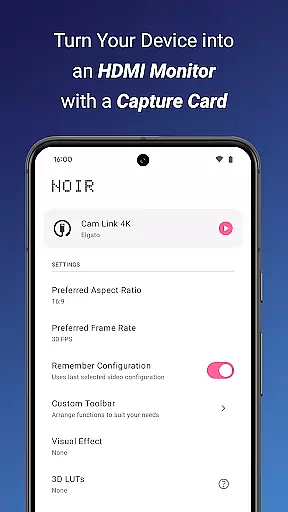
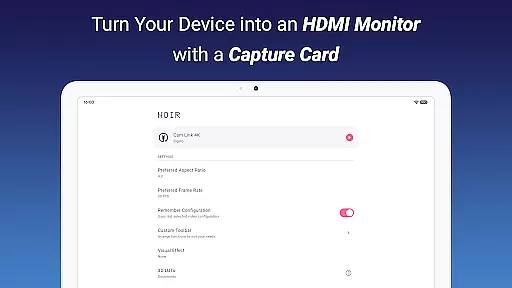
Noir Pro is a professional-grade video player and editor designed for users who require advanced features and high performance. This app transforms your device into a versatile monitor, compatible with gaming consoles, laptops, cameras, and other HDMI-output devices when used with a USB-C capture card. It supports UVC video streaming and UAC audio streaming, offering both OpenGL ES and Vulkan graphics backend options.
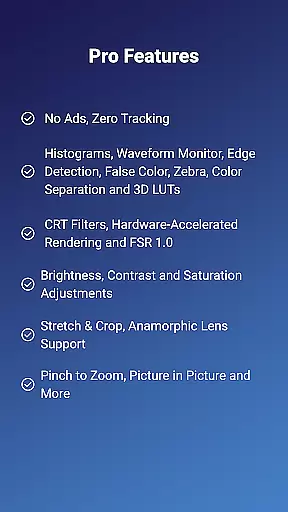
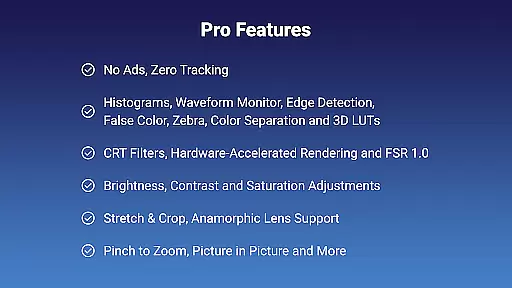
With its extensive PRO features such as 3D LUTs, Waveform Monitor, Histogram, Edge Detection, and more, Noir Pro caters to professionals in videography and photography. The app also includes practical functionalities like brightness, contrast, and saturation adjustments, app-specific volume control, and Picture in Picture mode. Whether you need a camera monitor, primary display for gaming consoles, or secondary monitor for laptops, Noir Pro delivers a comprehensive solution tailored to various use cases.
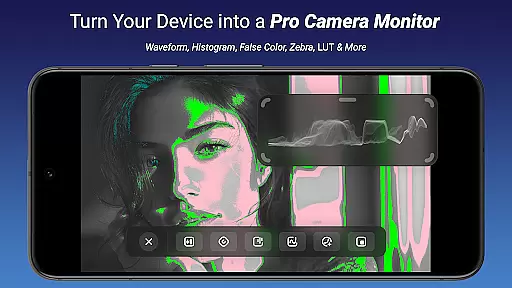
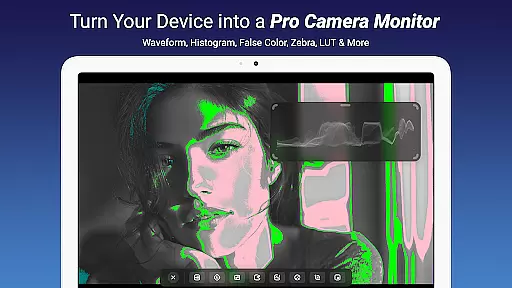
Noir Pro stands out with its rich set of professional features tailored for videographers and tech enthusiasts. One of the key highlights is the support for 3D LUTs, allowing precise color grading and correction. The Waveform Monitor and Histogram provide detailed insights into video exposure and color distribution, essential for achieving perfect shots.
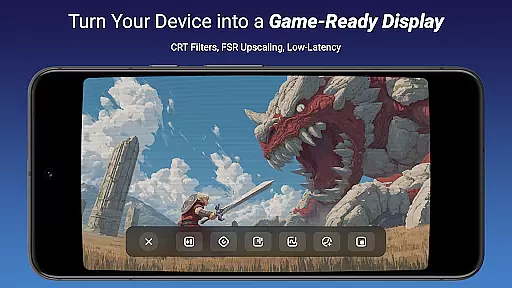
Additional standout features include Edge Detection and False Color, which assist in focusing and exposure adjustments. The app also offers Zebra patterns and Color Separation tools, alongside CRT Filters and FSR 1.0 for enhanced video output. Practical functionalities such as pinch to zoom, stretch and crop, and anamorphic lens support ensure flexibility in video framing and composition. These robust features collectively empower users to produce high-quality video content efficiently.
Video format compatibility is a crucial feature for any video player and editor, ensuring that users can work with a wide range of video files without conversion hassles. Noir Pro excels in this area by supporting both UVC video streaming and UAC audio streaming, making it versatile for various devices.
The application provides users the flexibility to choose between OpenGL ES and Vulkan for the graphics backend, catering to different performance needs and device capabilities. This ensures smooth playback and editing experiences across multiple formats, including MJPEG, which is essential for maintaining quality at higher frame rates.
By accommodating diverse video inputs from gaming consoles, laptops, cameras, and microscopes with USB streaming features, Noir Pro enhances its utility as a portable display solution. The support for specific capture cards like Hagibis UHC07(P) and Genki ShadowCast 2 further solidifies its position as a compatible and reliable tool for video professionals.
Users benefit from the ability to seamlessly integrate their existing equipment with Noir Pro, streamlining workflows and reducing technical barriers. Whether using the app for monitoring camera feeds or as a secondary display, the comprehensive format support ensures uninterrupted productivity and creative freedom.
AI-powered editing features represent the cutting edge of video editing technology, enabling users to enhance their projects with minimal effort. Noir Pro incorporates advanced AI tools such as 3D LUTs, Waveform Monitor, Histogram, Edge Detection, False Color, Zebra, and Color Separation, providing creators with powerful options to refine their videos.
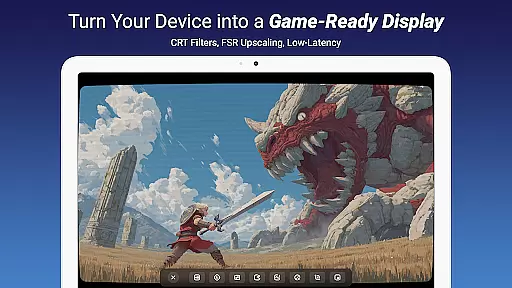
These intelligent features allow for precise adjustments in brightness, contrast, and saturation, ensuring professional-grade results. The inclusion of CRT Filters and FSR 1.0 adds a nostalgic touch or boosts resolution, respectively, catering to artistic preferences and modern standards alike.
Noir Pro's AI functionalities extend beyond mere filters; they empower users with analytical tools like the Waveform Monitor and Histogram, which are critical for accurate color grading and exposure adjustments. Such tools help maintain visual consistency across clips, enhancing the storytelling aspect of video production.
With these sophisticated AI-powered features, users can achieve high-quality edits efficiently, even without extensive technical knowledge. This democratizes video editing, allowing more creators to produce polished content and explore their creativity without being hindered by complex manual processes.
Advanced color tools
Versatile device support
High performance
Comprehensive monitoring
User-friendly interface
Requires capture card
No free version
Complex for beginners
Occasional lag issues
Limited HDCP support

Auto video maker with music & exclusive filters. Video editing made simple.
 4.50
4.50
Powerful, professional, versatile teleprompter. Developed by an active film crew
4.00
HD video & music player - All format support with floating & PIP mode!
3.80
Your media, on your terms.
4.10
1)AirPlay/DLNA Mirroring/Streaming, up to 4 connections; 2)Samba/NAS/DMS Player.
4.00
Stream Web Videos to Chromecast, Samsung, LG, Sony, Roku, Fire TV, DLNA + more
4.00
Cast to Smart TV, Fire TV. Cast video, photo - Fast & Stable!
3.90
IPTV Loader, loads your own Playlist. DOES NOT CONTAIN ANY LIST OR CHANNELS
4.60
Find, download, and play torrents with the official BitTorrent® Pro app
4.70
Create photo video with music & template. AI video maker for stunning slideshow.
4.60
Cast to Chromecast, Xbox, Fire Stick, Roku, DLNA, Smart TV & No Feature Limited!
4.50
Full HD Video mp3 Player, MP4 player play 1080p, File manager, Video Downloader
4.40
KMPlayer Plus (Divx Codec) officially support Divx codec.
4.30
IPTV-Smarters Player Pro M3U - Watch Live Stream TV Channels with Chromecast
4.00
All format media Player, no need video converter any more!
4.00
Manage your IPTV live channels and VOD playlists (no playlist included)
3.80
A full editing room to accompany your Insta360 cameras and handheld gimbals.
3.30
Browser for Sony TV to stream web videos, online movies and live tv
3.20
Powerful HD video player with support for all formats & subtitles.
4.3


User Reviews