
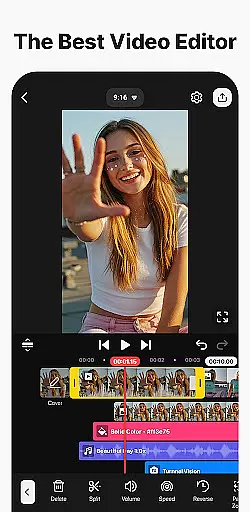
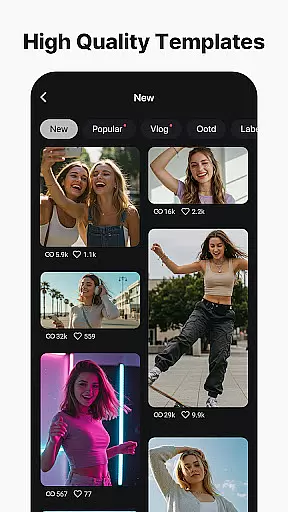
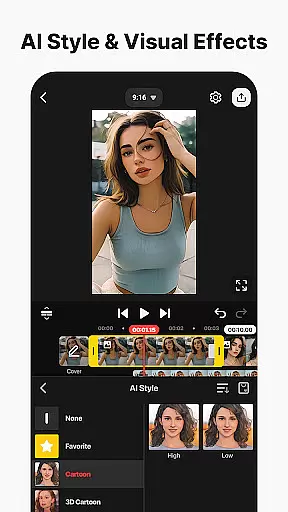
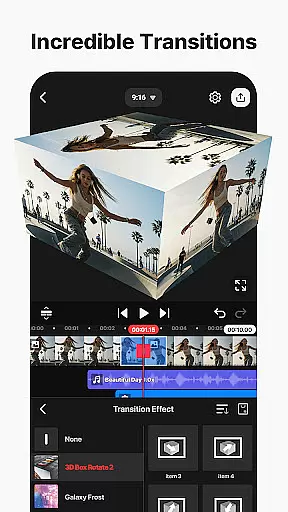
KineMaster is a comprehensive video editing application designed for both amateur and professional content creators. It offers an extensive suite of AI-powered tools that simplify complex video production tasks, making it easy to create high-quality videos for platforms like YouTube, TikTok, and Instagram. The app provides features such as AI Auto Captions, Text-to-Speech, and Vocal Separator, which streamline the editing process.
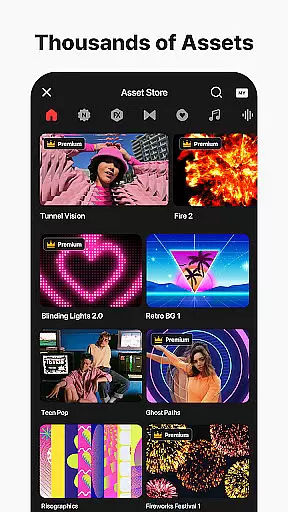
With professional-grade tools like Keyframe Animation, Chroma Key, and Speed Control, KineMaster enables users to produce advanced video effects with ease. Additionally, its vast library of templates, stock videos, images, and soundtracks jumpstarts creativity and enhances productivity. Whether you're editing movies, vlogs, or short clips, KineMaster ensures your content stands out with visually stunning effects and seamless transitions.
KineMaster distinguishes itself through its robust feature set tailored for diverse video editing needs. One standout aspect is its integration of AI tools, including AI Noise Removal, AI Tracking, and AI Upscaling, which allow users to enhance audio clarity, automate object tracking, and improve media resolution effortlessly. These innovations cater to creators seeking efficient workflows without compromising on quality.
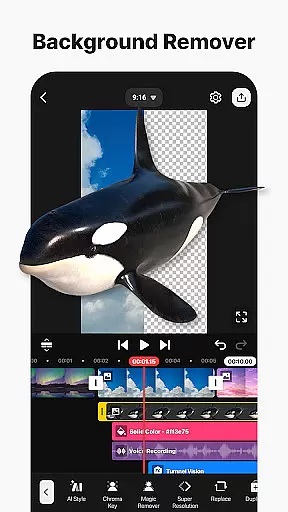
The app also excels in offering professional tools like Chroma Key for background removal, precise Speed Control for dynamic effects, and Magnetic Guides for accurate alignment. Furthermore, KineMaster supports multi-layer editing, enabling users to stack videos, images, and graphics seamlessly. With output options ranging from 4K 60 FPS to optimized social media formats, the app ensures versatility across different platforms and devices.
Video format compatibility is a crucial feature for any video editing application, ensuring that users can work with a wide range of file types. KineMaster excels in this area by supporting an extensive array of video formats, allowing creators to import and export projects without worrying about conversion issues.
The app's advanced format support includes popular codecs and resolutions, enabling seamless editing of high-definition and 4K footage. This versatility ensures that whether you're working with professional-grade recordings or smartphone videos, the application maintains the original quality throughout the editing process.
For content creators, this means they can focus on their creative vision without being limited by technical constraints. The ability to handle various formats also facilitates collaboration, as users can easily share project files with team members or clients regardless of their preferred video standards.
Moreover, KineMaster's optimized export settings cater to different platforms, from social media to professional broadcasting. Users can choose between high-quality outputs for archival purposes or compressed files for faster online sharing, making it an adaptable tool for both amateur enthusiasts and seasoned professionals.
AI-powered editing features have revolutionized the way users approach video production, and KineMaster stands at the forefront of this innovation. The application incorporates multiple artificial intelligence tools that significantly reduce editing time while enhancing creative possibilities.
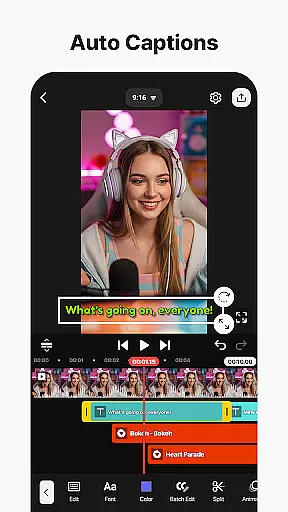
Among these features are AI Auto Captions, which automatically generate subtitles from audio tracks, and AI Vocal Separator, allowing users to isolate vocals from background music. These intelligent functions not only save hours of manual work but also enable precise control over audio elements within video projects.
The AI Magic Removal tool demonstrates particular ingenuity by intelligently cutting out backgrounds around subjects, while AI Upscaling enhances low-resolution media without compromising quality. Such capabilities make sophisticated editing techniques accessible to users of all skill levels, democratizing professional-grade production tools.
Furthermore, KineMaster's AI-driven solutions extend to animation tracking and noise removal, providing editors with comprehensive tools to refine their work. These features collectively represent a significant advancement in mobile video editing, offering unprecedented efficiency and creative freedom to content creators worldwide.
User-friendly interface
Extensive AI toolset
High-quality export options
Vast asset library
Cross-platform functionality
Subscription model required
Watermark in free version
Advanced tools may overwhelm beginners
Limited offline assets
Resource-intensive on older devices

Video player, file manager for all formats, 4K/HD media player supports subtitle
 4.30
4.30
HD Video player all format, HD Videos, Cast & Subtitle. No annoying ads.
4.60
Play ALL formats in 4K & HD. Video downloader, MP3 player, Chromecast & more.
4.80
HD video maker with no watermark, no ads & vlog maker with music, PIP, text
4.50
Download videos easily & play them all in one smart, powerful video manager.
3.40
Movie maker & video editing app with AI effects and green screen
4.30
Play and download HD videos from all sources — fast, simple, and all-in-one.
4.3
A Simple app to download Video & Music from the Internet.
4.70
Make videos you’re proud to share with Edits, a video editor for creators.
4.70
Video Player - Unlimited features, 30 days money back guarantee.
4.60
Watch a large amount of high-definition short drama content
4.60
Cast to Chromecast, Xbox, Fire Stick, Roku, DLNA, Smart TV & No Feature Limited!
4.50
Add date and time watermark to photos and videos
4.50
Download website videos fast&privacy
4.40
1)AirPlay/DLNA Mirroring/Streaming, up to 4 connections; 2)Samba/NAS/DMS Player.
4.00
AI Video Editor:AI Music, Text to Video,Text to Speech,Auto Caption,Video Effect
4.00
Client application for NextPVR software
3.00
The smartest M3U IPTV Player your playlists have ever seen.
4.3
Powerful HD video player with support for all formats & subtitles.
4.3


User Reviews