
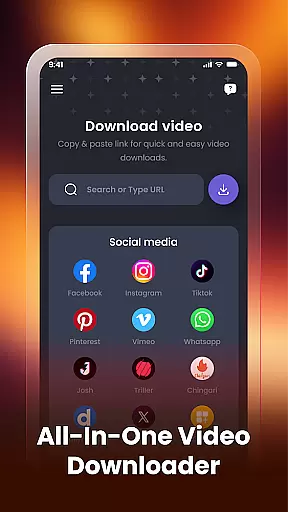

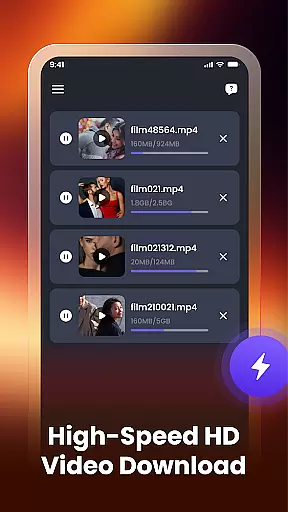
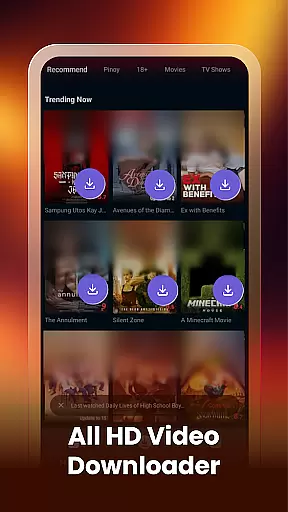
Video Downloader & Player is a versatile app designed for downloading, managing, and playing videos effortlessly. With its user-friendly interface, the app allows users to download videos from various social apps and websites by simply pasting the video link. It supports multiple downloads simultaneously, ensuring that users can manage several videos without any interruptions.
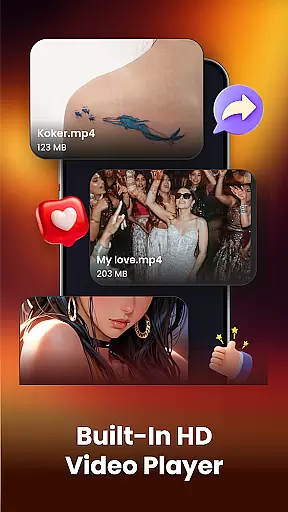
The built-in video player lets users watch downloaded videos directly within the app, while the smart video manager helps organize files efficiently. Users can rename, share, or delete videos easily, as well as view file paths to locate stored videos on their device. This all-in-one tool eliminates the need to switch between multiple apps, making it simple to handle every aspect of video management with just a few taps.
One of the standout features of Video Downloader & Player is its fast video downloading capability. By supporting HD video formats and working across various platforms, this app ensures high-quality downloads regardless of the source. The auto-detect function instantly identifies videos already present on the user's device or gallery, streamlining the organization process.
In addition to downloading, the app offers robust video management tools. Users can take advantage of the smart video manager to rename files, share them with others, or delete unwanted content. The app also provides clear file paths, allowing users to know exactly where their videos are stored. These features collectively enhance the overall user experience by combining speed, convenience, and control in one comprehensive package.
Video format compatibility is a crucial feature for any video player and editor application. It ensures that users can play videos in various formats without the need for conversion or additional software.
Video Downloader & Player supports multiple video formats, including HD quality files. This means you can download and play videos from different sources without worrying about format issues. The app's wide range of supported formats makes it versatile and user-friendly.
With this level of compatibility, users can enjoy seamless playback of their favorite content. Whether it's from social media platforms or other websites, the app handles all popular video formats efficiently.
The ability to manage and play videos in different formats enhances the overall user experience. It saves time and effort, making Video Downloader & Player an ideal choice for those who want a hassle-free video management solution.
AI-powered editing features are transforming the way users interact with video content. These tools leverage artificial intelligence to provide smart editing options that simplify complex tasks.
In Video Downloader & Player, AI technology enables users to organize and edit videos with ease. The app offers functionalities like renaming, sharing, and deleting videos effortlessly. Additionally, it auto-detects existing videos on your device, streamlining the management process.
These intelligent features enhance productivity by reducing manual effort. Users can focus more on enjoying their content rather than managing it. The built-in video player also benefits from AI enhancements, ensuring smooth playback and navigation.
Overall, AI-powered editing features make video management smarter and more efficient. By integrating these capabilities, Video Downloader & Player stands out as a comprehensive tool for both casual viewers and power users alike.
User-friendly interface
Fast download speeds
Supports HD formats
Built-in video player
Smart video management
Limited platform support
No cloud integration
Basic editing tools
Ads may appear
Requires manual updates

Video player, file manager for all formats, 4K/HD media player supports subtitle
 4.30
4.30
HD Video player all format, HD Videos, Cast & Subtitle. No annoying ads.
4.60
You can play SWF format file!
2.50
High-Quality USB Camera Viewer & HDMI Display
4.70
KMPlayer Plus (Divx Codec) officially support Divx codec.
4.30
GENRAL PRO - General Pro is the best video player that fully supports all formats.
4.70
IPTV Player - Watch live TV from m3m & m3u8 playlist, stream IPTV on mobile
3.30
The essential companion to your Blue Iris PC software
2.50
Video&Drama Player All Format is a HD video player, music player
3.00
Video Trimmer, Video to MP3 Converter. Extract music from video, Easy & Fast.
4.80
Snaptubè Video Downloader app allows to download videos and music in Snaptube. .
4.60
Search & download videos from net with all video downloader, auto-detect & safe.
4.60
Browser + Remote for Roku to stream webvideos, online movies and livestreams
4.60
Connect 2 UVC devices for recording and broadcast video/audio stream
3.90
Explore the largest library of free GIFs, Stickers & Memes - or create your own!
3.90
Kodi media center, a free and open source cross-platform entertainment hub
3.60
AirMirror is Receiver for Screen Mirroring and Casting from Apple Devices.
3.60
Connect EasyCap or UVC devices for recording and broadcast video/audio stream
3.60
The smartest M3U IPTV Player your playlists have ever seen.
4.3


User Reviews