
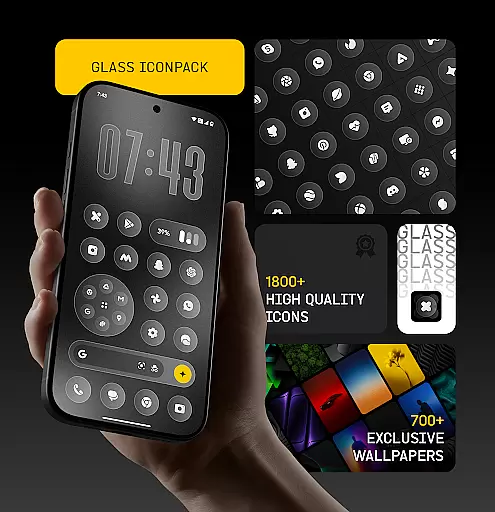
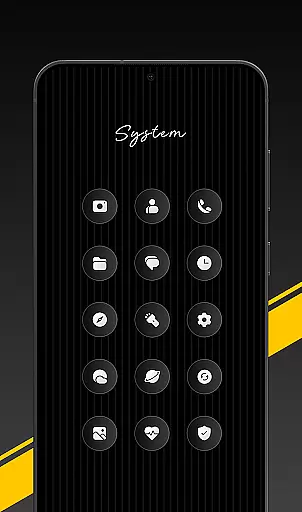
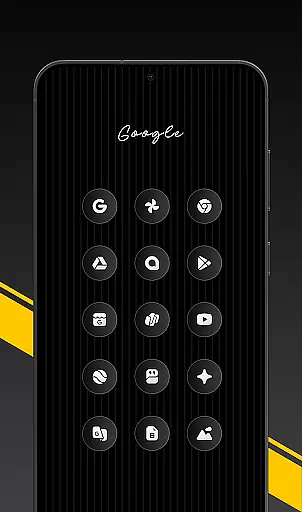
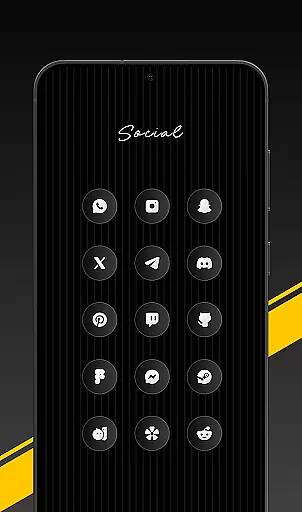
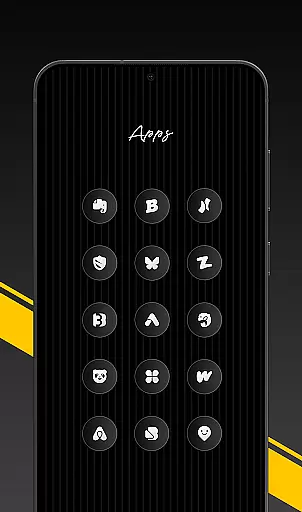
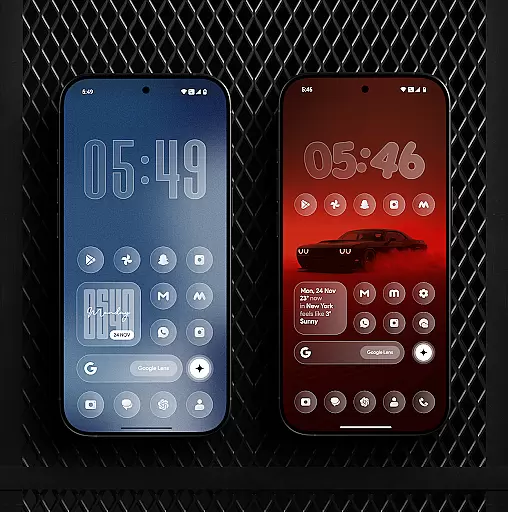
Glass Icon Pack is a premium collection of glossy, modern icons designed to enhance the aesthetic appeal of Android home screens. With over 1850 high-quality icons featuring a smooth glass effect and subtle depth, it brings elegance and timelessness to any setup.
The pack includes HD resolution icons, 700+ matching wallpapers, dynamic calendar support, and smart icon masking for unthemed apps. Regular updates ensure users receive new content consistently. Its intuitive dashboard allows easy searching and previewing of icons, while free icon requests cater to user-specific needs.
This icon pack stands out with its clean, modern design and attention to detail. Each icon is crafted with a polished glass effect that blends seamlessly with various wallpapers. The inclusion of HD resolution ensures sharp visuals on all supported devices.
Users benefit from dynamic calendar icons, smart masking for unsupported apps, and an easy-to-navigate dashboard. The pack covers system apps, Google apps, social media platforms, tools, and more. Compatibility extends to multiple launchers, and some devices support it natively without additional software.
Regular updates introduce new icons and improvements, ensuring the pack stays fresh and relevant. Free icon requests allow users to suggest missing icons, which are added in future updates.
Glass Icon Pack offers a wide array of customization options, ensuring users can tailor their Android home screens to their unique preferences. With over 1850 high-quality glass icons, the pack covers various app categories including system apps, social media, and tools.
The inclusion of 700+ matching wallpapers inspired by glass and gradient themes further enhances personalization possibilities. These wallpapers complement the glossy, premium icons, creating a cohesive and modern aesthetic across devices.
Smart icon masking for unthemed apps ensures that even apps without specific icons in the pack receive a consistent look. This feature, combined with regular updates and new icon additions, guarantees that users have access to fresh content and continuous improvement.
For those seeking specific icons, the easy-to-use dashboard provides icon search and preview functionalities. Additionally, free icon requests allow users to directly influence future updates, making Glass Icon Pack a dynamic and user-driven customization tool.
Theme compatibility is a crucial aspect of Glass Icon Pack, designed to seamlessly integrate with various launchers and devices. The pack supports popular launchers, allowing users to apply its glossy, modern icons effortlessly through the app's interface or launcher settings.
Notably, devices from manufacturers like Nothing, OnePlus, and Poco can utilize the icon pack without requiring an additional launcher, expanding its usability across different Android ecosystems. This broad compatibility ensures that more users can enjoy a consistent and polished home screen experience.
Dynamic Calendar icons add another layer of theme compatibility, adapting to supported launchers and providing a unified visual style. These adaptive icons maintain the overall aesthetic, enhancing the user experience with timely and relevant visuals.
Should users encounter any missing or unthemed icons, the option to send icon requests ensures that the pack remains versatile and responsive to user needs. This commitment to compatibility and user feedback solidifies Glass Icon Pack's position as a comprehensive theming solution.
Premium glossy design
HD resolution icons
Regular updates
Wide app coverage
Smart icon masking
Limited to Android
Needs compatible launcher
Some icons missing
No iOS support
Paid app

Only for Wear OS devices!
 4.90
4.90
Beautiful realistic hybrid watch face with numerous customization options.
4.50
Nothing Icon pack with more than 3750+ highly crafted icons.
4.70
Icons made of colorful linear lines
4.60
Choose your keyboard with RGB colors effect, themes, fonts, emojis.
4.60
Your go to Weather App & Home Screen. Get your weather at a swipe of a finger!
3.80
Adorable pets roam and play right on your phone screen!
3.30
Struggling to find apps? Use this app to locate and open any app on your phone!
2.20
Install amazing sticker packs: endless styles, always cool.
4.70
One 8 icons glass color version
4.80
Personalize your phone with stunning HD and 4K wallpapers!
4.70
Bring adorable pets to life on your screen. Playful, interactive and full of fun
4.60
Handcrafted pixel art icons, widgets & wallpapers
4.60
Ninja Turtles Cowabunga SE watch face for Wear OS
4.50
3D, live, and moving wallpapers & themes in 4K and HD for your device.
4.50
Transform your phone with Launcher iOS 26 - Smooth & elegant iOS experience
4.50
Turn text & photos into stunning AI videos, art, and creative visual stories.
4.50
Art & Emoji Keyboard with Cool Fonts, Cute Themes and Custom Designs.
4.40
Design your screen with unique, vibrant clocks
3.80


User Reviews