
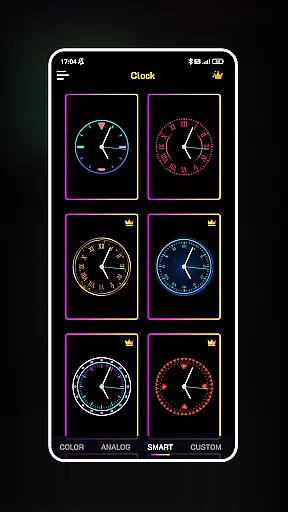
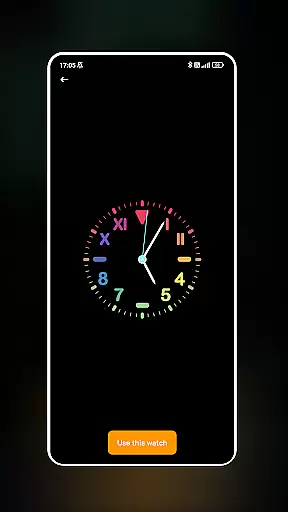
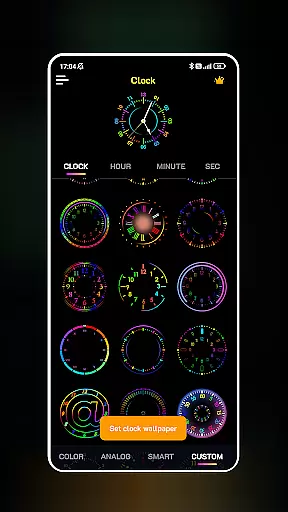
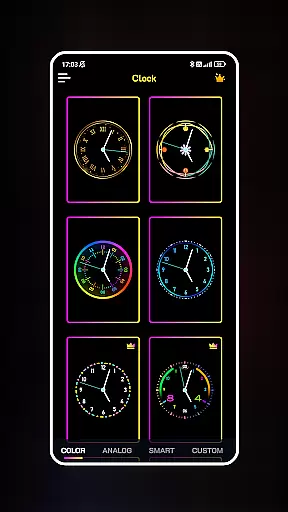
Neon Clock Wallpaper is a dynamic personalization app that allows users to design and display unique, customizable clocks on their smartphone screens. This app stands out by offering diverse clock templates with vibrant neon effects, enabling users to express their individual style through creative timepieces.
The app provides an intuitive interface where users can either select from pre-made clock designs or build their own from scratch. With options to adjust colors, sizes, and styles, Neon Clock Wallpaper ensures each user's screen is distinctively personalized. Whether for aesthetic enhancement or functional purposes, this app transforms any device into a personalized work of art.
Neon Clock Wallpaper offers a rich set of features designed to maximize customization and creativity. Users can choose from a wide array of clock templates featuring various designs and color schemes, ensuring there's something for every taste.
Beyond the templates, the app empowers users to create entirely new clocks using customizable components. The ability to modify colors, sizes, and styles means limitless possibilities for personal expression. Additionally, the stunning neon effects add a modern and eye-catching touch to each clock design.
Furthermore, Neon Clock Wallpaper supports both home screen and lock screen integration, allowing users to enjoy their creations across all aspects of their device’s interface. This dual functionality enhances both usability and visual appeal.
Customization is at the heart of Neon Clock Wallpaper, allowing users to express their unique style through diverse clock designs. The app offers a wide array of pre-made templates that cater to different tastes, ensuring that everyone can find something that resonates with their personal aesthetic.
Beyond the ready-to-use templates, the app empowers users to create custom clocks from scratch. This feature provides the tools needed to mix and match components, adjust colors, resize elements, and apply various styles, resulting in a truly personalized timepiece that stands out on any screen.
The ability to customize extends to incorporating stunning neon effects, which add an eye-catching vibrancy to each clock design. These effects not only enhance visual appeal but also allow for a level of detail and creativity that makes each clock uniquely yours.
With such extensive customization options, users are not just setting a clock on their screen; they're crafting an evolving piece of digital art that reflects their personality and keeps their devices feeling fresh and distinctive every day.
Neon Clock Wallpaper ensures seamless integration with your device's existing themes, providing cohesive visual experiences across all screens. Whether you're using a default theme or a custom one, the clocks you design will complement your setup without clashing with other visual elements.
This compatibility is achieved through careful attention to design principles that prioritize balance and harmony. The app allows for adjustments in color schemes and styles that align with various themes, ensuring that your clock remains a central yet harmonious feature on both your home screen and lock screen.
Moreover, the app supports dynamic theme changes, meaning your customized clock will adapt to different modesu2014such as light or dark themesu2014ensuring it always looks great no matter how you personalize your deviceu2019s appearance throughout the day.
By focusing on theme compatibility, Neon Clock Wallpaper enhances user experience by maintaining visual consistency while still allowing for creative freedom in designing clocks that truly stand out.
User-friendly interface
Vibrant neon effects
Customizable templates
Dual screen support
Limitless creativity
Limited free options
High battery usage
Premium feature costs
Occasional glitches
Complex settings

Vertically oriented rectangular icons
 4.70
4.70
Capture moments that pass like a storm, second by second.
4.0
Realistic animated snow on your wrist, with 10 images landscapes to choose from
4.00
Bring adorable pets to life on your screen. Playful, interactive and full of fun
4.60
Customize glowing edges, wallpapers, and caller screen with EdgeAura.
3.50
200+ Material Inspired Widgets
4.50
Transform your device in a game console
4.40
Enjoy a variety of amazing live wallpapers and colorful EDGE lighting borders!
4.80
Emoji Maker app - Design custom emojis and effortlessly blend them with Mixer
3.80
Want to make your phone more special than ever?
4.60
Ultimate Gallery Lock App - Hide Pictures, Videos and Lock Apps Instantly!
4.60
Beautiful realistic hybrid watch face with numerous customization options.
4.50 4.50
4.50
Fingerprint Lock Screen & Live Animations with 4K Wallpapers as Live Wallpaper
4.40
App Icon Changer & Shortcut Creator. Customize your icons without any watermarks
4.30
Unleash Your Creativity and Connect with Loved Ones with Lockscreen Drawing!
4.20
Transfer your live wallpapers from Windows to Android using Wallpaper Engine!
4.00
Prank your friends with realistic broken screen and cracked HD effects!
4.0
⭐ OneUI inspired Fluffy Icon Pack – Soft. Stylish. Standout. ⭐
4.4


User Reviews