
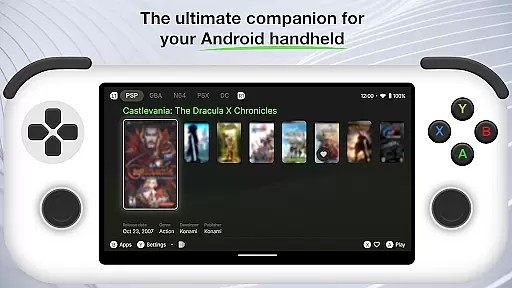
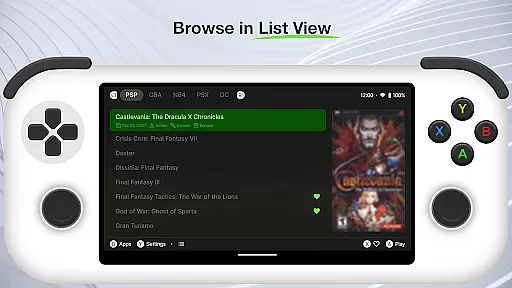
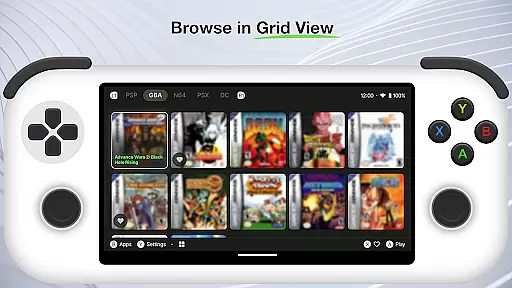
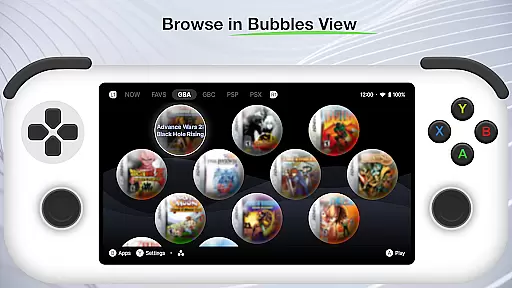
Beacon Game Launcher is a specialized Android launcher that elevates your classic gaming sessions. Designed for retro gaming enthusiasts, this app allows users to organize and launch their favorite games with ease.
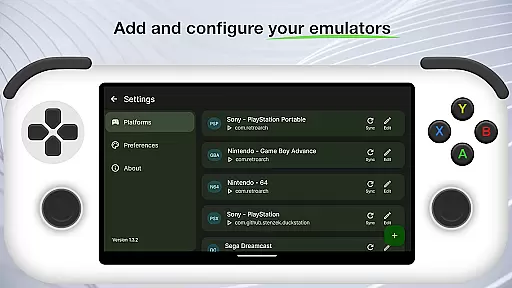
The core functionality revolves around enhancing the gaming experience by enabling users to add their preferred emulators and curate a personalized collection of retro games. Beacon simplifies game launching by providing direct access from within the app.
One standout feature is the automatic scraping of cover art and metadata, enriching your game library with visually appealing details. This makes it not only functional but also a visually satisfying way to manage your retro games.
Beacon Game Launcher offers a rich set of features tailored for retro gaming aficionados. The app's primary trait is its ability to integrate various emulators, allowing seamless access to a wide array of classic games.
Users can meticulously curate their game collections, ensuring that their libraries are organized according to personal preferences. The automatic scraping feature fetches cover art and essential metadata, making each entry in your collection vibrant and informative.
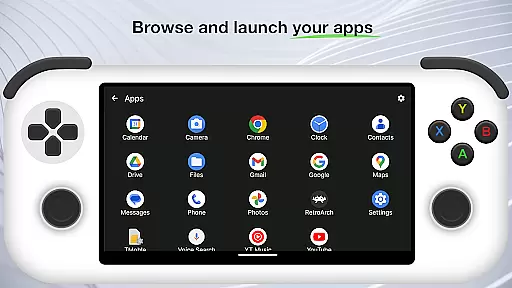
Another notable aspect is the user-friendly interface that facilitates easy navigation and quick game launching. This combination of powerful features ensures an enhanced and enjoyable gaming experience on Android devices.
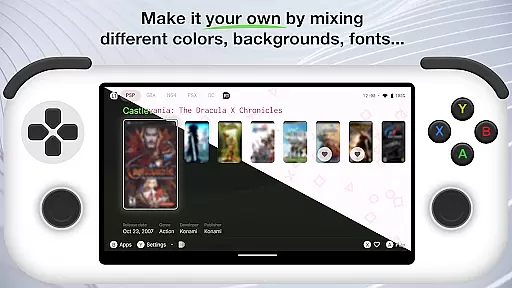
Customization is at the heart of Beacon Game Launcher, allowing users to tailor their gaming interface to match their personal style and preferences.
This Android launcher supports a wide array of customization options, from adding your favorite emulators to organizing your classic game collection. You can personalize your home screen with ease, making it a true reflection of your gaming journey.
The app empowers users by enabling them to enrich their retro game library with high-quality cover art and metadata automatically. This feature not only enhances visual appeal but also improves game discoverability and organization.
By offering such extensive customization capabilities, Beacon Game Launcher ensures that every user's experience is unique and engaging, providing a personalized portal to the golden age of gaming.
Theme compatibility in Beacon Game Launcher ensures that users can enjoy a cohesive look and feel across their entire gaming library.
Whether you prefer a sleek modern design or a nostalgic throwback theme, Beacon adapts seamlessly to various visual styles. The launcher supports multiple themes, which means your curated collection of retro games can be displayed in a manner that suits your aesthetic preference.
Moreover, the app's ability to integrate cover art and metadata smoothly into its interface guarantees that all visual elements are harmoniously aligned. This attention to detail elevates the overall user experience, making each interaction with Beacon both visually pleasing and intuitive.
With strong theme compatibility, Beacon Game Launcher stands out as a versatile tool for gamers who value both form and function in their digital entertainment space.
User-friendly interface
Customizable game library
Automatic metadata fetching
Supports multiple emulators
Visually enriched game entries
No built-in games or emulators
Limited to retro gaming
Metadata scraping may fail
Requires manual setup
Android-only support

Classic analogue watch face. For wear os devices.
 4.60
4.60
Customizable Glass widgets. Over 360+ stunning widgets and more!
4.70
Wear Os Watch Face - Seasonal - Animated Snow Effect - 9 Animals
4.20
Themes - Widget & Wallpaper: Customize home screen, icon changer w unique themes
4.30
Bring adorable pets to life on your screen. Playful, interactive and full of fun
4.60
Vibrant Adaptive Icons with Material You and Enhanced Monet Colors.
4.50
Launcher OS™ Pro without ads help make your phone simple and pretty
4.30
Create stunning widgets with Widget 2026: Aesthetic Widgets for Android!
4.60
Install amazing sticker packs: endless styles, always cool.
4.70
One 8 icons glass color version
4.80
A retro cartoon style watch face and a punch right in the face of the copyright
4.60
Add cute Shimeji pets to screen, interact with them and relax with cute motions
4.60
Want to make your phone more special than ever?
4.60
3D, live, and moving wallpapers & themes in 4K and HD for your device.
4.50
Turn text & photos into stunning AI videos, art, and creative visual stories.
4.50 4.50
4.50
Unleash Your Creativity and Connect with Loved Ones with Lockscreen Drawing!
4.20
Adaptive Dot Style IconPack with Light & Dark Theme.
3.70
Interactive Miniature Painting Catalogue
3.30


User Reviews