
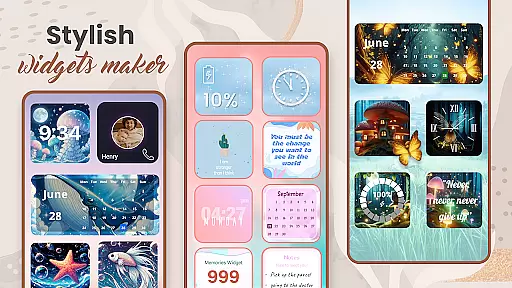
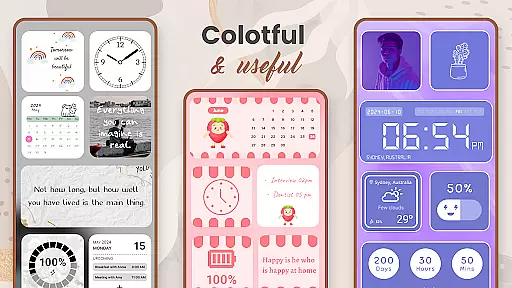
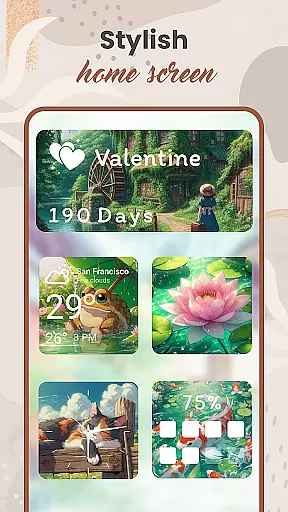
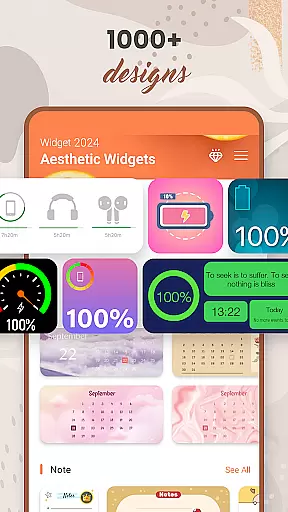
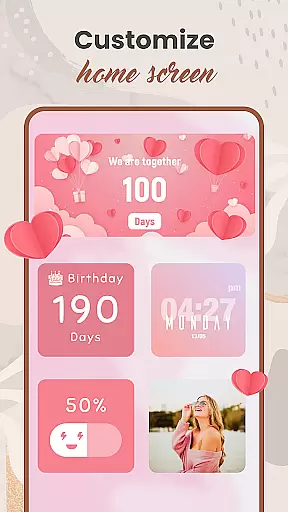
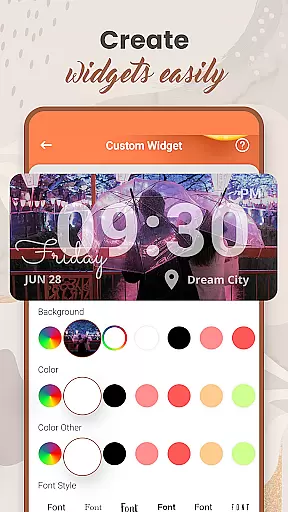
Widget 2025 is a powerful personalization app designed to transform your Android home screen with aesthetic widgets. The app offers a comprehensive suite of customization tools, including Color Widget Maker, photo widgets, weather and clock styles, calendar features, countdowns, contact displays, and battery indicators.
This versatile application allows users to create unique home screen layouts by choosing from over 1000 widget styles. The intuitive interface enables easy customization of colors, fonts, backgrounds, and themes, while the powerful widget editor helps tailor each element to individual preferences.
Ideal for users seeking to personalize their Android devices, Widget 2025 provides both functional and decorative elements that enhance device usability while maintaining an attractive appearance.
The application's feature set includes advanced customization capabilities that cater to various user preferences. The Color Widget Maker stands out as a key component, allowing users to design custom color schemes that perfectly match their personal style.
With support for multiple photo widgets on the home screen, users can display favorite images while enjoying practical features like weather updates, calendar events, and countdown timers. The app's extensive library of quotes and notes adds inspirational and organizational elements to the home screen.
Additional notable features include battery status indicators, contact information display, and day counters. Each feature is fully customizable through an intuitive interface that makes personalization accessible to users of all technical skill levels.
Customization is at the heart of personalizing your digital experience, and Widget 2025 excels in providing a rich array of options to make your Android device truly yours. With over 1000 aesthetic widgets to choose from, this app allows users to tailor their home screens with unparalleled precision.
The app offers an extensive suite of customization tools including a Color Widget Maker, various styles for weather and clock displays, and personalized contact widgets. These features ensure that every element on your home screen can be modified to match your personal style and functional preferences.
Users benefit from the intuitive interface that makes it easy to implement changes, whether they are adjusting fonts, colors, or backgrounds. This flexibility not only enhances the visual appeal of devices but also improves usability by allowing individuals to prioritize frequently used functions and information.
Ultimately, Widget 2025 empowers users to break free from generic interfaces and craft a smartphone experience that is as unique as they are. The ability to customize extensively ensures that personal and professional needs are met with efficiency and flair.
Theme compatibility is crucial for ensuring that all elements of your customized home screen work seamlessly together. Widget 2025 addresses this need by offering a cohesive experience where widgets, themes, and other aesthetic enhancements integrate smoothly into the Android environment.
This app provides a powerful widget editor that enables users to adjust and suit widgets to their specific needs without disrupting the overall theme of their device's interface. Whether you're looking to add photo widgets, quotes of the day, or calendar functionalities, each component is designed to complement existing themes.
By focusing on compatibility, Widget 2025 ensures that customizations do not lead to cluttered or disjointed visuals. Instead, users enjoy a harmonious blend of personalized content that maintains visual consistency across their home screens.
The emphasis on theme compatibility means that whether you're coordinating with pre-installed themes or creating something entirely new, Widget 2025 supports a unified look that enhances both form and function. This approach guarantees that every customization feels intentional and integrated.
User-friendly interface
Extensive customization options
Versatile widget selection
Regular feature updates
High-quality graphics
Premium features require subscription
Some widgets may drain battery
Occasional performance issues
Limited free customization options
May overwhelm new users

Interactive Miniature Painting Catalogue
 3.30
3.30
The definitive Icon pack maker and editor
4.30
Wallpaper HD 4K Live - Thousands of high-quality Anime backgrounds for you.
4.80
Customize glowing edges, wallpapers, and caller screen with EdgeAura.
3.50
Customize your home screen with stunning themes, blur, widgets & icons.
4.60
Launcher OS™ Pro without ads help make your phone simple and pretty
4.30
Your go to Weather App & Home Screen. Get your weather at a swipe of a finger!
3.80
400+ Beautifully crafted widgets inspired by NOTHING.
4.70
Your home screen, just the way you like it.
4.30
Gun Chase - Let the chase begin.
4.80
100+ Stylish Fonts, Emojis, Symbols keyboard for Instagram & TikTok!
4.80
A Colorful and Minimal icon pack in an Outline Style - Over 13,600 icons!
4.70
A minimalist productivity launcher. One-hand-friendly. Zero ads.
4.70
A retro cartoon style watch face and a punch right in the face of the copyright
4.60
Add cute Shimeji pets to screen, interact with them and relax with cute motions
4.60
Want to make your phone more special than ever?
4.60
Customizable screen pets that play, climb, and keep you company.
4.50
Run multiple accounts of the same app on a single device
4.10
Struggling to find apps? Use this app to locate and open any app on your phone!
2.20


User Reviews