
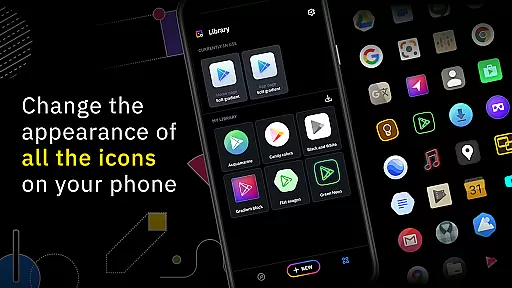
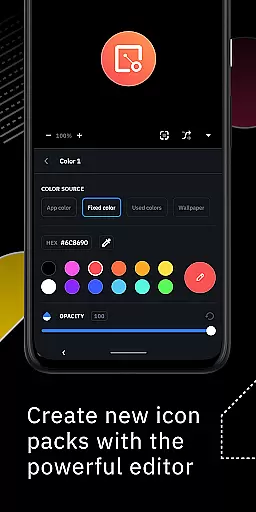
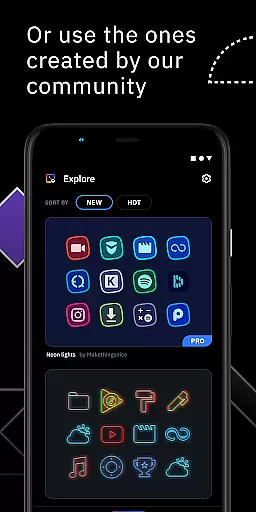
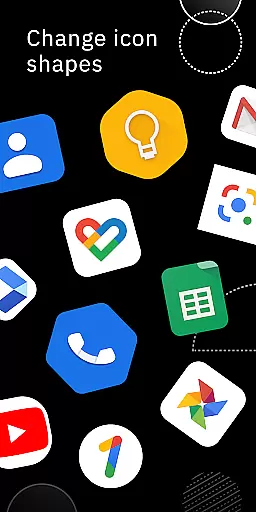
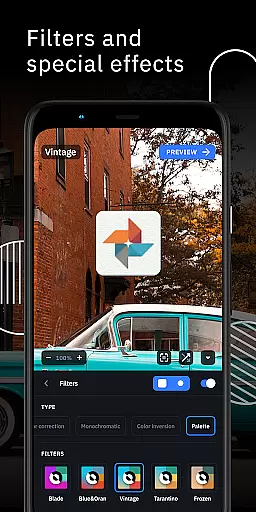
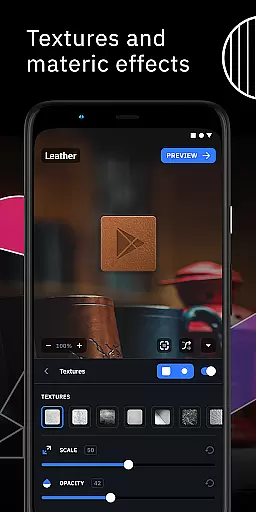
Icon Pack Studio is a unique personalization app that allows users to create their own custom icon packs from scratch. With an advanced editor, you can resize and move elements of your icons, applying filters like lights, shadows, textures, and bezels. The app also supports importing and tweaking existing icon packs, making it versatile for various customization needs.
This app stands out by ensuring that every app on your device can be customized, which no other icon pack from the Play Store offers. Compatible with Smart Launcher and many other popular launchers, Icon Pack Studio provides a comprehensive solution for those looking to personalize their home screens with precision and creativity.
One of the standout features of Icon Pack Studio is its advanced editor, which empowers users to modify every aspect of their icons. You can adjust sizes, positions, and apply professional-grade filters such as lights, shadows, and textures. This level of customization ensures that your home screen truly reflects your personal style.
Additionally, starting from version 2, the app allows you to import and tweak any installed icon pack, expanding its utility beyond just creation. Whether you are looking to build something new or enhance existing designs, Icon Pack Studio offers tools that cater to both beginners and advanced users, all while maintaining compatibility with a wide range of launchers.
Icon Pack Studio offers a wide array of customization options that allow users to create personalized icon packs from scratch. The advanced editor feature provides the ability to resize and move any element within your custom icons, ensuring a perfect fit for your home screen.
The app includes special filters such as lights, shadows, textures, and bezels which add depth and character to your designs. These tools enable users to craft unique aesthetics that can't be found in pre-made icon packs available on the Play Store.
Starting from version 2, Icon Pack Studio allows you to import and tweak any icon pack installed on your device. This means you're not limited to creating new designs but can also modify existing ones, offering unparalleled versatility in personalizing your smartphone's appearance.
Compatibility is a key aspect of Icon Pack Studio, designed primarily to work seamlessly with Smart Launcher. However, its broad compatibility extends to almost any launcher, making it an ideal choice for users who want their themes to transcend specific launcher limitations.
Icon Pack Studio has been tested and proven compatible with popular launchers like Nova Launcher, Action Launcher, and Lawnchair Launcher among others. This ensures that no matter what launcher you prefer, you can apply your custom icon pack without worrying about support issues.
While there are some unsupported launchers, the extensive list of compatible ones means most users will find Icon Pack Studio integrates smoothly with their chosen launcher. This widespread compatibility underscores the appu2019s commitment to providing a versatile theming solution across different platforms.
User-friendly interface
Highly customizable options
Compatible with multiple launchers
Active community contributions
Regular updates and improvements
Limited launcher support
Advanced features may overwhelm beginners
Some functionalities require specific launchers
Occasional bugs reported
Premium features come at a cost

Only for Wear OS devices!
 4.90
4.90
Unique Android Launcher
4.60
Over 28,000 high quality icons to bring color & homogeneity to your phone.
4.60
Interactive Miniature Painting Catalogue
3.30
Adaptive Dot Style IconPack with Light & Dark Theme.
3.70
Stylish Pink Cute Hippo keyboard with 10000+ customized keyboard themes!
4.60
300+ Beautifully crafted widgets inspired by OneUI.
4.60
Create unique, fun emojis with Funny Emoji Maker! Unlimited creativity!
4.00
Create stunning widgets with Widget 2026: Aesthetic Widgets for Android!
4.60
300+ Stunning and well-designed widgets inspired by NOTHING.
4.70
Choose your keyboard with RGB colors effect, themes, fonts, emojis.
4.60
Make your phone look simple & luxury, like iDevice
4.60
Turn text & photos into stunning AI videos, art, and creative visual stories.
4.50 4.50
4.50 4.50
4.50
A light in the dark, a unique style and an andless cutomization!
4.30
Unleash Your Creativity and Connect with Loved Ones with Lockscreen Drawing!
4.20
More than 3000+ themes and 9000+ wallpapers for everybody!
4.10
Transform your phone with stunning video wallpapers and a unique, personal touch
3.80


User Reviews