
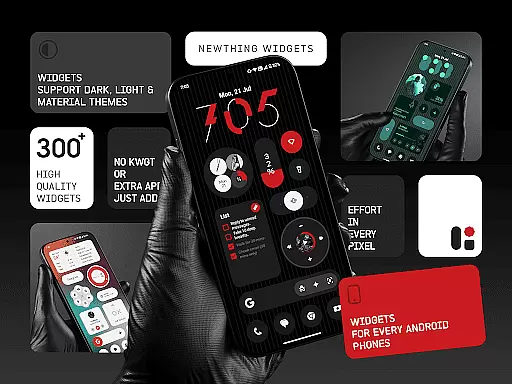
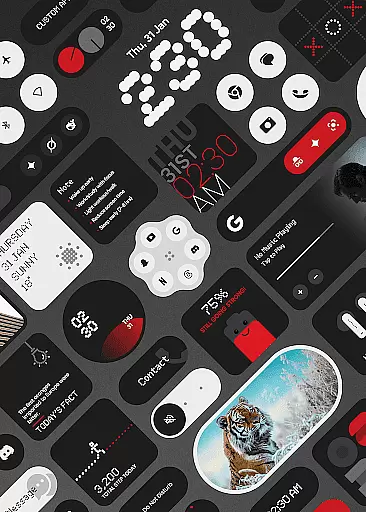
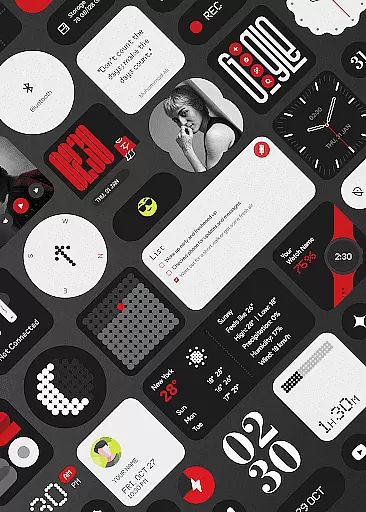
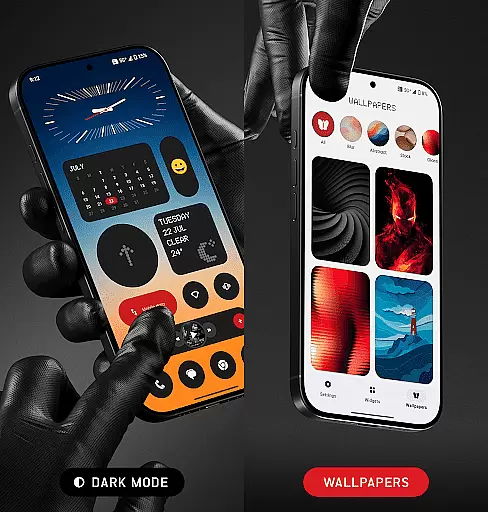
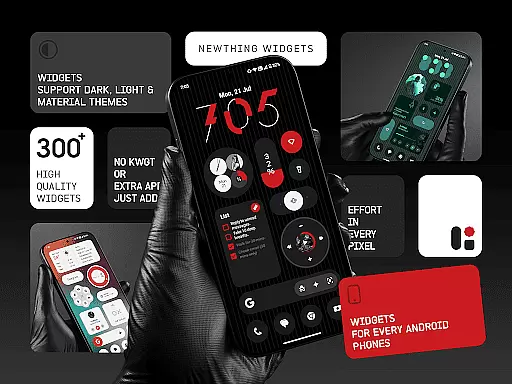
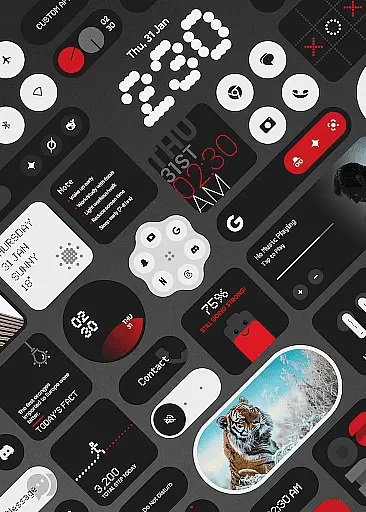
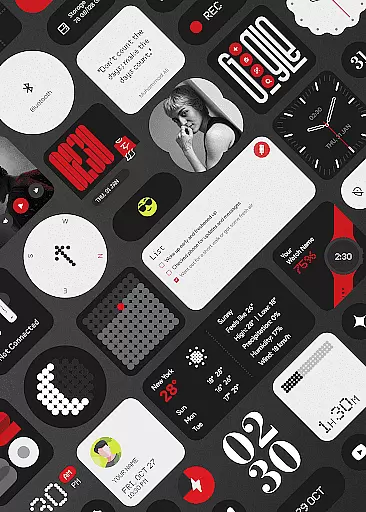
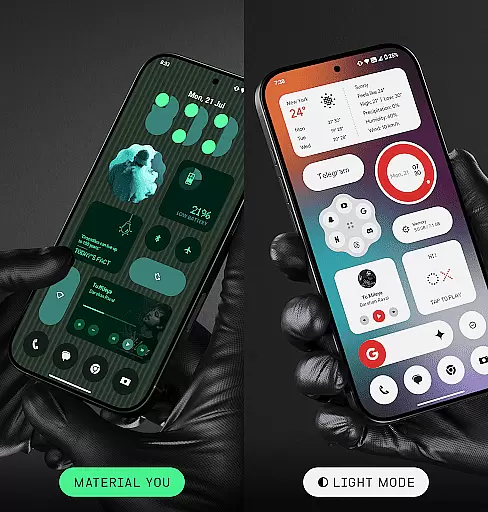
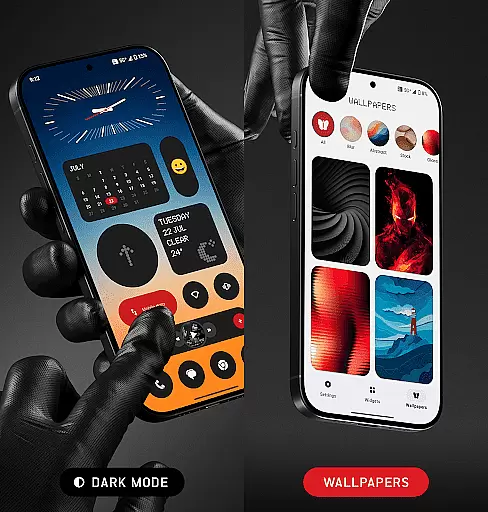
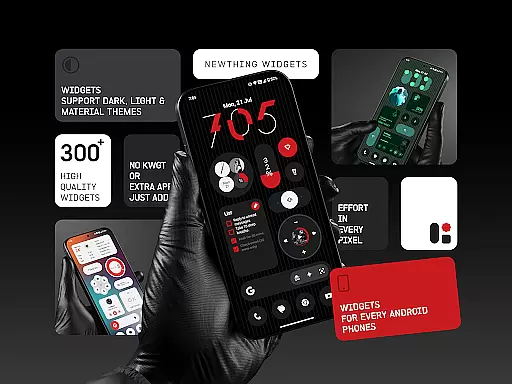
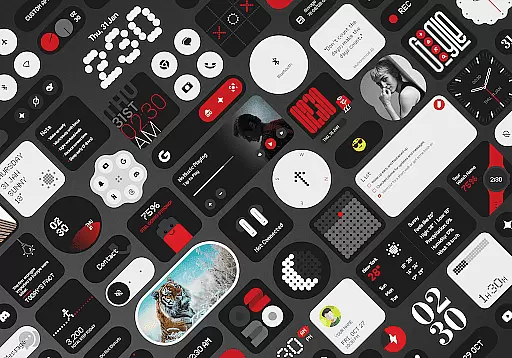
NewThing Widgets Pro is a premium Android application designed to enhance your home screen with over 300 beautifully crafted widgets. These widgets cover a wide range of functionalities including clocks, weather updates, games, quick settings, photos, and more.
What sets this app apart is its seamless integration with Material You design, ensuring that all widgets adapt perfectly to your device's theme. The app works independently without requiring any additional applications like KWGT, offering users an optimized, battery-friendly experience while delivering regular updates for new widget additions.
Ideal for those who value both aesthetics and functionality, NewThing Widgets Pro allows you to customize your Android device like never before, making it perfect for personalization enthusiasts looking to upgrade their home screens.
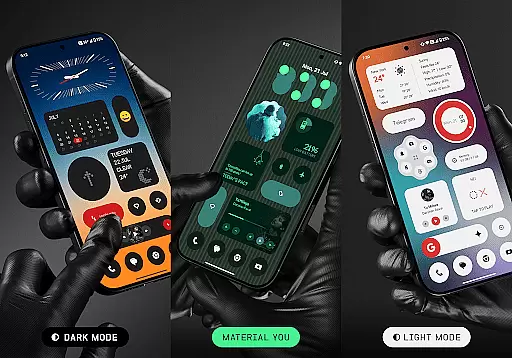
NewThing Widgets Pro stands out with its extensive collection of over 300 widgets, each designed with minimalistic elegance and high performance in mind. The app supports various modes including dark mode, light mode, and Material You, ensuring that widgets not only look stunning but also match your device's theme seamlessly.
The app provides a diverse selection of widgets ranging from practical tools like weather and clock widgets to more interactive ones such as games and quotes. Each widget is optimized for smooth performance and battery efficiency, ensuring that your device remains responsive throughout the day.
Regular updates ensure that users receive new widgets continuously, keeping the content fresh and engaging. Additionally, features like exact alarms and foreground services guarantee real-time accuracy for time-sensitive widgets, making NewThing Widgets Pro a reliable choice for those seeking both style and substance in their device customization.
Customization is at the heart of NewThing Widgets Pro, offering users an extensive array of options to personalize their Android home screens. With over 300 widgets available, including clocks, weather, games, and more, this app ensures that every user can find something that resonates with their personal style and functional needs.
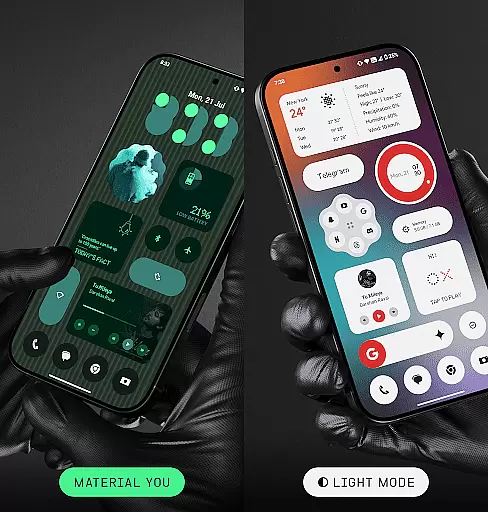
The app supports dark mode, light mode, and Material You mode, allowing seamless integration with the device's existing theme settings. This flexibility in appearance options guarantees that widgets not only serve a practical purpose but also enhance the aesthetic appeal of the home screen.
NewThing Widgets Pro stands out by providing regular updates that introduce new widgets, ensuring that the content remains fresh and engaging. Users benefit from continuous improvements and expansions without needing any additional apps, making customization both comprehensive and convenient.
Theme compatibility is a crucial feature of NewThing Widgets Pro, enabling widgets to adapt instantly to the user's chosen system theme. Whether it's dark mode for reduced eye strain at night or light mode for daytime use, the widgets blend seamlessly into the environment, maintaining visual harmony across the device.
Material You support takes personalization a step further by allowing widgets to match the color schemes dynamically adjusted by the user. This means that every widget can reflect personal preferences, creating a cohesive and personalized look throughout the device interface.
By focusing on theme compatibility, NewThing Widgets Pro ensures that all widgets remain visually appealing and functionally consistent regardless of the system theme changes. This attention to detail enhances user satisfaction by delivering an adaptive experience that respects individual choices while optimizing usability.
User-friendly interface
Extensive widget variety
Optimized performance
Regular feature updates
Material You support
Premium version only
Requires frequent updates
Limited iOS compatibility
Some widgets need permissions
Foreground service usage

Ninja Turtles Cowabunga SE watch face for Wear OS
 4.50
4.50
Wear Os Watch Face - Seasonal - Animated Snow Effect - 9 Animals
4.20
Adult video chat, dating, making friends, random matching
4.20
AI-powered Copilot. Personalized keyboard with gifs, stickers & themes
4.40
Romantic Kiss Stickers App. Start romantic messaging now!
4.30 4.50
4.50
Adaptive Dot Style IconPack with Light & Dark Theme.
3.70
Stylish Pink Cute Hippo keyboard with 10000+ customized keyboard themes!
4.60
Fast SMS & group chat - use GIFs and emojis from your home screen launcher.
4.50
350+ widgets with a premium glass-style finish, perfect for home & lock screens.
4.70
Bring adorable pets to life on your screen. Playful, interactive and full of fun
4.60
Customize your home screen with stunning themes, blur, widgets & icons.
4.60
Ultra realistic gold analog watch face with lots of customization options.
4.50
Aesthetic Widgets, HD Wallpapers, Themes in Mico Widget for Home and Lock Screen
4.50
Vibrant Adaptive Icons with Material You and Enhanced Monet Colors.
4.50
Your go to Weather App & Home Screen. Get your weather at a swipe of a finger!
3.80
Emoji Maker app - Design custom emojis and effortlessly blend them with Mixer
3.80
Interactive Miniature Painting Catalogue
3.30
Custom edge gestures for volume control, brightness, apps, and shortcuts.
4.1


User Reviews