
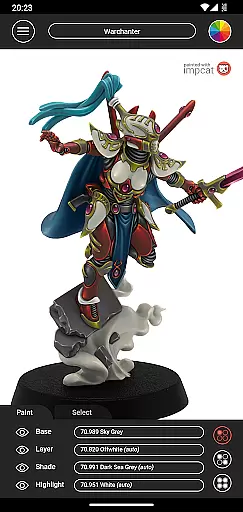
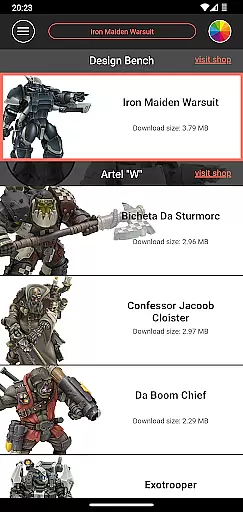
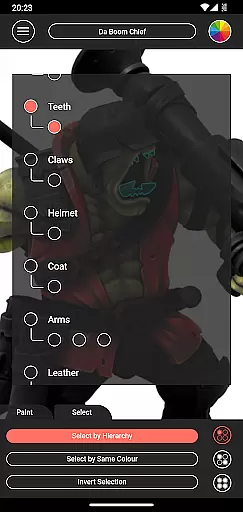
Impcat, short for Interactive Miniature Painting Catalogue, is a powerful simulator designed for hobbyists and professional miniature painters. This app allows users to achieve photorealistic painting results on gaming and tabletop miniatures by simulating a four-step process: base coloring, layering, shading, and highlighting. With its intuitive interface and advanced features, impcat helps users experiment with different color palettes from leading manufacturers like Vallejo.
The app includes six built-in miniatures provided by Artel "W" and supports access to additional downloadable content (DLCs) such as new templates and color palettes. These DLCs are updated automatically at no extra cost, ensuring users always have fresh content. Whether you're planning your next project or looking to refine your painting techniques, impcat offers the tools necessary to visualize and perfect your work before applying a single drop of paint.
Impcat stands out due to its comprehensive feature set tailored specifically for miniature enthusiasts. One of its key highlights is the complement recommendation mode, which suggests harmonizing colors for layering, shading, and highlighting based on a selected base color. Users can further customize these recommendations to suit their preferences. The app also provides a photorealistic simulation of applied paints, giving users an accurate preview of their finished projects.
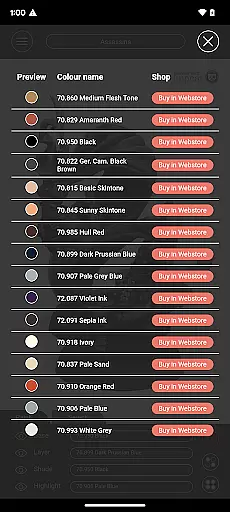
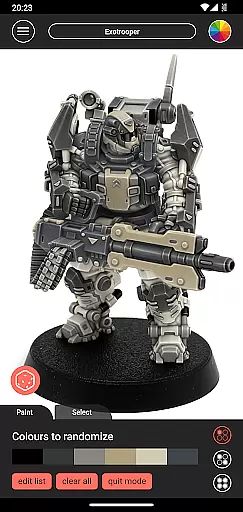
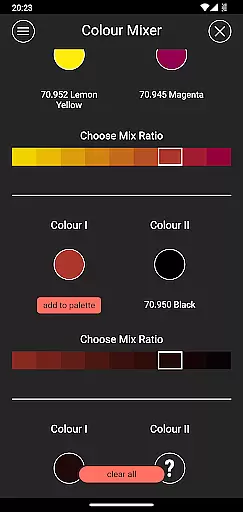
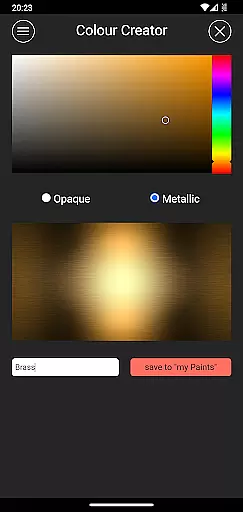
Additional features include a shopping list generator that compiles all used colors into a convenient list with direct links to purchase them online. For those who enjoy experimenting, the color mixer tool allows blending predefined paints in multiple steps, while the color creator tool lets users design and save custom colors. Lastly, the randomizer tool adds an element of surprise by distributing colors randomly across models, offering endless creative possibilities.
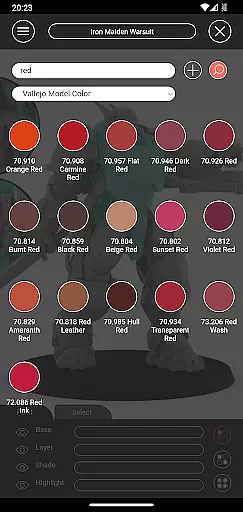
Customization is at the heart of impcat, allowing users to tailor their miniature painting experience with precision. The app provides a rich selection of predefined color palettes from renowned manufacturers, ensuring that artists can replicate real-world paints in their digital creations. With over 308 colors available, including Vallejo Model Color and Vallejo Game Color, users have an extensive range to choose from.
Beyond just selecting colors, impcat offers innovative tools like the complement recommendation mode. This feature intelligently suggests harmonizing shades, layers, and highlights based on your chosen base color, streamlining the painting process while still offering full customization control. Artists can tweak these recommendations to perfectly match their creative vision.
The app also includes advanced utilities such as the color mixer and creator tools. These enable painters to experiment by mixing existing colors or even creating entirely new ones, expanding their palette possibilities. Additionally, the randomizer tool adds an element of surprise by distributing colors across models unpredictably, providing fresh inspiration for every project.
While impcat focuses primarily on its powerful painting simulation features, theme compatibility remains an important aspect of user experience. The application supports various themes through its flexible interface design, ensuring it looks great whether you're using light or dark mode settings on your device. This adaptability enhances readability and reduces eye strain during long painting sessions.
Moreover, impcat's layout is optimized for both smartphones and tablets, maintaining consistent functionality regardless of screen size or orientation. Its responsive design guarantees that all interactive elements are easily accessible without compromising visual appeal. Users will appreciate how seamlessly they can switch between different devices without losing any operational fluidity.
Although not directly related to painting themes, another key feature contributing to overall usability is the shopping list generator. By collecting data on applied colors and linking directly to manufacturer shop pages, this tool simplifies purchasing decisions. Whether working within specific brand guidelines or exploring new combinations, artists benefit from having quick access to relevant product information right at their fingertips.
User-friendly interface
High-quality simulation
Automatic updates
Customizable options
Free DLCs
Limited initial content
No real-time collaboration
Requires internet
Advanced features may overwhelm beginners
Color palette restrictions

Only for Wear OS devices!
 4.90
4.90
A launcher for Samsung Good Lock and Good Guardians modules without ads
4.70
Dark icon pack based on One 8
4.80
Customizable screen pets that play, climb, and keep you company.
4.50
Organize and manage your photos and videos effortlessly with Photo Gallery
4.20
Vibrant Adaptive Icons with Material You and Enhanced Monet Colors.
4.50
Design your screen with unique, vibrant clocks
3.80
set a new experience for the Android mobile phone
4.20
Your home screen, just the way you like it.
3.80
Sparkle your screen with Glitter Wallpapers For Girls and Cute Backgrounds!
4.80
Wallpaper HD 4K Live - Thousands of high-quality Anime backgrounds for you.
4.80
Ultra realistic high quality analog watch face for Wear OS.
4.60
A retro cartoon style watch face and a punch right in the face of the copyright
4.60
Embrace the Night. Unleash the power of darkness with Raven Dark Icon Pack
4.60
Turn text & photos into stunning AI videos, art, and creative visual stories.
4.50 4.50
4.50
AI-powered Copilot. Personalized keyboard with gifs, stickers & themes
4.40
Adaptive Dot Style IconPack with Light & Dark Theme.
3.70
Prank your friends with realistic broken screen and cracked HD effects!
4.4


User Reviews