
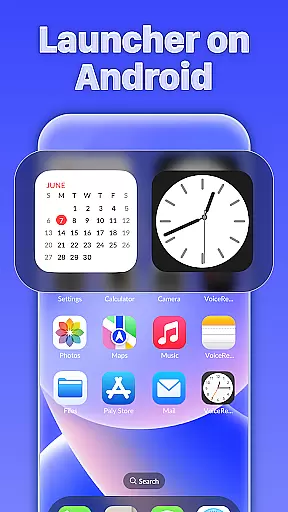
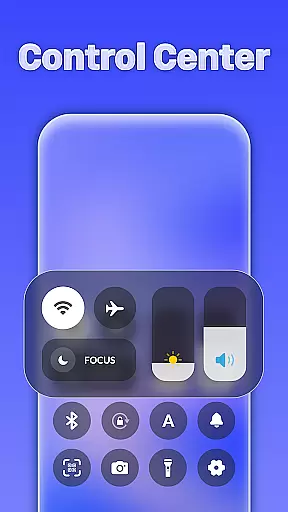
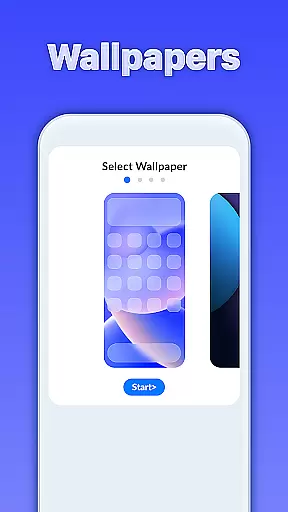
iLauncher OS redefines the Android experience by offering a personalized and visually appealing interface that enhances both aesthetics and functionality. Designed to make your smartphone feel more luxurious, it incorporates features typically found in real operating systems.
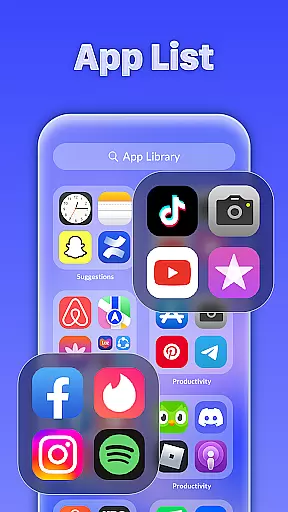
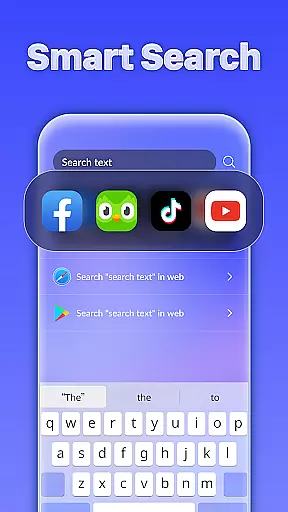
At its core, iLauncher OS provides an App Library for organizing apps efficiently, alongside a Smart Search feature that allows users to find content effortlessly. The Style Folder option adds convenience by enabling easy app grouping, while the integrated Weather feature keeps users informed about upcoming forecasts. This combination of beauty and utility makes it ideal for those seeking a premium mobile experience.
iLauncher OS stands out with its innovative features designed to streamline user interaction. The App Library offers a unique way to organize applications, mimicking the structure of advanced operating systems and ensuring quick access to your most-used apps.
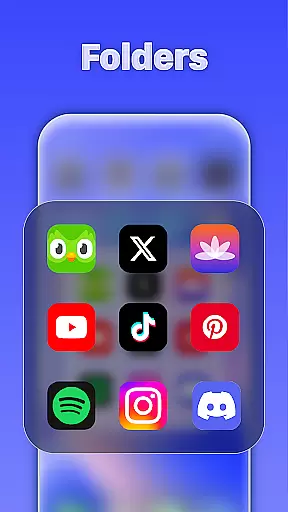
The Smart Search function is another highlight, allowing users to swipe down on the home screen to instantly locate apps or files. Meanwhile, the Style Folder system simplifies multitasking by letting you drag and drop apps into folders. Additionally, the built-in Weather feature provides daily updates, helping users stay prepared for changing conditions—all contributing to a seamless and intuitive user experience.
Customization is at the heart of iLauncher OS, allowing users to tailor their Android experience like never before. With a wide array of customization options, users can modify their home screens to reflect their personal style and improve usability.
The App Library feature organizes apps in an intuitive manner akin to real OS devices, providing a seamless way to manage and access applications. This not only enhances the visual appeal but also streamlines app organization, making daily tasks more efficient.
Style Folders offer another layer of personal touch by enabling users to drag and drop apps to create folders, similar to those found on desktop operating systems. This functionality helps declutter the home screen while keeping related apps together for easy access.
Overall, iLauncher OS empowers users with extensive customization capabilities, ensuring that each individual can craft a digital environment that suits their preferences and needs perfectly.
Theme compatibility in iLauncher OS ensures that users can enjoy a cohesive and visually pleasing interface across their devices. By supporting various themes, this launcher allows for a personalized and luxury aesthetic that transforms the look and feel of your phone.
Users have the freedom to choose from a multitude of themes, which are designed to be compatible with the overall system UI. This means every icon, widget, and visual element can be harmonized to create a stunning and unified appearance.
In addition to beautifying the device, theme compatibility extends to functional elements such as smart search features. These ensure that regardless of the theme applied, usability remains uncompromised, offering swift access to apps and information through intelligent search functionalities.
Ultimately, iLauncher OS's commitment to theme compatibility provides an unparalleled ability to personalize the mobile experience, blending form and function seamlessly for a truly bespoke user journey.
User-friendly interface
Efficient app organization
Visually appealing design
Smart search functionality
Integrated weather updates
Limited customization options
Higher battery consumption
Potential compatibility issues
Occasional lag in performance
Requires frequent updates

A light in the dark, a unique style and an andless cutomization!
 4.30
4.30
Ultra realistic high quality analog watch face for Wear OS.
4.60
A retro cartoon style watch face and a punch right in the face of the copyright
4.60
Turn text & photos into stunning AI videos, art, and creative visual stories.
4.50
300+ Beautifully crafted widgets inspired by OneUI.
4.60
Modern Glass Icon Pack with glossy icons, clean minimal theme & aesthetic style
4.5
Magic fluids wallpaper 4D: Relax with stunning fluid simulation wallpaper app
4.20
Amazing letter fonts in your messages and social statuses
4.70
Fast SMS & group chat - use GIFs and emojis from your home screen launcher.
4.50
A launcher for Samsung Good Lock and Good Guardians modules without ads
4.70
Over 28,000 high quality icons to bring color & homogeneity to your phone.
4.60
Aesthetic Widgets, HD Wallpapers, Themes in Mico Widget for Home and Lock Screen
4.50 4.50
4.50
Yandex Browser — stylish and secure, with voice search and data compression
4.40
Transform your device in a game console
4.40
App Icon Changer & Shortcut Creator. Customize your icons without any watermarks
4.30
Turn your lock screen into fun with smile live wallpapers & animated wallpapers!
2.50
Capture moments that pass like a storm, second by second.
4.0
Custom edge gestures for volume control, brightness, apps, and shortcuts.
4.5


User Reviews