
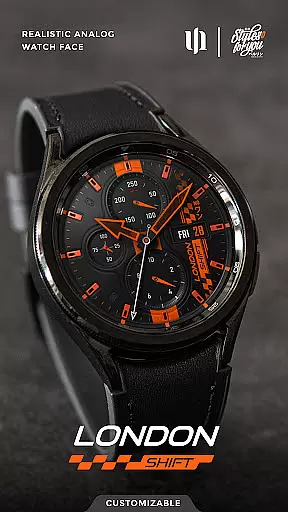
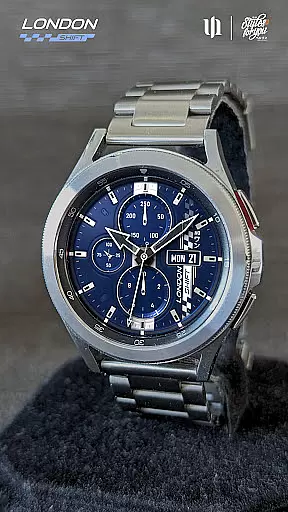
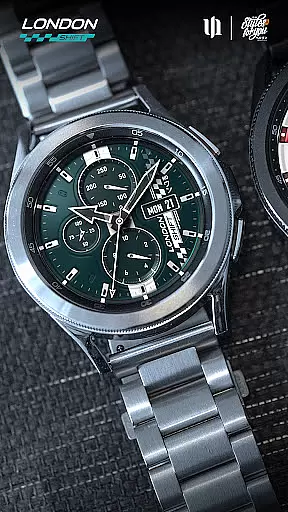
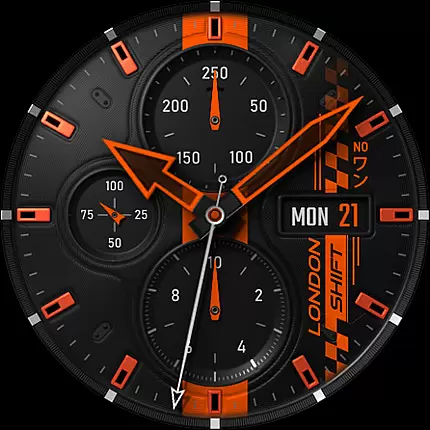
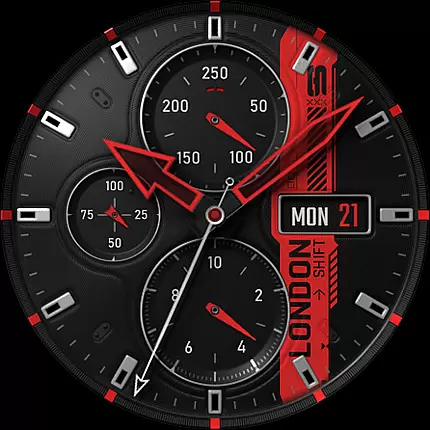
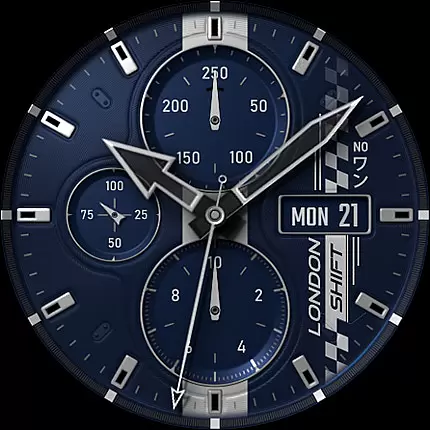
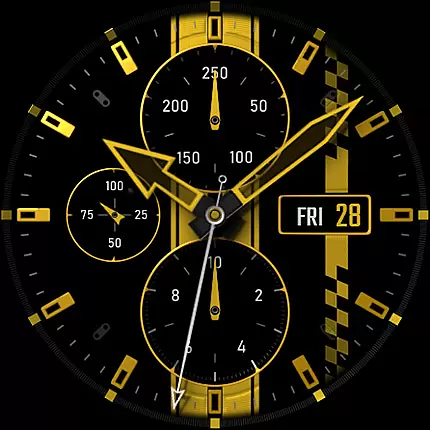
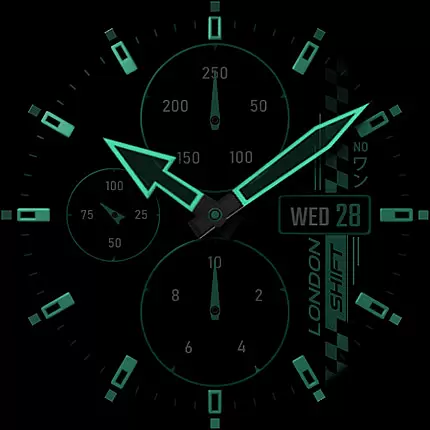
S4U Shift - Analog watch face is a premium Wear OS watch face designed for smartwatches running Wear OS 5 or higher. This highly customizable analog dial offers an ultra-realistic watch experience with its 3D effects and massive color options, making it feel like wearing a real watch. Compatible devices include Samsung Galaxy Watches, Google Pixel Watches, and other Wear OS 4+ smartwatches.
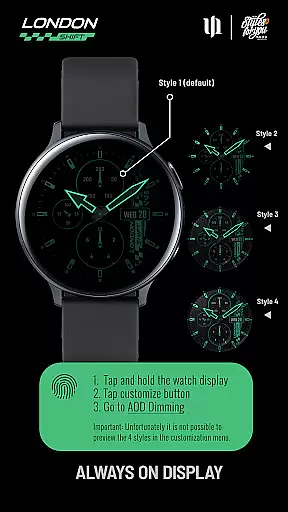
With features such as multiple color options, custom shortcuts to favorite widgets, and detailed health tracking displays, this watch face combines aesthetics with functionality. The always-on display (AOD) supports four dimming styles, ensuring both visibility and battery efficiency. Its sporty design and precise timekeeping make it ideal for users seeking both style and utility on their smartwatches.
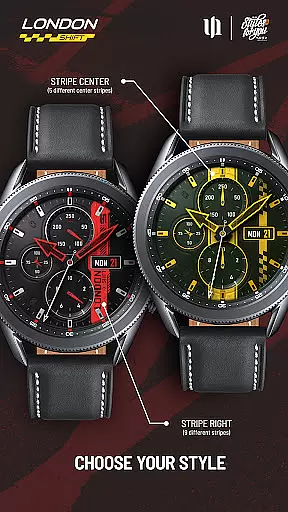
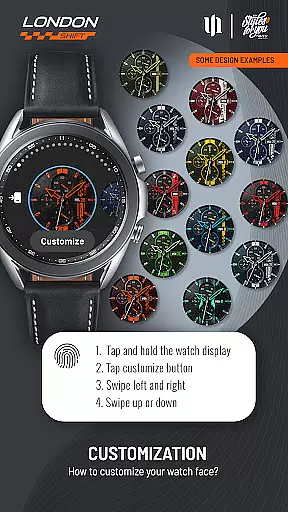
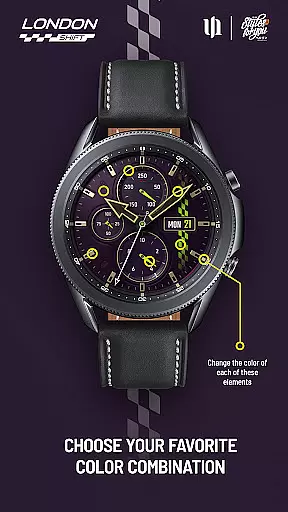
The S4U Shift watch face stands out with its advanced customization capabilities. Users can personalize various elements including background, stripes, hands, indices, and dials border through an intuitive interface. With up to 13 color options for certain elements, the possibilities for personalization are vast. The AOD feature provides four dimming options, allowing users to balance visibility and power consumption based on their preferences.
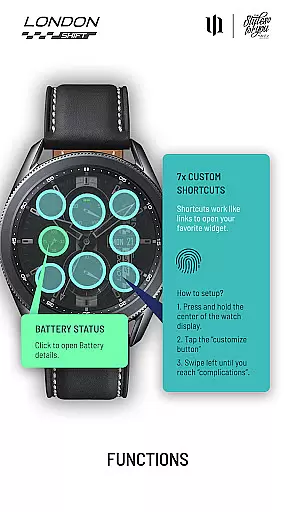
Functionality extends beyond aesthetics, offering practical tools such as heart rate monitoring, battery status with details accessible via a tap, and a pedometer. Seven customizable shortcuts enable quick access to frequently used widgets. Additionally, the heart rate measurement has been automated, syncing with the watch's health settings for seamless tracking. These features collectively enhance user interaction while maintaining the elegance of a traditional analog watch.
Customization is at the heart of the S4U Shift - Analog watch face, offering users an extensive range of personalization options to tailor their smartwatch experience. With over 8 background colors and multiple styles for stripes and indexes, wearers can adjust the watch face to match their personal taste or outfit.
The level of detail extends to the smallest elements, including hands, dials border, and even the always-on display (AOD) settings. Users can choose from different AOD styles, balancing visual appeal with battery conservationu2014a crucial feature for smartwatch users who prioritize both aesthetics and functionality.
Moreover, the ability to customize shortcuts adds a layer of practicality. By setting up to 7 custom shortcuts, users can quickly access their favorite widgets, making daily tasks more efficient. This comprehensive customization ensures that each user's watch face remains unique while enhancing usability.
The S4U Shift - Analog watch face is designed with theme compatibility in mind, ensuring it works seamlessly across various Wear OS devices. Supporting smartwatches running Wear OS 5 or higher, this application caters to a wide audience, including Samsung Galaxy Watch series and Google Pixel Watch models.
Despite its intricate design, the app maintains consistent performance and visual fidelity on all compatible devices. The synchronization between the normal view and the AOD guarantees that users enjoy a cohesive experience regardless of their device model, preserving the ultra-realistic analog feel.
For those encountering issues, the companion app provides guidance through installation and troubleshooting steps. This support ensures that users can fully leverage the themeu2019s capabilities without worrying about technical hurdles, thus maintaining a smooth and visually pleasing interface across different devices.
Highly realistic design
Extensive customization
Advanced health tracking
Efficient AOD options
User-friendly shortcuts
Limited device compatibility
No AOD preview in menu
Potential battery drain
Complex setup for beginners
Some features model-specific

Fingerprint Lock Screen & Live Animations with 4K Wallpapers as Live Wallpaper
 4.40
4.40
Bring adorable pets to life on your screen. Playful, interactive and full of fun
4.60
100+ Stylish Fonts, Emojis, Symbols keyboard for Instagram & TikTok!
4.80 4.50
4.50 4.10
4.10
Nothing Icon pack with more than 3750+ highly crafted icons.
4.70
200+ Material Inspired Widgets
4.50
Your home screen, just the way you like it.
3.80
Custom ringtones songs, music ringtones for Android phones
4.60
One 8 icons glass color version
4.80
Stunningly Different look with Line Icons and Neon Colors
4.60
Add cute Shimeji pets to screen, interact with them and relax with cute motions
4.60
Handcrafted pixel art icons, widgets & wallpapers
4.60
Transform your phone with Launcher iOS 26 - Smooth & elegant iOS experience
4.50
The definitive Icon pack maker and editor
4.30
Wear Os Watch Face - Seasonal - Animated Snow Effect - 9 Animals
4.20
Run multiple accounts of the same app on a single device
4.10
Realistic animated snow on your wrist, with 10 images landscapes to choose from
4.00
Transfer your live wallpapers from Windows to Android using Wallpaper Engine!
4.00


User Reviews