
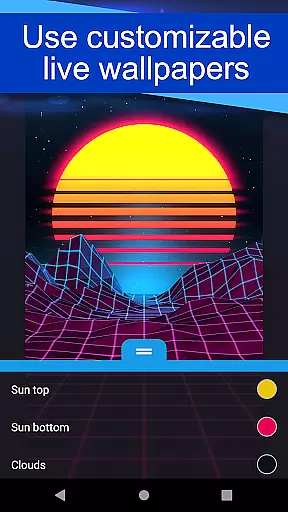
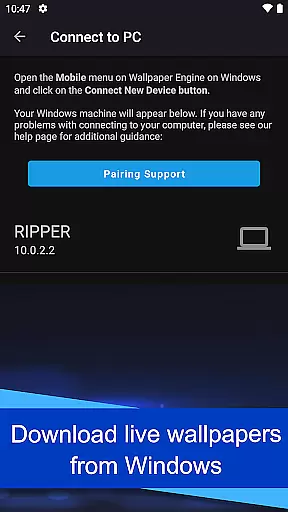
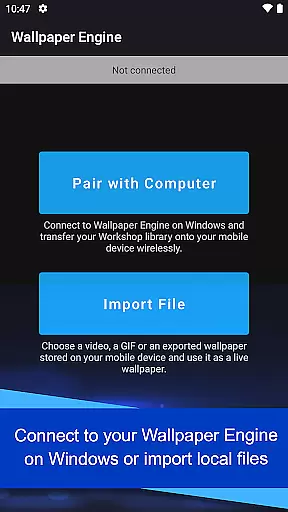
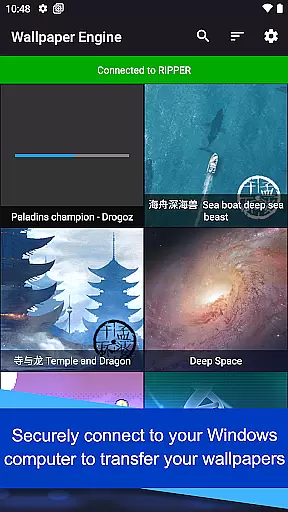
Wallpaper Engine is a personalization app that brings your live wallpapers from Windows to Android devices. It allows users to seamlessly transfer their existing collection of animated wallpapers, GIFs, and interactive 2D/3D scenes directly from the desktop version to mobile. The app supports various formats including videos and GIFs, making it easy to customize device screens with dynamic visuals.
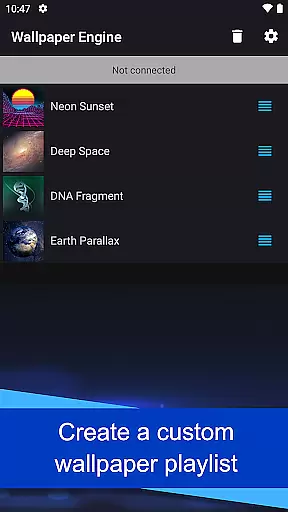
A key feature is its synchronization capability with the Windows version of Wallpaper Engine, enabling users to access their entire desktop library on their phone. Additionally, users can create playlists for automatic wallpaper rotation based on time intervals or times of day. With an ad-free experience and no user behavior tracking, Wallpaper Engine offers a clean, uninterrupted way to personalize your Android device.
Wallpaper Engine stands out with its versatile support for different types of wallpapers, including videos, GIFs, and interactive scenes. This flexibility allows users to fully express their creativity through personalized screen designs. The app's seamless connection with the Windows version ensures that transferring wallpapers is effortless, maintaining consistent aesthetics across devices.
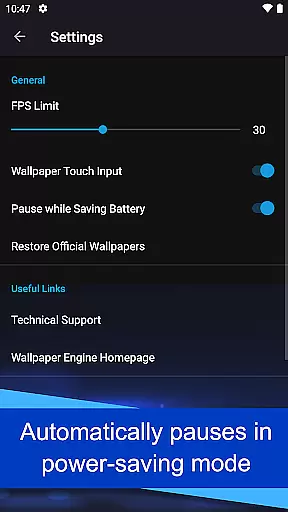
Customization options are abundant, allowing users to tailor wallpapers to their preferences. Features like automatic cycling through a playlist add convenience, while smart functionalities such as pausing wallpapers during power-saving modes optimize battery usage. The absence of ads and behavioral tracking enhances user privacy, providing a focused environment for enjoying high-quality live wallpapers without distractions.
Wallpaper Engine offers a diverse range of customization options that cater to personal preferences. The app supports various formats including videos, GIFs, and interactive 2D/3D scenes, allowing users to tailor their device's appearance with dynamic and engaging content.
Users can connect their Android device to Wallpaper Engine on Windows, enabling them to transfer an existing library of live wallpapers directly to their mobile. This seamless integration provides access to a vast array of visual styles and themes, ensuring that personalization is only limited by one's imagination.
In addition to importing content, the app allows for further personalization through customizable settings. Users can adjust the look and feel of their wallpapers, creating a unique experience that reflects individual tastes and enhances the overall aesthetic of their device.
Theme compatibility in Wallpaper Engine ensures that all imported wallpapers maintain their intended appearance across different devices. Whether you're using videos, GIFs, or interactive scenes, the app guarantees consistent quality and performance, preserving the creator's vision without compromise.
The mobile companion app is designed to work harmoniously with its Windows counterpart, facilitating smooth transfers while maintaining theme integrity. This compatibility extends to user-created playlists, which enable automatic cycling of wallpapers at regular intervals or based on the time of day, offering both variety and coherence in theming.
Furthermore, Wallpaper Engine operates ad-free and refrains from tracking user behavior, thus respecting privacy while delivering a cohesive thematic experience. With these features, users can enjoy peace of mind knowing their personalized themes are displayed as intended, free from intrusive elements or data collection practices.
User-friendly interface
Versatile format support
Seamless cross-device sync
Ad-free experience
Privacy-focused design
Limited to Android
Requires Windows version
No iOS compatibility
Dependent on desktop library
Resource-intensive animations

Only for Wear OS devices!
 4.90
4.90
Interactive Miniature Painting Catalogue
3.30
Aesthetic Widgets, HD Wallpapers, Themes in Mico Widget for Home and Lock Screen
4.50 4.50
4.50 4.50
4.50
Nothing Icon pack with more than 3750+ highly crafted icons.
4.70
400+ Beautifully crafted widgets inspired by NOTHING.
4.70
set a new experience for the Android mobile phone
4.20
Cool custom fonts & keyboard themes! Symbols & font changer for Instagram
4.50
Sparkle your screen with Glitter Wallpapers For Girls and Cute Backgrounds!
4.80
Customizable Glass widgets. Over 360+ stunning widgets and more!
4.70
Make your phone look simple & luxury, like iDevice
4.60
Bring adorable pets to life on your screen. Playful, interactive and full of fun
4.60
AI-powered Copilot. Personalized keyboard with gifs, stickers & themes
4.40
Launcher OS™ Pro without ads help make your phone simple and pretty
4.30
Magic fluids wallpaper 4D: Relax with stunning fluid simulation wallpaper app
4.20 4.10
4.10
Create unique, fun emojis with Funny Emoji Maker! Unlimited creativity!
4.00
Customize glowing edges, wallpapers, and caller screen with EdgeAura.
3.50


User Reviews