
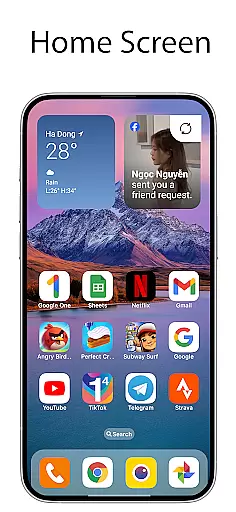
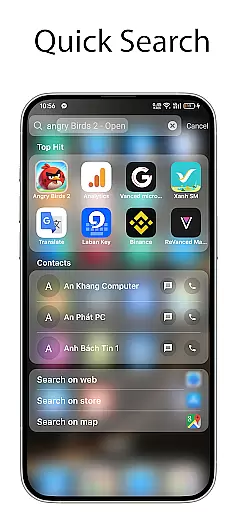
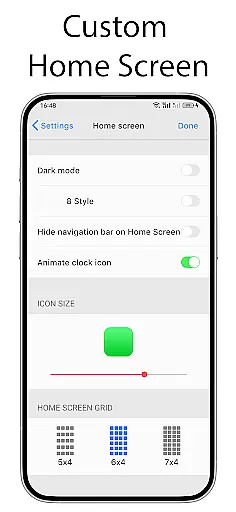
OS Launcher 18 - Phone 16 Max offers a unique way to transform the visual appearance of Android devices into a more simple and luxurious experience. This launcher app provides users with a customized interface that includes redesigned app icons, wallpapers, and various other features. It allows Android users to enjoy the functionality of their devices while adopting a simplified and elegant user interface.
The application's main appeal lies in its ability to mimic the look and feel of another popular operating system, giving users the best of both worlds. With this launcher, users can customize their device's home screen to match a minimalist aesthetic without sacrificing the versatility and power of the Android OS. Whether you're looking for a cleaner design or specific feature enhancements, OS Launcher 18 caters to those who appreciate simplicity combined with utility.
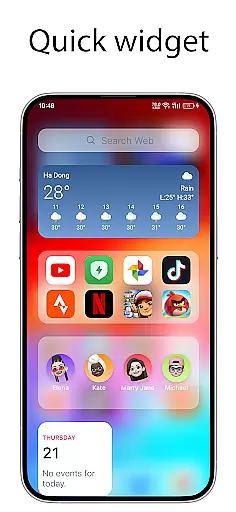
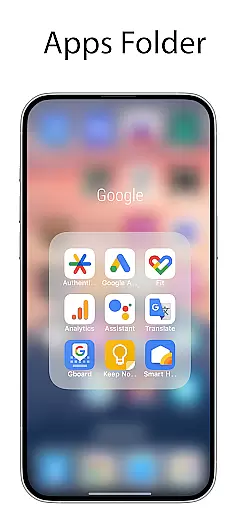
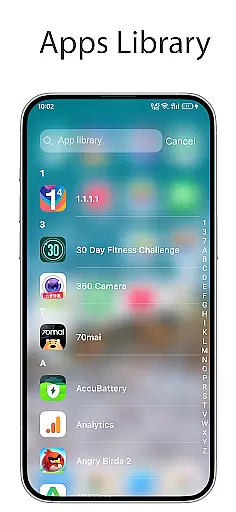
OS Launcher 18 - Phone 16 Max is packed with features designed to enhance the user experience. One of its standout capabilities is the Apps Library, which organizes apps into categories for easy access. The Today View presents essential information such as weather updates, favorite contacts, and calendar events at a glance. Users can also create folders by dragging and dropping apps onto each other, streamlining navigation.
Customization is at the heart of this launcher. It offers customizable icons, allowing users to modify both the icon and name of applications. Additionally, it includes widgets that can be added to the home screen for quick access to frequently used functions. Other notable features include the ability to hide apps from the home screen, lock apps to prevent unauthorized access, and display unread notification dots for instant messaging apps. These features collectively ensure that users have a personalized and efficient mobile experience.
OS Launcher 18 - Phone 16 Max offers a wide array of customization options that allow users to personalize their Android devices extensively. This includes the ability to modify app icons and names, hide apps from the home screen, and create folders by simply dragging and dropping apps onto each other.
The launcher also features an Apps Library that categorizes your apps neatly, making it easier to manage and access them. Additionally, users can add various cool widgets to their home screen, further enhancing the personalization experience.
With the Unread Notification Dot feature, users are alerted to unread messages with a simple dot notification system. This requires enabling notifications for the respective apps in the settings and granting necessary permissions.
Overall, OS Launcher 18 provides a versatile platform for users to tailor their device's appearance and functionality according to their preferences, ensuring both aesthetic appeal and practical usability.
Theme compatibility is a crucial aspect of OS Launcher 18 - Phone 16 Max, ensuring that users can seamlessly integrate their preferred themes across their device. The launcher supports customizable icons and wallpapers, allowing users to maintain a consistent visual style throughout their interface.
In addition to icon and wallpaper customization, the launcher offers a Today View feature that displays weather information, favorite contacts, and calendar events in a visually appealing manner. This ensures that even with different themes applied, essential information remains accessible and aesthetically pleasing.
Users can also lock specific apps to prevent unauthorized access, adding an extra layer of security without compromising on theme consistency. Furthermore, the Weather widget provides detailed forecasts while maintaining the overall design language of the chosen theme.
By focusing on comprehensive theme compatibility, OS Launcher 18 allows users to enjoy a cohesive and personalized device experience, blending both form and function effortlessly.
User-friendly interface
Highly customizable options
Comprehensive weather forecast
Efficient app organization
Enhanced privacy controls
Limited to Android platform
Potential performance issues
Some features may require permissions
Interface might not appeal to everyone
Occasional compatibility problems

Gun Chase - Let the chase begin.
 4.80
4.80
AI-powered Copilot. Personalized keyboard with gifs, stickers & themes
4.40
Add cute Shimeji pets to screen, interact with them and relax with cute motions
4.60
The definitive Icon pack maker and editor
4.30
Adaptive Dot Style IconPack with Light & Dark Theme.
3.70
Color phone with cool effects for call screen, flash alert & ringtones music
4.50
Handcrafted pixel art icons, widgets & wallpapers
4.60
Enjoy a variety of amazing live wallpapers and colorful EDGE lighting borders!
4.80
Cool custom fonts & keyboard themes! Symbols & font changer for Instagram
4.50
Vertically oriented rectangular icons
4.70
Glass style colourful icons with a One UI look and feel
4.60
3D, live, and moving wallpapers & themes in 4K and HD for your device.
4.50
Transform your phone with Launcher iOS 26 - Smooth & elegant iOS experience
4.50
Customizable screen pets that play, climb, and keep you company.
4.50
Adult video chat, dating, making friends, random matching
4.20
Magic fluids wallpaper 4D: Relax with stunning fluid simulation wallpaper app
4.20
More than 3000+ themes and 9000+ wallpapers for everybody!
4.10
Struggling to find apps? Use this app to locate and open any app on your phone!
2.20
Modern Glass Icon Pack with glossy icons, clean minimal theme & aesthetic style
4.5


User Reviews