
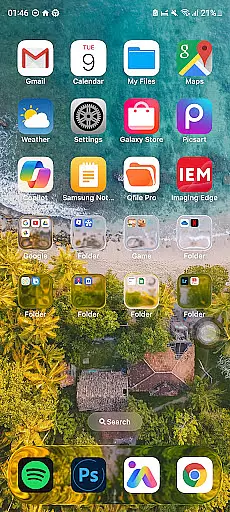
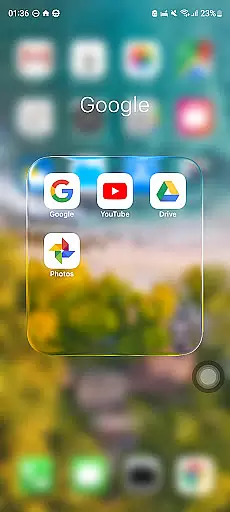
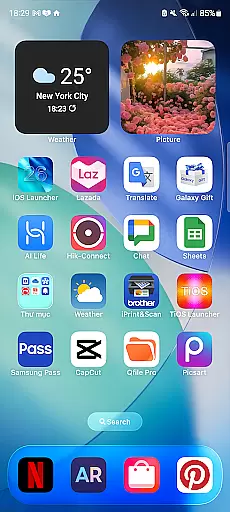
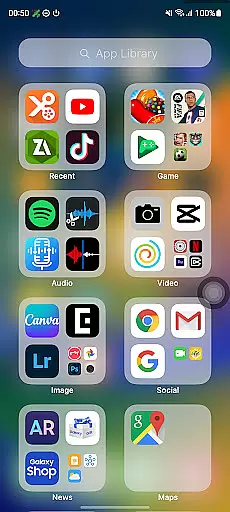
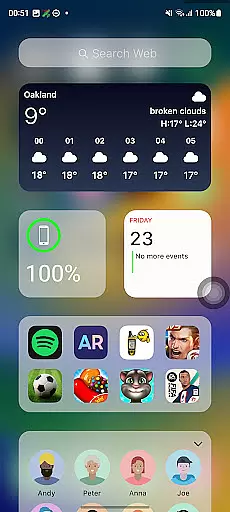
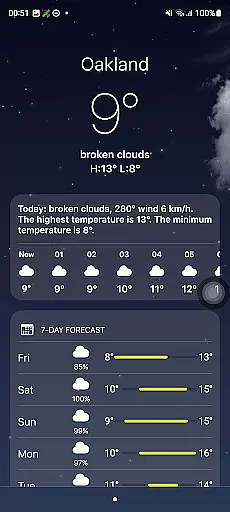
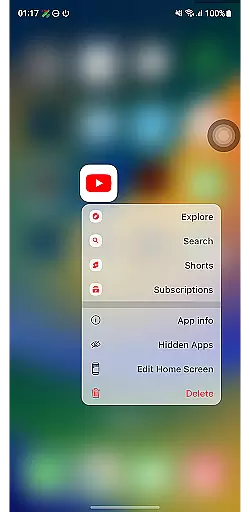
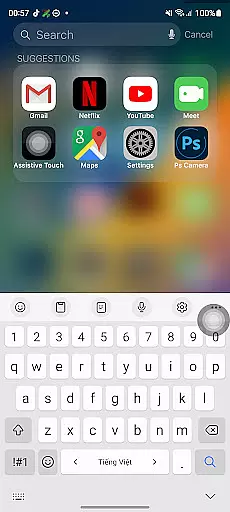
Launcher iOS 26 is a personalization app designed to bring the familiar iPhone experience to Android devices. This launcher transforms your phone's interface with a sleek and intuitive design inspired by iOS, offering users an authentic iPhone look and feel while maintaining Android's functionality.
Beyond its aesthetic appeal, Launcher iOS 26 provides enhanced functionality through features like a convenient Control Center for quick access to essential functions, customizable wallpapers, and easy navigation to favorite apps. These tools simplify and personalize the Android experience, making it more user-friendly and efficient.
Ideal for those who appreciate iOS design but prefer using Android, this app allows you to enjoy the best of both worlds. Whether you're looking to streamline daily tasks or simply want a fresh new look, Launcher iOS 26 delivers a personalized and intuitive mobile experience.
Launcher iOS 26 stands out with its comprehensive feature set tailored to enhance the Android user experience. The app meticulously replicates the authentic iOS look and feel, immersing users in a polished and familiar design environment that mirrors the iPhone's interface.
Functionality is at the core of Launcher iOS 26, offering an array of practical tools. The Control Center provides swift access to essential phone functions, mimicking the convenience found in iPhones. Users can also personalize their home screens with customizable wallpapers and enjoy quick access to favorite apps and actions, akin to iPhone's AssistiveTouch.
These features collectively create a seamless blend of form and function, elevating the overall usability of your device while providing a unique and enjoyable user experience that bridges the gap between iOS aesthetics and Android versatility.
Launcher iOS 26 offers a rich array of customization options that allow users to tailor their Android devices to closely mimic the iPhone experience. This includes not only aesthetic elements but also functional features inspired by iOS.
The launcher provides an authentic Control Center, similar to what iPhone users are accustomed to, enabling quick access to essential phone functions with simple swipes and taps. Users can easily toggle settings like Wi-Fi, Bluetooth, and screen brightness, enhancing usability.
Additionally, Launcher iOS 26 supports personalized wallpapers, allowing individuals to set their preferred images just as they would on an actual iPhone. This feature contributes significantly to creating a unique and familiar user interface that aligns with personal tastes or mood.
Quick Access is another standout feature, reminiscent of AssistiveTouch on iPhones, providing shortcuts to favorite apps and actions. These comprehensive customization capabilities ensure that each user's device reflects their individual preferences while maintaining ease of use.
Theme compatibility in Launcher iOS 26 ensures that users can seamlessly integrate various themes into their Android devices, achieving a cohesive look and feel akin to the iPhone ecosystem. This compatibility extends across different design elements, ensuring visual consistency throughout the user interface.
By supporting customizable wallpapers alongside its native theme structure, Launcher iOS 26 allows for extensive personalization without compromising performance or aesthetics. Users benefit from this flexibility as it lets them replicate the polished appearance typical of iOS devices.
Moreover, the applicationu2019s architecture guarantees smooth integration between default themes and any additional ones users might choose to install. This means transitions between screens remain fluid, icons retain clarity, and overall responsiveness stays high regardless of chosen customizations.
This level of theme compatibility enhances user satisfaction by delivering both form and functionu2014offering an engaging yet practical way to personalize one's mobile environment while enjoying the intuitive navigation patterns characteristic of iPhones.
User-friendly interface
Customizable features
Authentic iOS design
Enhanced functionality
Quick access tools
Limited to Android
May lack some iOS features
Potential performance issues
Not a full OS replacement
Dependent on third-party support

A retro cartoon style watch face and a punch right in the face of the copyright
 4.60
4.60
Ninja Turtles Cowabunga SE watch face for Wear OS
4.50
Prank your friends with realistic broken screen and cracked HD effects!
4.4
More than 3000+ themes and 9000+ wallpapers for everybody!
4.10
⭐ OneUI inspired Fluffy Icon Pack – Soft. Stylish. Standout. ⭐
4.3
Launcher OS™ Pro without ads help make your phone simple and pretty
4.30
Your go to Weather App & Home Screen. Get your weather at a swipe of a finger!
3.80
One 8 icons glass color version
4.80
Custom ringtones songs, music ringtones for Android phones
4.60
Winter's Journey: digital watch face for Galaxy Watch & Wear OS
4.80
Dark icon pack based on One 8
4.80
Ultra realistic high quality analog watch face for Wear OS.
4.60
Bring adorable pets to life on your screen. Playful, interactive and full of fun
4.60
Customizable screen pets that play, climb, and keep you company.
4.50
Themes - Widget & Wallpaper: Customize home screen, icon changer w unique themes
4.30
Run multiple accounts of the same app on a single device
4.10
Realistic animated snow on your wrist, with 10 images landscapes to choose from
4.00
Emoji Maker app - Design custom emojis and effortlessly blend them with Mixer
3.80
Customize glowing edges, wallpapers, and caller screen with EdgeAura.
3.50


User Reviews