
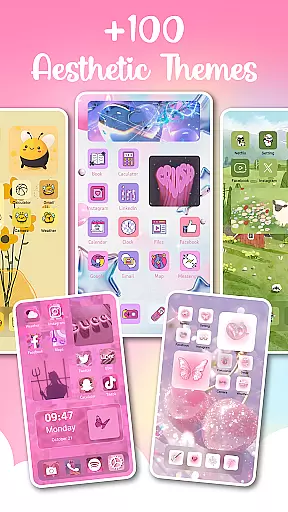
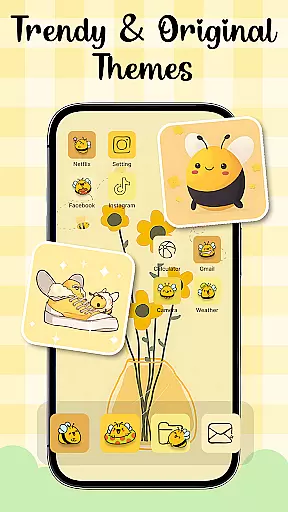
Themes - Widgets, Icon Changer is a comprehensive personalization app that allows users to transform their phone's interface into a unique and stylish work of art. The app offers an extensive collection of customizable themes, widgets, wallpapers, and icon packs, catering to various aesthetic preferences such as anime, Kpop, minimalist, and modern designs.
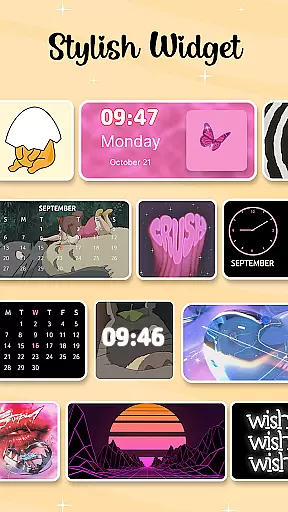
With over 100 customizable widgets and a vast selection of wallpapers including anime, aesthetic, and holiday options, users can easily refresh their home and lock screens. The app also provides personalized icon packs for popular social media apps, enabling complete interface customization. Its user-friendly design ensures easy personalization with just one click, making it an ideal choice for those who value aesthetics and individuality in their mobile experience.
The app stands out with its diverse range of features designed to enhance personalization. Users can choose from various trendy themes including anime, cute, and Kpop styles, while the widget feature offers more than 100 customizable options that replace traditional screen appearances. The icon changer provides unique combinations of personalized icons for different apps, allowing for creative expression.
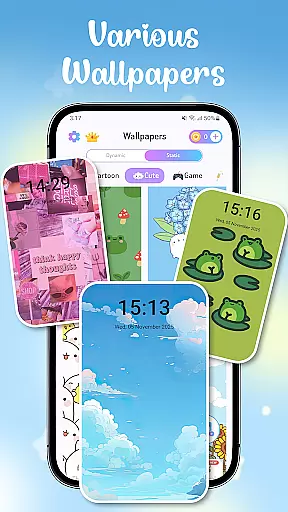
Themes - Widgets, Icon Changer supports daily wallpaper changes with minimal effort, featuring categories like aesthetic and holiday themes. The app maintains user privacy through its Accessibility Service permission, which enables convenient access to functions without collecting personal data. Regular updates ensure fresh content, while the one-click replacement feature makes customization effortless for all users.
Customization is at the heart of Themes - Widgets, Icon Changer, offering users a plethora of options to tailor their smartphone experience. This app provides an extensive selection of themes that cater to various tastes and moods, including anime, cute, aesthetic, and Kpop themes. The availability of such diverse themes ensures that users can constantly refresh their home screens to reflect their current preferences or trends.
In addition to themes, the app boasts over 100 widgets that break away from traditional screen appearances. These customizable widgets not only enhance functionality but also allow for personal expression. Users have the freedom to select images from their gallery and apply them to widgets, making each user's interface truly one-of-a-kind. With these features, Themes - Widgets, Icon Changer empowers individuals to exhibit their creativity through their deviceu2019s visual presentation.
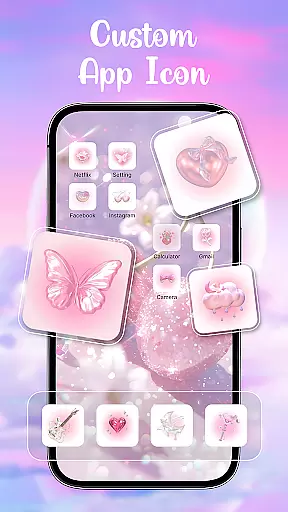
The icon packs within the app further expand customization possibilities by enabling users to choose new icons from a variety of sources. From standard app icons to personalized packs, there are countless ways to modify social media icons like Facebook, WhatsApp, Messenger, and Instagram. This level of detail in personalizing every aspect of the phone's UI makes this application stand out as an essential tool for those who appreciate aesthetics and individuality in their mobile devices.
Theme compatibility is crucial when customizing a smartphone, and Themes - Widgets, Icon Changer excels in providing seamless integration across different elements of device personalization. The app ensures that all chosen themes, wallpapers, widgets, and icons work harmoniously together, creating a cohesive look and feel throughout the entire device interface. This compatibility allows users to mix-and-match various components without worrying about inconsistencies or disruptions in their visual experience.
Moreover, the app supports easy updates with its constant addition of new content, which maintains theme compatibility even as users decide to refresh their screens daily. Whether it be anime wallpapers for the lock screen or holiday-themed backgrounds for the homescreen, everything is designed to fit well within the overall aesthetic framework provided by the app. Such attention to detail guarantees that no matter how often you change your setup, each element will complement the others perfectly.
With regular updates and careful design considerations, Themes - Widgets, Icon Changer offers peace of mind knowing that any customization choice will integrate smoothly into your system. By focusing on maintaining high standards of theme compatibility, this app becomes indispensable for anyone looking to personalize their phone while ensuring all parts work together effortlessly, enhancing both usability and enjoyment of their device.
User-friendly interface
Extensive customization options
Regular content updates
Privacy-conscious design
Versatile aesthetic choices
Requires multiple permissions
Potential battery consumption
Limited system integration
May overwhelm new users
Some features may need premium access

Ultra realistic gold analog watch face with lots of customization options.
 4.50
4.50
Turn your lock screen into fun with smile live wallpapers & animated wallpapers!
2.50
Dark icon pack based on One 8
4.80
More than 3000+ themes and 9000+ wallpapers for everybody!
4.10
Customize glowing edges, wallpapers, and caller screen with EdgeAura.
3.50 4.50
4.50
200+ Material Inspired Widgets
4.50
Amazing letter fonts in your messages and social statuses
4.70
Fast SMS & group chat - use GIFs and emojis from your home screen launcher.
4.50
Personalize your phone with stunning HD and 4K wallpapers!
4.70
Nothing Icon pack with more than 3750+ highly crafted icons.
4.70
Classic analogue watch face. For wear os devices.
4.60
Make your phone look simple & luxury, like iDevice
4.60
Transform your phone with Launcher iOS 26 - Smooth & elegant iOS experience
4.50
Color phone with cool effects for call screen, flash alert & ringtones music
4.50
A light in the dark, a unique style and an andless cutomization!
4.30
Realistic animated snow on your wrist, with 10 images landscapes to choose from
4.00
Crystal-clear, square icon provides a sleek and sophisticated visual upgrade
4.00
Ultimate widget creator. Design custom widgets for a truly unique home screen!
3.90


User Reviews