
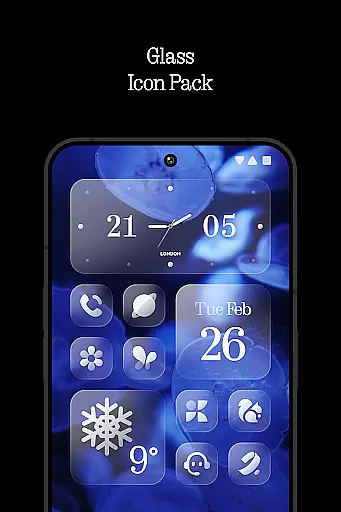
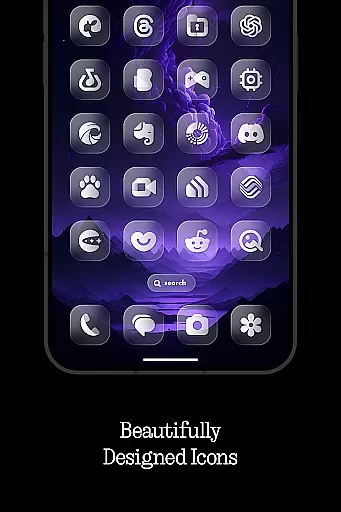
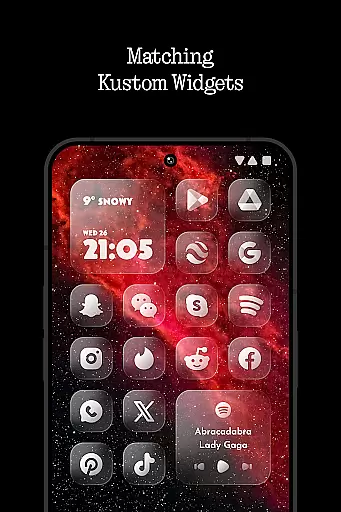
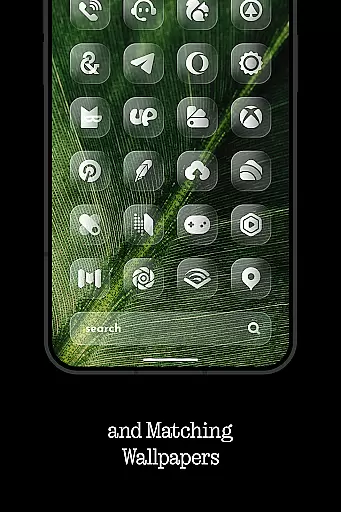
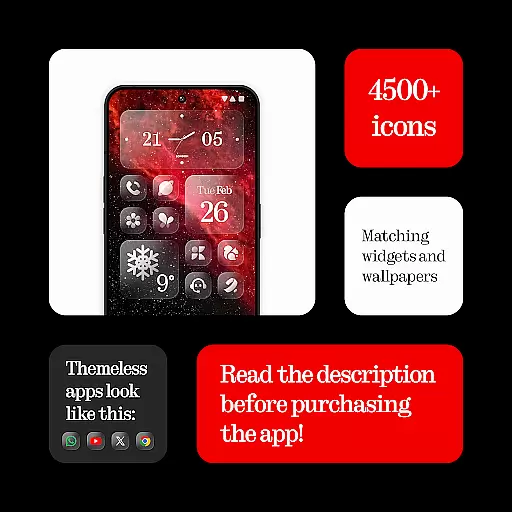
Glass Icons is a premium icon pack designed to provide users with a sleek and sophisticated visual upgrade for their devices. Featuring over 5,400 crystal-clear square icons, this pack seamlessly integrates with your device's interface, offering a modern and polished look.
In addition to the extensive icon collection, Glass Icons includes five Kustom widgets and cloud-based wallpapers, allowing for further customization of your device. The pack also offers an icon request tool and regular updates to ensure compatibility with new apps and maintain a fresh appearance.
Whether you're using popular launchers like Nova Launcher or Lawnchair Launcher, Glass Icons supports a wide range of options, making it versatile for various devices and user preferences. This icon pack is ideal for those seeking a cohesive and stylish aesthetic across their device's interface.
Glass Icons stands out with its comprehensive set of features tailored for personalization enthusiasts. With over 5,400 icons, users can enjoy a consistent and refined look across their apps. Each icon is crafted with precision, ensuring clarity and visual appeal that enhances the overall user experience.
The inclusion of five Kustom widgets adds another layer of customization, enabling users to create unique home screen layouts. Cloud-based wallpapers provide dynamic background options that complement the icons, while the icon request tool allows users to suggest missing icons, which are then added in future updates.
Regular updates ensure that Glass Icons remains compatible with newly released apps and maintains its high-quality standards. Supporting numerous launchers, including Nova Launcher and Niagara Launcher, this pack caters to a broad audience, offering flexibility and adaptability for different device configurations.
Glass Icons offers an extensive range of customization options that cater to personal preferences and device compatibility. With over 5400 icons, users can transform their device's interface into a sleek, sophisticated visual experience.
The inclusion of 5 Kustom widgets further enhances the ability to personalize, allowing for unique home screen setups. These widgets are designed to seamlessly integrate with supported launchers, providing both aesthetic and functional benefits.
Cloud-based wallpapers add another layer of customization, enabling users to complement their icon choices with matching or contrasting backgrounds. This feature ensures that users can achieve a cohesive look across their entire device interface.
An icon request tool is also available, empowering users to suggest new icons that align with their specific needs or preferences. Regular updates ensure that the icon pack stays current with emerging trends and user demands.
Theme compatibility is a crucial aspect of Glass Icons, ensuring that the icon pack works harmoniously with various launchers. The pack supports popular launchers such as Nothing Launcher, Nova Launcher, and Lawnchair Launcher, among others.
For devices using Pixel Launcher, integration with Shortcut Maker is required to fully utilize the icon pack's capabilities. Similarly, Theme Park is necessary for Stock One UI Launcher users to apply these crystal-clear icons effectively.
In cases where specific launcher settings like shadows in Nova Launcher need activation, Glass Icons provides clear instructions within its FAQ section. This attention to detail helps users troubleshoot common issues independently.
Additionally, the requirement of KWGT PRO for Kustom Widgets highlights the importance of having compatible applications to unlock the full potential of this personalization tool. Users are encouraged to explore these compatibility features for an optimal experience.
Extensive icon library
Regular updates
Wide launcher support
High-quality design
Customization options
Paid KWGT PRO required
No stock launcher support
Limited widget variety
Advanced setup needed
FAQ not beginner-friendly

Classic analogue watch face. For wear os devices.
 4.60
4.60
Vertically oriented rectangular icons
4.70
A retro cartoon style watch face and a punch right in the face of the copyright
4.60
Prank your friends with realistic broken screen and cracked HD effects!
4.0
Add cute Shimeji pets to screen, interact with them and relax with cute motions
4.60
Customizable screen pets that play, climb, and keep you company.
4.50
Romantic Kiss Stickers App. Start romantic messaging now!
4.30
App Icon Changer & Shortcut Creator. Customize your icons without any watermarks
4.30
Amazing letter fonts in your messages and social statuses
4.70
Only for Wear OS devices!
4.90
Customizable Glass widgets. Over 360+ stunning widgets and more!
4.70
A launcher for Samsung Good Lock and Good Guardians modules without ads
4.70
A minimalist productivity launcher. One-hand-friendly. Zero ads.
4.70
Glass style colourful icons with a One UI look and feel
4.60
Aesthetic Widgets, HD Wallpapers, Themes in Mico Widget for Home and Lock Screen
4.50
200+ Material Inspired Widgets
4.50
The definitive Icon pack maker and editor
4.30
Customizable flower power digital watch face for Wear OS watches.
4.00
HappyLighting is a Bluetooth lamp control software.
3.40


User Reviews