
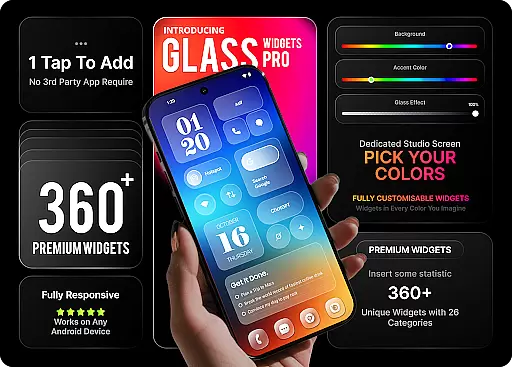
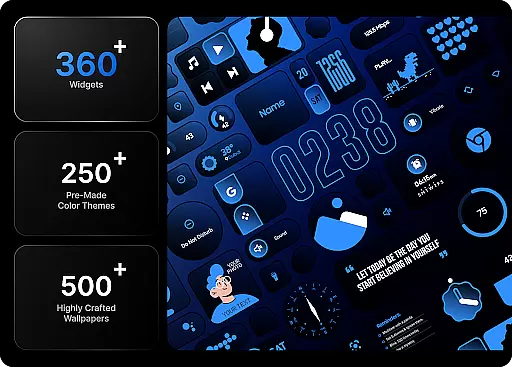
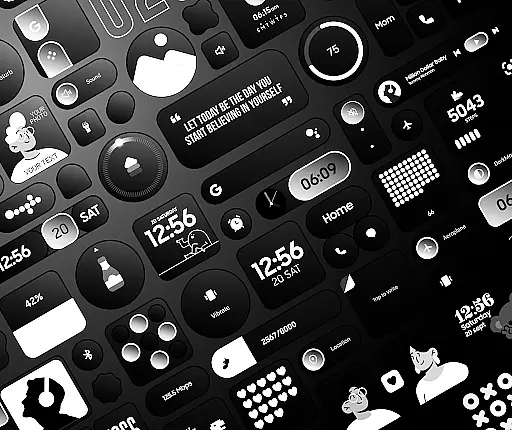
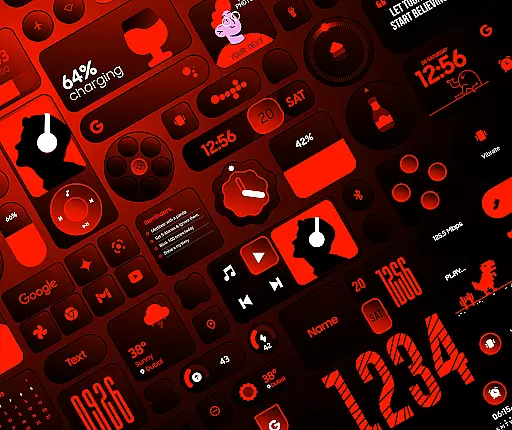
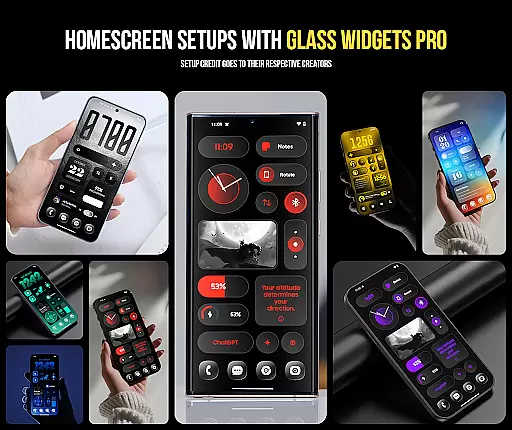
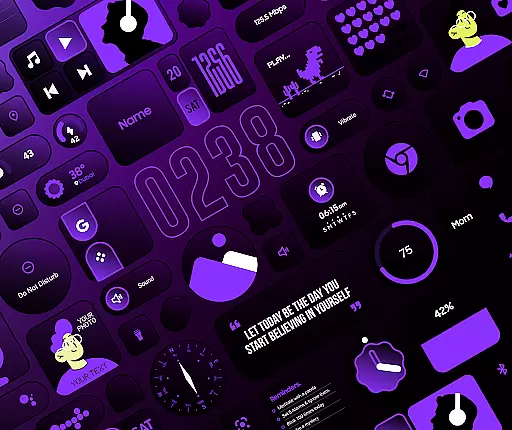
Glass Widgets Pro is a premium personalization app that transforms your smartphone's home screen with fully customizable widgets featuring stunning glass effects. This app offers over 360 premium widgets, 500 curated wallpapers, and 250 theme templates, providing users with extensive options to personalize their devices.
The app stands out through its native functionality, eliminating the need for additional apps like KWGT. Users can instantly tap, add, and customize widgets, enjoying features such as glass effect on all widgets, fully customizable colors, and a wide range of widget categories including clocks, weather, battery indicators, and productivity tools.
Whether you want to enhance aesthetics or improve functionality, Glass Widgets Pro delivers both style and substance, making it an ideal choice for those looking to redefine their device's interface.
Glass Widgets Pro distinguishes itself through its rich feature set tailored for customization enthusiasts. The app provides a modern glass effect on all widgets, allowing users to create a transparent and sleek home screen look. With fully customizable colors, users can adjust background colors, accent colors, and control background glass opacity to match their unique style.
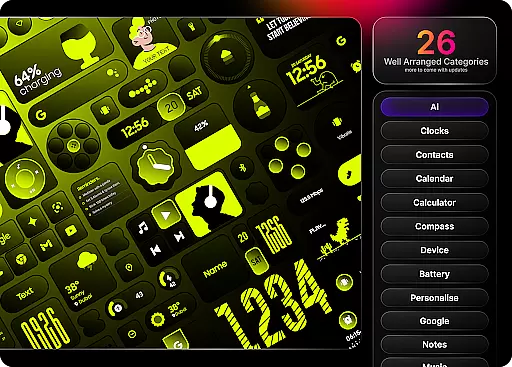
In addition to color customization, the app includes over 250 professionally designed color templates, enabling quick transformations without starting from scratch. Categories are diverse, covering clock widgets, weather widgets, battery widgets, quick settings, productivity tools, utility widgets, photo and camera widgets, folder widgets, specialty widgets, and contact widgets.
Complementing these features are 500 matching wallpapers, ensuring a cohesive aesthetic across the entire home screen. This comprehensive approach to personalization makes Glass Widgets Pro a standout choice in the personalization category.
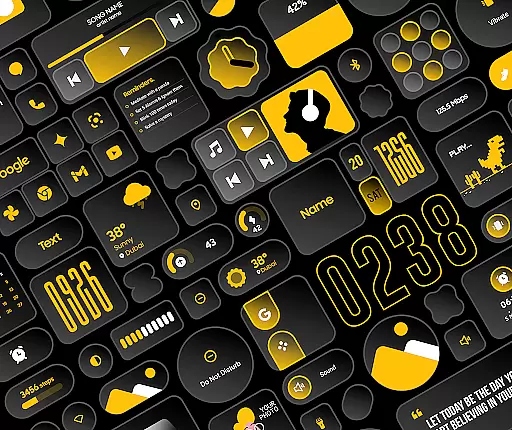
When it comes to personalizing your smartphone's home screen, having a wide array of customization options is crucial. Glass Widgets Pro offers an extensive selection of over 360 premium widgets that cater to various preferences and needs. These widgets cover multiple categories including clock, weather, battery, quick settings, productivity tools, utility functions, photo displays, folder organization, specialty features, and contact access.
The level of customization doesn't stop at widget variety. Users can adjust background colors, accent colors, and even control the background glass opacity. This allows for creating a unique aesthetic that reflects personal style while maintaining a modern transparent look with beautiful glass effects on every single widget. With more than 250 professionally designed color templates available, users don't need to start from scratch; they can simply tap and apply these templates to transform their widgets in seconds.
By providing such depth in customization options, Glass Widgets Pro empowers users to take full control of their home screens. Whether you're looking for functional enhancements or aesthetic improvements, this app ensures that your device not only performs impressively but also looks distinctive and personalized just for you.
Theme compatibility is essential for ensuring that all elements on your home screen work together harmoniously. Glass Widgets Pro excels in this area by offering over 500 curated wallpapers designed specifically to complement its wide range of widgets. These wallpapers include exclusive designs that enhance the visual appeal of your home screen setup without clashing with the widgets' aesthetics.
In addition to wallpapers, the app provides 250+ theme templates that offer pre-designed combinations of colors and styles. These templates ensure that whether you choose a minimalist digital clock or an elaborate weather forecast display, each widget will blend seamlessly into your overall design scheme. The inclusion of matching wallpapers further solidifies the cohesive appearance of your customized home screen.
With Glass Widgets Prou2019s focus on theme compatibility, users can enjoy peace of mind knowing that every elementu2014from intricate widget details to expansive wallpaper backdropsu2014will maintain visual consistency across their devices. This attention to detail results in a polished and professional-looking interface that enhances both usability and enjoyment.
Extensive Customization
Stunning Glass Effects
Versatile Widget Options
User-Friendly Interface
Regular Updates
Premium Price Tag
High Storage Needs
Limited Free Features
Complex for Beginners
Occasional Bugs

Only for Wear OS devices!
 4.90
4.90
AI-powered Copilot. Personalized keyboard with gifs, stickers & themes
4.40
Customizable screen pets that play, climb, and keep you company.
4.50
Color phone with cool effects for call screen, flash alert & ringtones music
4.50
Customize your home screen with stunning themes, blur, widgets & icons.
4.60
Organize and manage your photos and videos effortlessly with Photo Gallery
4.20
Choose your keyboard with RGB colors effect, themes, fonts, emojis.
4.60
300+ widgets inspired by Material You and Material 3 expressive design.
4.60
Customize phone with anime themes, 3D icons, aesthetic widgets & wallpapers
4.80
Dark icon pack based on One 8
4.80
Add cute Shimeji pets to screen, interact with them and relax with cute motions
4.60
3D, live, and moving wallpapers & themes in 4K and HD for your device.
4.50 4.50
4.50 4.50
4.50 4.50
4.50
200+ Material Inspired Widgets
4.50
Art & Emoji Keyboard with Cool Fonts, Cute Themes and Custom Designs.
4.40
Your home screen, just the way you like it.
4.30
Adult video chat, dating, making friends, random matching
4.20


User Reviews