
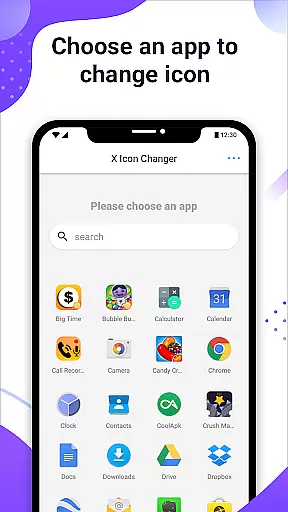
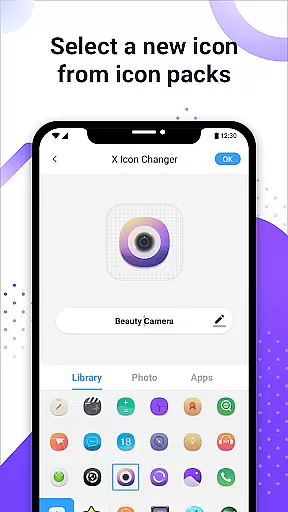
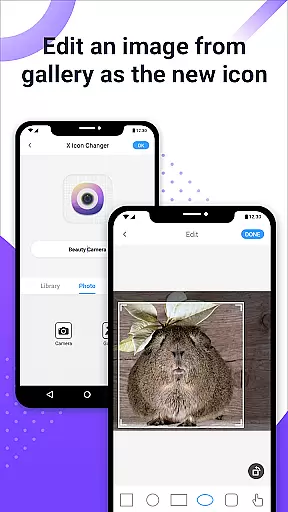
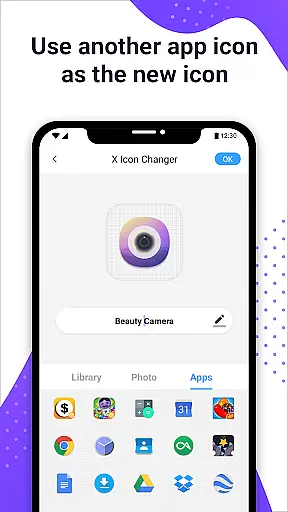
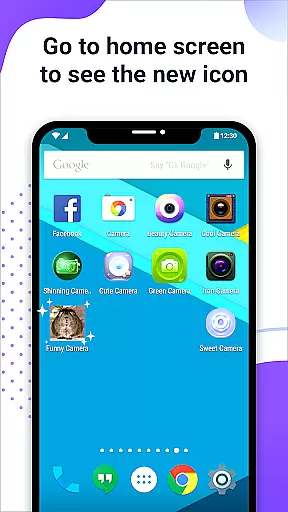
X Icon Changer is a free personalization app that allows users to customize and change icons for any app on their Android device. With access to built-in icon packs, personalized third-party options, and the ability to choose from gallery images or other app icons, this tool provides extensive customization capabilities.
The app creates shortcuts with new icons on the home screen and even supports GIF animations for app launches. A notable feature includes bypassing Android 8.0's watermark restrictions through widget technology, ensuring clean, watermark-free icons. This makes it an ideal solution for users seeking to personalize their smartphone experience without limitations.
X Icon Changer offers a variety of features designed to enhance app icon customization. Users can select new icons from built-in packs, third-party options, or their own gallery. The renaming feature allows assigning custom names (or leaving them blank) to apps while creating visually appealing shortcuts on the home screen.
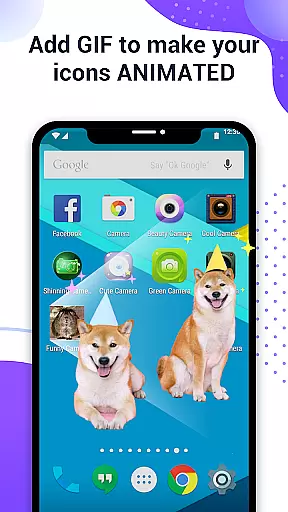
A standout capability is adding GIF animations to app launches, providing dynamic visual effects. Additionally, the app integrates widget-based functionality to avoid watermarks on Android 8.0 and above. These widgets simplify the process of applying custom icons seamlessly across devices, making X Icon Changer both innovative and practical for advanced personalization needs.
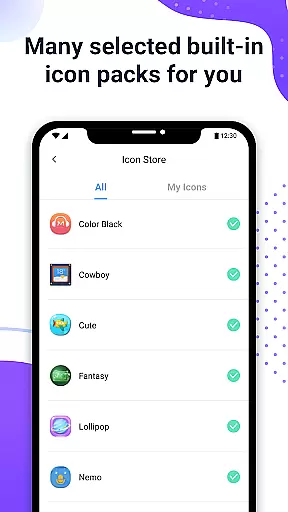
X Icon Changer offers a vast array of customization options, allowing users to personalize their app icons effortlessly. With access to built-in icon packs, gallery photos, and third-party icon packs, the possibilities are nearly endless.
The app's intuitive interface makes it simple for users to select and apply new icons. Whether choosing from pre-designed options or uploading custom images, X Icon Changer ensures that each user can find something that resonates with their personal style.
Additionally, the ability to edit app names adds another layer of customization. Users can rename apps to anything they prefer, offering both functional and aesthetic benefits.
This extensive variety empowers users to create a unique and personalized smartphone experience, making daily interactions more enjoyable and reflective of individual tastes.
Theme compatibility is a crucial feature of X Icon Changer, ensuring that all customized icons blend seamlessly with various Android themes. This compatibility enhances the visual coherence of the home screen, providing a polished and professional appearance.
Regardless of whether users opt for light, dark, or colorful themes, X Icon Changer maintains the integrity and appeal of each icon. The app achieves this by optimizing icon designs to fit different theme settings without losing quality or style.
Moreover, the widget technology provided by X Icon Changer allows for watermark-free icon changes on Android 8.0 and above. This ensures that icons remain visually appealing and consistent across different devices and OS versions.
By prioritizing theme compatibility, X Icon Changer guarantees that users enjoy a cohesive and aesthetically pleasing interface, enhancing overall user satisfaction and device usability.
Completely free to use
Wide selection of icon packs
Supports GIF animations
No watermark on icons
User-friendly interface
Limited to Android devices
Requires manual setup
Some features complex for beginners
Third-party packs may vary in quality
Widgets only work on specific OS versions

Classic analogue watch face. For wear os devices.
 4.60
4.60
Vertically oriented rectangular icons
4.70
Only for Wear OS devices!
4.90
Glass style colourful icons with a One UI look and feel
4.60
Ultra realistic high quality analog watch face for Wear OS.
4.60
Sparkle your screen with Glitter Wallpapers For Girls and Cute Backgrounds!
4.80
Design your screen with unique, vibrant clocks
3.80
400+ Beautifully crafted widgets inspired by NOTHING.
4.70
Enjoy a variety of amazing live wallpapers and colorful EDGE lighting borders!
4.80
Winter's Journey: digital watch face for Galaxy Watch & Wear OS
4.80
Customizable Glass widgets. Over 360+ stunning widgets and more!
4.70
A Colorful and Minimal icon pack in an Outline Style - Over 13,600 icons!
4.70
A launcher for Samsung Good Lock and Good Guardians modules without ads
4.70
Aesthetic Widgets, HD Wallpapers, Themes in Mico Widget for Home and Lock Screen
4.50
Vibrant Adaptive Icons with Material You and Enhanced Monet Colors.
4.50
Fingerprint Lock Screen & Live Animations with 4K Wallpapers as Live Wallpaper
4.40
Run multiple accounts of the same app on a single device
4.10
Customizable flower power digital watch face for Wear OS watches.
4.00
Ultimate widget creator. Design custom widgets for a truly unique home screen!
3.90


User Reviews