
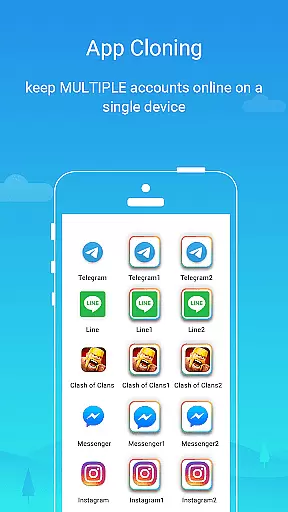
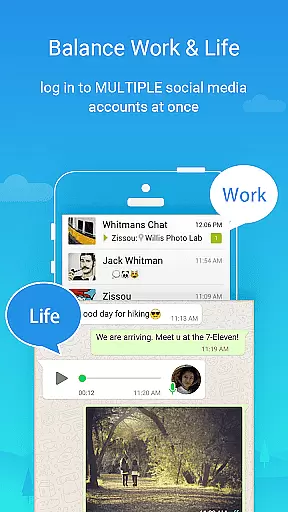
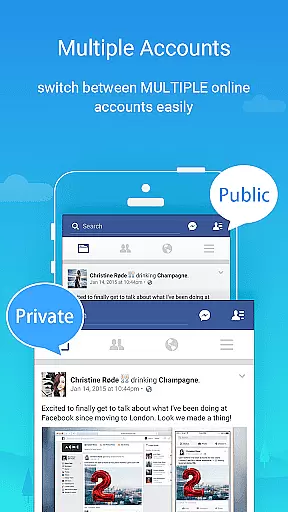
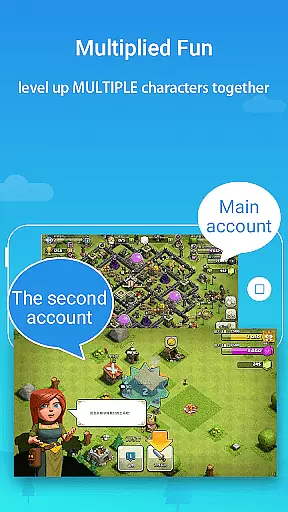
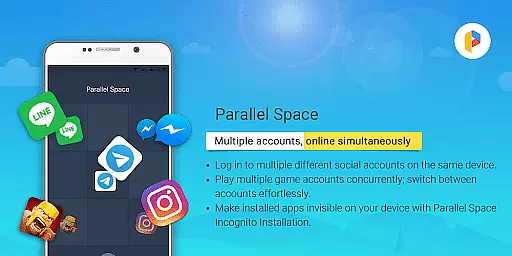
Parallel Space is a powerful Android tool that allows users to clone and run multiple accounts of the same app simultaneously. With over 200 million users, it offers a seamless experience for managing multiple accounts on a single device. The app provides enhanced privacy features through its Incognito Installation option, which makes apps invisible on your device.
This personalization app supports 24 languages and is compatible with most Android applications. Whether you need to separate work and personal accounts or level up multiple gaming profiles, Parallel Space ensures each account's data remains organized and secure. Its unique multiDroid technology, the first application virtualization engine for Android, delivers a stable and user-friendly experience.
Parallel Space stands out with its innovative features designed to enhance user convenience. The app allows effortless switching between multiple accounts with a single tap, making multitasking intuitive and efficient. Its Incognito Installation feature protects user privacy by hiding sensitive apps from view, while the secure lock adds an extra layer of protection.
The app's compatibility with most Android apps and support for 24 languages make it accessible to a global audience. Built on the multiDroid engine, Parallel Space ensures stability and performance even when running multiple instances. Users can enjoy exploring different game paths or managing various social media profiles without compromising their primary accounts' security.
For optimal functionality, Parallel Space requires certain permissions to ensure proper operation of the cloned apps. Resource consumption is primarily attributed to the apps running inside Parallel Space, and users can monitor usage through the built-in 'Storage' and 'Task Manager' options. This transparency helps maintain device performance while using the app's robust features.
Parallel Space offers a diverse range of customization options that allow users to tailor their experience according to their needs. With the ability to clone and run multiple accounts of the same app, it provides flexibility for both personal and professional use.
The app's Incognito Installation feature adds an extra layer of customization by enabling users to make certain apps invisible on their device. This not only enhances privacy but also gives users control over which apps are visible or hidden, catering to individual preferences for discretion and security.
Moreover, Parallel Space supports 24 languages, ensuring that users from different linguistic backgrounds can customize their interface language. This global accessibility makes it easier for a wider audience to manage multiple accounts with familiarity and ease.
By offering unique features such as multiDroid, the first application virtualization engine for Android, Parallel Space stands out in its category. Users benefit from a powerful, stable, and user-friendly tool that simplifies multitasking without compromising on customization possibilities.
Theme compatibility is a crucial aspect of Parallel Space's design, allowing users to enjoy a consistent visual experience across cloned apps. The app ensures that themes applied to original apps are accurately reflected in their cloned versions, maintaining aesthetic continuity and user satisfaction.
With support for most Android apps, Parallel Space provides reliable theme compatibility that enhances usability. Whether you're managing social media profiles or gaming accounts, the thematic elements remain intact, offering a seamless transition between different instances of the same app.
Parallel Space takes into account various display settings and adapts them within its virtualized environment. This attention to detail guarantees that users won't experience any jarring differences when switching between accounts, preserving the look and feel they prefer.
Furthermore, with regular updates and improvements, Parallel Space continues to refine its theme compatibility features. By prioritizing this aspect, it ensures long-term user engagement and comfort, making multitasking not only efficient but also visually cohesive.
Multi-account support
Enhanced privacy controls
User-friendly interface
Wide language support
Efficient resource management
Limited free version
Some app incompatibility
Requires permissions
Resource intensive
Possible notification issues

Vertically oriented rectangular icons
 4.70
4.70
3D, live, and moving wallpapers & themes in 4K and HD for your device.
4.50
Adult video chat, dating, making friends, random matching
4.20
Gun Chase - Let the chase begin.
4.80
Unique Fonts, typefaces and stylish text. Fonts for Instagram, Whatsapp & others
4.20
Embrace the Night. Unleash the power of darkness with Raven Dark Icon Pack
4.60
Unleash Your Creativity and Connect with Loved Ones with Lockscreen Drawing!
4.20
One 8 icons glass color version
4.80
350+ widgets with a premium glass-style finish, perfect for home & lock screens.
4.70
Only for Wear OS devices!
4.90
300+ Beautifully crafted widgets inspired by OneUI.
4.60
Transform your phone with Launcher iOS 26 - Smooth & elegant iOS experience
4.50
Aesthetic Widgets, HD Wallpapers, Themes in Mico Widget for Home and Lock Screen
4.50
The definitive Icon pack maker and editor
4.30
Customizable flower power digital watch face for Wear OS watches.
4.00
Your go to Weather App & Home Screen. Get your weather at a swipe of a finger!
3.80
Turn your lock screen into fun with smile live wallpapers & animated wallpapers!
2.50
Struggling to find apps? Use this app to locate and open any app on your phone!
2.20
Prank your friends with realistic broken screen and cracked HD effects!
4.0


User Reviews