
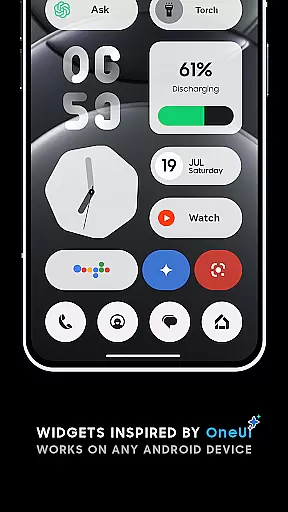
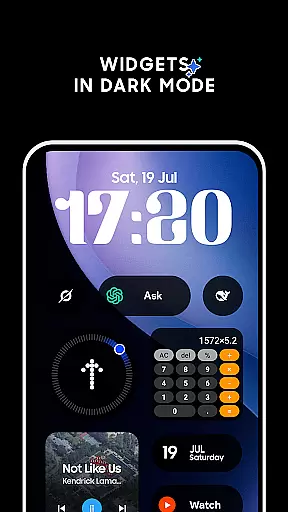
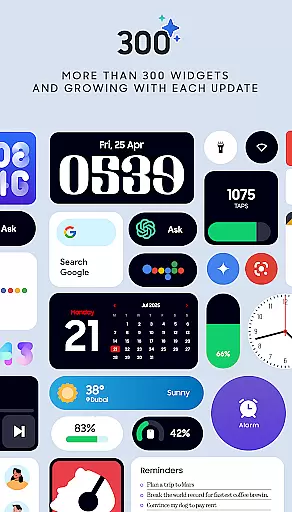
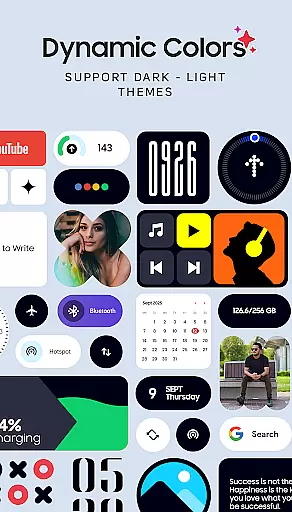
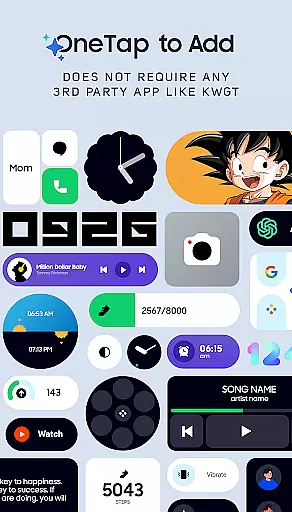
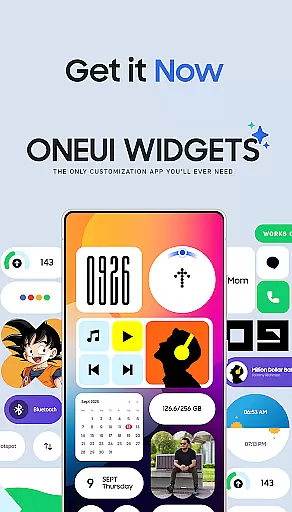
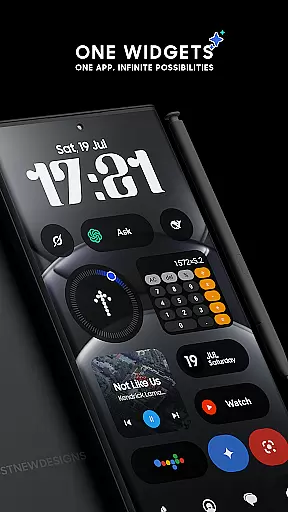
OneUI Widgets is a feature-rich personalization app that transforms your Android home screen with over 300 beautifully designed widgets inspired by Samsung's One UI OS aesthetic. The app offers a diverse range of widget categories, including clocks, calendars, weather, battery indicators, and productivity tools, all fully resizable for optimal customization.
What sets OneUI Widgets apart is its native functionality—no third-party apps like KWGT are required. Users can simply tap to add widgets and enjoy seamless integration with their devices. The app also includes matching wallpapers, completing the aesthetic transformation of your home screen.
Ideal for fans of Samsung's design language, this app ensures both form and function, making it perfect for users who want a personalized yet intuitive home screen experience.
OneUI Widgets stands out with its extensive library of over 300 widgets, each crafted to enhance both aesthetics and functionality. Categories include elegant clock and calendar widgets, minimalist battery indicators, and comprehensive weather widgets displaying forecasts and moon phases.
The app supports fully resizable widgets, allowing users to adjust sizes from small to large for a tailored fit. Unique offerings like quick settings widgets enable one-tap controls for WiFi, Bluetooth, and dark mode, while utility widgets provide essential tools such as a compass and calculator.
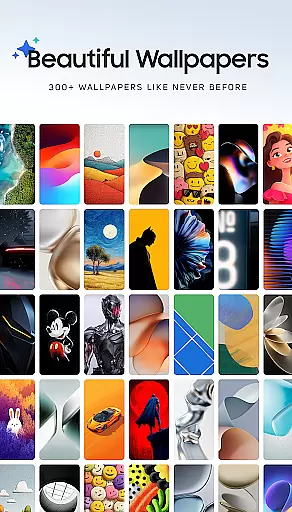
In addition to widgets, the app provides 300+ matching wallpapers, ensuring a cohesive look. With native functionality and no need for third-party apps, OneUI Widgets delivers a streamlined and reliable customization experience.
OneUI Widgets Pack offers an extensive range of customization options, allowing users to transform their home screens with over 300 beautifully designed widgets. These widgets are inspired by the One UI OS aesthetic and work seamlessly on any Android device without requiring extra apps.
The app provides a diverse selection of widget categories including Clock & Calendar, Battery, Weather, Quick Settings, Contact, Photo, Google, Utility, Productivity, Pedometer, Quote, and even Game widgets. Each category contains multiple design variations, ensuring that users can find the perfect widget to match their personal style and functional needs.
Users benefit from the fully resizable and responsive nature of most widgets, which allows for precise size adjustments from small to large. This flexibility enables the creation of a truly unique and functional home screen that perfectly fits individual preferences and device specifications.
Beyond its impressive widget collection, OneUI Widgets Pack ensures excellent theme compatibility across various Android devices. The widgets are designed to maintain visual consistency regardless of the device's operating system version or custom skin, providing a cohesive look and feel.
The included matching wallpapers, featuring over 300 exclusive designs, complement the widgets and enhance the overall aesthetic of the home screen. This comprehensive approach to visual design guarantees that both widgets and wallpapers work together harmoniously, creating a professional-grade customization experience.
By focusing on quality over quantity and maintaining strict design standards, the app ensures that all elements - from digital clocks to battery indicators - integrate smoothly with different Android themes. This attention to detail makes OneUI Widgets Pack particularly appealing to fans of Samsung Devices and OS who seek a polished, brand-consistent home screen experience.
Wide widget variety
No third-party apps
Fully resizable options
Matching wallpapers
Regular updates
Limited iOS support
Design not for all
Advanced features lacking
Occasional bugs
Premium feel

Customizable Glass widgets. Over 360+ stunning widgets and more!
 4.70
4.70
A light in the dark, a unique style and an andless cutomization!
4.30
Fingerprint Lock Screen & Live Animations with 4K Wallpapers as Live Wallpaper
4.40
Unique Android Launcher
4.60
Gun Chase - Let the chase begin.
4.80
Interactive Miniature Painting Catalogue
3.30 4.50
4.50
Yandex Browser — stylish and secure, with voice search and data compression
4.40
350+ widgets with a premium glass-style finish, perfect for home & lock screens.
4.70
Only for Wear OS devices!
4.90
Wallpaper HD 4K Live - Thousands of high-quality Anime backgrounds for you.
4.80
Vertically oriented rectangular icons
4.70
Customize your home screen with stunning themes, blur, widgets & icons.
4.60
Try creating your own keyboard with "Keyboard theme for android" app now!
4.50
Aesthetic Widgets, HD Wallpapers, Themes in Mico Widget for Home and Lock Screen
4.50
Color phone with cool effects for call screen, flash alert & ringtones music
4.50
Your home screen, just the way you like it.
4.30
Unleash Your Creativity and Connect with Loved Ones with Lockscreen Drawing!
4.20
Adaptive Dot Style IconPack with Light & Dark Theme.
3.70


User Reviews