
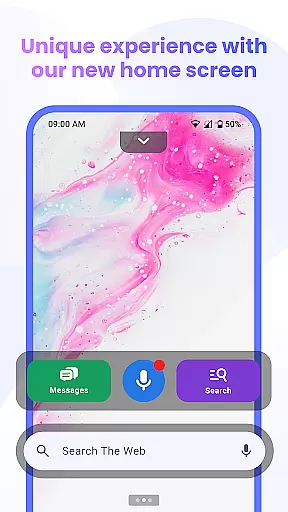

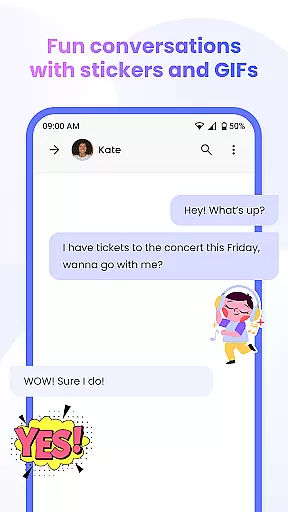
Messenger Chat Home is a unique personalization app that transforms your Android home screen into an efficient messaging hub. It combines classic SMS and MMS texting with modern launcher capabilities, allowing users to send messages, access group chats, and express themselves using stickers, GIFs, and emojis without switching apps.
Designed for simplicity and speed, this app offers features like voice-to-text, smart widgets for quick previews, and an ad-light experience. Whether you're replying to a single message or managing multiple group conversations, Messenger Chat Home ensures every interaction is fast, organized, and secure.
This app is ideal for users who want seamless communication integrated directly into their home screens, enhancing both productivity and personal expression.
Messenger Chat Home stands out with its innovative approach to messaging by integrating SMS and MMS functionality directly into the Android home screen. The app provides instant access to your inbox through swipe gestures and includes a smart widget that allows you to preview unread texts and reply quickly.
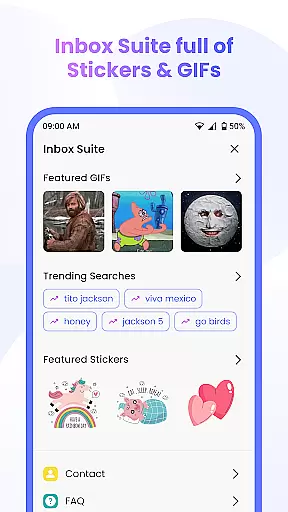
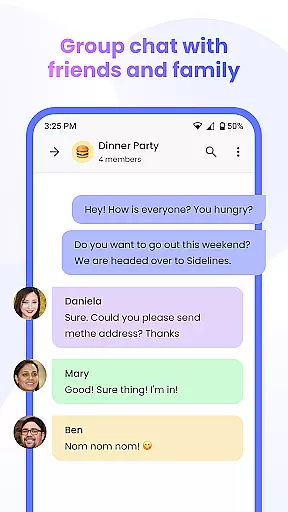
One of the key highlights is its rich media support, offering thousands of free stickers, GIFs, and emojis to make conversations more engaging. Additionally, it supports group chats and media sharing, enabling users to connect with friends and family effortlessly.
The app also emphasizes privacy and performance, running smoothly while minimizing battery and storage usage. With reliable voice-to-text functionality and minimal ads, Messenger Chat Home delivers a clutter-free messaging experience tailored for everyday use.
Customization is at the heart of Messenger Chat Home, allowing users to tailor their messaging experience to fit their personal style. With a wide array of customization options, users can modify their home screen interface and chat themes to reflect their unique personality.
The app offers thousands of free stickers, GIFs, and emojis that can be seamlessly integrated into conversations, providing an expressive way to communicate. These elements not only enhance the visual appeal but also add layers of meaning and emotion to interactions.
Moreover, Messenger Chat Home supports personalized chat settings, enabling users to adjust notification preferences, chat backgrounds, and even text styles. This ensures that every user's interaction with the app is both comfortable and uniquely theirs.
By prioritizing customization, Messenger Chat Home empowers users to create an engaging and individualized messaging environment that enhances both usability and enjoyment.
Messenger Chat Home excels in theme compatibility, ensuring that users can enjoy a cohesive look across their devices. The app provides a versatile theming system that allows for seamless integration with various Android skins and custom launchers.
Users have access to a diverse selection of themes that cater to different aesthetics and moods. Whether someone prefers a minimalist design or vibrant colors, Messenger Chat Home has options that align with those preferences while maintaining optimal performance.
In addition to aesthetic customization, the app guarantees that all themes are fully compatible with core functionalities. This means that regardless of the chosen theme, features like SMS & MMS messaging, group chats, and media sharing remain consistently accessible and reliable.
This commitment to theme compatibility ensures that users do not have to compromise on functionality for style, delivering a harmonious balance between form and function within the messaging experience.
Fast and reliable texting
Rich media options
User-friendly interface
Privacy-focused design
Lightweight performance
Limited customization
Few advanced features
Requires constant updates
Occasional bugs
No cross-platform support

Wear Os Watch Face - Seasonal - Animated Snow Effect - 9 Animals
 4.20
4.20
Turn your lock screen into fun with smile live wallpapers & animated wallpapers!
2.50
Transfer your live wallpapers from Windows to Android using Wallpaper Engine!
4.00
Customize glowing edges, wallpapers, and caller screen with EdgeAura.
3.50
Adaptive Dot Style IconPack with Light & Dark Theme.
3.70
Adorable pets roam and play right on your phone screen!
3.30
Struggling to find apps? Use this app to locate and open any app on your phone!
2.20
400+ Beautifully crafted widgets inspired by NOTHING.
4.70
Install amazing sticker packs: endless styles, always cool.
4.70
100+ Stylish Fonts, Emojis, Symbols keyboard for Instagram & TikTok!
4.80
Add cute Shimeji pets to screen, interact with them and relax with cute motions
4.60
Customizable screen pets that play, climb, and keep you company.
4.50
Aesthetic Widgets, HD Wallpapers, Themes in Mico Widget for Home and Lock Screen
4.50
Fingerprint Lock Screen & Live Animations with 4K Wallpapers as Live Wallpaper
4.40
Art & Emoji Keyboard with Cool Fonts, Cute Themes and Custom Designs.
4.40
Themes - Widget & Wallpaper: Customize home screen, icon changer w unique themes
4.30
Magic fluids wallpaper 4D: Relax with stunning fluid simulation wallpaper app
4.20
HappyLighting is a Bluetooth lamp control software.
3.40
Interactive Miniature Painting Catalogue
3.30


User Reviews