
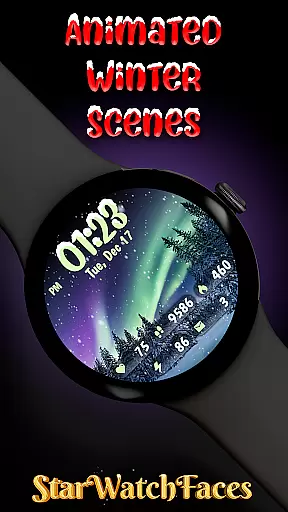
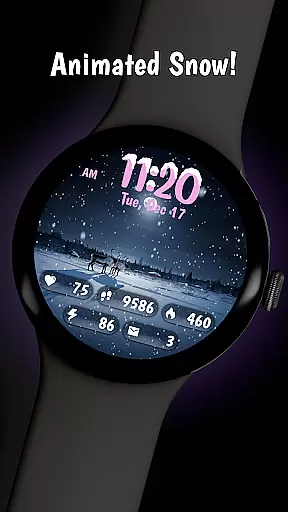
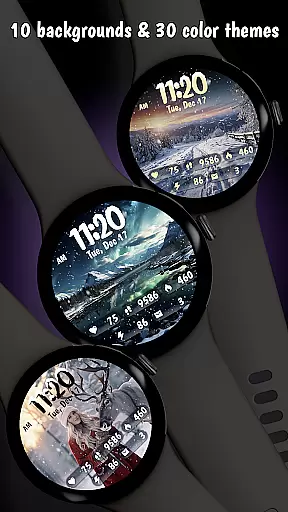
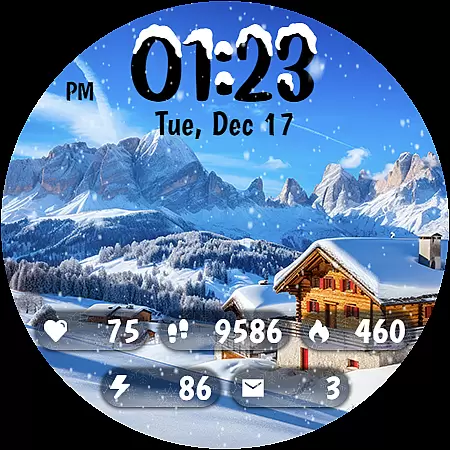
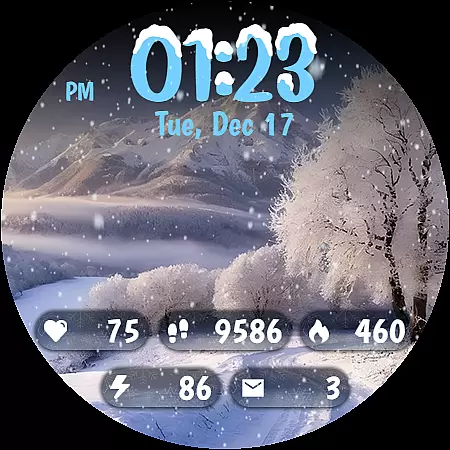
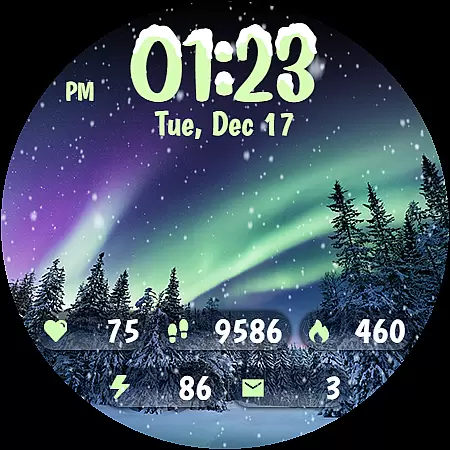
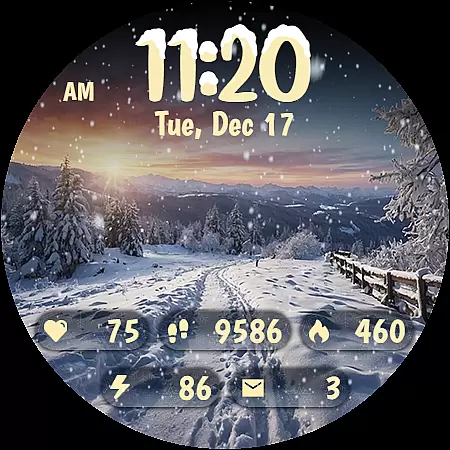
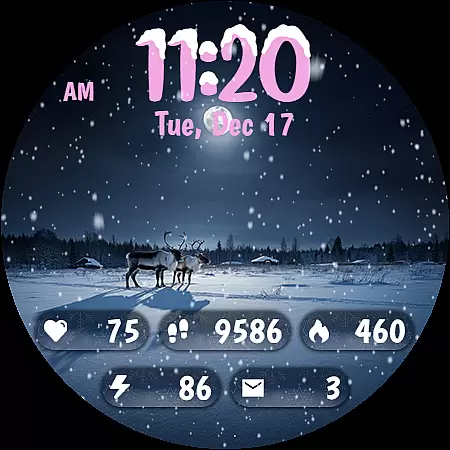
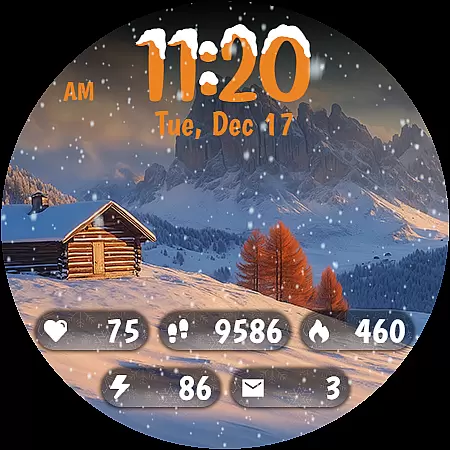
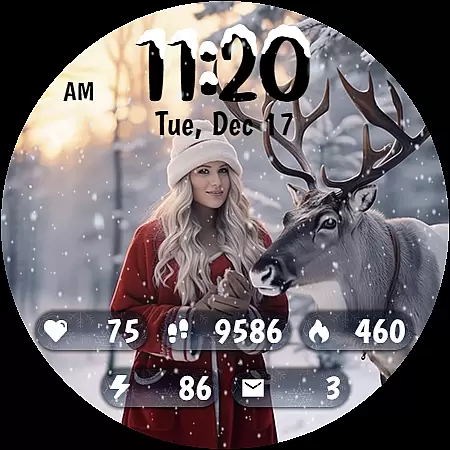
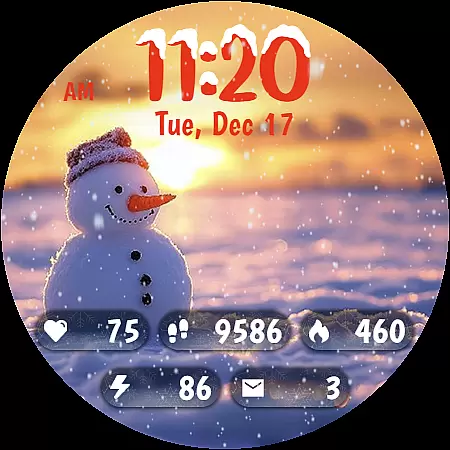
Animated Winter Scenes brings the serene beauty of winter to your Wear OS smartwatch. This watch face app offers a collection of 10 stunning winter-themed backgrounds, complete with animated snowfall for a calming effect. Users can customize their experience with 30 unique color themes and enjoy practical features like a stylish digital clock, health stats, and always-on display functionality.
The app is optimized for the latest Wear OS version and uses the Watch Face Format (WFF) for smooth performance. Whether you want to track daily steps or simply enjoy a festive atmosphere on your wrist, Animated Winter Scenes provides both aesthetics and utility. Perfect for those who appreciate seasonal themes and desire comprehensive timekeeping features in one elegant package.
Animated Winter Scenes stands out with its exquisite design elements and customizable options. The app includes 10 breathtaking winter scenes ranging from snowy mountains to enchanting forests, each accompanied by realistic animated snow. Users can choose from 30 color themes to personalize their watch face, ensuring it matches their style perfectly.
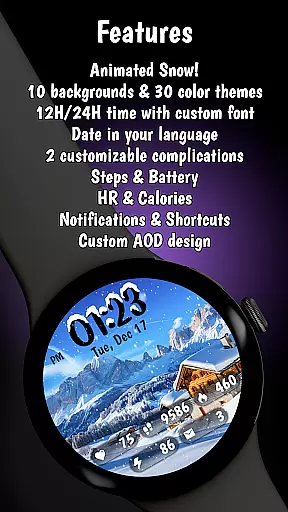
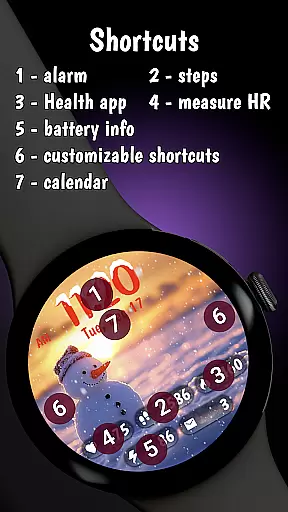
Practicality meets beauty as the app displays essential information such as step count, heart rate, calories burned, battery status, and notifications. Its custom digital clock with unique font adds charm while the date display supports multiple languages. Optimized for battery efficiency using AOD mode and built with the latest Watch Face Format, this app ensures a seamless and visually appealing experience tailored specifically for Wear OS devices.
Customization is at the heart of Animated Winter Scenes, offering users a rich tapestry of options to tailor their smartwatch experience. With 10 stunning winter-themed backgrounds ranging from majestic mountains to enchanting forests, users can select the perfect scene that resonates with their personal style.
Beyond backgrounds, the app provides 30 unique color themes, ensuring that there's a palette for every preference and outfit. The inclusion of animated snow adds an element of dynamic beauty, creating a serene, festive atmosphere right on the wrist.
The custom digital clock feature enhances personalization further, allowing users to view time in either a 12 or 24-hour format adorned with charming snow accents. This level of customization ensures that each user's watch face is not only visually captivating but also distinctly theirs.
Animated Winter Scenes excels in theme compatibility, seamlessly integrating with Wear OS to offer a cohesive and optimized user experience. The app leverages the latest Watch Face Format (WFF), ensuring that all visual elements are perfectly aligned with system specifications.
This compatibility extends to the Always-On Display (AOD) mode, where battery efficiency is prioritized without compromising on design aesthetics. Users can enjoy their personalized winter scenes continuously, knowing that power consumption has been intelligently managed.
Furthermore, comprehensive information such as step count, heart rate, calories burned, battery status, and notifications are beautifully woven into the design. This thoughtful integration ensures that while the watch face remains stylish and thematic, it never loses sight of practical usability.
Stunning winter visuals
Customizable color themes
Animated snow feature
Comprehensive info display
Optimized battery use
Limited to Wear OS
Premium price tag
Complex customization
Few interactive features
Occasional bugs

Glass style colourful icons with a One UI look and feel
 4.60
4.60
Sparkle your screen with Glitter Wallpapers For Girls and Cute Backgrounds!
4.80
Adult video chat, dating, making friends, random matching
4.20
Gun Chase - Let the chase begin.
4.80
Interactive Miniature Painting Catalogue
3.30 3.50
3.50
Customize your home screen with stunning themes, blur, widgets & icons.
4.60
Your go to Weather App & Home Screen. Get your weather at a swipe of a finger!
3.80
Your home screen, just the way you like it.
3.80
Winter's Journey: digital watch face for Galaxy Watch & Wear OS
4.80
Customizable Glass widgets. Over 360+ stunning widgets and more!
4.70 4.50
4.50
Color phone with cool effects for call screen, flash alert & ringtones music
4.50
Vibrant Adaptive Icons with Material You and Enhanced Monet Colors.
4.50
AI-powered Copilot. Personalized keyboard with gifs, stickers & themes
4.40
App Icon Changer & Shortcut Creator. Customize your icons without any watermarks
4.30
Launcher OS™ Pro without ads help make your phone simple and pretty
4.30
Your home screen, just the way you like it.
4.30
Turn your lock screen into fun with smile live wallpapers & animated wallpapers!
2.50


User Reviews