
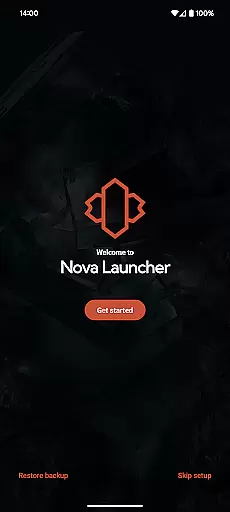
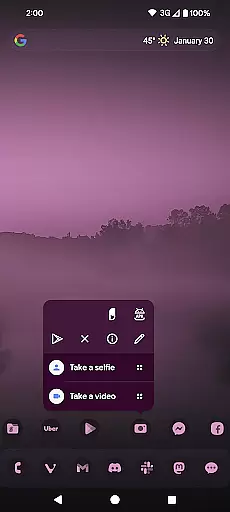
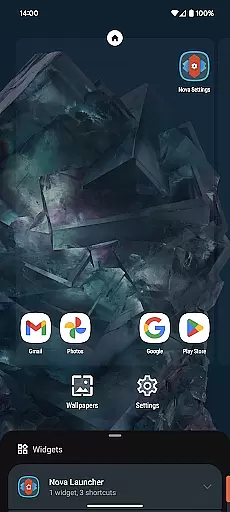
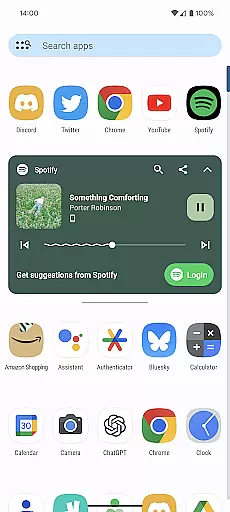
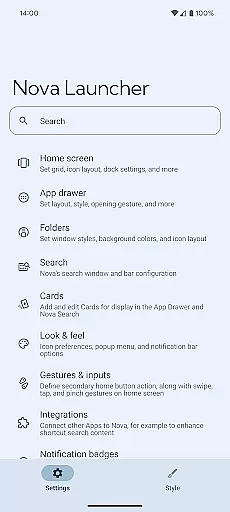
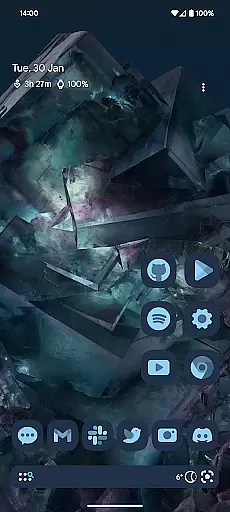
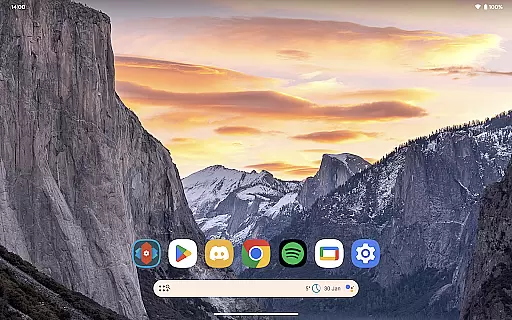
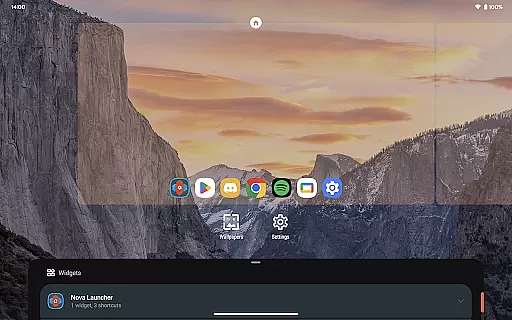
Nova Launcher is a highly customizable home screen replacement for Android devices, designed to enhance your mobile experience. It offers advanced features such as custom icons, extensive color options, and personalized light and dark themes. The app supports thousands of icon themes and allows users to reshape all icons for a consistent appearance.
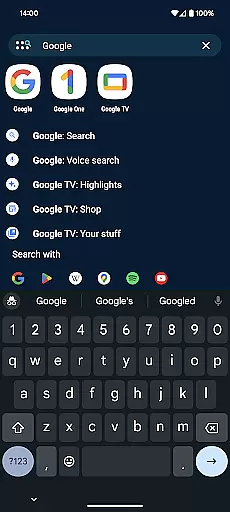
With its powerful search system, Nova enables users to find content within apps, contacts, and other services. The app also provides subgrid positioning for precise layout control, backup and restore functionality for easy transfers between devices, and helpful support through in-app assistance or an active Discord community.
This versatile launcher is suitable for both beginners and power users who want to customize their Android home screens. Whether you're looking to overhaul your interface completely or simply seeking a cleaner, faster launcher, Nova Launcher delivers the tools to create a personalized and efficient mobile environment.
Nova Launcher stands out with its extensive customization options that cater to various user preferences. The app drawer can be customized with innovative cards that display essential information, while the home screen setup allows adjustments to icon size, label colors, and search bar positioning. Users can choose between vertical or horizontal scrolling and enjoy the flexibility of custom light and dark themes.
The launcher supports Material You colors from the system or custom color choices for a unique feel. Subgrid positioning enables precise placement of icons and widgets, offering a level of control not found in most other launchers. Additionally, Nova Launcher Prime unlocks full potential with features like gestures, app drawer groups, hiding apps, and custom icon swipe gestures.
For those who value productivity, Nova's powerful search system provides instant micro-results for calculations, unit conversions, package tracking, and more. With backup and restore capabilities, moving between phones or trying new setups becomes seamless. The app also integrates accessibility services and device administrator permissions for enhanced functionality without compromising user privacy.
Customization is at the heart of Nova Launcher, offering users an extensive array of options to tailor their home screens precisely to their liking. This powerful personalization extends across various aspects including icon size, label colors, and even the positioning of the search bar. Users can choose between vertical or horizontal scrolling in the app drawer, ensuring that every interaction with their device feels intuitive and natural.
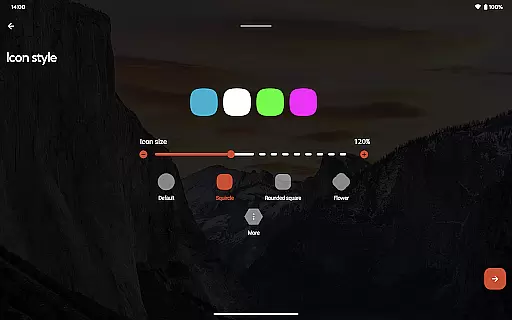
Nova Launcher supports thousands of icon themes available on the Play Store, allowing for a personalized aesthetic that reflects individual tastes. Beyond just swapping out icons, Nova reshapes all icons to a uniform shape chosen by the user, creating a cohesive look throughout the home screen. The ability to customize light and dark themes further enhances this personal touch, syncing with system settings or being manually controlled based on user preference.
The app's subgrid positioning feature allows for meticulous arrangement of icons and widgets, enabling layouts that are impossible with most other launchers. With Novau2019s backup and restore functionality, experimenting with new setups becomes risk-free as configurations can be saved locally or in the cloud. This level of customization empowers users to craft a digital environment that not only looks unique but also optimizes their daily workflow.
Nova Launcher excels in theme compatibility, providing a seamless integration of custom icons and color schemes that transform the Android experience. By supporting thousands of icon themes from the Play Store, it ensures that users have access to a vast library of design choices. These themes are not just about aesthetics; they represent an opportunity for users to express their personality through their device's interface.
Beyond downloading themes, Nova allows users to reshape all icons to match a preferred style, ensuring consistency across the home screen. This flexibility extends into the realm of colors, where Material You colors can be utilized or custom palettes selected for a truly personalized appearance. Whether you prefer vibrant hues or subtle tones, Nova adapts to your vision.
For those seeking deeper personalization, Nova Launcher Prime unlocks additional capabilities such as gesture controls and app drawer organization features. Custom tabs or folders within the app drawer exemplify how Nova balances form and function, making it more than just a launcheru2014itu2019s a comprehensive tool for crafting an ideal mobile workspace. This dedication to compatibility ensures every user finds their perfect match.
Highly customizable
Extensive icon themes
Precise layout control
Powerful search system
Active user support
Prime version costs
Complex for beginners
Some features require permissions
Occasional bugs reported
Not all features are intuitive

Only for Wear OS devices!
 4.90
4.90
Glass style colourful icons with a One UI look and feel
4.60
A retro cartoon style watch face and a punch right in the face of the copyright
4.60
Realistic animated snow on your wrist, with 10 images landscapes to choose from
4.00
3D, live, and moving wallpapers & themes in 4K and HD for your device.
4.50
The definitive Icon pack maker and editor
4.30 4.50
4.50 4.50
4.50
300+ widgets inspired by Material You and Material 3 expressive design.
4.60
Winter's Journey: digital watch face for Galaxy Watch & Wear OS
4.80
Customizable Glass widgets. Over 360+ stunning widgets and more!
4.70
400+ Beautifully crafted widgets inspired by NOTHING.
4.70
Want to make your phone more special than ever?
4.60
Embrace the Night. Unleash the power of darkness with Raven Dark Icon Pack
4.60
Handcrafted pixel art icons, widgets & wallpapers
4.60
Aesthetic Widgets, HD Wallpapers, Themes in Mico Widget for Home and Lock Screen
4.50
Customize glowing edges, wallpapers, and caller screen with EdgeAura.
3.50
Interactive Miniature Painting Catalogue
3.30
Turn your lock screen into fun with smile live wallpapers & animated wallpapers!
2.50


User Reviews