
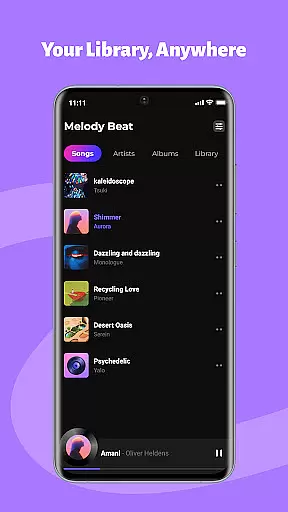
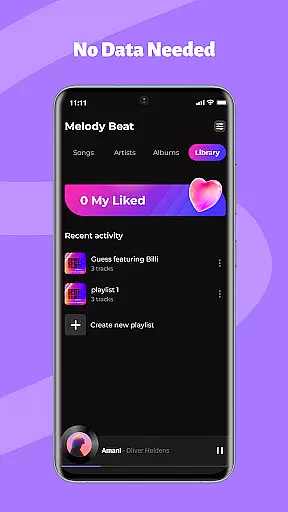
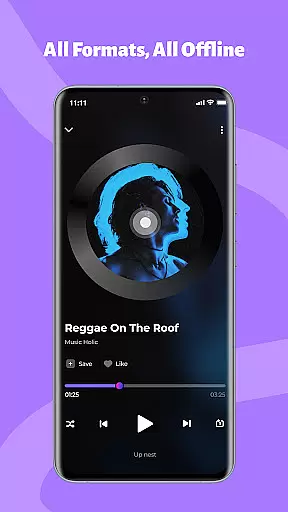
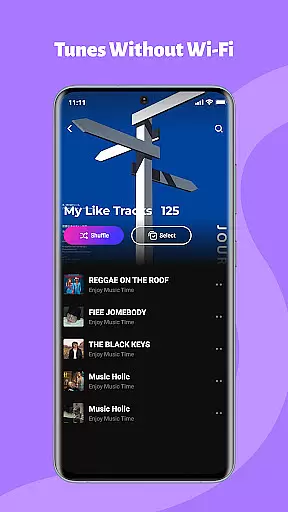
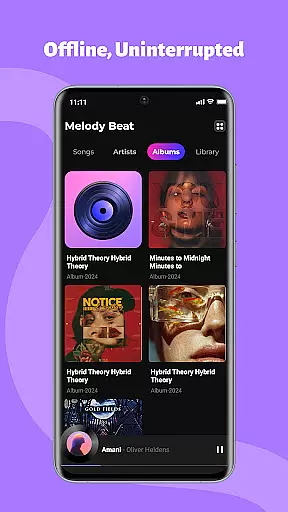
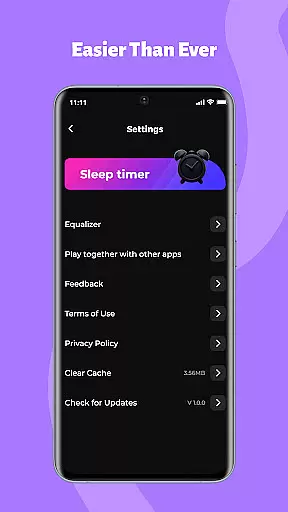
Melody Beat is a premium offline music player tailored for audiophiles who value quality and control. It supports over 30 audio formats including MP3, FLAC, and WAV without requiring file conversion.
Designed with smart library management, the app organizes music by artist, album, or genre while offering advanced playback features like equalizer presets and lockscreen controls.
Perfect for travelers, gym-goers, and commuters, Melody Beat ensures uninterrupted playback in any scenario where internet access is limited or non-existent.
One of Melody Beat's standout features is its universal format support, accommodating more than 30 audio formats with lossless quality playback. This eliminates the need for additional software to convert files before listening.
The app also includes professional-grade sound customization tools such as an advanced equalizer, bass boost, and virtualizer. These allow users to fine-tune their listening experience across various genres like Pop, Rock, Jazz, and Classical.
With background playback functionality, users can enjoy seamless music streaming even when using other apps or when the screen is off. Privacy-first design ensures all files remain locally stored, giving users complete control over their data.
When it comes to music applications, the size and authenticity of the music library are crucial factors. Melody Beat offers an extensive offline music experience by supporting over 30 audio formats including MP3, FLAC, WAV, and AAC. This ensures that users have access to a vast array of music without worrying about format compatibility or the need for file conversion.
The application emphasizes its commitment to copyright authenticity by allowing only locally stored audio files to be played. This means users can manage their legally acquired music collection with peace of mind, knowing that their library is both personal and compliant with copyright laws.
Melody Beat's smart library management automatically organizes music by artist, album, genre, or folder, making it easy for users to find and enjoy their favorite tracks. The inclusion of lyrics support further enriches the listening experience, even without an internet connection.
With regular updates and improvements, Melody Beat continues to enhance its music library features, ensuring users receive the best possible offline playback experience while respecting copyright integrity.
Audio quality is paramount for any music enthusiast, and Melody Beat addresses this by offering lossless quality playback for various audio formats. Users can enjoy their music exactly as the artist intended, with no compromise on sound fidelity. This feature is particularly beneficial for audiophiles who demand the highest standards in audio reproduction.
In addition to supporting high-quality formats, Melody Beat provides a professional equalizer with bass boost, virtualizer, and pre-set modes tailored for different music genres like Pop, Rock, Jazz, and Classical. These customization options allow users to fine-tune their listening experience according to their personal preferences or mood.
Background and lockscreen playback ensure uninterrupted enjoyment of high-quality audio during workouts, commutes, or while traveling through areas with poor signal coverage. The ability to control music directly from the notification bar or lockscreen adds convenience without sacrificing sound excellence.
Melody Beat's dedication to delivering pristine audio quality is evident in its user-centric design and privacy-first approach. By focusing on local-only storage and intuitive interface navigation, the app guarantees an immersive musical journey that remains unaffected by external interruptions or data tracking concerns.
Supports 30+ formats
Advanced equalizer
Offline playback
User-friendly interface
Regular updates
No cloud integration
Limited social features
Android only
No subscription option
Local storage required

SqueezePlayer turns your Android phone or tablet into a SqueezeBox on its own!
 4.60
4.60
Simply convert wav to mp3. Clear. Reliable. Safe.
4.0
Tune in to the greatest hits on UK Radio | The home of Capital, Smooth & Heart.
4.90
Your song collections with lyrics and chords on Android smartphones and tablets.
4.80
Bass Booster & Volume Equalizer Pro improves your music and video sound quality
4.60
Voice recorder - Audio recorder. Best recorder for recording
4.90
Offline Music Player&MP3 Player with themes, equalizer, lyrics, music play mode
4.60
Responsive piano with great sounds, graphics, and songs
4.80
Get alarms that fit your lifestyle and wake up to the sounds you love.
4.80
Walkout Song DJ is the most intuitive app to manage your sports music.
4.70
AI Music Maker: Generate And Compose AI Tunes & AI Songs & AI Music & AI Melody!
4.60
Learn the notes on the guitar fretboard fast with this easy and fun app
4.60
Guzheng Master supports many playing techniques as an acoustic Guzheng
4.50
Let your Android device with the sound effects you want
4.50
Advanced 10-Band Audio Graphic Equalizer Sound Booster Pro
4.30
Smart piano keyboard, Classical to Pop, Real-time multiplayer connection!
4.20
Offline and always ad-free - stream in the highest quality available.
4.10
The ultimate media player for Android devices
3.90
Learn to play the piano using falling notes!
3.80


User Reviews