
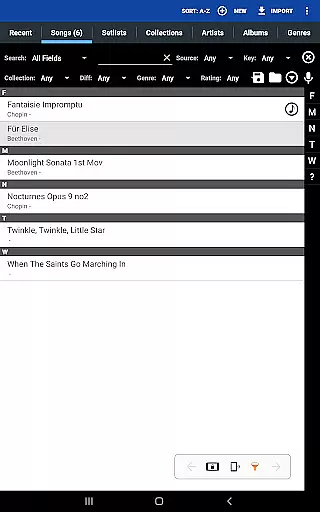
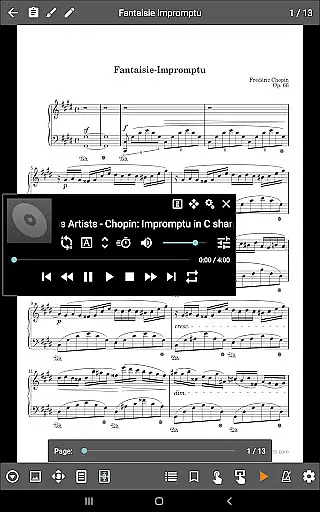
MobileSheets is a premier sheet music viewer designed specifically for Android tablets, offering musicians an efficient and versatile solution to manage and access their entire music library. The app eliminates the need for physical sheet music by providing instant access to any score directly on your device.
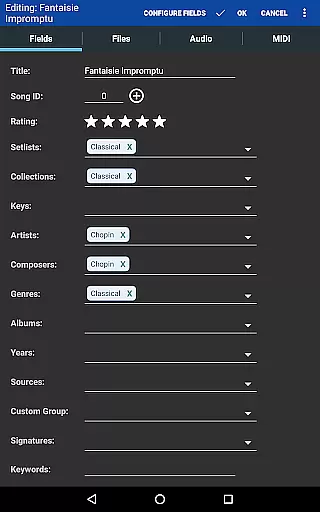
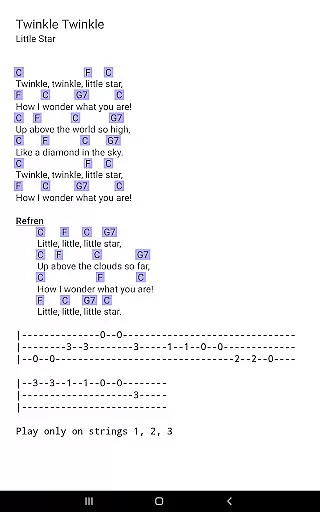
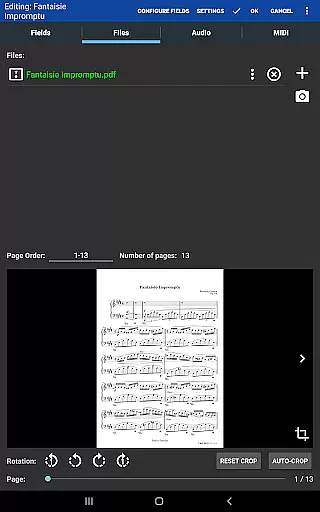
With its robust feature set, MobileSheets caters to various performance needs. Musicians can enjoy hands-free page turns through Bluetooth or USB devices, automatic scrolling, and even face gestures. The app supports multiple file types including PDFs, images, and chord pro files, while also offering powerful library management tools with extensive metadata support. Whether you're organizing setlists or adding annotations, MobileSheets streamlines your workflow.
This application is particularly beneficial during live performances or practice sessions where quick access to sheet music and customizable playback options are crucial. By integrating features like a metronome, audio player with A-B looping, and smart buttons for triggering actions, MobileSheets enhances both preparation and performance aspects of a musician's routine.
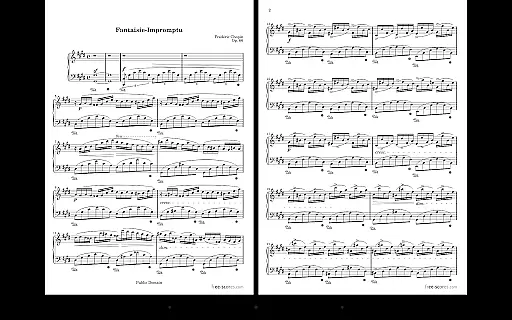
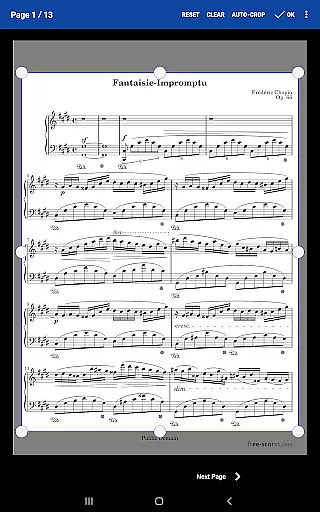
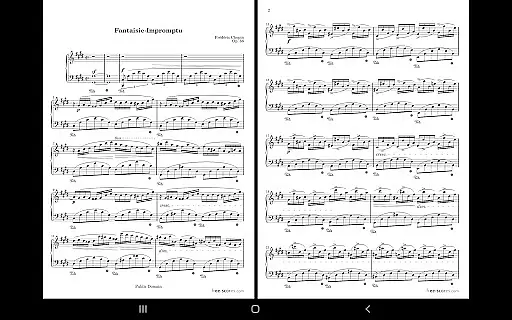
MobileSheets stands out with its comprehensive suite of features tailored for musicians. One of its key strengths is the multiple modes of operation, allowing users to view sheet music in side-by-side pages, half-page turns, or vertically scrolling formats. This flexibility ensures optimal readability regardless of the musical piece or performance setting.
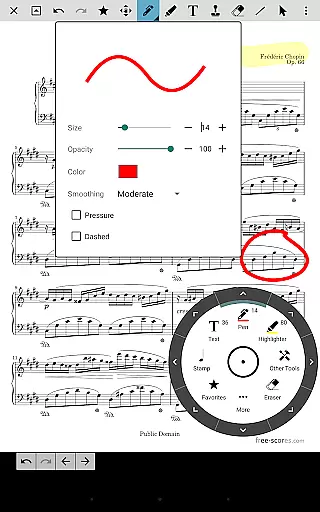
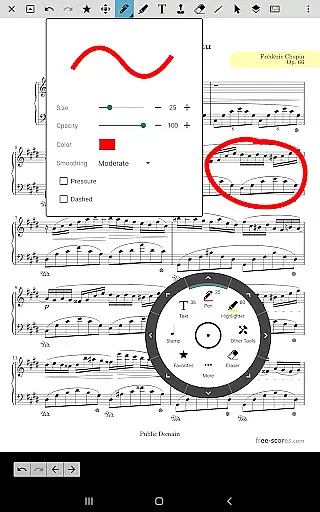
The app provides advanced functionality such as hands-free page turning through various methods including Bluetooth pedals, automatic scrolling, and innovative face gesture recognition. Additionally, musicians can annotate their scores using freeform drawing tools, shapes, text, and stamps. These annotation capabilities enable personalized markings that can be easily saved and accessed later.
Another significant feature is the custom audio player which supports A-B looping and integrates seamlessly with sheet music. Combined with MIDI device support, transposition capabilities for chords, and smart button configurations, MobileSheets offers an all-in-one solution for managing both visual and auditory elements of musical performance. Its powerful library management system further enhances organization through extensive metadata fields and flexible file handling options.
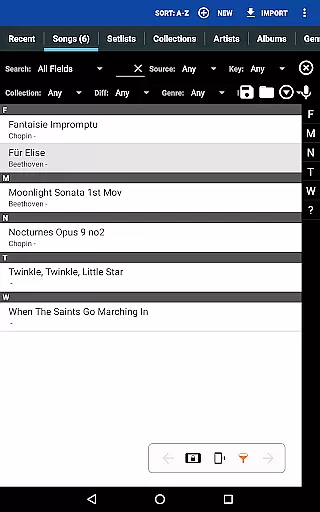
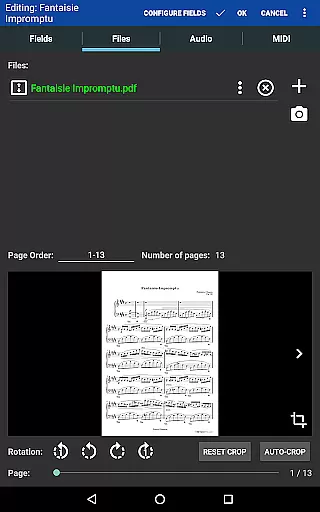
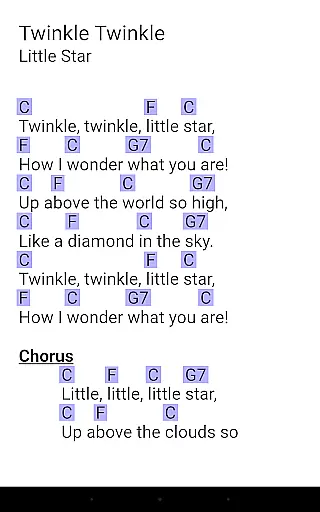
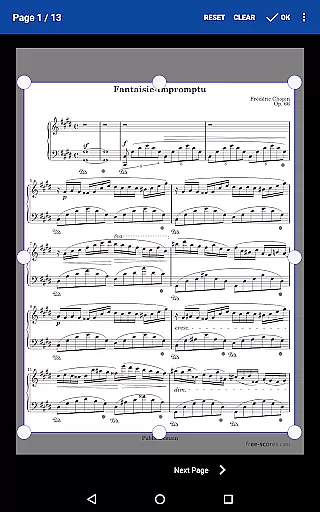
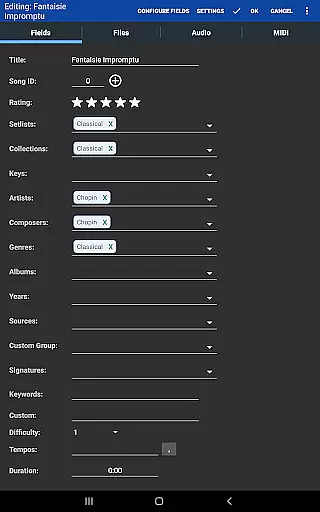
MobileSheets offers an extensive music library management system that allows musicians to store and organize a vast array of sheet music files. These include PDFs, images, text files, and chord pro files, ensuring that users have access to their entire repertoire in one place.
The application supports importing CSV index files, which is particularly useful for breaking up large PDF songbooks into individual tracks. This feature not only expands the library size but also enhances its manageability, allowing for efficient navigation and quick retrieval of scores.
Regarding copyright authenticity, MobileSheets respects intellectual property rights by enabling users to provide their own sheet music files rather than including any licensed content within the app itself. Users are responsible for ensuring they have the right to use and upload their music files to the platform.
By supporting multiple file types and offering powerful library management features, MobileSheets ensures that musicians can maintain a comprehensive and personalized collection of music scores, tailored to their specific needs and preferences.
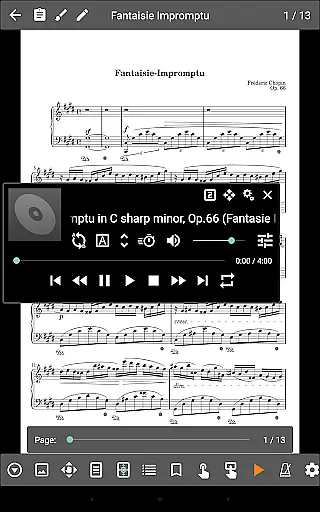
While MobileSheets does not directly play back PDFs, images, or text/chord pro files, it includes a custom audio player designed for playing audio tracks alongside your scores. This feature significantly enriches the practice and performance experience by providing synchronized audio-visual support.
The audio player supports A-B looping, a critical function for musicians who wish to repeat specific sections of a track during practice sessions. This capability ensures that users can focus on challenging parts without manual rewinding or searching for the desired section.
Moreover, the audio player comes in multiple sizes, allowing users to adjust the interface according to their preference or device specifications. This flexibility guarantees an optimal viewing experience regardless of the tablet's screen dimensions.
With these audio quality options, MobileSheets caters to musicians' need for precise control over their playback environment, enhancing both learning efficiency and performance preparation.
User-friendly interface
Extensive file compatibility
Powerful annotation tools
Hands-free operation options
Comprehensive library management
No built-in playback for PDFs
Optimized for larger tablets only
Separate PC companion app required
Limited free features in basic version
Occasional compatibility issues reported

Formerly known as Spotistats! View your top tracks, artists, albums and more!
 4.40
4.40
The Skullcandy App Experience
3.20
Control your MIDI USB or Bluetooth devices in app and avoid some trampling
3.30
DJ Music Mixer Pro is a real DJ controllers and DJ Music Studio to remix DJ.
4.40
USB audio recording and playback finally possible on Android 3.1 or higher!
3.90
Super Sound Editor, Song Maker & Mixer, Vocal Remover, Voice Recorder & Changer!
4.60
Enjoy singing any song, no matter how high or low it is
4.30
Smart piano keyboard, Classical to Pop, Real-time multiplayer connection!
4.20
Manage your Sonos system directly from your home-screen!
4.40
Voice recorder - Audio recorder. Best recorder for recording
4.90
JBL PartyBox APP works with 110/310/710/120/320/520/Encore/Encore 2/Encore Ess 2
4.80
Unleash your creativity! Turn simple prompts into full fledged songs.
4.70
Recording studio w/ 10k beats, pro vocal FX and a network of 20M rappers & fans!
4.60
Offline Music Player&MP3 Player with themes, equalizer, lyrics, music play mode
4.60
Learn the notes on the guitar fretboard fast with this easy and fun app
4.60
Save hundreds of dollars for a physical strobe tuner and instead use this app.
4.50
Turn your Android phone into a professional audio analyser with up to 120 bands.
4.00
The only true audiophile music player with Hi-Fi audio rendering and DSP engine
3.90
Background pads for your band
3.80


User Reviews